To do list tools: how to find one you will actually use consistently
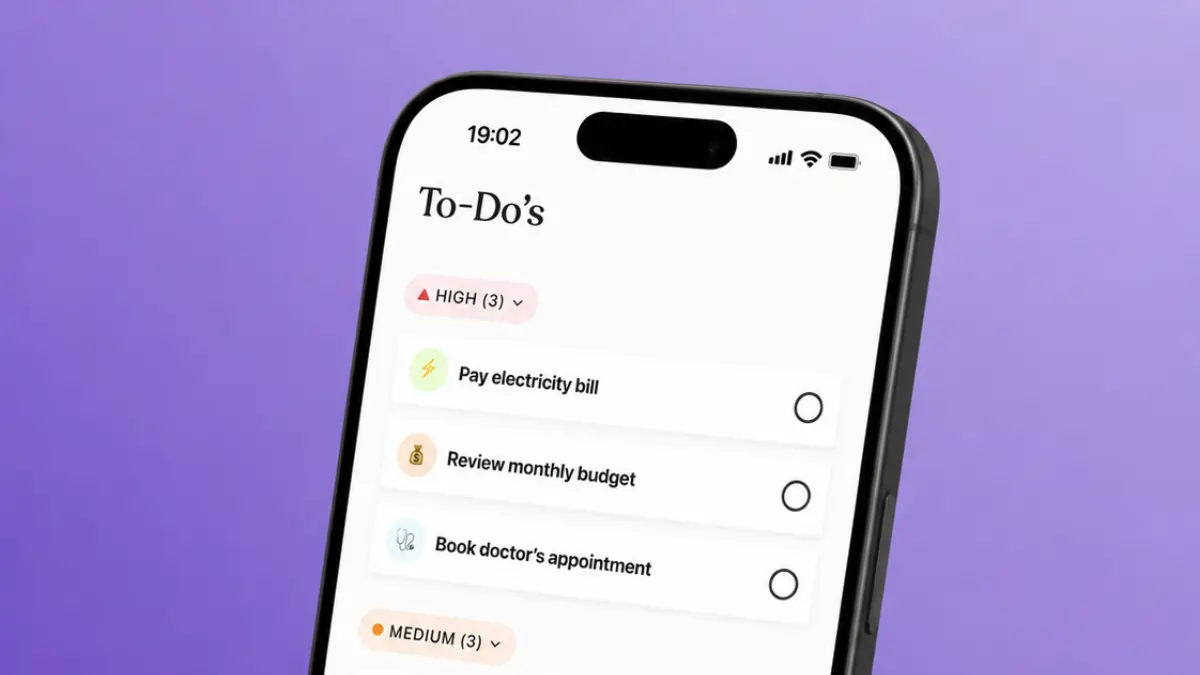

Why most to-do list tools get abandoned and how to avoid that
Most people have tried at least two or three to-do list tools and dropped all of them. The app was not the problem. The system was. A to-do list tool only works when it matches the way you think, the volume of tasks you manage, and the rhythm of your day. Pick something too complex and you spend more time updating the list than doing the work. Pick something too bare and you outgrow it within a week.
The most common failure pattern is overloading the tool on day one. You migrate every task, project, and idea from your head into a new system, feel organised for 48 hours, and then stop opening it because maintaining it takes too long. A to-do list should be fast to update. If adding a task takes more than ten seconds, you will stop adding tasks.
The second common failure is choosing a tool based on features rather than fit. A tool with fifty features you never use is a distraction. Start with what you need now: a place to capture tasks, a way to prioritise them, and a view that shows you what to do next. Anything beyond that can come later.
Context matters too. Standalone tasks behave differently from tasks that belong to a larger project. A grocery item and a client deliverable should not compete for the same space. If your tool does not let you separate personal errands from work commitments, you will find yourself ignoring one category or cluttering the other. The best list tools give you a way to group tasks without requiring a complete reorganisation every time a new project starts.
Recurring tasks add another layer. A tool that makes you re-enter the same task every week will train you to skip that step, and the task will get missed. Check whether your shortlisted tools handle recurring items natively before you commit.
Avoiding the abandonment cycle comes down to three things. First, keep the list short. A list with 40 items is not a list, it is a backlog. If everything is on it, nothing gets prioritised. Aim for a daily list of five to ten items maximum. Second, review it at a fixed point each day. Morning works for most people. Third, choose a tool you will open on every device you use. If your list lives somewhere inconvenient, you will not keep it current.
The best productivity apps share a common trait: they remove friction rather than add it. Your to-do list tool should be the same. The goal is not a perfect system. The goal is a system you keep using.
The best to-do list apps for personal use
Personal to-do lists have different requirements from team task tools. You need speed, flexibility, and something light enough to carry across your phone, tablet, and laptop without login friction or sync delays.
Notion handles personal task management and note-taking in one place. You can build a simple daily task view or a more structured weekly planner depending on how you prefer to work. It takes a few minutes to set up a template you like, and once that is done, capturing and clearing tasks stays fast. You can also link tasks to notes or project pages, which keeps context close without switching tools. The free tier covers solo use comfortably.
Trello suits people who think visually. Cards move across columns as tasks progress, which gives you a clean at-a-glance view of what is waiting, what is in progress, and what is done. It works well for personal projects with a clear sequence of steps. The free plan is generous and the interface stays uncluttered even when you are managing several boards at once.
ClickUp offers personal workspaces with multiple views including lists, boards, and calendars. It has more depth than most personal users need initially, but if you plan to bring in a team later, starting here avoids a migration. The free tier covers individual use with no time limit.
Monday.com works for people who prefer a grid-style layout and colour-coded status columns. It is better known as a team tool, but its personal workspace functions well for individuals managing multiple ongoing commitments. If you already use it at work, using one platform removes a layer of context-switching.
The right personal tool depends on how you process tasks. If you think in lists, Notion fits well. If you think in stages and columns, Trello is a natural choice. For flexibility across both views, ClickUp covers that without forcing a single layout. The time and task management guide covers how to pair your list tool with a broader approach to daily scheduling, and the task management dashboard guide goes deeper on connecting tasks to projects.
The best to-do list tools for work and team tasks
Work tasks carry more complexity than personal errands. They involve other people, deadlines that affect colleagues, approval chains, and priorities that shift without warning. A list maker built for solo personal use will not hold up when you are coordinating with a team, tracking dependencies, or handing off work between departments.
Notion works well for teams that combine task management with documentation. You can build a task database that links directly to project notes, meeting records, and reference materials. This matters when the context behind a task is as important as the task itself. A developer fixing a bug needs the original spec. A writer editing copy needs the brief. Notion keeps those connections in one place and the free plan covers small teams.
ClickUp handles team task management with a level of structure that scales from a two-person operation to a larger distributed team. You can assign tasks to specific people, set due dates and priorities, add subtasks, and track progress across projects from a single dashboard. The list view works for task-focused teams; the board view suits those who prefer a visual flow.
Monday.com gives teams a grid-style workspace where tasks sit alongside status columns, owners, and timelines. It is particularly useful for teams that manage repeatable workflows, such as onboarding sequences, content production, or client delivery. The visual structure makes it easy to see where a task is in the process and who is responsible for the next step.
Trello remains a strong option for teams with straightforward workflows. If your process has clear stages and your team is small, a Trello board gives everyone visibility without the configuration overhead of a more complex tool. It is a good starting point for teams adopting shared task management for the first time.
Choosing the right work tool depends on your team's size and how mature your processes are. A small team with informal workflows does better with Trello or Notion, where setup is minimal and the barrier to adoption is low. A team managing multiple client projects with tight deadlines benefits from Monday.com or ClickUp, where reporting, dependencies, and workload visibility are built in. The wrong fit creates drag in either direction.
How to build a task system that works for your brain
The tool matters less than the system around it. Two people can use the same app and get completely different results depending on how they structure their tasks and when they review them.
Start with capture. Every task needs a single, reliable place to land. If you sometimes use your app, sometimes use a notes file, and sometimes rely on memory, tasks fall through the gaps. Pick one entry point and use it every time, regardless of how small the task is.
Next, establish a daily review. This does not need to be long. Five minutes in the morning to check what is due, reprioritise anything that shifted overnight, and confirm your top three tasks for the day is enough. Without this step, your list becomes a storage system rather than a working tool.
Group tasks by context rather than by urgency alone. Urgency shifts constantly. A task that felt critical on Monday may have dropped in priority by Wednesday. Context stays stable. Tasks you need to do at your desk, tasks that require a phone call, tasks that need a specific person's input: grouping these together means you can batch similar work and move faster.
A weekly review keeps the bigger picture in view. Once a week, set aside fifteen minutes to scan your full task inventory, archive anything that is no longer relevant, move overdue items to a new date, and check that your priorities still match your actual goals. Daily reviews keep you on track hour to hour. Weekly reviews keep you on track month to month.
Keep your list honest. If a task has been sitting on your list for two weeks, either schedule it for a specific day or delete it. A list full of tasks you are not going to do creates friction and hides the work that matters. The productivity tools guide covers broader strategies for building systems that hold up under real work pressure.
Separate your capture list from your daily list. Your full task inventory can be long. Your daily list should not be. Pull three to five tasks from the inventory each morning using Trello boards or any view that surfaces your priorities clearly. At the end of the day, review what is done, move incomplete tasks forward or reschedule them, and close the list.
What this means for you
A to-do list tool is not a productivity system on its own. It is one component of how you manage your attention and your commitments. Choosing the right one matters, but the system you build around it matters more. A mediocre tool used consistently will outperform a feature-rich one used erratically every time.
If you are starting from scratch, pick the simplest option that covers your current needs. For solo use, Notion or Trello will handle most personal task loads without requiring significant setup time. Both have free tiers that are fully functional for individuals. Start with a basic structure, use it for two weeks, and adjust based on what is causing friction. You do not need to design the perfect system before you begin.
If you manage tasks across a team, the priority shifts to visibility and shared ownership. ClickUp and Monday.com both give you the ability to assign tasks, track progress, and surface bottlenecks before they become delays. The choice between them usually comes down to how your team prefers to view work. ClickUp gives you more view options; Monday.com gives you a faster visual overview. Try both on free plans before committing to a paid tier.
The habit layer is what separates people who benefit from these tools from those who abandon them. A daily five-minute review, a consistent capture habit, and a short daily task list are the three behaviours that make the tool work. Without those habits, no tool will fix the underlying problem.
One mistake worth naming is the tool-switching trap. Every few months, a new list maker appears with a clever new interface, and it is tempting to start fresh. Starting fresh feels productive because you are active and engaged. You are not making progress. You are reorganising the same tasks into a new container. If your current tool covers your needs, the cost of switching is real: time to migrate, time to learn the new interface, and the disruption of a broken habit. Switch when you have a clear reason to, not because something new looks appealing.
If your tasks are tightly connected to larger projects, a standalone to-do list may not be enough. A task management or project planning tool gives you the context layer a simple list does not provide. The productivity software guide covers how to build a stack where each tool has a clear role and none of them overlap in a way that creates double entry or confusion.
Many to-do list tools connect to other apps you already use. ClickUp and Monday.com both integrate with calendar tools, email clients, and communication platforms, which means a task created in one place can surface in another without manual duplication. Notion connects to a range of third-party tools via automation platforms. These integrations matter most when your work spans multiple tools, as they reduce the chance of a task being logged somewhere you will not look. If integrations are a priority for your workflow, check what each tool supports before committing.
Budget is rarely the deciding factor at entry level. Most to-do list tools offer free plans that are genuinely usable. ClickUp, Notion, Trello, and Monday.com all have free tiers. The question is not whether you can afford a tool but whether the free tier covers your workflow or whether you are hitting a wall that only a paid plan removes. Upgrade decisions are worth making six to eight weeks in, once you know which features you are using.
A consistent to-do list habit also makes other parts of your workflow easier. When your tasks are in one place and reviewed daily, you spend less time remembering what you should be doing and more time doing it. That reduction in mental overhead compounds over weeks and months. The tool is the container. The habit is the practice. Both matter, and neither works without the other.
More AI & Tech Blogs





Latest AI & Tech Blogs


Subscribe to Stay in the loop
Get the latest AI and technology news, honest tool reviews, and practical guides delivered straight to your inbox.
Success! Check your Inbox!

Tezons Newsletter
The latest technology news, in-depth tool reviews, and practical guides - curated and delivered to your inbox.
Latest News




Have a question?
Have any questions?
Didn’t find what you were looking for? We’re just a message away.