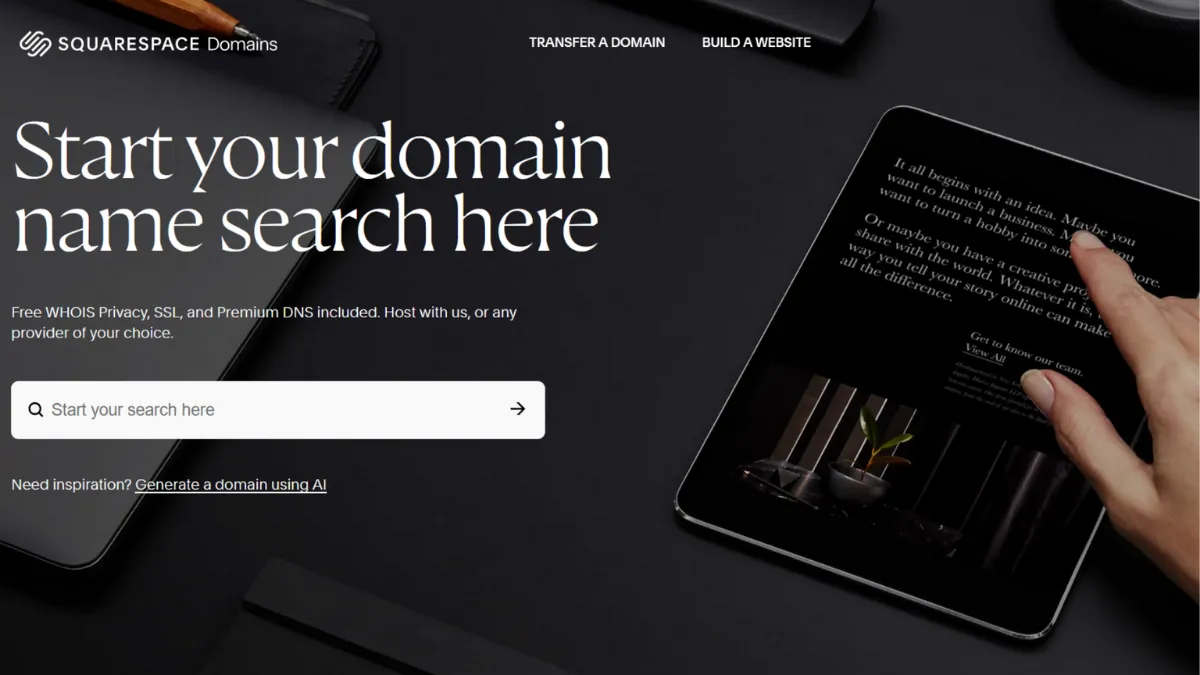
Domain registration sits at the quietest corner of building an online business, and most founders choose a registrar once and forget about it until a renewal invoice arrives. Squarespace Domains earns a place in that decision not because it undercuts the competition on price, but because it removes almost every piece of friction between registering a name and having it work correctly. That matters more than it sounds. The hours founders lose to misconfigured DNS records, missing WHOIS privacy settings, and disconnected SSL certificates add up, and Squarespace Domains is built around eliminating exactly those costs. Whether it belongs in your stack depends entirely on what you are building alongside it.
Squarespace entered domain registration seriously after acquiring Google Domains in 2023, inheriting that platform's clean interface, its DNS infrastructure powered by Google Cloud DNS, and a sizeable base of transferred users. The registrar now offers hundreds of TLDs, includes WHOIS privacy protection at no additional cost on eligible domains, provides DNSSEC out of the box, and gives you full DNS control from a dashboard that does not bury settings behind upsell prompts. For founders running a site on Squarespace's website builder, the value is unusually direct: DNS configuration for your Squarespace site is handled in a single click, SSL sets up automatically, and email forwarding works without touching a record manually. For everyone else, you are paying a slight premium over cost-price competitors for a cleaner interface and tighter customer support access.
The realistic expectation here is a stable, unhurried registrar experience rather than a bargain. A standard .com domain renews at around $20 per year, which is roughly double the cost of registering the same domain through Cloudflare's at-cost pricing. First-year promotional pricing brings the entry point lower on some TLDs, so verify current rates directly on the pricing page before committing. Transfers in from other registrars are supported, though some users who migrated from Google Domains reported friction during that specific transition period. Under normal conditions, DNS propagation is fast and reliable, and the activity log that records every change to domain settings adds a layer of auditability that solo operators managing multiple names will appreciate.
The tool suits founders who are already inside the Squarespace ecosystem, small business owners who want a single dashboard for domain, DNS, and website management, and anyone who previously used Google Domains and wants the most direct migration path. Creative agencies managing domains across client accounts also benefit from the ability to move domains between sites within the same account without a full transfer process.
The pricing ceiling is the real limitation. Squarespace Domains is not the most cost-efficient choice for technical founders who are comfortable with DNS management and would rather pay wholesale rates. Cloudflare charges no markup at all, and Namecheap runs frequent promotions that bring first-year costs well below what Squarespace offers. If domain cost compounds across a large portfolio, the difference over several years becomes meaningful.
The sections below cover how the registrar works mechanically, what its features actually do, honest pros and cons, a strategy guide for getting the most from it, and how it compares to the alternatives you are most likely to consider.
What Is Squarespace Domains?
Squarespace Domains is a standalone domain registrar that lets you search, register, transfer, and manage domain names independently of any website builder or hosting product. You do not need a Squarespace website subscription to use it. The service inherited its infrastructure from Google Domains following Squarespace's acquisition in 2023, which means it carries over the same DNS quality and interface clarity that made Google's registrar a favourite among small business owners and technical solo operators alike. What separates it from generic registrars is the degree to which domain management is treated as a first-class feature: WHOIS privacy, DNSSEC, SSL, and email forwarding are all included without add-on charges, rather than sold as extras. The platform targets users who want domain administration to stay out of the way, and it largely succeeds. The more interesting question is how the underlying mechanics handle the things that actually break for most users.
How Squarespace Domains Works
Registering a domain takes a name search, a TLD selection, and a checkout. The interface is clean enough that you reach the DNS management dashboard without confusion, even on a first visit. WHOIS privacy is on by default, which means your personal contact information does not appear in the public domain record unless you switch it off manually. That default-on behaviour is the right choice and something registrars with upsell incentives tend not to offer.
DNS management is the core of day-to-day use. The dashboard presents records logically, labels each record type with a plain-language explanation, and provides guided prompts for common tasks like connecting a Google Workspace account or pointing your domain at a third-party host. Full control is available: you can edit A, CNAME, MX, TXT, and other record types directly, update nameservers, and configure DNSSEC. The activity log timestamps every change, which is useful when something breaks and you need to trace the cause.
For Squarespace website users, the integration shortcut is the standout feature. Pointing a registered domain at a Squarespace site requires no manual DNS editing. For everyone running a site elsewhere, the process is standard: update nameservers or add records manually, then wait for propagation. The platform also offers email forwarding at no extra cost, and Google Workspace email can be purchased directly through the dashboard.
The counterintuitive thing most users assume wrong: owning your domain through Squarespace Domains does not lock you into the Squarespace website builder. You can transfer the domain out to another registrar at any time, and you can point it at any host using standard DNS. The platform holds your name; it does not hold your site. That distinction matters when founders conflate the registrar product with the broader website subscription and assume switching either means switching both.
Squarespace Domains Key Features
Free WHOIS Privacy Protection. Most registrars treat WHOIS privacy as a paid add-on. Squarespace includes it by default on all eligible domains, and it activates automatically at registration without requiring a settings change. Your personal contact details stay out of the public record from day one. This is particularly relevant for solo founders who register domains under their own name and do not want that information scraped by spam lists.
Full DNS Management with DNSSEC. The DNS editor gives you control over every standard record type and presents each one with a brief explanation of what it does. DNSSEC is included and adds cryptographic verification to your DNS responses, reducing the risk of DNS spoofing attacks. The guided setup prompts for common integrations, such as connecting email services or verifying domain ownership for third-party tools like Google Analytics, reduce the scope for manual error.
Domain Activity Log. Every change made to your domain settings is timestamped and recorded in an activity log visible to all account owners and managers. For founders managing multiple domains or working with an assistant who has account access, this auditability is practically valuable. You can pinpoint exactly when a record changed and who made the change, which cuts troubleshooting time significantly.
Email Forwarding and Google Workspace Integration. Each registered domain includes email forwarding at no additional cost, so you can point a professional address at an existing inbox without paying for a full email hosting plan. For founders who want proper mailboxes, Google Workspace can be purchased directly through the dashboard with DNS configured automatically. This removes the most common source of email setup errors: incorrect MX records.
Squarespace Website Integration. If your site runs on Squarespace's builder, connecting a registered domain requires no manual DNS work. The platform handles the configuration in a single step, and SSL sets up automatically. This is the feature that makes Squarespace Domains genuinely faster than any standalone registrar for Squarespace users specifically. For founders not on Squarespace, the integration advantage disappears and pricing becomes the more important consideration, which is where the next section begins.
Squarespace Domains Pros and Cons
The strengths of Squarespace Domains cluster around privacy defaults, DNS quality, and interface clarity. The weaknesses centre on pricing and ecosystem lock-in logic.
- WHOIS privacy included by default. Privacy is on from the moment of registration with no extra charge. This removes a recurring cost that competitors treat as an upsell and ensures you never accidentally expose personal contact details through an opt-in you forgot to complete.
- Clean, well-labelled DNS interface. The dashboard presents DNS records with plain-language descriptions and guided prompts for common tasks. Founders with no DNS experience can configure most setups without referring to external documentation, which reduces the support burden on small teams.
- Activity log for all domain changes. This is an underrated feature that most registrars omit entirely. Having a timestamped record of every DNS change makes debugging significantly faster when something stops working after a configuration update.
- No upsells or bundled clutter. The registrar inherited a clean product philosophy from its Google Domains origins. You are not pushed toward hosting packages, SSL certificate purchases, or security add-ons you do not need.
- Seamless integration for Squarespace website users. One-click DNS configuration with automatic SSL is a genuine time-saver for anyone already on the Squarespace builder platform. The value here is real for that specific audience.
The limitations are real and worth knowing before you commit.
- Renewal pricing is above the market average. A standard .com renewal sits around $20 per year, which is roughly double Cloudflare's wholesale rate. Across a portfolio of ten or twenty domains, that difference compounds into a meaningful annual cost. This is acknowledged directly in the pricing section below.
- Weak value for non-Squarespace users. The standout features are privacy defaults, DNS quality, and Squarespace integration. If you are not on the builder, you are paying a premium for benefits that competing registrars match at lower renewal rates.
- Limited bulk management tools. Founders managing large domain portfolios will find the dashboard adequate for individual domain management but lacking the batch operations that dedicated registrars offer for renewing, transferring, or editing DNS across multiple domains simultaneously.
- Integrations are largely DNS-level, not platform-level. The registrar connects to third-party services through standard DNS record editing rather than native integrations with workflow tools. There is no API for programmatic domain management available to standard users, which limits automation options.
- No domain marketplace or aftermarket access. If you want to buy or sell premium domains, Squarespace Domains offers no brokerage or aftermarket listing capability. That use case requires a different platform entirely.
How to Get the Most Out of Squarespace Domains
Before registering, confirm your preferred domain across all the TLDs you might need. It is common practice to register the .com, .co.uk, or regional equivalent at the same time to prevent brand squatting. Squarespace makes it easy to group domains under a single account and payment method, so the administrative overhead of holding several variants is low.
After registration, spend ten minutes in the DNS dashboard before you need to use it. Understand where the record editor is, verify that WHOIS privacy is active, and check that DNSSEC is enabled. Doing this before you connect email or point to a host means you are not learning the interface under pressure when something breaks.
For email setup, use the Google Workspace integration if you want full mailboxes, or configure forwarding immediately to a personal inbox if you are in early-stage operations and do not yet need separate email infrastructure. Getting this configured at domain registration rather than weeks later prevents the awkward gap where you have a branded domain but no working email address on it.
Knowing how to manage DNS for a custom domain is the skill most founders underestimate. The activity log is your most useful diagnostic tool: whenever a connected service stops working, check the log first before assuming the problem is on the service side. A misconfigured record added three days ago will show up clearly, and reverting it is faster than raising a support ticket.
If you are running a site on Squarespace's builder, keep your domain registered here. The one-click connection and automatic SSL make ongoing maintenance faster than it would be with a separate registrar. If your site is on Webflow, Shopify, or another platform, weigh the renewal costs honestly against registrars that charge closer to wholesale rates. The interface quality of Squarespace Domains is genuine, but it is not so superior as to justify the price gap for users who need to manage DNS manually anyway.
Renewal reminders arrive by email before expiry, and auto-renewal is available. Turn it on. Domain expiry is one of the few infrastructure failures that causes complete, immediate website downtime and takes longer to recover from than most technical incidents.
Who Should Use Squarespace Domains?
This is for you if you are one of three kinds of operator. The first is a founder building a site on Squarespace's website builder who wants DNS, domain management, and site configuration in a single account with no manual record editing required. The integration advantage here is real and saves setup time that would otherwise go to troubleshooting. The second is a small business owner or creative professional who wants a registrar that does not require DNS knowledge to operate, where clean defaults, guided setup, and included privacy features remove the administrative complexity from domain ownership. The third is a former Google Domains user who migrated automatically and finds the inherited interface familiar enough to stay without further evaluation.
This is not for you if you are a technical founder managing ten or more domains and tracking renewal costs carefully. At around $20 per year for a .com renewal, Squarespace Domains is materially more expensive than cost-price alternatives, and the interface quality does not compensate for that gap when you know how DNS works. It is also not suited to anyone who needs programmatic domain management via API, or who wants access to a domain aftermarket for buying and selling premium names.
Squarespace Domains Pricing
Squarespace Domains uses a per-domain annual registration model with no subscription required. Pricing varies by TLD: common extensions such as .com and .org sit at around $20 per year at renewal, while more specific extensions like .photography or .media are priced higher. Some TLDs offer a lower first-year promotional rate with a higher renewal rate, so check the renewal figure specifically rather than the introductory price before committing. Always verify current pricing on the Squarespace Domains pricing page, as rates can change.
WHOIS privacy, DNSSEC, SSL, email forwarding, and the DNS management dashboard are all included in the annual domain cost with no add-on charges. Google Workspace email is available as a paid addition purchased directly through the dashboard.
There is no free tier, since domain registration is an annual paid service by nature. The entry point is reasonable for a single domain, but the renewal rate is above the market average for cost-focused registrars. For founders registering one or two domains who are already on Squarespace's builder, the pricing is easy to justify against the time saved on setup. For everyone else, the alternatives in the next section offer lower renewal costs with comparable or greater technical capability.
Squarespace Domains vs Alternatives
The three registrars most worth comparing directly are Cloudflare, Namecheap, and GoDaddy.
Cloudflare Registrar charges at-cost wholesale pricing with no markup, which makes it the cheapest option for .com and many other common TLDs over a multi-year horizon. DNS performance is among the best available globally, and DNSSEC and HTTPS records are included. The interface is minimal and suits technically confident users. Cloudflare wins on price and security infrastructure for anyone comfortable managing DNS manually; Squarespace Domains wins on interface clarity and Squarespace ecosystem integration.
Namecheap runs frequent promotional pricing that brings first-year registration costs well below Squarespace's rates, includes WHOIS privacy at no extra cost, and offers a wider TLD selection. Its interface is more feature-dense and suits users who want control alongside affordability. Squarespace Domains has a cleaner dashboard and better customer support access; Namecheap wins on cost, especially across a larger domain portfolio.
GoDaddy is the largest registrar by volume and offers domain brokerage, aftermarket listings, and a broader range of bundled services. Its pricing is higher than Namecheap and comparable to or above Squarespace Domains at renewal, and it is widely criticised for aggressive upselling during checkout. Squarespace Domains is the cleaner, more honest product; GoDaddy wins only if aftermarket access or phone support is a specific requirement.
For founders who run their content or operations through Notion or manage projects in Airtable and want a registrar that stays out of the way, Squarespace Domains is a reasonable default choice if price is not the primary constraint.
Squarespace Domains Review: Final Verdict
Squarespace Domains earns a 4.03 overall rating across nine dimensions, a score that reflects a solid, well-designed registrar with a meaningful pricing gap relative to cost-first alternatives. Its highest dimension is ease of use, where the inherited Google Domains interface, sensible defaults, and guided DNS setup genuinely reduce the friction of domain ownership for non-technical users. Its lowest dimension is cost-efficiency, which reflects the above-market renewal rates that disadvantage founders managing multiple domains or comparing carefully against Cloudflare's wholesale pricing.
The bottom line: if your site is on Squarespace's builder, register your domain here and benefit from the integration. If it is not, compare renewal costs honestly with Cloudflare or Namecheap before committing.
How We Rated It:
More Tool Reviews







Subscribe to Stay in the loop
Get the latest AI and technology news, honest tool reviews, and practical guides delivered straight to your inbox.
Success! Check your Inbox!

Tezons Newsletter
The latest technology news, in-depth tool reviews, and practical guides - curated and delivered to your inbox.
Latest News




Have a question?
Have any questions?
Didn’t find what you were looking for? We’re just a message away.