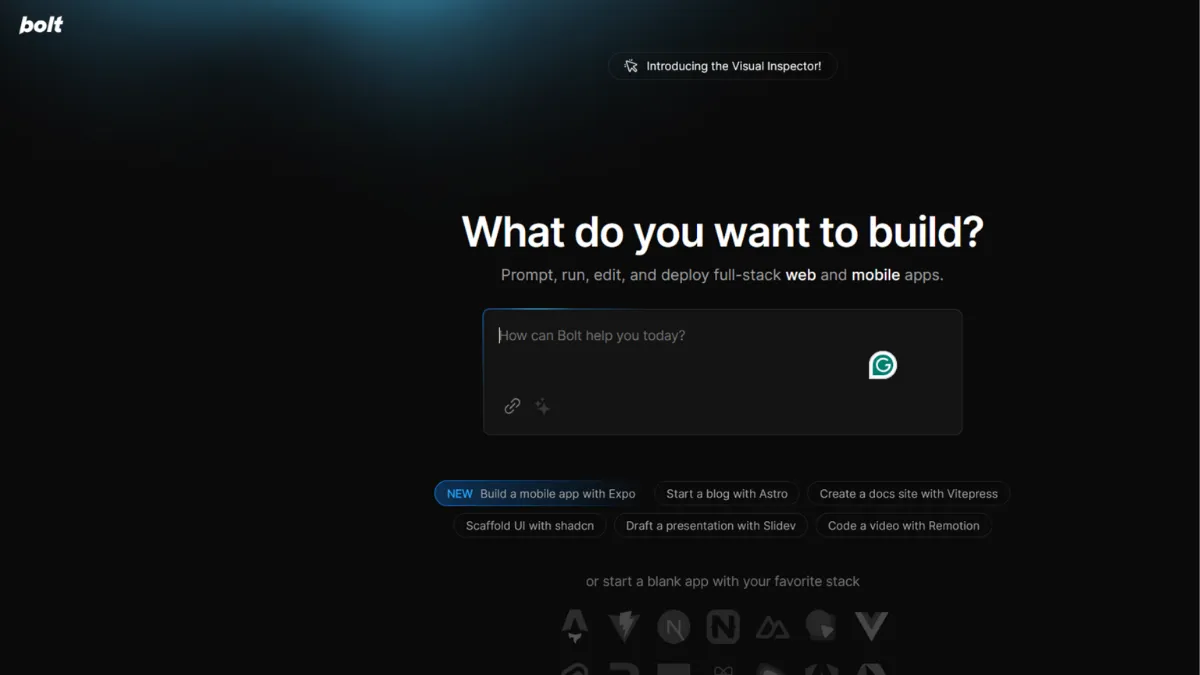
Turning a product idea into working code without writing a single line of it sounds like a pitch, not a reality. Bolt.new makes it a reality for a specific kind of builder: someone who can describe what they want in plain language, has enough technical literacy to review and tweak what the AI produces, and needs to move from concept to deployed app in hours rather than weeks. Paired with the right project scope, it genuinely delivers on that promise. Push beyond that scope and the experience becomes frustrating in predictable, avoidable ways.
The mechanism behind Bolt is a browser-based AI coding environment built on StackBlitz's WebContainer technology. When you describe what you want to build, Bolt generates a full project structure, writes the code, and runs it live in the browser without requiring a local development setup. Every edit you request triggers the AI to modify the codebase directly, with changes reflected in a preview pane in real time. What most users underestimate is that token consumption scales with project size, not just the complexity of each individual prompt. The larger your codebase grows, the more tokens each subsequent message costs, because Bolt re-syncs the file system context with every AI call. Misunderstanding this is the single most common reason users burn through their monthly allocation faster than expected.
For simple to mid-complexity applications, the results are fast and surprisingly clean. A functioning task manager, a landing page with a form backend, a small SaaS dashboard with authentication: these kinds of projects come together in a single session. Applications that require complex state management, real-time features, or deeply custom API orchestration push Bolt beyond where it performs reliably. Testing across project scales has consistently shown that success rates drop sharply once a project exceeds around fifteen to twenty components or requires substantial third-party service integration. Set realistic expectations before you start: Bolt excels at prototypes, MVPs, and production-ready front-end projects of moderate scope.
Bolt suits technical founders who want to validate ideas without spinning up a full engineering workflow, product managers who need interactive prototypes rather than static mockups, and solo builders who understand enough about web technology to course-correct when the AI drifts. If you are comfortable reading and lightly editing generated code, you will get considerably more out of Bolt than someone who treats it as a black box. Agencies running rapid client prototypes also find it useful, provided they expect to hand off to a developer for anything approaching production complexity.
The most concrete limitation is token economics. On the free plan, you receive one million tokens per month with a daily cap of 300,000. A moderately complex project with several iteration cycles can exhaust a day's allocation in a single session. Paid plans remove the daily cap and substantially increase the monthly allocation, but large or buggy projects that require repeated AI debugging cycles will still cost more than casual estimates suggest. Some users working on complex projects have reported spending far more than a standard subscription covers.
The sections below cover exactly how Bolt works, where it earns its rating, which tier fits which builder, and how it stacks up against Lovable and other AI app builders in the same space.
What Is Bolt.new?
Bolt.new is a browser-based AI app builder from StackBlitz that lets you create, edit, and deploy web applications by describing what you want in natural language. Where a generic AI coding assistant produces snippets you paste elsewhere, Bolt runs an entire development environment inside your browser tab: a code editor, a live preview, a terminal, and a deployment pipeline all in one place. You write no boilerplate and configure no local environment. The problem it solves is the gap between having an idea and having something a real user can open in a browser, specifically for founders and builders who do not want to spend their time on infrastructure. What separates it from simpler drag-and-drop website builders is that the output is actual code you can export, extend, and hand to a developer. Bolt supports Figma imports and GitHub integration, meaning it slots into existing design and version control workflows rather than requiring you to start from a blank page. How that code generation pipeline actually operates under the hood is worth understanding before you start your first project.
How Bolt.new Works
Every project in Bolt begins with a prompt. You describe your application in plain language, and Bolt's AI generates a project scaffold: file structure, dependencies, component code, and configuration. The preview renders immediately in the browser using WebContainer, a technology that runs a Node.js environment natively in the browser without a server. This means you see a working app within seconds of your first prompt, not a mockup or a wireframe.
From there, you iterate by continuing the conversation. You can ask Bolt to add a feature, fix a bug, redesign a component, or connect a database. Each request modifies the actual codebase and refreshes the preview. You can also edit code directly in the built-in editor, switching between AI-driven changes and manual edits freely. Figma imports convert your design file into a coded starting point, which is useful if you are building on top of an existing design rather than generating layouts from scratch. GitHub integration lets you pull in an existing codebase and continue building on it with AI assistance.
Deployment happens through Bolt Cloud, which provides hosting, databases, authentication, and custom domain support directly from the platform. You do not need a separate Netlify or Vercel account to get a project live, though you can export code and deploy elsewhere if you prefer. The counterintuitive thing most users discover too late is that Bolt's token cost is driven primarily by project size rather than prompt complexity. A short, simple prompt on a large project costs more than a detailed prompt on a small one. Keeping projects modular and splitting large applications into smaller, focused Bolt projects is a more token-efficient approach than building one monolithic codebase iteratively. That modular discipline also tends to produce cleaner code, which matters when you eventually need a developer to extend what Bolt built.
Bolt.new Key Features
AI-Powered Code Generation. Bolt generates full application code from natural language prompts, covering front-end components, routing, styling, and logic. The AI maintains context across your conversation, so follow-up requests modify existing code rather than generating isolated snippets. Output quality is strongest with React and modern JavaScript frameworks. Where to use this well: write detailed, specific prompts that describe the desired user behaviour, not just the visual layout. Vague prompts produce vague code.
Figma and GitHub Integration. Importing a Figma file converts your design into a functional starting point with accurate layout and component structure. GitHub integration pulls an existing repository into the Bolt environment, so you can extend a real codebase rather than starting from scratch. Both integrations reduce the gap between Bolt's output and production-quality work, provided the imported source is well-structured. Poorly organised Figma files produce messy code.
Bolt Cloud Infrastructure. The platform includes hosting, unlimited databases, user authentication, and SEO tooling without requiring external accounts. Custom domains, analytics, and private project sharing are available on paid plans. This bundled infrastructure is a meaningful time-saver for solo builders who would otherwise spend hours stitching together Stripe, a hosting provider, and a database service. The caveat is that deployment reliability has been inconsistent for some users, particularly on more complex projects.
Design System Support. Teams plans include the ability to import a company design system, including component libraries and brand guidelines, so AI-generated output matches existing visual standards rather than defaulting to generic UI patterns. Pre-configured design systems from providers including Material UI and Shadcn are available without a Teams plan. This feature makes Bolt significantly more useful for agencies and product teams who need on-brand output.
Code Export and Portability. Every project can be exported as a standard codebase, giving you full ownership of what Bolt builds. This matters because it removes vendor lock-in: if you outgrow Bolt's environment or need a developer to take over, the code travels with you. Export is available on paid plans. The flip side is that exported codebases from heavily iterated projects can accumulate inconsistencies that require a cleanup pass before a developer can work with them efficiently.
Bolt.new Pros and Cons
Where Bolt earns its score and where it falls short:
- Speed from prompt to live app. A working, deployed application in a single session is a realistic outcome for projects of moderate scope. No other part of the solo builder workflow compresses that timeline as aggressively. For validating ideas before committing engineering resources, that speed has real commercial value.
- No local setup required. The browser-based environment removes every dependency installation, environment configuration, and toolchain compatibility issue that slows down conventional development. Anyone who has lost a morning to a broken local environment will appreciate this immediately.
- Bundled infrastructure. Hosting, databases, and authentication in one place, without third-party accounts, is a genuine differentiator against tools that generate code but leave deployment entirely to you. Pairing this with a tool like Google Analytics for traffic monitoring gives you a complete production setup with minimal configuration.
- Figma import reduces rework. Starting from a real design rather than a blank prompt produces more accurate, usable output and aligns Bolt's workflow with how product teams already operate.
- Full code ownership. Exported projects are standard codebases, not proprietary formats. This is an underrated advantage against no-code alternatives that trap your product inside their ecosystem.
The limitations worth knowing before you commit:
- Token economics are unpredictable. Monthly allocations that look generous at signup can erode quickly on complex or buggy projects. Debugging cycles are particularly expensive because each AI call re-syncs the full project context. Budgeting for token overages is a practical necessity on paid plans if you plan to build anything substantial.
- Reliability degrades at scale. Projects exceeding fifteen to twenty components, or those requiring complex third-party API orchestration, produce inconsistent results. Context retention weakens as codebases grow, leading to AI changes that break earlier functionality.
- Deployment errors persist. Publishing failures affect a meaningful proportion of users, particularly those building apps with custom backend logic. Beginners expecting one-click deployment sometimes encounter errors that require manual debugging to resolve.
- Free plan is tightly capped. One million tokens per month with a 300,000 daily cap sounds substantial, but a moderately iterated project can exhaust a day's allowance in one session. The free tier is adequate for exploration but insufficient for building real products.
- Code quality varies. Heavily iterated projects accumulate inconsistencies. If you plan to hand the codebase to a developer, budget time for a cleanup pass. Treating Bolt's output as final production code without review is a risk on anything beyond straightforward front-end builds.
How to Get the Most Out of Bolt.new
Before you write your first prompt, decide how modular your project needs to be. Bolt works best on focused, well-scoped applications. If your idea has five distinct functional areas, consider whether those areas are better built as separate Bolt projects and integrated later, rather than one monolithic build that grows expensive and brittle to iterate.
Your first prompt is the highest-leverage moment in any project. Describe the application in terms of user actions, not visual layout: what a user can do, what data moves where, and what the success state looks like. Vague prompts such as 'build me a dashboard' produce generic scaffolding. Specific prompts such as 'build a dashboard where a user logs in, sees a list of their submitted forms, and can click any form to see the individual field responses' produce code that matches your actual intent and requires fewer corrective follow-ups, which directly reduces token consumption.
During iteration, group related changes into single prompts rather than making one small request at a time. Each AI call costs tokens proportional to project size, so ten small requests on a large project costs significantly more than two well-constructed requests that cover the same ground. Review the code editor after each major AI change before continuing. Catching a drift early costs one corrective prompt. Catching it after ten more iterations costs ten.
Understand how to use Bolt for rapid prototyping by treating the first session as a learning pass. Build a rough version, identify where the AI struggled, and start a cleaner second project with a better-structured prompt informed by what you learned. This approach produces better output and lower token costs than iterating a single messy codebase to completion. For teams, the design system feature is worth configuring before any client work begins. Importing your component library at the outset means every AI-generated screen matches your brand without manual restyling, which is the fastest path to client-ready output.
Who Should Use Bolt.new?
Bolt suits three types of builders in particular. Technical founders at the validation stage, who know enough about web development to read and review code but do not want to spend three weeks building an MVP before talking to a single user. Product managers at companies without dedicated front-end resource, who need interactive prototypes they can test with real users rather than static Figma screens. Freelance developers and agency builders who take on rapid prototyping work and need to deliver a working demo within a client's timeline without writing every component from scratch.
Bolt is not the right tool if you are building a complex, data-heavy application with real-time features, custom API integrations across multiple services, or enterprise-grade authentication requirements. At that level of complexity, the AI context degradation and token costs make Bolt a slower and more expensive path than conventional development. It is also a poor fit if you have no ability to read or review generated code. Users who treat Bolt as a black box with no code visibility tend to encounter reliability issues they cannot diagnose, and the support resources available, while solid, assume a baseline of technical engagement.
Bolt.new Pricing
Bolt operates on a freemium token model. The free plan provides one million tokens per month with a daily cap of 300,000, which is enough to explore the platform and build small projects but restricts serious iterative work. Free projects carry Bolt branding and a ten-megabyte file upload limit.
The Pro plan removes the daily cap, starts at ten million tokens per month, adds custom domain support, SEO tooling, expanded database capacity, AI image editing, and private project sharing. Unused tokens roll over for one additional month on paid plans. The Teams plan adds collaborative workspace features, centralized billing, design system integration with per-package prompts, and private NPM registry support. Enterprise pricing is custom and adds SSO, audit logs, dedicated account management, and compliance tooling.
At these price points, Bolt sits in the affordable range for the category. The free tier is a genuine starting point, but most users building real products will move to Pro relatively quickly. Always check the current pricing at Bolt's own pricing page, as token allocations and tier features are actively updated. Compared to alternatives in the AI app builder space, the price-to-capability ratio at the Pro tier is competitive, which the next section addresses directly.
Bolt.new vs Alternatives
The four most relevant alternatives to Bolt are Lovable, Replit, Webflow, and Figma with its AI development tools.
Lovable targets a similar audience with a comparable prompt-to-app workflow. Its pricing model is credit-based rather than token-based, which some users find easier to budget. Lovable tends to produce cleaner output on design-forward projects. Bolt wins when you need tighter GitHub integration and more control over the underlying code environment.
Replit is the stronger choice for backend-heavy applications, scripting projects, and collaborative coding. Its AI assistance is embedded in a full-featured IDE rather than a consumer-facing builder interface. Choose Replit if your project requires significant server-side logic or if you want a tool that grows with you into professional development workflows.
Webflow is a different category entirely: a visual web builder with CMS and e-commerce features aimed at designers and marketers rather than developers. If your primary need is a polished marketing site or content-driven product, Webflow offers more design control and better CMS tooling. Bolt is the better choice when you need an interactive application with real logic rather than a content-managed website.
Figma's own AI-assisted development features, and third-party dev-mode tools built on top of it, target designers who want to push designs toward code. Bolt's Figma import bridges this gap for many teams, making the two tools complementary rather than competitive in most workflows.
Bolt.new Review: Final Verdict
Bolt.new earns an overall score of 4.14 out of 5, which reflects a tool that genuinely delivers on its core promise within a clearly bounded scope. Its ease of use scores highest: the browser-based environment with no setup overhead is the fastest path from idea to working application currently available in this category. The lower scores on cost efficiency and integrations reflect real constraints: token economics that reward careful users and punish those building complex, iterative projects, and a deployment pipeline that is still maturing for edge cases.
The bottom line is this: if your project fits within Bolt's sweet spot, which is a focused, front-end-dominant application that you need live quickly, it is the most time-efficient tool in the category at its price point. If your project is complex, backend-heavy, or requires production-grade reliability from day one, build your expectations accordingly or budget for the iteration costs.
How We Rated It:
More Tool Reviews







Subscribe to Stay in the loop
Get the latest AI and technology news, honest tool reviews, and practical guides delivered straight to your inbox.
Success! Check your Inbox!

Tezons Newsletter
The latest technology news, in-depth tool reviews, and practical guides - curated and delivered to your inbox.
Latest News




Have a question?
Have any questions?
Didn’t find what you were looking for? We’re just a message away.