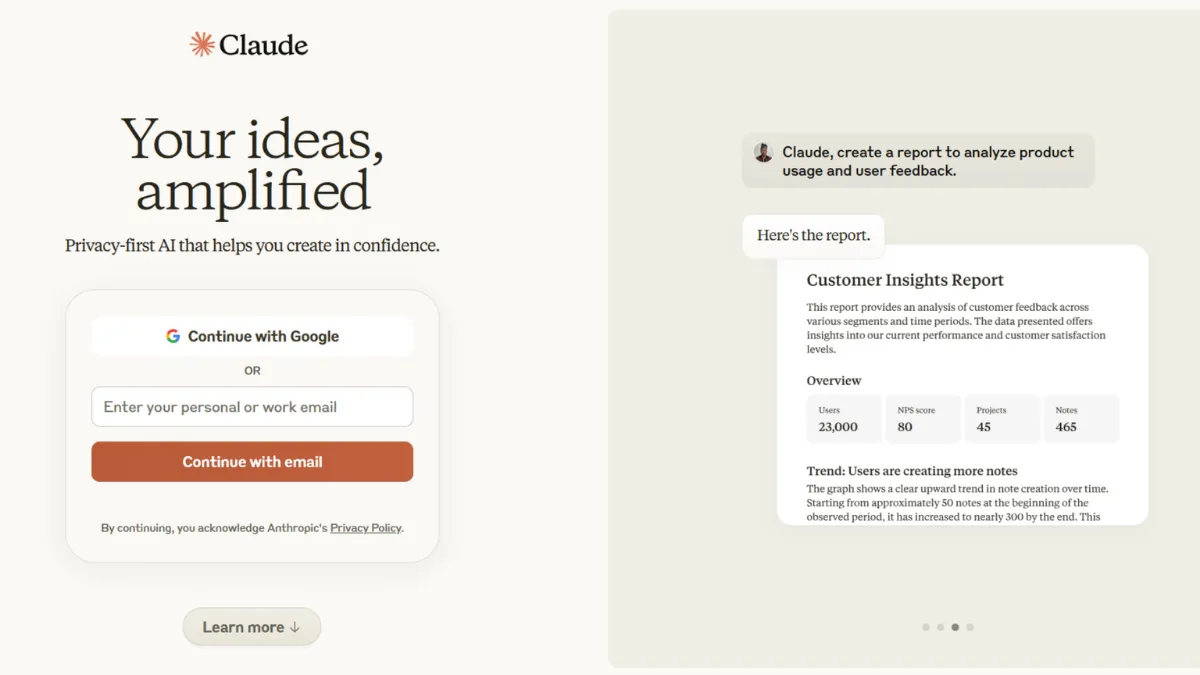
Anthropic built Claude around a single conviction: that raw capability and safe behaviour are not in tension, but interdependent. That premise shapes every interaction. Where most AI assistants optimise for confident-sounding output, Claude is trained to reason carefully, flag uncertainty, and push back when a question is poorly framed. The result is an assistant that often delivers fewer hallucinations on complex tasks than its most popular rivals, particularly on long-document analysis, multi-step coding, and nuanced writing that needs to hold a consistent argument across thousands of words. For founders who spend more time drafting, debugging, and analysing than they do generating images or making videos, Claude is a serious everyday tool.
The mechanism behind Claude's quality is Anthropic's Constitutional AI training approach, which bakes a set of principles directly into the model's behaviour rather than relying purely on post-hoc filtering. In practice, this means Claude tends to acknowledge the limits of its knowledge rather than papering over gaps, produces code that errs toward caution and explicitness, and handles ambiguous instructions by asking a clarifying question rather than guessing. Extended thinking mode, available on paid plans, lets the model reason step by step through hard problems before returning an answer, trading some speed for materially better output on tasks like legal analysis or complex debugging. Most users activate extended thinking once and never turn it off for serious work, then forget it is not on by default for quick questions where speed matters more.
Realistic expectations matter. Claude will not replace a specialist. On highly domain-specific tasks, like interpreting clinical trial data or writing tax advice, it performs well as a drafting and research aid but requires expert review. Response length is more consistent than many alternatives, which is an advantage for structured outputs and a mild frustration for users who want short, punchy answers and have to prompt explicitly for them. The 200,000-token context window is genuinely large enough to ingest entire codebases or lengthy contracts in a single session, and Projects keep that context persistent across conversations. Expect the free tier to hit daily limits quickly if your work is intensive.
Claude suits founders, operators, and knowledge workers who do serious written work: long-form strategy documents, technical specifications, research synthesis, and code review. It is particularly strong for teams that work with large bodies of text and need an assistant that can hold the thread across extended sessions without losing accuracy. Teams already using Notion for documentation or Airtable for structured data will find Claude integrates naturally into those workflows via the API or MCP connectors.
One genuine limitation: Claude does not generate images. If visual content creation is central to your workflow, you need a separate tool. Claude can produce SVG graphics and data visualisations programmatically through its Artifacts feature, but it cannot output photorealistic images or illustrations. Users expecting a single tool that covers both language and image generation will be disappointed.
The sections below cover how Claude works mechanically, what its key features actually do in practice, pricing across tiers, and how it sits against the most relevant alternatives.
What Is Claude?
Claude is Anthropic's AI assistant, available as a web, mobile, and desktop application and through a developer API. Anthropic, founded by former members of OpenAI, built the product explicitly around safety-focused research, treating alignment and capability as goals to be pursued together rather than traded off. The practical difference from a generic large language model wrapper is that Claude's behaviour is shaped by Constitutional AI training, which produces a model that is more consistent, more willing to disagree, and less prone to sycophantic agreement with wrong premises. It handles the same core tasks as most AI assistants, including writing, coding, data analysis, and research, but with a context window large enough to process full documents and a Projects feature that maintains memory across sessions. Claude's agentic capabilities, including tool use, web search, and computer use on Pro plans, push it beyond a simple chat interface into territory where it can execute multi-step tasks with limited supervision. The open question is how much of that agentic capacity translates to reliable results in real workflows, which depends heavily on how well you prompt and structure the task.
How Claude Works
Setup is minimal. Creating an account and starting a conversation takes under two minutes. The interface is a standard chat panel, with an Artifacts pane that opens alongside it whenever Claude produces a discrete output like a code file, a document, or a data visualisation. That split-screen approach is more practical than it sounds: you can iterate on the artifact in the right panel while continuing to prompt in the left, which collapses what would otherwise be several editing rounds into a single session.
Projects are the feature most users underuse. A Project is a persistent workspace where you upload documents, set custom instructions, and run multiple conversations that all share the same context. A founder building a pricing model, for instance, can upload their cost data, their competitor research, and a brief describing their positioning, then run every related conversation inside that Project. Claude references all of it without needing to be re-briefed each time. The 200,000-token context window means a Project can hold a very large amount of material before it starts to degrade.
Extended thinking changes how the model approaches hard problems. When activated, Claude works through a reasoning chain internally before producing its response, similar in effect to asking a consultant to think before they speak. The output is better on tasks that involve multiple dependencies, edge cases, or logical traps. The counterintuitive thing most users assume: extended thinking does not mean slower responses across the board. The model applies deeper reasoning selectively, and on simple queries the overhead is negligible. Where it adds meaningful time is on genuinely complex tasks, which is exactly when you want it. The practical implication for how you use Claude's features is covered in the next section.
Claude Key Features
Projects and Persistent Context. Projects give Claude a persistent memory within a defined workspace. You upload files, set a system prompt with standing instructions, and every conversation in that Project inherits the full context. This matters for any work that unfolds over days or weeks: a product spec, a fundraising narrative, a codebase under active development. The 200,000-token context window means most real-world documents fit comfortably. Custom instructions within a Project let you specify tone, output format, persona, and constraints once, so you never repeat yourself across sessions.
Artifacts. When Claude produces a discrete piece of work, such as a code file, a React component, an HTML page, or a structured document, it appears in a dedicated Artifacts panel rather than inline in the chat. You can edit the artifact directly, ask Claude to revise it without rewriting the entire thing, and download it when it is ready. This workflow is significantly more efficient than copying output from a chat window into a separate editor and returning to describe changes.
Extended Thinking. Available on paid plans, extended thinking lets Claude allocate more internal reasoning to a problem before responding. It is most valuable on tasks with multiple competing constraints: debugging code that touches several systems, drafting a legal clause that needs to account for edge cases, or building a financial model where assumptions compound. Developers using the API can set a token budget for thinking, trading cost for accuracy on tasks that warrant it.
Web Search and Research Mode. Claude can search the web to ground its responses in current information, which addresses one of the longstanding criticisms of large language models. Research mode goes further, combining web search with extended thinking to produce structured reports with citations across multiple sources. For founders doing competitive research or market analysis, this is a meaningful capability that used to require stitching together a separate search tool with an AI writing layer.
Claude Code. Available as a terminal application, Claude Code operates as an agentic coding assistant that can read and edit files, run commands, and iterate on a codebase with limited manual intervention. For developers, it is the feature most likely to shift daily habits. The practical limitation is that it requires the Pro plan or above and works best when the task is well-scoped. Open-ended instructions to a large codebase still require careful prompting and review. Last sentence of this section raises the obvious trade-off: Claude's strength in long-context work and code comes at a higher price point than some competitors, which is worth examining directly.
Claude Pros and Cons
Claude performs at a high level across the tasks that matter most to founders and operators who rely on written and technical output.
- Large context window. The 200,000-token limit is among the largest available in a consumer AI product. This makes Claude practical for tasks that break other assistants: analysing a long contract, reviewing an entire codebase, or synthesising a lengthy research report in a single pass.
- Honest and consistent behaviour. Claude is more likely than most alternatives to flag when it is uncertain, push back on a poorly framed question, and maintain a consistent position across a long conversation rather than agreeing with whatever the user says last. This is an overlooked advantage for anyone using AI output in high-stakes decisions.
- Projects feature. Persistent context across sessions removes a significant friction point in professional workflows. Most AI tools require re-briefing with every session. Projects eliminate that overhead entirely.
- Extended thinking quality. On complex reasoning tasks, extended thinking produces materially better output than the standard model. The improvement is most pronounced in coding, legal analysis, and multi-step planning.
- Strong writing quality. Claude produces prose that is coherent, well-structured, and less generic than many alternatives. It is a reliable first draft for most written work.
There are real gaps that affect which users Claude suits well.
- No image generation. Claude cannot produce images. For founders who need a single tool for both written and visual content, this is a hard limitation that requires a separate product.
- Free tier limits are strict. The free plan is useful for light use, but heavy daily use hits limits quickly and completely, rather than degrading gracefully to a slower model. The jump from free to Pro at $20 per month is abrupt.
- Rate limits under heavy load. Even on paid plans, Claude can throttle during peak periods. Users running intensive agentic workflows or using extended thinking heavily may encounter slowdowns at inconvenient times.
- Fewer native integrations than established alternatives. Claude's native connector ecosystem is growing but is not yet as broad as more established workflow platforms. Teams with complex tool stacks may need to rely on the API or third-party automation to connect Claude to their existing systems.
- Extended thinking adds token cost. When extended thinking is active, you are billed for all reasoning tokens generated, not just the visible output. This can make intensive API use more expensive than it first appears.
How to Get the Most Out of Claude
Before starting any serious project in Claude, create a Project rather than using a standalone conversation. Upload all the relevant context: briefs, documents, data files, previous drafts. Set a system prompt that specifies your output format preferences, the level of detail you want, and any standing constraints. This setup takes ten minutes and removes the need to re-explain your situation at the start of every conversation.
In your first session, test Claude's grasp of the uploaded material before doing real work. Ask it to summarise a specific section or answer a factual question from the documents. This surfaces any gaps in how the context was processed and saves time later. If Claude misunderstands something, correct it in the system prompt so the correction persists.
For coding work, be explicit about the scope of any change you want. Asking Claude to improve a codebase is too open-ended. Asking it to refactor a specific function to remove a dependency, add error handling for a particular edge case, or explain why a test is failing produces reliable, actionable output. Claude Code in the terminal goes further, allowing multi-file edits with less manual copying, but the same principle of scoped instructions applies.
How to get better results from Claude on complex writing tasks: break the work into phases. Ask for an outline first, review it, then ask Claude to draft each section separately. This approach produces better output than asking for a complete document in one pass, because it forces an explicit structure before the prose begins. Reviewing the outline is also much faster than reviewing a full draft.
Measure success by output quality per hour, not by how many messages you send. Claude tends to produce longer, more considered responses than some alternatives. If the first draft is close, a single targeted revision prompt is faster than iterating five times on a shorter output. Users who treat Claude as a drafting partner rather than a vending machine get consistently better results.
Who Should Use Claude?
Claude is a strong fit for founders and operators in the following situations. If you work primarily with text, code, or structured documents, Claude's context window and output quality give it a clear advantage over most alternatives. A technical founder reviewing architecture decisions, writing engineering specs, and debugging code across multiple files will use Claude differently but equally productively compared to an operator drafting investor updates, synthesising customer interview notes, or building financial models. Both workflows benefit from Projects, persistent context, and a model that maintains accuracy across long outputs.
A second strong fit is anyone doing research-heavy work: competitive analysis, market sizing, literature review, or synthesising information from multiple long documents. Claude's Research mode and large context window handle these tasks with less manual stitching than any comparable tool. Teams already using HubSpot for CRM or Zapier for automation can connect Claude to existing workflows via the API.
Claude is not the right choice if image generation, video editing, or audio production features are central to your work. Tools like Midjourney or Runway handle visual output that Claude simply does not produce. It is also not a strong fit for users who want a quick, punchy assistant for simple daily queries and find longer, more thorough responses frustrating rather than useful. If you want fast, concise answers and rarely work with complex documents or code, the additional cost over the free tier is hard to justify.
Claude Pricing
Claude offers a free plan that covers basic access across web, iOS, Android, and desktop, with daily usage limits that are not published as a fixed number but vary by conversation length and complexity. Free users can expect to run into limits on any given day that involves intensive work. The plan is adequate for occasional use and testing, but it is not reliable as a daily professional tool.
The Pro plan sits at $20 per month and is the right tier for most individual users. It adds significantly more usage, access to the most capable models including Opus, extended thinking, Projects with unlimited conversations, Google Workspace integration, and Claude Code in the terminal. The Max plans at $100 and $200 per month target power users and teams running Claude as a primary productivity environment across the working day. A Team plan is available for organisations and requires a minimum of five members. Enterprise pricing is custom. Always check Claude's pricing page directly for current rates, as plan details change.
At $20 per month, Pro competes well against ChatGPT Plus at a similar price point. The meaningful difference is that Claude Pro includes a larger context window and Projects, while ChatGPT Plus includes image generation and a broader range of model-specific tools. Which delivers better value depends entirely on whether your work is document-heavy or multimedia-heavy.
Claude vs Alternatives
The most direct comparison is with ChatGPT, which operates at the same entry price point and targets a similar audience. ChatGPT covers more ground on multimedia tasks, including image generation, voice input and output, and video capabilities. Claude wins on context window size, document analysis, and consistent output quality on long-form writing and code. If your work skews toward reading, writing, and technical work, Claude is the stronger daily tool. If you need visual generation in the same product, ChatGPT is the more complete package. One practical note: the Team plan minimum of five users on Claude compares unfavourably to ChatGPT's lower team entry threshold.
Google Gemini is the natural alternative for teams embedded in Google Workspace. Gemini's advantage is real-time web access and deeper native integration with Google's productivity suite. Claude's advantage is output quality on complex reasoning tasks and the Projects feature, which has no direct equivalent in Gemini. For a founder whose work lives in Google Docs and Sheets, Gemini is worth testing first. For a founder whose work involves long documents, code, or extended analysis, Claude is likely to produce better results per session.
Jasper targets marketing teams specifically, with templates, brand voice controls, and a content workflow built around campaign production. Claude can handle marketing writing well but requires more setup to produce brand-consistent output at scale. Jasper is the better choice for teams with a defined content operation. Claude is the better choice for teams that need writing alongside technical and analytical work and do not want to pay for a dedicated content tool.
Perplexity AI positions itself as a research assistant with built-in web search and citations. For research-specific workflows, it is fast and focused. Claude's Research mode covers similar ground but within a more versatile platform that also handles coding, document analysis, and extended agentic tasks. Perplexity wins on simplicity for pure research. Claude wins when research is one of several workstreams you need from a single tool.
Claude Review: Final Verdict
Claude earns an overall score of 4.32 out of 5, driven by strong performance in accuracy, functionality, and writing quality. Its lowest dimension is integrations at 3.8, reflecting a native connector ecosystem that is growing but still behind more established workflow platforms. That gap is worth noting for teams with complex tool stacks. For founders and operators whose core work is written or technical, Claude is the most capable everyday AI assistant available at its price point. The Projects feature and context window alone justify the Pro subscription for anyone doing serious document or code work.
How We Rated It:
More Tool Reviews







Subscribe to Stay in the loop
Get the latest AI and technology news, honest tool reviews, and practical guides delivered straight to your inbox.
Success! Check your Inbox!

Tezons Newsletter
The latest technology news, in-depth tool reviews, and practical guides - curated and delivered to your inbox.
Latest News




Have a question?
Have any questions?
Didn’t find what you were looking for? We’re just a message away.