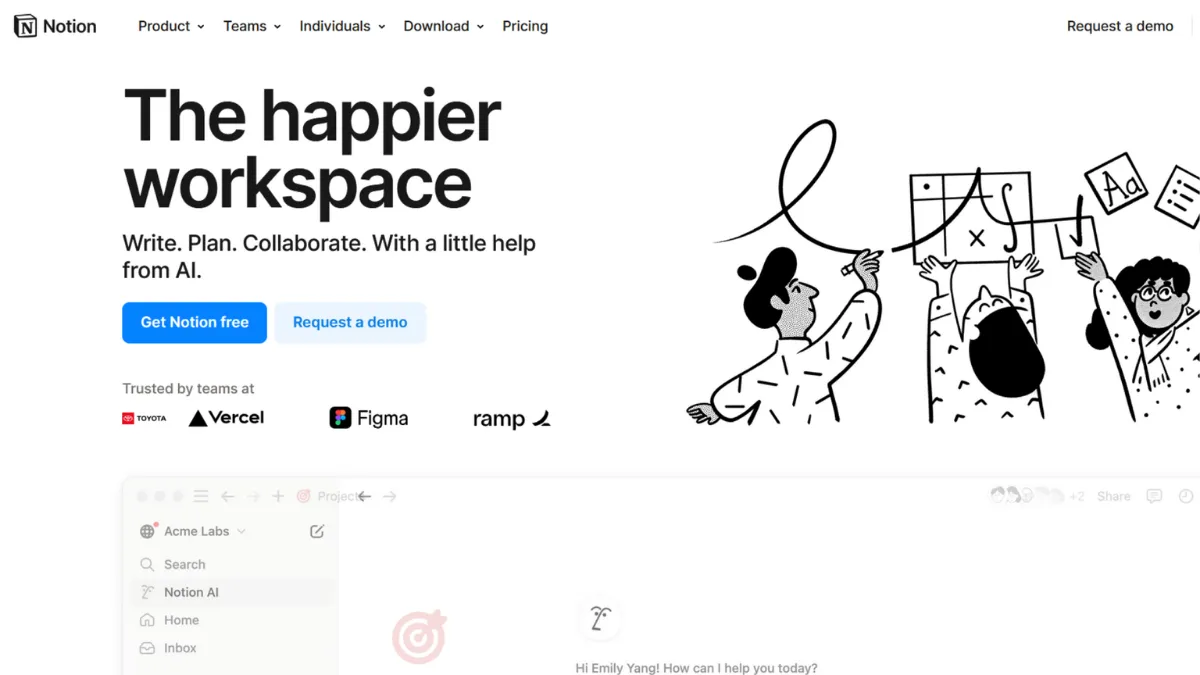
Productivity tools fall into two camps: those that impose their structure on you, and those that let you build your own. Notion belongs firmly in the second, which is both its greatest strength and the reason it trips up new users more than almost any other tool in its category. Getting a result from Notion on day one is easy. Getting a result that actually scales with your team requires deliberate setup, and most people skip that part entirely.
The mechanism behind Notion is a block-based editor where every element is a block you can move, nest, and link: a paragraph, a to-do, a database row, an embedded file. Pages can contain databases, and databases can contain pages that are themselves rich documents. This recursive structure is what makes Notion so flexible: a single workspace can hold your company wiki, your project tracker, your CRM, and your meeting notes, all interlinked. What most users get wrong is treating Notion like a notes app when it is more accurately a platform for building internal tools without writing code. Teams that invest two to four weeks setting up proper database architecture see dramatically different outcomes than those who dump content into pages and wonder why nothing connects.
Realistic expectations matter here. Notion works best for knowledge-heavy workflows: product specs, documentation, research repositories, onboarding guides, and lightweight project tracking. Teams running ten to fifty people will find the Plus plan handles most collaboration needs. The friction point is database performance: once a database exceeds five thousand or so records, load times slow noticeably, and filter operations can feel sluggish on complex queries. Notion is not the right choice if your primary need is a high-volume structured database or heavy CRM with thousands of active records.
Notion suits founders, product teams, and early-stage companies that need to consolidate documentation and project management into one place without paying for four separate tools. It is also well-matched to solo operators who want a second brain that actually stays organised. Technical teams comfortable with the API can extend it significantly, building custom sync workflows using tools like Zapier or Make to connect Notion with external systems.
The one limitation worth stating plainly: full AI access now requires the Business plan. The May 2025 pricing restructure removed the standalone AI add-on, meaning teams on the free or Plus plans get only a limited trial of AI features before hitting a wall. For teams that specifically want AI Agents and Ask Notion, the Business tier at $20 per user per month is the entry point, with no cheaper path.
The sections below cover how Notion works mechanically, which features matter most, and how to set it up so it stays useful rather than becoming a graveyard of unmaintained pages.
What Is Notion?
Notion is an all-in-one workspace platform that combines documents, databases, wikis, and task management into a single interface. It solves the problem of tool sprawl: instead of maintaining separate apps for notes, project tracking, and knowledge bases, teams can consolidate into one environment. What separates Notion from a generic note-taking app is its relational database layer, which lets you link records across different databases, roll up values, and display the same data in table, board, calendar, gallery, and list views without duplicating anything. Adoption is substantial. Notion serves tens of millions of users globally and is particularly entrenched in startups, product teams, and creative agencies. The question of how it achieves that flexibility mechanically, and what drives the quality of your workspace, is where most evaluations fall short.
How Notion Works
Every Notion workspace is a hierarchy of pages. Each page is a canvas of blocks, and blocks can be text, images, to-do items, callouts, dividers, code snippets, or databases. The database block is the core unit of power: it stores structured records that each open as their own full Notion page, meaning every row in your project tracker can contain rich documentation, attached files, and comments. You can display a single database in multiple views (table for data entry, kanban for status management, calendar for deadline tracking) without any duplication of the underlying data.
Relations and rollups are the feature that separates a well-built Notion workspace from a disorganised one. A relation links two databases so that a task record can reference a specific project record, and a rollup then pulls values from the related records: counting tasks per project, summing budgets, or flagging overdue items. This is how teams build lightweight CRMs and operational dashboards entirely inside Notion, using Airtable-style data modelling without leaving their documents.
Setup quality drives almost all outcomes in Notion. Teams that define their database schema before adding content, use consistent naming conventions, and limit the number of top-level pages tend to have workspaces that stay navigable at scale. The counterintuitive insight most users miss: you should build fewer, larger databases with multiple views rather than many small databases with single views. Fragmented databases mean fragmented relations, which means your rollups and filters eventually break down as the workspace grows. Start with your core entities (projects, tasks, people, resources) and build views on top of them rather than creating new databases for each new use case.
Notion Key Features
Block-based editor. Every piece of content in Notion is a draggable block, making it possible to restructure pages without rewriting them. The editor supports over fifty block types including toggles, callouts, synced blocks, and embeds from external services. Synced blocks are particularly useful for teams: write a status update once and sync it across multiple pages so all references stay current. The practical limit is that the editor slows down on pages with hundreds of blocks, particularly if those blocks include embedded databases or media.
Relational databases with multiple views. Notion databases support table, board, list, calendar, gallery, and timeline views, each switchable without losing data. Formulas let you compute values across properties using a syntax similar to spreadsheet formulas: calculating days remaining, rolling up totals, flagging overdue records. Teams building product roadmaps or sprint boards in Notion rely heavily on filtered views: create one database, then build a view per team member that shows only their assigned tasks. This replaces the need for separate project files per person.
Templates and the template gallery. Notion ships with a large library of pre-built templates covering meeting notes, OKR tracking, product specs, CRM setups, and hiring pipelines. Cloning a template gives you a working database structure in minutes, which significantly reduces setup time for new workflows. The more valuable practice is building your own team templates: standardised page structures for meeting agendas, project briefs, or customer research mean new pages always start in the same format, which matters when multiple people are contributing content. Pairing this with Google Drive integration works well for teams that store assets externally but want Notion as their operational layer.
Notion AI (Business plan). From the Business tier, Notion AI works across your entire workspace: summarising pages, drafting content, answering questions against your knowledge base via Ask Notion, and running AI Agents for multi-step tasks. The practical value is workspace-integrated AI that already understands your context rather than requiring you to paste content into a separate chat tool. For teams using ChatGPT or Claude as separate subscriptions, consolidating into Notion Business may represent a cost saving, though the AI depth in dedicated tools remains more configurable.
API and integrations. Notion's public REST API covers pages, databases, blocks, users, and comments, with rate limits of three requests per second per integration. Native connections exist for Slack, Google Workspace, GitHub, Figma, and others, though most are surface-level syncs rather than deep bidirectional integrations. For serious automation, most teams route through a workflow tool to handle the logic Notion's native automation cannot. A key limitation to note: the API does not support real-time webhooks (polling only) and lacks bulk operations for large datasets, which restricts its suitability for high-volume automation compared to purpose-built data tools.
Notion Pros and Cons
Where Notion earns its place:
- Unmatched flexibility for knowledge work. Notion's block and database model adapts to almost any workflow without requiring you to adopt a rigid structure. Teams that have used it for two or more years consistently report that it grew with them rather than forcing a migration.
- Consolidates multiple tools into one. A well-built Notion workspace can replace a dedicated wiki, a project tracker, a lightweight CRM, and a document repository. For small teams managing multiple subscriptions, the cost savings are real.
- Generous free tier for individuals. Solo users get unlimited blocks, unlimited pages, and basic collaboration with up to ten guests. This makes Notion viable for personal knowledge management without spending anything.
- Strong template ecosystem. The combination of Notion's own template gallery and the broader community of shared templates means most workflow structures you need have already been built and shared publicly.
- Offline mode now available. Offline access, a long-standing gap, shipped in mid-2025. Desktop and mobile apps now support viewing and editing specific pages without an internet connection, removing a genuine barrier for mobile and travel use.
Where Notion shows its limits:
- Slow performance at scale. Databases with more than five thousand records load noticeably slower, and complex filter and sort operations compound the lag. This is a persistent architectural limitation, not something updates have resolved at the higher end.
- Steep learning curve for power features. Relations, rollups, and formulas require meaningful investment to understand. Most users underuse the database layer for months before realising its potential, and by then their workspace structure is set in ways that are hard to refactor.
- AI locked behind the Business plan. The May 2025 restructure means full AI access, including AI Agents and Ask Notion, requires $20 per user per month. Teams on Plus get only a brief trial. This represents a meaningful cost jump for smaller teams who want AI as part of their workflow.
- Surface-level native integrations. The Connections marketplace offers over a hundred integrations, but most sync notifications or embed previews rather than enabling true bidirectional data flow. Connecting Notion to a CRM like HubSpot or Salesforce properly requires a third-party automation layer.
- No granular database permissions below Business. Row-level or property-level access controls are not available on lower tiers. Teams where different users should see only their own records face an all-or-nothing permissions model unless they build workarounds or upgrade.
How to Get the Most Out of Notion
Before adding any content, decide on your core database structure. Define your primary entities, typically projects, tasks, and people, and create a database for each. Everything else in your workspace should reference these core databases through relations rather than becoming a new standalone database. This decision made early saves weeks of restructuring later.
Your first week should focus entirely on getting your main project or task database right. Add the properties you actually need, including status, assignee, priority, due date, and a relation to projects, then build views for different purposes: a board for visual workflow, a filtered table for each team member showing their own tasks, and a calendar for deadline visibility. Resist adding databases for every new request; ask whether a new view on an existing database answers the need first.
Building results over time depends on maintenance habits. Designate one person to own workspace hygiene: archiving completed projects, removing redundant views, and updating templates as workflows change. Without this, Notion workspaces accumulate abandoned pages quickly, and search becomes unreliable. Use the sidebar structure to limit top-level pages to five or fewer (team wiki, active projects, company resources, and templates) rather than letting the sidebar become a flat list of dozens of pages.
The mistake most teams make is building Notion as a destination for information rather than a working environment. Pages that are only ever written to and never actively used in daily standups, weekly reviews, or actual project work drift into irrelevance. Build Notion views that replace the spreadsheets and Slack messages your team already uses, so engagement is driven by workflow rather than discipline.
To measure whether Notion is working, check two things monthly: whether the main project database reflects current reality without manual correction, and whether new team members can find what they need without asking. If either test fails, the structure needs refinement rather than more content.
Teams wanting to automate how to organise Notion workflows at scale benefit most from combining database rules (Notion's built-in automation for status changes and notifications) with an external tool for cross-app triggers that Notion's automation cannot handle natively.
Who Should Use Notion?
Notion fits three profiles particularly well. The first is a founder or small team of two to fifteen people who need to consolidate documentation, project tracking, and company knowledge without paying for multiple tools. Notion's free plan handles this for individuals; the Plus tier at around $10 per user per month handles early team growth. The second profile is a product manager or product team that lives in written specs, roadmaps, research notes, and meeting documentation. Notion's document-database hybrid is purpose-built for this use case, and integration with design tools like Figma means product work can reference designs without leaving the workspace. The third is a knowledge worker or researcher who needs a connected personal system: notes that link to projects, projects that link to contacts, and contacts that link to meeting notes, all queryable from one place.
Notion is not the right fit if your primary need is execution-heavy project management with dependencies, time tracking, and resource allocation built in. Tools like ClickUp handle that with less setup overhead. It is also not suited to organisations that need row-level permissions, complex approval workflows, or databases exceeding tens of thousands of active records. Healthcare, legal, and compliance-heavy industries should assess Notion's audit log availability carefully; those features are gated behind the Enterprise tier.
Notion Pricing
Notion offers a free plan that is genuinely useful for individual users. Unlimited blocks, unlimited pages, and collaboration with up to ten guests cover most personal productivity needs. The limits that matter on the free plan are the five-megabyte file upload ceiling and seven-day version history, both of which become restrictive once you are using Notion for real work documents and need to recover from accidental changes.
The Plus plan costs approximately $10 per user per month on annual billing and $12 on monthly billing. It extends file uploads, increases version history to 90 days, and adds unlimited guests. Full AI access is not included. For small teams that do not need AI features, Plus is typically the right tier. The Business plan at $20 per user per month (annual) adds full AI access including AI Agents, private teamspaces, advanced analytics, and 90-day version history on AI interactions. This is the minimum tier for teams that specifically need Notion AI as part of their workflow. Enterprise pricing is negotiated and adds SCIM provisioning, audit logs, and dedicated support.
Pricing has changed multiple times, so verify current rates on Notion's pricing page before committing. Relative to alternatives, Notion's Plus tier is competitive with similar tools, but the jump to Business for AI access is steep for smaller teams, particularly given that comparable AI tools are available as standalone subscriptions. The cost-value case for Business is strongest for teams of five or more who would otherwise pay separately for a knowledge base, project tracker, and AI assistant.
Notion vs Alternatives
The most direct comparison is with ClickUp, which targets the same all-in-one positioning but prioritises execution features over documentation. ClickUp ships with built-in time tracking, workload views, and native dependencies out of the box; Notion requires more configuration to match those capabilities. Choose ClickUp if your team's primary complaint is managing tasks and deadlines rather than organising knowledge.
Airtable occupies a more data-focused position. It handles large datasets more reliably than Notion and offers more powerful grid and relational views, but lacks Notion's document layer. Teams that need a lightweight CRM or inventory tracker with thousands of records will find Airtable more stable at scale; teams that need their data embedded in rich documentation will lean toward Notion. The two tools are often used together rather than as direct substitutes.
Confluence, from Atlassian, is the established alternative for company wikis and technical documentation, particularly in engineering-led organisations already using Jira. Confluence is more structured and harder to adapt to non-documentation workflows; Notion wins on flexibility and aesthetics but loses on deep Jira integration and enterprise compliance features.
Coda is the closest architectural sibling, offering a similar block-and-database model with stronger formula and automation capabilities. Notion's template ecosystem and design polish give it the edge for general adoption; Coda tends to appeal more to teams that want spreadsheet-like power inside their documents.
Notion Review: Final Verdict
Notion earns an overall score of 4.33 out of 5, reflecting genuine strengths in customisation (4.8) and functionality (4.6) anchored by a real limitation in performance at scale, which scores 3.9 and should factor directly into any decision for data-heavy workflows. No other tool in this category gives teams as much flexibility to build exactly the workspace they need without writing code.
The bottom line: Notion is the right choice for teams that primarily work with knowledge, documentation, and lightweight project management, and are willing to invest in a proper setup. Teams that need execution-heavy project management, row-level permissions, or large-database performance should evaluate purpose-built alternatives first.
How We Rated It:
More Tool Reviews







Subscribe to Stay in the loop
Get the latest AI and technology news, honest tool reviews, and practical guides delivered straight to your inbox.
Success! Check your Inbox!

Tezons Newsletter
The latest technology news, in-depth tool reviews, and practical guides - curated and delivered to your inbox.
Latest News




Have a question?
Have any questions?
Didn’t find what you were looking for? We’re just a message away.