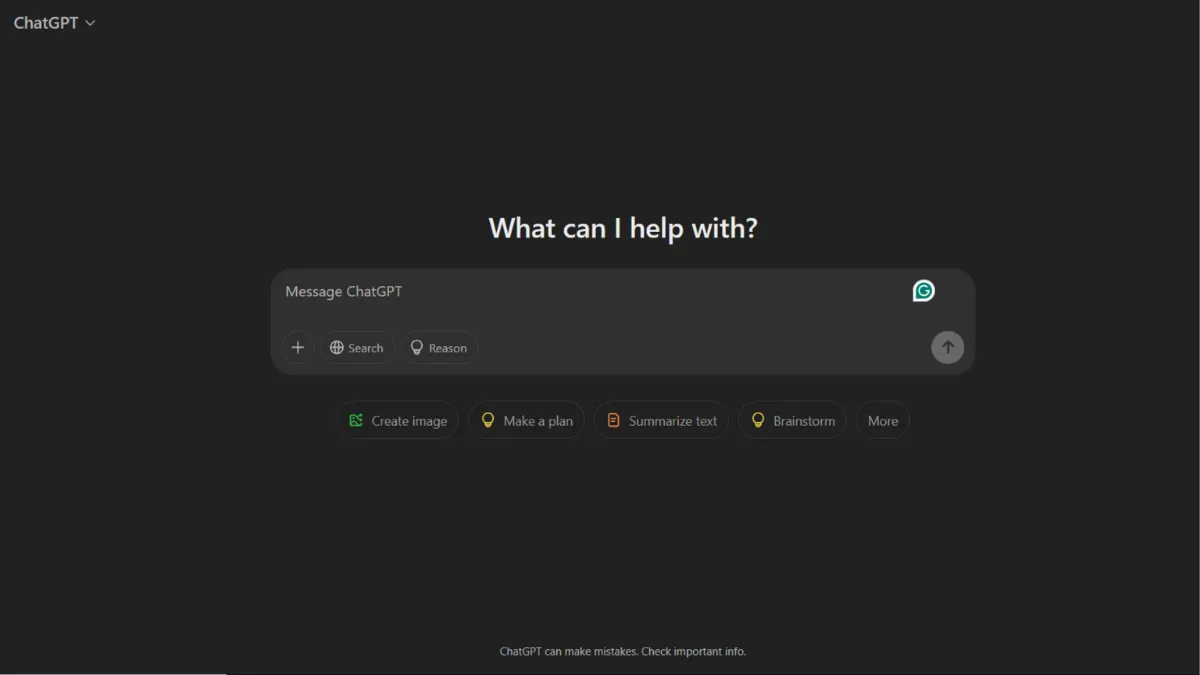
Productivity gains from AI writing assistants depend almost entirely on how well you structure your inputs, and no tool has trained more people to think in prompts than ChatGPT. OpenAI's flagship product is the default starting point for founders, operators, and individual contributors who want a capable language model available on demand. That status is earned, not assumed: ChatGPT processes billions of queries daily, supports multimodal input across text, images, and audio, and has expanded from a simple chat window into a platform that can browse the web, run code, generate images, and execute autonomous tasks. For most knowledge workers, it replaces several single-purpose tools before lunch. The question is not whether it is useful. The question is whether you are using it in a way that extracts its ceiling, or just skimming the surface with vague prompts and one-shot requests.
The mechanism behind ChatGPT is a large language model trained on a broad corpus of text, fine-tuned with human feedback to produce responses that feel helpful rather than just statistically probable. What most users get wrong is treating it as a search engine. ChatGPT does not retrieve facts from a database. It generates text that fits the conversational context you have provided. That distinction matters practically: a well-structured prompt with role, goal, format, and constraints produces dramatically better output than a one-liner. The model has no memory of previous sessions by default, so building a productive workflow means either enabling the memory feature in settings, using custom instructions, or pasting relevant context at the start of each session. Users who treat every conversation as a blank slate, expecting the model to know their preferences, are leaving most of the value on the table. Paid tiers such as Plus and Pro give access to more capable models, higher usage limits, and features like Deep Research and the Operator agent, which change the nature of what you can delegate entirely.
Realistic expectations matter more here than with most tools. ChatGPT can draft, edit, summarise, translate, analyse structured data, write and explain code, and produce first-pass creative work at a pace no human matches. What it cannot do reliably is recall current events beyond its training data without web search enabled, perform multi-step reasoning across very long documents without error, or guarantee factual accuracy on niche or rapidly changing topics. Hallucination, the confident generation of incorrect information, remains a real risk across all model versions and requires human verification on anything consequential. Users who build workflows that treat ChatGPT's output as a first draft rather than a finished product get consistent value. Users who treat it as an authority get burned eventually. Pairing it with a dedicated SEO research tool like Semrush or fact-checking outputs through primary sources is a practical safeguard for content that will be published.
ChatGPT is best suited to founders managing a wide surface area of tasks: drafting investor updates, writing job descriptions, summarising board decks, debugging Python scripts, ideating positioning copy, and coaching themselves through unfamiliar decisions. The breadth is the point. If your work is primarily text-driven and you move between domains throughout the day, ChatGPT functions as a capable generalist assistant available at any hour with no briefing overhead once you have set up your custom instructions.
The tool's most persistent limitation is output reliability at the factual edges. The model generates plausible-sounding text with confidence whether the underlying claim is solid or shaky. For legal, medical, financial, or highly technical content, treating ChatGPT output as a starting point for expert review rather than a final answer is not optional. A single unchecked hallucination published in a client-facing document can cost more than a year's subscription.
The sections below cover how ChatGPT works mechanically, what its key features actually do, how to build a workflow that compounds over time, and who the tool genuinely serves versus where it falls short.
What Is ChatGPT?
ChatGPT is a conversational AI assistant built by OpenAI that lets you interact with a large language model through a web interface, mobile app, or API. The problem it was designed to address is the friction between what people need to produce and the time it takes to produce it from scratch. Unlike a search engine, which returns links, or a template library, which returns fixed formats, ChatGPT generates original text in response to your specific request. What separates it from generic AI tools is the depth of its training, the breadth of tasks it handles within a single interface, and the infrastructure behind it: OpenAI has iterated through multiple model generations, with GPT-5 now available across plans, bringing reasoning capabilities and instruction-following that earlier versions could not match. Adoption has reached a scale that no comparable AI product has approached, with hundreds of millions of weekly active users, which drives a feedback loop that continually improves the tool. The scale raises an obvious question: if this many people are using it, what separates the users who get real leverage from those who do not, and what is actually happening under the hood?
How ChatGPT Works
Each conversation with ChatGPT begins fresh unless you have memory enabled or have pasted prior context. The model reads your input, attends to patterns in the text, and generates a response token by token based on what is statistically most likely to be helpful given the full conversational context. This means the quality of your output is directly determined by the quality of your input. A vague prompt returns a generic response. A prompt that specifies the role you want the model to adopt, the goal you are working toward, the format you need, and the constraints that apply returns something much closer to usable.
Custom instructions are where most power users start. You can set a persistent profile that tells ChatGPT who you are, how you prefer information to be formatted, what tone to use, and what to avoid. This profile loads into every new conversation without you having to re-explain yourself. On paid tiers, the memory feature goes further: the model records facts from past sessions and surfaces them automatically, approximating the continuity of a human assistant who has been briefed over time. The practical implication is that the first few weeks of using ChatGPT are the lowest-quality period. The more context you build and the more your prompt patterns become habitual, the more consistent and useful the output becomes.
File upload, code execution, image generation via DALL-E, web browsing, and autonomous agent behaviour (through the Operator and Codex features on higher tiers) all extend the base model significantly. Each capability has its own constraints: code execution runs in a sandboxed environment, web browsing is subject to rate limits and site access restrictions, and image generation works best with detailed descriptive prompts rather than abstract requests. The counterintuitive insight most users miss is that switching models mid-session, something the interface makes easy, can reset the conversational context and produce inconsistent results. Picking the right model at the start of a session and staying in it produces more coherent, reliable output than toggling between them based on task type. The features below answer a practical question that follows directly: which capabilities should you build your workflow around first, and which are most easily overlooked?
ChatGPT Key Features
Multi-model access. Paid plans give you access to multiple model versions within a single interface, including reasoning-optimised variants suited to complex problem-solving and faster standard models better for high-volume drafting. Choosing the right model for the task, rather than always defaulting to the most powerful option, improves both speed and cost-efficiency. On the Plus tier and above, you can switch between models per conversation based on what the task demands.
Custom GPTs and instructions. You can build purpose-specific assistants within ChatGPT using natural language, uploaded files, and external API connections, without writing code. A custom GPT for your sales process behaves differently from one built for legal document review, while sharing the same underlying model. Custom instructions at the account level persist across all conversations and are the single highest-leverage configuration step for individual users.
Deep Research. Available on higher tiers, this feature instructs the model to spend time conducting multi-step research across the web, synthesising findings into a structured report rather than generating a single-pass response. For competitive analysis, market mapping, or technical evaluations that would otherwise take hours of manual reading, it is among the most materially useful additions to the platform in recent iterations. Results still require verification, but they compress research time significantly.
Operator and Codex agents. Operator can execute browser-based tasks autonomously, filling forms, placing orders, and completing multi-step web workflows without you remaining in the loop. Codex handles software engineering tasks: writing code, running tests, and proposing changes to codebases. Both features are available on Pro and higher tiers and represent a meaningful shift from ChatGPT as a response generator to ChatGPT as a task executor. The limitation is that both agents struggle with complex or non-standard interfaces and require human review on consequential actions.
Image generation and file analysis. DALL-E integration allows you to generate images directly from text prompts within the chat interface. File upload supports PDFs, spreadsheets, images, and code files, allowing the model to analyse, summarise, or build on your existing documents without you having to copy-paste content. Combining these with tools like Canva for final production covers most visual content workflows without needing a separate AI image tool. The trade-off is that usage limits on image generation and file analysis are tighter on lower tiers, which forces prioritisation decisions that can interrupt workflow.
ChatGPT Pros and Cons
ChatGPT earns its position as the most widely adopted AI assistant through genuine functional depth. These are the strengths and weaknesses that matter most in practice.
- Breadth of task coverage. Drafting, coding, analysis, summarisation, translation, and ideation all work within a single interface. You do not need to context-switch between tools for different knowledge work tasks, which reduces overhead and keeps your workflow coherent.
- Model quality at the frontier. GPT-5 brought reasoning capabilities that close most of the gaps earlier versions had with multi-step logic. For complex tasks requiring the model to hold many variables at once, the current generation is meaningfully better than what was available even twelve months ago.
- Custom GPT ecosystem. The ability to build and share purpose-built assistants without coding is an underused feature. Teams that build custom GPTs for their most repeated tasks reduce prompt overhead and improve output consistency across members.
- Generous free tier for entry. The free plan provides access to capable models with usage caps, which is sufficient for light users and allows thorough evaluation before committing to a paid tier. Few AI platforms at this capability level offer a no-cost starting point this substantial.
- Continuous platform expansion. OpenAI ships features at a pace that meaningfully changes the product's capability profile. What you can do with ChatGPT today is substantially more than what was possible a year ago, which means the value of a subscription increases without the price changing.
The limitations below are material and worth understanding before committing to a workflow built around the platform.
- Hallucination risk on factual content. The model generates confident-sounding text regardless of accuracy. On niche, recent, or highly technical topics, errors appear without warning and require independent verification. This is not unique to ChatGPT, but its fluency makes errors harder to spot than in less capable tools.
- Usage caps create workflow friction. On Plus, hitting message limits mid-project forces you to wait or switch to a lower-capability model. For founders with intensive daily use, the caps arrive faster than expected, and the Pro tier at a significantly higher price point is the only resolution.
- Memory and context are imperfect. The memory feature improves continuity but is not fully reliable. It can surface outdated preferences, miss important context, or behave inconsistently across sessions. Users building workflows that depend on recalled context should verify what the model has stored regularly.
- Agent features require oversight. Operator and Codex are useful but not autonomous in any production sense. They need supervision and error-correction, particularly on tasks involving external systems, which limits how much you can genuinely step away.
- Privacy questions for sensitive data. Business and Enterprise tiers offer stronger data protections, including opt-out from training use. Free and Plus users should review OpenAI's current data policy before sharing confidential client or company information, as defaults may not match their requirements.
How to Get the Most Out of ChatGPT
Set up custom instructions before your first real work session. Describe your role, the kind of tasks you will use ChatGPT for most often, your preferred output format, and any standing constraints. This single configuration step improves the relevance of every response from the first message. Do not skip it in the rush to start using the tool.
In your first week, focus on one category of task rather than trying everything. If you are primarily writing, build a prompt library for the formats you use most: update emails, positioning copy, brief documents, proposal sections. If you are primarily coding, establish a pattern for how you feed context, error messages, and expected outputs. Depth in one area compounds faster than breadth across many.
The most effective way to improve output quality over time is iteration. Send a first-pass prompt, review the response critically, and follow up with specific corrections rather than restarting. Saying "the second paragraph is too generic, rewrite it to address a founder at pre-seed stage specifically" produces better results than discarding the response and starting again. This conversational refinement approach is how most experienced users operate and is the practical answer to how to use ChatGPT for productivity without generating low-quality output at speed.
The mistake that undermines most workflows is treating the first output as final. ChatGPT is a drafting engine and thinking partner. Its first response is the beginning of a process, not the end. Users who publish or act on unreviewed AI output are the ones who run into accuracy problems. Build a review step into your workflow explicitly, especially for anything client-facing, published, or relied on for decisions.
Measure success by time saved on defined task categories, not by output volume. Track how long specific recurring tasks took before and after incorporating ChatGPT. If competitive research that took three hours now takes forty-five minutes, the tool is working. If you are generating more content but spending the same time reviewing and correcting it, your prompt quality needs work, not your subscription tier. Pairing ChatGPT with a project management tool like Notion to track prompts, outputs, and decisions keeps your AI-assisted work organised and reproducible across your team.
Who Should Use ChatGPT?
This is for you if you are a solo founder managing a wide range of tasks across writing, operations, product, and strategy, and you need a capable generalist assistant that keeps up with you rather than slowing you down. It suits a content lead at an early-stage company who needs to produce high volumes of drafts, briefs, and research summaries faster than a small team can otherwise manage. It is also well-suited to a technical founder who wants a coding partner for debugging, boilerplate generation, and code review without the overhead of context-switching to a separate development tool, particularly when paired with a dedicated environment like Replit for running and testing the output.
ChatGPT is not the right primary tool if your core need is accurate, real-time data retrieval. Analysts who need verified figures, current pricing, or live market data should build their workflow around purpose-built research and data platforms rather than treating ChatGPT's web browsing as a reliable primary source. It is also a poor fit for teams that require strict audit trails and version control on AI-generated content, or organisations in regulated industries where AI-assisted output must meet specific compliance standards that a general-purpose chatbot cannot guarantee by design.
ChatGPT Pricing
ChatGPT offers a free tier that provides access to capable models with usage caps. It is sufficient for occasional use and genuine evaluation but will frustrate any founder using the tool daily, as limits arrive mid-project rather than at natural stopping points. The Go plan, an ad-supported tier at a lower price point than Plus, gives more capacity without the full Plus feature set. ChatGPT Plus sits at $20 per month and unlocks higher usage limits, access to more capable models, image generation, Deep Research, and the custom GPT builder. It is the right tier for most individual founders. The Pro plan at $200 per month is designed for power users who run the tool heavily throughout the day and need maximum model access and agent capabilities. Team plans require a minimum of two seats and are priced at approximately $25 per user per month on annual billing. Enterprise pricing is custom. Always check the pricing page at chatgpt.com for current rates before committing, as OpenAI adjusts plan structures and feature availability regularly. At the Plus tier, the monthly cost is low relative to the time it saves even at light usage, but the jump to Pro is only justifiable if you are genuinely pushing up against Plus limits daily. Compared with specialist alternatives, the breadth of what Plus covers at that price point is strong.
ChatGPT vs Alternatives
The AI assistant category has become competitive, and several tools make a serious case depending on your use case. Claude, built by Anthropic, handles long-form document analysis and nuanced instruction-following with particular strength. Teams that work primarily with large documents or need a model that holds complex instructions across a long context window often find it performs better on those specific tasks. ChatGPT wins on breadth of integrations, ecosystem size, and the range of agentic features. Jasper targets marketing teams specifically, with brand voice controls and campaign-focused templates that make it faster to produce on-brand content at scale. ChatGPT is more flexible and capable across task types, but Jasper's structure suits content teams that want guardrails rather than a blank canvas. Copy.ai focuses on sales and marketing copy with workflow automation built in. It is the better choice if your need is specifically high-volume outbound content rather than general knowledge work. ChatGPT requires more user-side structure to match that output at scale, but the underlying model quality is higher. Writesonic combines AI writing with built-in SEO optimisation signals, making it more targeted for founders who want content and search performance from the same tool. ChatGPT needs supplementing with a dedicated SEO platform to match that capability.
ChatGPT Review: Final Verdict
ChatGPT earns an overall score of 4.43 out of 5, supported by strong marks across functionality, integrations, and model performance. Its ease of use score of 4.4 reflects an interface that most users can navigate productively within minutes, though extracting the platform's ceiling requires deliberate prompt discipline that takes longer to develop. The cost efficiency rating of 4.2 reflects genuine value at the Plus tier but acknowledges that the jump to Pro pricing will not be justified for every user. ChatGPT is the broadest, most capable general-purpose AI assistant available at the Plus price point. If you do one thing before your next work session, set up your custom instructions properly.
How We Rated It:
More Tool Reviews







Subscribe to Stay in the loop
Get the latest AI and technology news, honest tool reviews, and practical guides delivered straight to your inbox.
Success! Check your Inbox!

Tezons Newsletter
The latest technology news, in-depth tool reviews, and practical guides - curated and delivered to your inbox.
Latest News




Have a question?
Have any questions?
Didn’t find what you were looking for? We’re just a message away.