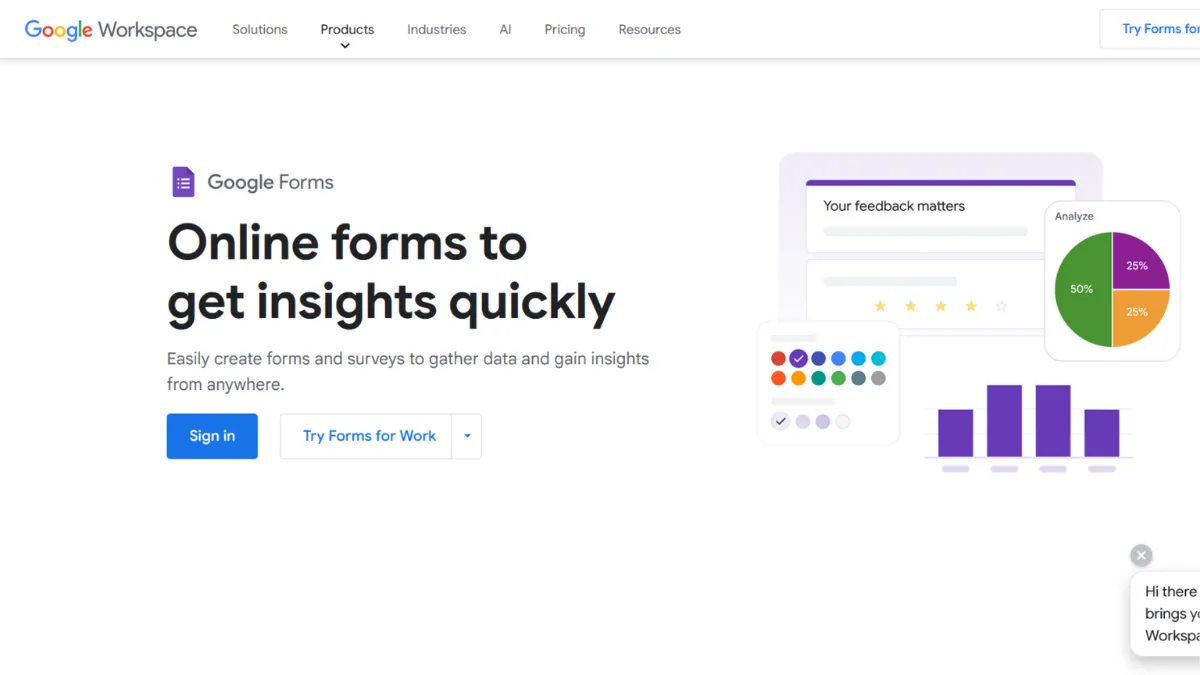
Google Forms earns its place in nearly every founder's toolkit not because it competes on design or advanced logic, but because it removes every possible barrier between a question you need answered and data landing in a spreadsheet. The tool is free, requires no account beyond a standard Google login, and produces usable results within minutes of opening it. If your goal is speed, cost-zero data collection, and a workflow already embedded in Google Workspace, nothing else on the market touches its value proposition at that price point. The trade-off is real and worth stating upfront: this is not a tool for polished customer-facing experiences or sophisticated conditional logic.
The mechanism is deceptively straightforward. You build a form using a drag-and-click editor, select from question types including short answer, paragraph, multiple choice, checkboxes, dropdown, linear scale, date, and file upload, then distribute via a shareable link, embed code, or direct email. Every response populates a connected Google Drive folder and, critically, flows into a live Google Sheets file where you can apply formulas, pivot tables, or charts without touching a third-party tool. That automatic Sheets pipeline is where most teams underestimate the tool. It is not a passive export; it is a live data feed you can attach to scripts, dashboards, or conditional formatting rules in real time. Teams that understand this build surprisingly powerful lightweight data systems without any paid software.
Expect to have a working form live within ten minutes. Conditional section branching, which routes respondents to different sections based on earlier answers, is available without any paid upgrade. Response volume is unlimited. You will not hit a cap mid-campaign. For teams running internal processes, event registrations, feedback collection, or quiz-based lead qualification, the core workflow rarely needs anything more. Where the realism check applies is external-facing use cases: you cannot remove Google branding, font choices are minimal, and the all-questions-on-one-page layout does not suit long or conversational forms.
Google Forms is the right call for operations teams, educators, small businesses already on Google Workspace, and any founder who needs a data collection layer without a software budget. It is also a strong first tool for solo operators validating demand before committing to a paid form builder. The moment you need branded forms that match a landing page, payment collection, or drop-off analytics, you will outgrow it.
The genuine limitation is customisation depth. You can apply a colour theme and upload a header image, but you cannot control fonts, layout structure, or form flow in any meaningful way beyond section branching. Every Google Form looks like a Google Form. For public-facing conversion flows, that uniformity carries a measurable cost in perceived credibility and completion rate.
The sections below cover how the mechanics work, which features matter in practice, who the right and wrong users are, and how it compares to the tools founders typically weigh alongside it.
What Is Google Forms?
Google Forms is a cloud-based form and survey builder included at no cost with any Google account, and bundled into Google Workspace for business and education users. It solves the problem of structured data collection without requiring any software purchase, installation, or technical setup. What separates it from a generic alternative is the native integration with the broader Google ecosystem: every form you create automatically connects to Sheets for response storage, Drive for file management, and can trigger automations via Google Apps Script. The tool handles an enormous range of use cases, from classroom quizzes with auto-grading to event registrations, HR intake forms, customer feedback surveys, and internal ops workflows. Adoption is vast given the scale of Google Workspace, which is used by organisations ranging from individual freelancers to enterprise teams globally. The practical question is not whether it works, but whether it works well enough for your specific context and how far the mechanics can take you before you need something more capable.
How Google Forms Works
Setup begins at forms.google.com or from within Google Drive. You start from a blank form or a template, then add questions by clicking the plus icon in the floating toolbar. Each question block lets you choose the type, mark it as required, add a description, and shuffle answer options if needed. Section breaks divide long forms into pages and, when combined with branching logic, route respondents to different sections based on a previous answer. This is the full extent of the conditional logic available natively, and it handles a surprising number of use cases without issue.
Once built, sharing happens via a generated link, a QR code, an embed snippet, or direct email from inside the tool. Response data appears in the Summary tab in real time, showing pre-built charts for each question. The individual Responses tab shows each submission separately. Connecting to Google Sheets takes one click and creates a linked spreadsheet that updates live with every new submission.
The overlooked mechanic most users miss is quiz mode. Enabling it allows you to assign point values to answers, set correct responses, provide automated feedback per answer, and release grades immediately or after manual review. This is not useful only for educators. Founders use quiz mode to build scored assessments, product-fit questionnaires, and gated content qualification flows at zero cost.
One counterintuitive constraint catches teams mid-deployment: file upload questions require both the form creator and the respondent to have a Google account. Many teams discover this only when external respondents cannot complete the field. If your form is public-facing and includes file uploads, this is a hard blocker that forces you to rethink that question type or move to a different tool. The native feature set raises an immediate practical question: which of these capabilities translates into the highest-value use cases, and which ones carry hidden gaps that affect production forms?
Google Forms Key Features
Conditional section branching. Available on all free accounts, branching logic routes respondents to a different section of the form based on how they answer a multiple-choice or dropdown question. You set the destination section per answer option at the question level. This works well for decision-tree-style surveys, tiered intake forms, and qualification flows where irrelevant questions should never appear. The limitation is that branching only works off single-answer question types, so checkbox or linear scale questions cannot trigger routing.
Google Sheets live sync. Every form connects to a Sheets file with a single click. Responses appear as new rows in real time, with each question mapped to a column and a timestamp logged automatically. From there, you can apply filters, conditional formatting, pivot tables, or Apps Script automations without leaving the Google ecosystem. Teams that build data pipelines around this sync get genuinely powerful workflows at no added cost, and can connect downstream to tools like Zapier for CRM updates or notification triggers.
Quiz mode with auto-grading. Activating quiz mode turns any form into a scored assessment. You define correct answers, assign points, and configure whether respondents see their results immediately or after manual review. Feedback per answer option can be customised, directing respondents to additional resources based on how they scored. This feature is underused outside education and represents a legitimate no-cost tool for building scored lead qualification or skills assessments.
Collaboration and access controls. Multiple editors can work on a form simultaneously, mirroring the co-editing model in Google Docs. You can restrict who submits responses by limiting to users within your organisation or requiring a Google account login. Response collection can be paused or closed with a custom message. These controls make the tool viable for internal ops use cases where submission management matters.
Add-ons via Google Workspace Marketplace. The Marketplace offers third-party add-ons that extend Forms beyond its native capabilities: email notifications, form scheduling, and payment collection through third-party vendors. These add-ons vary in quality and some require paid plans on the add-on side. Setup is manual and more time-consuming than the native integrations found in paid form builders, which matters when estimating total implementation effort. Integrations with tools outside the Google ecosystem are sparse natively, which is reflected in the integrations score and worth factoring into your stack decision.
That add-on dependency points directly to the core limitation: the native feature set, while solid for basic use, leaves real gaps in branding, analytics, and payment that require patchwork solutions rather than built-in answers.
Google Forms Pros and Cons
What it does well:
- Completely free with no response limits. There is no paid tier for the form builder itself. Unlimited forms, unlimited submissions, and all question types are available on a standard Google account. This is the clearest cost advantage in the form builder category.
- Native Google Workspace integration. The live sync to Sheets, storage in Drive, and compatibility with Google Apps Script creates a data pipeline that paid tools struggle to match within the Google ecosystem. For teams already on Workspace, this eliminates integration overhead entirely.
- Quiz mode for scored assessments. The ability to build auto-graded assessments with per-answer feedback at no cost is a genuine differentiator for founders running qualification flows or skills-based onboarding. Most users do not know this feature exists.
- Fast deployment for non-technical users. A working form, shared via link, takes under ten minutes to build from scratch. No account upgrades, no onboarding flows, no payment details required. This is the right tool when speed matters more than polish.
- Collaboration without seat fees. Unlimited editors can collaborate on a form without any per-seat cost, which makes it practical for operations teams building shared intake or feedback workflows.
Where it falls short:
- No meaningful branding control. You cannot change fonts, control layout structure, or remove the Google Forms visual treatment. Every public-facing form carries the same generic appearance regardless of your brand guidelines. For customer-facing conversion flows, this affects perceived credibility and completion rate.
- Conditional logic limited to section routing. Branching works only with single-select question types and only routes to sections, not individual questions. Complex conditional logic that paid tools handle natively requires workarounds or custom scripting, making functionality a real gap for advanced use cases.
- File upload blocks non-Google users. External respondents without a Google account cannot submit files, which breaks public-facing intake forms that include document or image uploads. This is the most operationally disruptive limitation and surfaces late in deployment if not checked early.
- No native payment collection. You cannot collect payments inside a Google Form without a third-party add-on. Tools like Typeform and dedicated form builders handle this natively, which matters for order forms, event ticketing, and paid registrations.
- Analytics are surface-level. The built-in summary shows basic charts per question. There is no drop-off data, no completion rate tracking, and no per-respondent journey view without exporting to Sheets and building your own analysis. Support resources are adequate but community-driven rather than hands-on, which limits help for complex configuration needs.
How to Get the Most Out of Google Forms
Before building, decide whether you need response data inside Google Sheets from day one or whether you will analyse responses only inside the Forms summary view. If you plan to use Sheets, set up the linked spreadsheet before you start collecting responses. Renaming the columns in Sheets to match your internal data schema before any responses arrive saves significant cleanup later, since the live sync populates column headers from your question text verbatim.
In your first session, turn on quiz mode even for forms that are not graded assessments. Enabling it unlocks the option to set correct answers and build scored flows you can use later. Use the description field below each question to give respondents context, a habit that reduces incomplete or ambiguous submissions on longer forms. For multi-section forms, write descriptive section titles so respondents understand their progress through the form.
To use Google Forms for lead qualification, build a scored quiz using quiz mode. Assign point values to answer options that reflect how well each answer matches your ideal customer profile. After submission, route respondents to different confirmation pages based on their score by combining section branching with customised confirmation messages. This approach gives you a functional qualification layer that feeds directly into a Sheets pipeline. From there, a Zapier connection can push high-score leads to your CRM or trigger a notification in your team's communication tool, all without paid form software.
The most common mistake is deploying Google Forms on a public landing page where brand credibility affects conversion. Founders often build quickly, realise the generic aesthetic undermines the page experience, and rebuild in a paid tool weeks into a campaign. Make that decision upfront by asking whether the respondent's perception of the form affects your conversion rate. If the answer is yes, this tool is the wrong starting point regardless of the cost saving.
Measure success by tracking submission volume against distribution reach. If completion rates appear low, audit three variables first: total question count, mobile rendering on longer forms, and whether a file upload field is blocking non-Google users. Address those before assuming the problem lies with the tool itself.
Who Should Use Google Forms?
This is for you if you are an operations lead building internal workflows such as HR intake, expense requests, or equipment sign-outs and need a no-cost, collaborative solution that routes data into a spreadsheet your team already uses. It is equally strong for educators creating quizzes and assessments where auto-grading and point assignment matter more than visual design. Founders validating demand for a new product or service who need a fast, free survey to collect signal before committing to a paid stack will also find it fits well: the feedback lands in a Sheets file and is ready to analyse within hours of sending the link.
It is not for you if your form is the first thing a prospective customer sees and visual credibility affects their decision to complete it. Marketers running conversion-optimised lead capture flows, and teams needing payment collection or drop-off analytics as part of their form workflow, will hit hard limits quickly and should start with a purpose-built alternative.
Google Forms Pricing
Google Forms carries no standalone cost. Any Google account gives you full access to the form builder, unlimited forms, unlimited responses, all question types, and the Sheets integration. There is no paid tier for the form builder itself. For business users, Google Workspace plans add team management, admin controls, and expanded storage across the suite, but the form builder available on a paid Workspace plan is functionally identical to the free version. Pricing for Workspace plans is per user per month; check Google's pricing page for current rates, as these are updated periodically.
For individual users and small teams, the free tier is sufficient for nearly every use case the tool is designed to handle. The only scenario where a Workspace plan becomes relevant to Forms specifically is when you need to restrict form submissions to users within your organisation, which requires domain-level account controls on paid plans. Third-party add-ons that extend Forms with payments or advanced notifications are priced separately by their own vendors, so factor those costs in if you need to close the tool's functional gaps. Relative to alternatives, the pricing model is unmatched for core data collection; the gap narrows when add-on costs enter the picture.
Google Forms vs Alternatives
Typeform is the most common comparison. It delivers a one-question-at-a-time conversational interface that improves completion rates on longer public-facing forms. The trade-off is cost: Typeform's free plan limits responses to ten per month per form, and removing branding requires a higher-tier paid plan. Choose Typeform when the form is customer-facing and design directly affects conversion. Choose Google Forms when cost and speed matter more than visual polish.
SurveyMonkey targets researchers and larger teams who need advanced question logic, statistical analysis, and audience panels. Its paid plans unlock features well beyond what Google Forms offers, but the free tier is also more restricted on response volume. It suits structured research workflows where data quality controls and advanced reporting are non-negotiable.
Airtable is worth considering when your form submissions need to feed into a relational database rather than a flat spreadsheet. Airtable forms connect directly to an Airtable base, which supports linked records, lookups, and more complex data relationships than Sheets handles natively. Choose it when form data is part of a larger project management or CRM workflow rather than a standalone collection exercise.
Jotform sits between Google Forms and Typeform on both price and capability. It offers native payment collection, a wider template library, and more layout control, while remaining more affordable than Typeform at equivalent feature levels. For founders who need payment inside a form without managing add-ons, Jotform is the most direct upgrade path from Google Forms.
Google Forms Review: Final Verdict
Google Forms earns an overall score of 4.22 out of 5, anchored by a perfect cost-efficiency score and strong reliability for the use cases it is designed to serve. The customisation dimension scores 3.5, which the review addresses plainly: for any form where visual control and brand alignment matter, this tool reaches its ceiling quickly, and that trade-off should inform your decision before you build rather than after. The bottom line is this: Google Forms is the best zero-cost data collection tool available, and the right choice for anyone whose priority is speed and simplicity over brand experience.
How We Rated It:
More Tool Reviews







Subscribe to Stay in the loop
Get the latest AI and technology news, honest tool reviews, and practical guides delivered straight to your inbox.
Success! Check your Inbox!

Tezons Newsletter
The latest technology news, in-depth tool reviews, and practical guides - curated and delivered to your inbox.
Latest News




Have a question?
Have any questions?
Didn’t find what you were looking for? We’re just a message away.