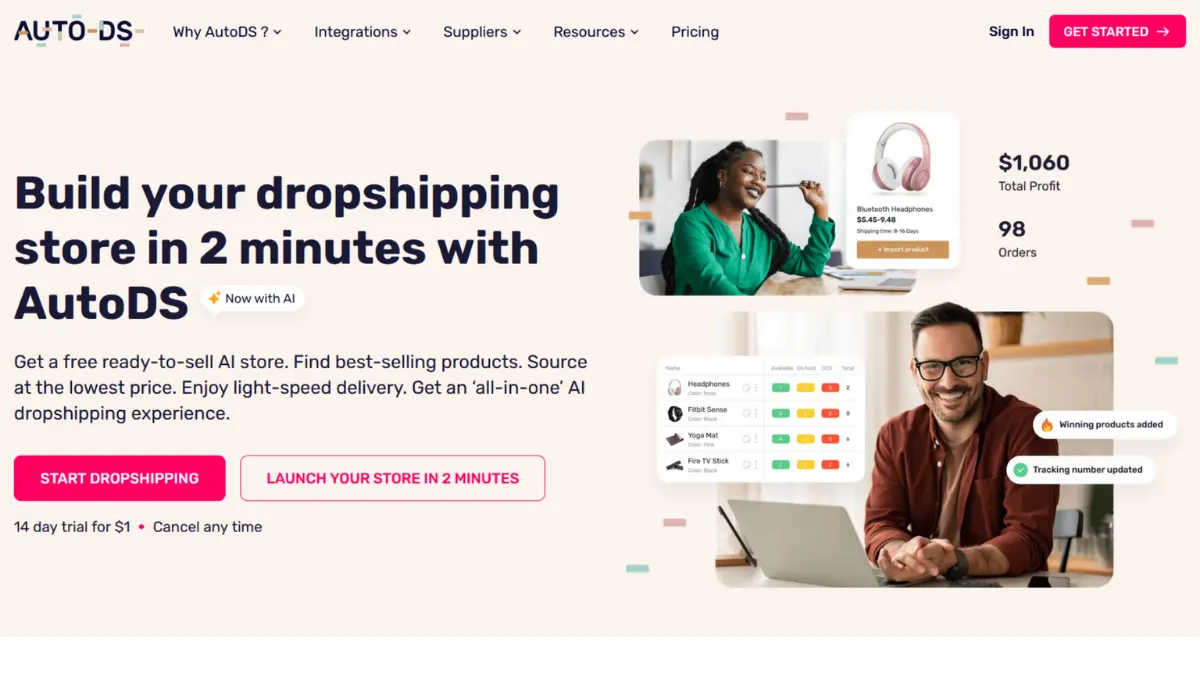
Dropshipping automation promises to remove the manual grind from e-commerce, but most tools only automate one part of the chain while leaving you to stitch the rest together yourself. AutoDS takes a different approach: it builds the entire workflow into a single platform, from product sourcing and one-click importing to price monitoring, order fulfilment, and tracking updates. The result is a tool that genuinely reduces the operational load for sellers running stores on Shopify, eBay, Amazon, Etsy, Wix, WooCommerce, and TikTok Shop simultaneously. Whether that breadth translates into reliable execution is where the picture gets more nuanced.
The core mechanism behind AutoDS is continuous monitoring. Once you connect your store and import products, the platform watches supplier listings for price and stock changes, typically on an hourly cycle, and pushes updates to your listings automatically. When an order arrives, AutoDS can place it with the supplier on your behalf using stored payment credentials, then relay the tracking number back to your storefront. That closed loop is the key selling point: most dropshippers lose money not on margin, but on fulfilment errors caused by stock discrepancies or delayed tracking. AutoDS targets exactly those failure points. What most users get wrong is assuming the automation is set-and-forget from day one. Pricing rules require calibration against your actual margins, and supplier reliability varies significantly across the 25-plus sources AutoDS connects to.
Realistic expectations matter here. AutoDS will not make product selection decisions for you, and it will not guarantee supplier quality. What it will do is eliminate the manual order-placing and price-updating tasks that consume hours per week at any meaningful scale. Sellers managing a few hundred active listings typically see the platform pay for itself in time saved within the first month, though the learning curve to configure automation rules properly runs two to three weeks for most new users.
The platform suits sellers who are past the very early testing stage and want to operate with some volume without hiring staff. It works best for those running multi-channel stores across at least two marketplaces, or for sellers on a single channel who want to grow past 200 products without managing everything manually. Solo founders building a side business alongside a full-time role are the most common users getting consistent value from it.
The most significant limitation is reliability at the edges. User reviews across multiple platforms document recurring issues with stock monitoring accuracy, where items show as available in AutoDS but are already out of stock at the supplier. Some users also report bugs in bulk operations and inconsistency in automatic order processing. Support response times vary, and for a platform where a fulfilment delay costs real money, this is a meaningful operational risk rather than a minor inconvenience.
The sections below cover how the platform works mechanically, which features matter most, and how it stacks up against the main alternatives in the dropshipping automation category.
What Is AutoDS?
AutoDS is a cloud-based dropshipping automation platform that manages the operational layer of a dropshipping business: finding products, importing them to your store, monitoring prices and stock levels, placing orders with suppliers, and updating tracking information. The problem it solves is the manual bottleneck that emerges when a store grows beyond a handful of products, at which point manually checking supplier prices, placing orders, and updating customers becomes a part-time job in itself. Unlike a basic import tool or a single-supplier app, AutoDS connects to over 25 global suppliers including AliExpress, Amazon, Walmart, and CJDropshipping, and supports eight selling channels under one dashboard. That multi-supplier, multi-channel architecture is what separates it from narrower tools. The practical question is how well the automation holds up when order volume increases and supplier data changes frequently.
How AutoDS Works
Setup starts by connecting your selling channel, whether that is a Shopify store, an eBay account, or another supported platform. Once connected, you can browse the AutoDS marketplace, import products from supported suppliers using a browser extension or direct URL paste, or upload a bulk file. Each imported product lands in a draft state where you set pricing rules before it goes live, which is the step most users rush and later regret.
Pricing rules are the operational core of the platform. You define a multiplier or fixed markup above the supplier cost, then set upper and lower bounds. AutoDS then monitors the supplier price and adjusts your listing price within those bounds automatically. If the supplier raises their price above your ceiling, AutoDS can end the listing or trigger an alert rather than selling at a loss. Stock monitoring works on a similar principle: when supplier stock drops to zero, the listing is paused automatically to prevent overselling.
Order fulfilment follows one of two paths. In the first, AutoDS places the order on the supplier site using your stored payment details and retrieves the tracking number automatically. In the second, called Fulfilled by AutoDS, the platform handles fulfilment through its own logistics network, which adds a layer of quality control but applies primarily to certain product categories. Both paths push tracking updates to your storefront and to the buyer.
The counterintuitive insight most users miss is that automation quality depends almost entirely on supplier data quality, not platform capability. AutoDS can only update what the supplier listing reflects. When a supplier updates their stock data slowly or inconsistently, AutoDS inherits that lag. Running a small test on each supplier before scaling a product category reveals which sources are reliable enough to automate confidently.
AutoDS Key Features
Product Research and Marketplace. AutoDS includes a product discovery layer with a curated marketplace, trending product feeds, and hand-picked selections updated by the AutoDS team. There is also an ad spy tool covering TikTok, Facebook, and Instagram that surfaces competitor creatives and high-performing products. The research tools are genuinely useful for sellers who do not have a separate product research workflow, though more experienced dropshippers often find them a starting point rather than a replacement for their own sourcing process.
Automatic Price Optimisation. This feature continuously adjusts your listing prices based on supplier cost changes, your defined markup rules, and configurable conditions such as competitor stock depletion. The rule-builder lets you create conditional logic, for example, increasing price when competitor stock runs low, or decreasing it if conversion rate drops. Setting up five to ten well-calibrated rules covers the majority of scenarios most sellers encounter.
Inventory and Stock Monitoring. AutoDS checks supplier stock levels on a regular cycle and pauses or removes your listings when items go out of stock. It also tracks product quantities and estimated shipping times at the supplier level, then surfaces those details in your dashboard. This is the feature with the most documented reliability issues in user reviews, where monitoring frequency occasionally fails to catch rapid stock depletion before an order is placed.
Automatic Order Fulfilment. When an order arrives in your connected store, AutoDS places it with the supplier automatically using credentials you store on the platform, retrieves the tracking number, and updates the buyer. The Fulfilled by AutoDS option routes orders through the AutoDS warehouse for quality inspection before onward shipment, which reduces the risk of quality complaints on higher-ticket products. Extra fulfilment credits apply to the warehouse route, which adds to the effective cost per order at scale.
Print-on-Demand Integration. AutoDS includes a print-on-demand feature that lets you create and sell custom-designed products without holding inventory. This sits alongside the standard dropshipping workflow and is most useful for sellers who want to blend branded products with supplier-sourced items in the same store. The breadth of features is impressive, but each one requires configuration time, which raises the question of where the platform's trade-offs sit most sharply.
AutoDS Pros and Cons
The platform's strengths are genuine, but so are the gaps worth knowing before you commit.
- Broad multi-channel support. AutoDS connects to eight major selling platforms, which is unusual in this category. Sellers expanding from Shopify to eBay or Amazon can manage both from a single dashboard without switching tools or rebuilding their product catalogue.
- Supplier network depth. Access to over 25 global suppliers, including major US, Chinese, and UK sources, gives you meaningful sourcing flexibility. Most competing tools tie you to one or two supplier ecosystems, which creates single points of failure when a supplier has stock or shipping problems.
- All-in-one workflow. Product research, importing, price monitoring, order fulfilment, and tracking updates all sit in one platform. Replacing multiple separate tools with AutoDS typically reduces both cost and the coordination overhead of managing several subscriptions.
- Educational resources. AutoDS includes free courses, webinars, and a mentorship programme alongside the core software. This is an overlooked advantage for early-stage sellers who need both the tool and the knowledge to use it well.
- Transparent pricing structure. Plans are publicly documented with clear product limits and feature inclusions at each tier, which makes budgeting straightforward compared to platforms that obscure what is included until checkout.
The cons are specific enough to affect certain use cases significantly.
- Stock monitoring reliability gaps. Multiple independent user reviews document cases where items showed as available in AutoDS but were already out of stock at the supplier, leading to unfulfillable orders. This is the most operationally damaging failure mode in dropshipping.
- Bug frequency in bulk operations. Some users report errors when running bulk price changes or bulk listing updates, requiring manual re-checks and re-submissions. At scale this erodes the time-saving benefit the platform is built to deliver.
- Extra charges for fulfilment credits. The Fulfilled by AutoDS warehouse route incurs additional credit costs per order beyond the subscription fee. For sellers processing high order volumes, this adds a variable cost that is not always obvious at the point of plan selection.
- Billing complaints. A pattern of complaints across Capterra and Shopify App Store reviews references unexpected charges, including instances of annual plan fees being applied without clear user authorisation. Always review billing settings carefully when pausing or modifying a subscription.
- Support responsiveness under load. While AutoDS advertises 24/7 support, some users report multi-week delays in resolving operational issues, which is a serious problem when platform bugs are actively costing money through missed orders or incorrect pricing.
How to Get the Most Out of AutoDS
Before importing a single product, spend time inside the pricing rule builder. The default markup settings are generic and will not reflect your actual margin requirements or the price sensitivity of your chosen category. Map out your cost floor, your target margin, and the maximum price you can charge before conversion drops, then build rules around those numbers rather than accepting the defaults.
In your first week, resist importing your full catalogue. Start with ten to twenty products across a single supplier and a single selling channel. Run them through a full cycle: import, list, monitor, receive a test order if possible, and verify that the tracking update reaches your storefront correctly. Only after confirming the workflow is clean should you scale the product count and add additional suppliers or channels.
Supplier selection is where most users make avoidable mistakes. Not all of AutoDS's supported suppliers update their stock data with the same frequency. Before committing to a supplier for a high-volume product, check how recently their listings show price changes in the monitoring log. Suppliers with infrequent data refreshes are higher risk for the stock-discrepancy problem that appears most in negative reviews.
If you want to know how to scale a dropshipping store with AutoDS, the reliable path is to build your automation rules progressively: start with simple markup multipliers, add conditional rules only after your baseline is stable, and review the rules monthly against your actual margin data. Sellers who configure and then ignore their rules tend to find margin drift over time as supplier prices shift outside their defined bounds.
Measuring success in AutoDS is straightforward using the built-in performance dashboard: track fulfilled order rate, profit per order against your target margin, and the ratio of auto-fulfilled orders to manual interventions. If auto-fulfilment drops below 90 percent consistently, something in your supplier or rule configuration needs attention. Connecting AutoDS data with Google Analytics at the storefront level lets you correlate listing changes with traffic and conversion outcomes, giving you a fuller picture than the AutoDS dashboard alone.
Who Should Use AutoDS?
This is for you if you match one of these three profiles. First, the multi-channel seller who is already listing on Shopify or WooCommerce and wants to expand to eBay or Amazon without managing two separate automation setups. AutoDS's unified dashboard genuinely removes the duplication that comes from running separate tools per channel. Second, the solo founder running a store with more than 100 active products who is spending several hours a week on manual price checks and order placements. At that volume the subscription fee is typically recovered in saved labour within the first month. Third, the newer dropshipper who wants both the automation tool and structured learning in one place. The included courses and mentorship programme reduce the knowledge gap that causes most beginners to fail before they find a workflow that works.
AutoDS is not for you if you are still testing your first five to ten products to validate a niche. The onboarding investment and monthly cost make less sense before you have confirmed product-market fit at a basic level. It is also not suited to sellers whose entire business runs on a single AliExpress supplier, where DSers' free-tier bulk ordering covers the same workflow at lower cost. And if you need guaranteed same-day fulfilment reliability with zero tolerance for monitoring lag, the bug history in user reviews should give you pause before committing to AutoDS as your sole operational tool.
AutoDS Pricing
AutoDS does not offer a permanent free plan, but it does offer a low-cost trial for new users, typically priced at around one dollar for the first month, giving you full platform access before committing. Always verify current trial terms on the AutoDS pricing page, as these details change periodically.
Paid plans are structured across three main tiers: Import, Starter, and Advanced. The Import tier, which covers up to 200 products, starts at approximately $19.90 per month for most channels. The Starter tier, covering up to 500 products, runs from around $29.90 per month and adds fuller automation features. The Advanced tier handles up to 1,000 products and is priced from approximately $49.90 per month. Note that exact pricing varies by selling channel, with Amazon and eBay plans priced differently from Shopify equivalents. Annual billing reduces these costs by around 25 percent. Enterprise and custom-volume plans are available for sellers above the 1,000-product threshold. Confirm current pricing directly at autods.com, as tier definitions and rates are updated periodically.
The Import tier is unlikely to be sufficient for most active sellers, as it excludes automatic order fulfilment on some channels. The Starter tier is the practical entry point for anyone running a live store. Relative to buying separate tools for importing, monitoring, and fulfilment, the bundled cost is competitive, but the additional credits required for Fulfilled by AutoDS orders add a variable cost that is worth calculating at your expected order volume before selecting a plan. Compared to alternatives like Zendrop, AutoDS's paid tiers deliver more automation breadth at a comparable or lower monthly rate.
AutoDS vs Alternatives
DSers is the official AliExpress dropshipping partner and the most relevant comparison for sellers whose entire supplier network sits on AliExpress. DSers handles bulk order placement efficiently and offers a capable free plan, making it the better choice if you want low cost and do not need multi-supplier flexibility. AutoDS wins when you want to source from Amazon, Walmart, or CJDropshipping alongside AliExpress, or when you need automatic order fulfilment rather than manual bulk placement.
Zendrop focuses primarily on Shopify and offers fast shipping from US and Chinese warehouses, plus private labelling and branded packaging at higher tiers. It suits sellers building a branded single-channel Shopify store who value fulfilment speed and presentation. AutoDS wins on multi-channel reach and overall automation depth. Zendrop wins on branding features and US-warehouse shipping reliability for Shopify-only operations.
Spocket curates a network of US and EU-based suppliers, which gives it an edge on shipping times to Western markets and product quality consistency. If your target customers are in the US or Europe and fast shipping is a primary differentiator, Spocket is worth comparing seriously. AutoDS wins on supplier volume and channel breadth. Spocket wins when verified supplier quality and short delivery windows matter more than automation scope.
CJDropshipping operates its own global warehouse network and charges on a pay-as-you-go model rather than a fixed subscription. For very low-volume sellers, the variable cost can be lower than AutoDS's monthly fee, but the costs accumulate unpredictably at scale. AutoDS wins on cost predictability and automation depth. CJDropshipping wins for sellers who want direct warehouse sourcing with granular per-order visibility. Sellers who want a broader product management layer alongside their dropshipping workflow sometimes pair AutoDS with Shopify's native analytics or use Airtable to track supplier performance data outside the platform.
AutoDS Review: Final Verdict
AutoDS earns an overall score of 4.10 out of 5, reflecting a platform that delivers genuine value on automation breadth and multi-channel reach but carries reliability risks that more mature tools in adjacent categories have resolved. Its integration score of 4.5 reflects the widest channel and supplier coverage in the accessible price range, while accuracy sits at 3.7, reflecting the documented stock monitoring failures that represent the platform's most operationally significant weak point.
The bottom line: AutoDS is the strongest all-in-one dropshipping automation tool available at its price point for sellers operating across multiple channels or suppliers, but you should build in manual spot-checks on stock accuracy until you have verified that your specific supplier sources update reliably within the platform.
How We Rated It:
More Tool Reviews







Subscribe to Stay in the loop
Get the latest AI and technology news, honest tool reviews, and practical guides delivered straight to your inbox.
Success! Check your Inbox!

Tezons Newsletter
The latest technology news, in-depth tool reviews, and practical guides - curated and delivered to your inbox.
Latest News




Have a question?
Have any questions?
Didn’t find what you were looking for? We’re just a message away.