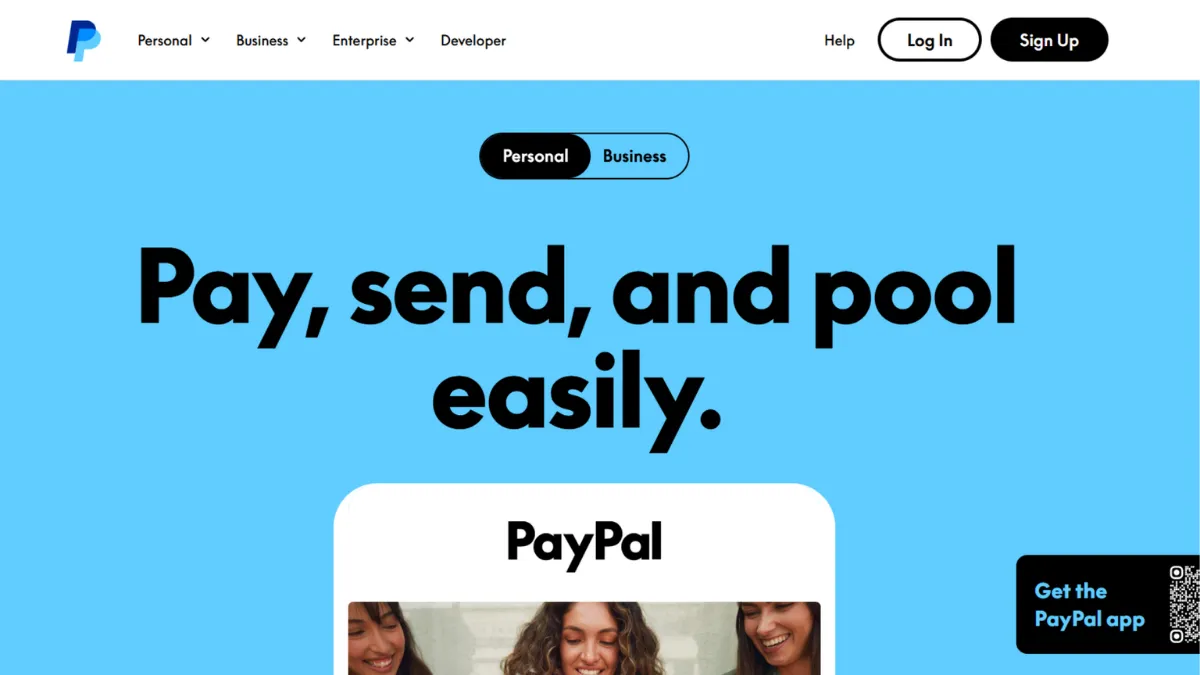
Payment infrastructure shapes every downstream decision a growing business makes, from checkout conversion to international expansion. PayPal occupies an unusual position in that equation: it is simultaneously one of the most trusted brand names a buyer can see at checkout and one of the most debated tools among merchants weighing cost against convenience. The honest verdict is that PayPal earns its place for businesses that need fast global reach and recognisable buyer protection, but it is not the lowest-cost or most flexible option at scale. The transaction fees, account-hold risks, and limited checkout customisation are real trade-offs worth understanding before committing.
The mechanism behind PayPal's value is brand recognition converting to purchase intent. Research on checkout abandonment consistently shows that buyers hesitate most at the payment step, and PayPal's familiar logo reduces that friction for a large segment of online shoppers, particularly those buying from a merchant they have not transacted with before. PayPal also handles the compliance infrastructure that most small businesses would otherwise need to build or buy separately: PCI compliance, fraud screening, dispute handling, and seller protection on eligible transactions. The practical implication is that you are not only paying processing fees; you are also paying for a managed risk layer. Most founders underestimate how expensive it is to build and maintain that layer independently, which is why PayPal's fees look worse in isolation than they do in context.
Realistic expectations depend heavily on your transaction profile. Domestic card transactions run at a standard rate in the range of 2.99% plus a fixed per-transaction fee; cross-border transactions add roughly 1.50% on top of that, plus a currency conversion spread. For a business processing high volumes of small-value international transactions, those fees compound quickly. For a service business sending occasional invoices in the low hundreds, PayPal's zero monthly subscription cost makes it genuinely cost-effective. The Buy Now, Pay Later offering adds a higher fee per transaction, something worth modelling before enabling it as a default option at checkout. Always check PayPal's current merchant fees page for the latest rates, as the structure changes periodically.
PayPal suits freelancers, consultants, early-stage e-commerce sellers, and digital product creators who need to start accepting payments within a day, operate across multiple countries, and do not want to manage payment infrastructure themselves. It also works for established businesses that want to offer PayPal as a secondary checkout option alongside a primary processor like Stripe, which is a common configuration for higher-volume merchants.
The significant limitation is account stability. PayPal has a well-documented pattern of placing holds or freezing funds on accounts that experience sudden volume increases, operate in certain product categories, or receive a spike in disputes. For a business whose cash flow depends on fast access to revenue, this risk is material and worth planning around before it becomes a problem. The support experience when resolving holds is widely criticised for slow response times and inconsistent outcomes.
The sections below cover how PayPal works in practice, its key features, pricing, and how it compares to the alternatives most relevant to each use case.
What Is PayPal?
PayPal is a digital payments platform that lets businesses and individuals send and receive money online, in-app, and in person. It solves the problem of accepting payments from customers who do not want to share card details with an unfamiliar merchant by acting as a trusted intermediary: the buyer pays PayPal, and PayPal pays the seller. What distinguishes it from a generic payment gateway is the combination of its consumer-facing brand, a global network covering over 200 markets and 140 currencies, and a built-in suite of business tools including invoicing, subscriptions, and in-person payments via the Zettle hardware offering. PayPal charges no monthly subscription for its standard business account and earns revenue entirely through per-transaction fees. Its platform reach means that a seller using Shopify, WooCommerce, or almost any major e-commerce platform can add PayPal as a checkout option in minutes without writing code. The relevant question is not whether PayPal works, but whether its fee structure and account policies fit your specific business model.
How PayPal Works
Setting up a PayPal Business account requires an email address, basic business verification, and a linked bank account for withdrawals. Onboarding takes under an hour for most businesses. Once active, you can accept payments through three main routes: hosted PayPal Checkout, where PayPal manages the checkout experience and absorbs more compliance responsibility at a slightly higher rate; Expanded Checkout, where you manage the checkout flow and handle certain dispute categories yourself at a lower rate; or a direct invoice sent to a client by email.
The hosted checkout button approach is the most common path. PayPal generates an embeddable button or you install a plugin on your e-commerce platform. The buyer clicks, logs in to their PayPal account or enters card details, and PayPal captures and settles the payment. Funds land in your PayPal balance, from which you transfer to a bank account. Standard bank transfers take one to three business days; instant transfers carry an additional percentage fee. The invoicing tool, included at no extra cost for business accounts, supports itemised line items, tax calculation, partial payments, and recurring billing schedules for subscription clients.
What most users misunderstand is the practical difference between the two checkout tiers. Hosted checkout is simpler but gives you less control over the payment form's appearance and behaviour. Expanded Checkout costs less per transaction but requires you to handle chargebacks for unauthorised transactions directly. Many sellers default to the hosted option without realising they have accepted a higher rate in exchange for PayPal managing that risk. For businesses with above-average dispute rates or products in higher-risk categories, hosted checkout can be the more cost-efficient choice once chargeback costs are included in the comparison. The counterintuitive insight is that cheapest-per-transaction is not always cheapest-in-total. Volume-based custom pricing and advanced fraud tooling require direct negotiation with PayPal's enterprise team and are not accessible through any self-serve account upgrade.
PayPal Key Features
Checkout and Payment Acceptance. PayPal's checkout suite covers card payments, PayPal balance, Venmo, Pay Later, Apple Pay, and Google Pay, depending on your chosen integration tier. The hosted checkout button installs via plugin on major e-commerce platforms with no development work. Expanded Checkout requires API integration but allows you to embed card fields directly into your page, removing the redirect to a PayPal-branded interface. Use the hosted option to get live quickly; switch to Expanded Checkout once you have development resource and the transaction volume to justify the lower rate. Connecting PayPal to Zapier automates post-payment workflows such as triggering order fulfilment, updating a CRM record, or sending receipts, without building custom integrations for each platform.
Invoicing. The built-in invoicing tool lets you create, send, and track invoices from a business account at no additional cost beyond the processing fee charged when the client pays. Invoices support itemised line items, tax, partial payments, and recurring billing schedules. Clients pay directly from the invoice via PayPal or card, and the system automatically marks invoices paid upon receipt. Template customisation is limited relative to dedicated invoicing platforms, which is a constraint for businesses with strong brand requirements. For teams using QuickBooks for accounting, PayPal transaction data imports cleanly, keeping fee reconciliation manageable without manual entry.
Seller Protection and Data Handling. Eligible transactions are covered by PayPal's Seller Protection programme, which provides cover against certain unauthorised transaction claims and item-not-received disputes. This is one of the platform's most significant differentiators for merchants selling to new customers globally, where buyer hesitation at checkout is highest. Protection has defined eligibility criteria and does not cover all transaction types, so reviewing the policy for your product category before relying on it is worthwhile. On the data side, PayPal uses SSL encryption and two-factor authentication to protect account access, and it does not share buyers' financial details with sellers. Businesses with strict data minimisation requirements should review PayPal's privacy policy carefully, as the platform retains and uses transaction data in ways that may not align with every data governance framework.
Zettle (Point of Sale). PayPal's Zettle product extends payment acceptance to in-person transactions via card readers and QR codes. In-person rates differ from online rates and are generally lower, reflecting the reduced fraud risk of card-present transactions. This makes PayPal a viable option for businesses selling both online and at events, markets, or physical locations without needing a separate payment processor for each channel. The customisation available for in-person workflows is narrower than dedicated POS platforms, worth noting if physical retail is a primary rather than secondary channel.
Subscriptions and Recurring Billing. PayPal's subscription API supports fixed, quantity-based, volume-based, and tiered pricing models for recurring charges. Sellers set up subscription plans and allow customers to self-enrol via a payment button, covering most standard membership and digital product billing scenarios without requiring a third-party tool. Accessing the more advanced billing logic requires API integration rather than the no-code interface. The limited checkout customisation on standard tiers applies to subscription enrolment flows as well, which can constrain brand consistency for subscription-first businesses.
PayPal Pros and Cons
The strengths below reflect the platform's most consistent user-validated advantages.
- No monthly subscription fee. PayPal charges nothing to maintain a standard business account. For early-stage businesses and freelancers with irregular revenue, removing a fixed monthly cost is a real advantage over processors that bundle a subscription into their pricing model.
- Global coverage from day one. Operating across over 200 markets and supporting more than 140 currencies means you can accept international payments without additional configuration. Few platforms match this coverage at the same entry cost.
- Buyer trust that lifts checkout conversion. The PayPal button at checkout increases completed purchases from first-time buyers because buyers recognise the brand and trust its buyer protection. This indirect revenue contribution is measurable and does not appear in a fee comparison.
- Built-in risk and compliance handling. PCI compliance, fraud screening, and dispute management are handled by PayPal. For a small business without a dedicated payments team, this replaces infrastructure that would otherwise cost significantly more to build or buy independently.
- Broad platform compatibility. Native connections with virtually every major e-commerce platform, accounting tool, and business software category mean PayPal fits into existing workflows without custom development in the majority of cases.
The cons below represent genuine structural limitations, not isolated complaints.
- Account holds and fund freezes are a documented operational risk. PayPal reserves the right to hold funds when accounts trigger fraud or dispute thresholds. This affects cash flow in ways that are difficult to predict or prevent, and the resolution process is slow and inconsistent.
- Support quality is consistently rated below acceptable. Response times for account issues are slow, and resolution outcomes for hold disputes are inconsistent. Businesses that need reliable support during a payment problem will find this a significant gap.
- Effective fees are higher than the headline rate. The base transaction rate, cross-border surcharge, currency conversion spread, and Pay Later premium are charged separately. For merchants with meaningful international volume, the effective all-in rate can be materially higher than the advertised figure.
- Checkout customisation is limited on standard tiers. Hosted checkout redirects buyers to a PayPal-branded page. Full visual control requires Expanded Checkout integration with developer resource, which is not practical for all businesses.
- Feature availability varies by market. Pay Later, certain advanced checkout options, and some fraud tools are not available in all countries. Sellers expanding internationally may find the local PayPal product differs from what they use domestically, complicating planning.
How to Get the Most Out of PayPal
Before going live, complete full business verification, including linking your bank account and confirming your business category. Accounts that begin receiving payments before verification is complete are more likely to trigger holds. Verification takes longer than most sellers expect, so treating it as a pre-launch task rather than a post-launch one is the more reliable approach.
In the first weeks, keep transaction volume consistent with your declared business profile. A sudden spike in payments, even legitimate ones, can flag your account for review. If a large product launch or promotion is planned, contact PayPal's merchant support in advance to note the expected volume increase. This does not guarantee smooth processing, but it creates a record that helps resolve any holds faster if they occur.
Over time, monitor your dispute rate actively. A rate above PayPal's published thresholds can trigger account restrictions that are harder to reverse than they are to prevent. Clear product descriptions, transparent refund policies, and proactive customer communication reduce disputes more reliably than any account setting. Sellers of digital goods should add delivery confirmation to every transaction, as item-not-received claims on digital products are a disproportionately common dispute source on the platform.
To understand how to accept international payments through PayPal cost-effectively, configure multi-currency support in your account settings and review the currency conversion fee structure before enabling it by default. For markets where PayPal's conversion rates are uncompetitive, pricing in the buyer's local currency and settling in that currency reduces the spread buyers experience, which affects checkout conversion. Connecting your account to Xero or a similar accounting platform automates fee reconciliation across currencies; tracking PayPal's multi-component fee structure manually at any meaningful volume is error-prone.
Measure performance through three metrics: checkout conversion rate, effective fee rate as a percentage of gross revenue rather than the headline transaction rate, and dispute rate. These three figures reveal whether PayPal is working for your business in a way that raw transaction count does not.
Who Should Use PayPal?
PayPal is a strong fit if you are a freelancer or independent consultant who invoices clients across multiple countries and wants to avoid a monthly subscription fee; if you are an early-stage e-commerce seller on a major platform who wants a trusted checkout option with minimal setup time; or if you run a digital product or membership business where buyers skew international and PayPal's brand recognition at checkout is worth more to your conversion rate than a lower per-transaction fee. The combination of no subscription cost, broad market coverage, and one-click platform integration makes it the fastest path from zero to paid in most scenarios.
PayPal is not the right fit if you are building a high-volume subscription product that requires granular checkout customisation, advanced billing logic, and predictable daily cash access. At that stage, the account-hold risk, the fee complexity on recurring international billing, and the constrained checkout branding become operational problems rather than acceptable trade-offs. Developers building payment-critical products will also find PayPal's standard API less configurable than alternatives built specifically for technical teams.
PayPal Pricing
PayPal charges no monthly subscription fee for a standard business account. Revenue comes entirely from per-transaction fees, which vary by payment method, checkout type, and geography. For standard domestic card transactions, the rate sits in the range of approximately 2.99% plus a fixed per-transaction fee for hosted checkout, with a lower rate for Expanded Checkout where the merchant absorbs more dispute liability. Cross-border transactions carry an additional surcharge of around 1.50% on top of the applicable domestic rate, and currency conversion adds a further spread on top of that.
The Pay Later option carries a notably higher per-transaction rate than standard card processing, reflecting the credit risk PayPal absorbs on deferred payments. The virtual terminal carries a monthly fee plus per-transaction charges that are higher than the online checkout equivalent, making it one of the less cost-efficient features for businesses that do not need it regularly. Custom pricing for high-volume merchants requires direct negotiation with PayPal's enterprise team. Always check PayPal's current merchant fees page for precise figures before making decisions, as the rate structure changes and the headline rate rarely reflects the all-in cost for businesses with international exposure. Compared to alternatives, PayPal's zero subscription cost makes it competitive at low volumes; the per-transaction economics become less favourable as cross-border volume grows, which is the pricing context worth carrying into the comparison below.
PayPal vs Alternatives
Stripe is the most common alternative for businesses with technical resource. Its API-first design gives developers precise control over checkout flows, billing logic, and marketplace payouts. Stripe supports a wider range of payment methods globally and provides more granular transaction data than PayPal's standard account. The trade-off is that Stripe requires technical setup and ongoing maintenance and does not carry the same consumer brand recognition at checkout. PayPal wins on speed to market and buyer trust; Stripe wins on flexibility and developer experience for teams that can invest the setup time.
Square suits businesses splitting revenue between online and physical retail. Its hardware ecosystem and tightly integrated POS software deliver a more coherent in-person experience than Zettle, particularly in markets where Square has strong local support. PayPal has broader international reach; Square is the cleaner choice for domestic-first businesses with significant in-person volume and limited international exposure.
For creators and solo operators selling digital products or memberships, Gumroad bundles payment processing with storefront, file delivery, and subscription management in one product. The all-in-one approach removes the need to connect separate tools, though Gumroad's global payment method coverage is narrower than PayPal's. PayPal suits businesses accepting payments across many platforms and surfaces; Gumroad suits sellers who want a contained storefront with minimal configuration.
Wise Business targets companies that hold and convert foreign currency at scale. Its exchange rates are more competitive than PayPal's for managing multi-currency balances, but it is not a checkout or invoicing platform in the same sense. Many businesses use both in combination: PayPal for checkout acceptance and Wise for managing foreign currency balances and paying international contractors.
PayPal Review: Final Verdict
PayPal earns an overall score of 4.17 out of 5, shaped by strong marks for ease of use (4.6) and integration breadth (4.6), alongside below-average scores for support quality (3.7) and checkout customisation (3.6). For the majority of early-stage businesses and independent operators, it remains the fastest and most accessible route to accepting global payments without a monthly fee. The platform's limitations grow more material as transaction volume, international complexity, and cash-flow sensitivity increase.
The bottom line: PayPal's real cost is its transaction fee plus the operational risk of account holds. Model both before making it a critical part of your revenue infrastructure.
How We Rated It:
More Tool Reviews







Subscribe to Stay in the loop
Get the latest AI and technology news, honest tool reviews, and practical guides delivered straight to your inbox.
Success! Check your Inbox!

Tezons Newsletter
The latest technology news, in-depth tool reviews, and practical guides - curated and delivered to your inbox.
Latest News




Have a question?
Have any questions?
Didn’t find what you were looking for? We’re just a message away.