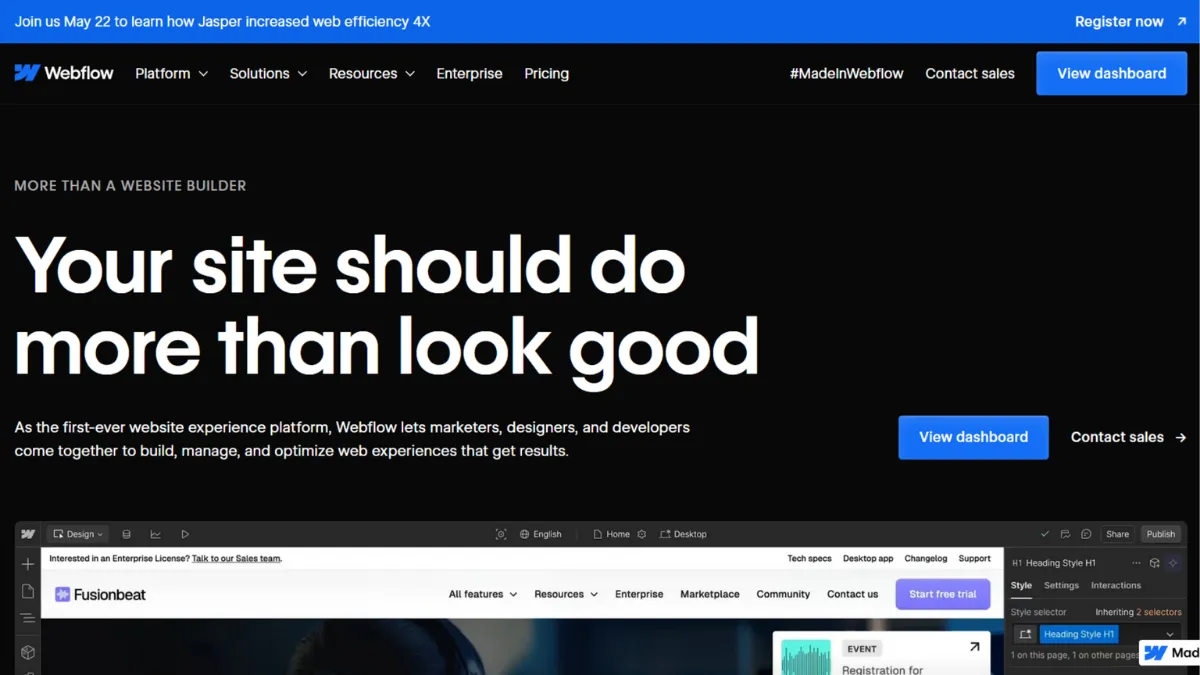
Designers who want pixel-level control over a website without handing a brief to a developer have had one consistent answer for years: Webflow. The platform sits in a category of its own, closer to a visual IDE than a drag-and-drop builder, and that distinction matters enormously once you understand how it works. Webflow does not hide CSS from you. It exposes it through a visual interface, which means the ceiling on what you can build is effectively the ceiling of the web itself, not the ceiling of a template library.
The mechanism that makes Webflow distinctive is its direct relationship between the visual editor and the underlying HTML and CSS it generates. When you adjust padding in the designer panel, you are writing a CSS rule. When you build an interaction, you are authoring a timeline-based animation without touching JavaScript. The CMS connects structured content to dynamic page templates, so a blog, a jobs board, or a product catalogue all render from the same data-driven logic. What most new users get wrong is treating Webflow like a faster version of Squarespace. It is not. The mental model is closer to a browser developer tool that also handles hosting and publishing. Skipping Webflow University, the platform's free course library, and diving straight into a client project is the most reliable way to produce a site that feels broken at breakpoints you did not anticipate.
Realistic expectations matter here. You can publish a clean, well-structured marketing site in a weekend if you have basic design literacy and follow the course material. Building a content-heavy site with custom CMS collections, rich interactions, and ecommerce will take several weeks of focused work for someone new to the platform. The trade-off is a site that performs and looks exactly as intended, without the plugin sprawl that accumulates on a WordPress build over time. Performance is a genuine strength: Webflow compresses assets, minifies CSS and JavaScript automatically, and serves sites from a global CDN without manual configuration.
Webflow is built for designers who want to own the full production process, marketing teams inside larger organisations who need to iterate on pages without developer time, and freelance web professionals who want to deliver bespoke sites without managing server infrastructure. If you are building complex, CMS-driven websites and want design control down to the last detail, Webflow is the most capable no-code platform available at this level.
The learning curve is the honest limitation. Webflow is genuinely difficult for non-designers to get started with. The box model, class-based styling, and breakpoint logic all require a working understanding of how CSS behaves. Users who approach it expecting the simplicity of a consumer website builder will find the interface disorienting, and the consequence is often an abandoned project or a poorly structured site that becomes harder to maintain over time.
The sections below cover how the platform works mechanically, what the key features deliver in practice, where it earns its pricing, and how it compares to the alternatives worth considering.
What Is Webflow?
Webflow is a visual web development platform that lets designers build production-ready websites without writing code, while giving developers the option to extend sites with custom code when needed. It combines a visual designer, a headless CMS, and managed hosting into a single product. The problem it solves is the gap between design tools like Figma and the finished, live website: in a traditional workflow, a handoff to a developer introduces time, cost, and a fidelity loss between the design file and the deployed site. Webflow collapses that gap. What makes it different from simpler builders is the class-based CSS system and the CMS architecture, both of which scale in ways that template-driven platforms cannot. The platform hosts hundreds of thousands of live sites and powers websites for organisations ranging from solo freelancers to publicly listed companies, which gives its infrastructure a level of reliability that newer entrants in the category have not yet matched. The natural question is how, mechanically, all of these components fit together in practice.
How Webflow Works
Every Webflow project starts in the designer, a browser-based interface divided into a canvas, a left panel for elements and pages, and a right panel for styling and layout controls. You build by adding HTML elements to the canvas and styling them through the right panel, which writes CSS classes in the background. The class system is the most important mechanic to understand early: styles live on classes, not on individual elements, so a change to a class propagates across every element that carries it. This is how Webflow achieves consistency at scale, but it is also where beginners make structural mistakes by applying too many inline overrides instead of building a clean class system from the start.
The CMS works by creating Collections, which are structured content types similar to database tables. A Collection defines the fields (text, image, rich text, reference), and Collection Pages are templates that pull those fields into a layout. This means a 500-article blog and a 10-article blog share the same template and require the same design effort. Interactions and animations are authored through a timeline system that triggers on page load, scroll position, mouse events, or click. The logic is visual but precise, which makes it capable of animations that would otherwise require a JavaScript developer.
Hosting is managed, meaning Webflow handles SSL certificates, CDN distribution, and bandwidth without any server configuration on your part. The counterintuitive insight most users miss is that the Webflow designer is not a WYSIWYG editor in the traditional sense. You are not seeing the published page while you build. You are editing the underlying structure and styles, and the preview is a rendering of that structure. This distinction becomes important when you start working with responsive breakpoints: Webflow uses a mobile-first cascade, so styles set at the base breakpoint inherit upwards, not downwards. Setting a style on the desktop view does not automatically apply it to mobile. Getting breakpoint logic wrong at the start of a project is the most common source of responsive issues, and the fix is usually a structural rebuild rather than a quick patch. The features available to support all of this determine what kind of site you can build and how efficiently.
Webflow Key Features
Visual Designer. The designer is the core of the platform. It exposes the full CSS box model through visual controls: margin, padding, position, flexbox, and grid are all accessible without writing a single line of CSS. Animations and scroll-triggered interactions are built in a separate interactions panel and can target any element on the page. The practical value is that a designer with no code experience can author complex, production-grade layouts and motion work that would take a front-end developer significant time to replicate. To use it well, build a consistent class system from the start and treat the style panel as you would a CSS file, not an inline override tool.
CMS and Dynamic Content. Webflow's CMS allows you to define custom content types and build templates that render them dynamically. A careers page, a resource library, and a client showcase all operate on the same logic: define the fields, populate the data, and the template handles the rest. Content editors can update CMS items through a separate editor mode without touching the designer, which makes Webflow viable for teams where the designer and the person managing content are different people. The CMS has limits on item counts per plan, so high-volume content operations should verify current tier limits directly on the Webflow pricing page before committing.
Built-in Hosting and CDN. Every Webflow site is hosted on Webflow's managed infrastructure, served from a CDN with automatic asset compression and code minification. This eliminates the overhead of managing a separate hosting provider and means performance optimisation is handled at the infrastructure level rather than requiring plugins or manual configuration. For teams coming from WordPress, the absence of plugin maintenance is a significant operational relief. The trade-off is that you are locked into Webflow's hosting stack: if the platform has an outage, your site goes down, and you have no server access to investigate.
Ecommerce. Webflow supports full ecommerce functionality including product catalogues, cart, checkout, and payment processing. The designer gives you the same pixel-level control over ecommerce pages as any other page, which means product pages and checkout flows can be designed without template constraints. This is a meaningful advantage over platforms where the cart and checkout are largely fixed in appearance. Ecommerce is available on dedicated plans separate from the standard site plans, and transaction fees vary by tier, so check the current pricing page for the structure that fits your volume.
App Marketplace and API. Webflow has a growing marketplace of third-party apps covering analytics, forms, membership, and CRM connectivity. A native Figma-to-Webflow app allows design system synchronisation between the two tools. The REST API gives developers programmatic access to CMS data, enabling headless use cases where Webflow acts as the content backend for a separately built front end. Connecting tools like Zapier allows form submissions and CMS events to trigger actions in external platforms, from email sequences to CRM updates, without custom code. The depth of these integrations varies: some are straightforward native connections, while others require middleware and some technical configuration. The trade-off in this area leads directly into what the platform does well and where it falls short.
Webflow Pros and Cons
Webflow delivers genuine advantages for the right user, but carries real limitations that eliminate it from consideration for others.
- Design control without code. No other no-code platform gives you equivalent access to CSS layout, animation, and interaction logic through a visual interface. For a designer who wants to produce exactly the site they envisioned, this is the defining advantage.
- Performance out of the box. Automatic asset compression, CDN hosting, and clean code output mean Webflow sites routinely achieve strong Core Web Vitals scores without manual optimisation work. This matters directly for search rankings and user experience.
- CMS scalability. The Collections architecture means content-heavy sites scale without adding design complexity. A site with 2,000 blog posts uses the same template as one with 20, and the content team can manage all of it without touching the designer.
- Figma integration. The native Figma-to-Webflow sync reduces handoff friction for teams already working in Figma. Importing components and design tokens cuts production time on new builds.
- No server maintenance. Webflow handles hosting, SSL, and CDN without any infrastructure management on your part. For solo designers and small agencies, this reduces operational overhead significantly.
The platform has meaningful limitations that affect specific user types more than others.
- Steep learning curve. Webflow requires a working understanding of CSS concepts to use effectively. Users who expect a drag-and-drop experience will find the class-based system confusing, and poorly structured projects become harder to maintain over time, not easier.
- Pricing complexity. Webflow separates site plans, workspace plans, and add-ons (analytics, optimisation, localisation), which makes the total cost less obvious than it first appears. A team with multiple sites and content editors needs to model the full cost across all tiers before committing.
- No live chat or phone support. Support runs through ticket and community channels. Response times are not immediate, which becomes a problem when a client site has an urgent issue.
- CMS item limits per plan. Each plan tier caps the number of CMS items. Organisations with large content libraries need to verify they are on the right plan, as exceeding limits requires an upgrade rather than a one-off adjustment.
- Vendor lock-in. Exporting your Webflow site gives you the HTML and CSS, but the CMS data, hosting, and editor workflow do not transfer to another platform cleanly. Leaving Webflow means rebuilding the CMS structure elsewhere.
How to Get the Most Out of Webflow
Before you build anything, spend time in Webflow University. This is not optional housekeeping: the course material teaches the class system, the CMS architecture, and the breakpoint logic that underpin every decision you will make in the designer. Skipping it and learning by trial and error results in a site with a tangled class structure that becomes expensive to maintain. Complete at least the core designer and CMS courses before touching a client project.
Your first session should focus on establishing a design system rather than laying out pages. Create a set of base classes for typography, spacing, and colour that every element on the site will inherit. This upfront investment pays back every time you need to make a sitewide change: update the class once, and the change propagates. Teams who build page by page without a class system end up with dozens of near-identical classes and a maintenance overhead that scales badly.
To build results over time, separate the design workflow from the content workflow early. Set up the CMS Collections and invite content editors to populate data in editor mode while you continue refining layouts in the designer. These two workflows can run in parallel, which compresses the production timeline on content-heavy projects. Connect Google Analytics and a form integration from the start so you have performance data from the first day of traffic.
The mistake most users make is treating Webflow as a finished-site tool rather than a living platform. The designer supports iterative changes to a published site, meaning you can update layouts, add new CMS Collections, and deploy changes without a rebuild. Teams that treat the site as static after launch miss the platform's primary operational advantage. To understand how to build a marketing site in Webflow that can be updated by a non-technical team, the key is building the CMS structure before the design, not after: content types defined early make template design more efficient and avoid structural rework later. Measure success by monitoring Core Web Vitals, CMS editor adoption by the content team, and time-to-publish for new pages, not just by how the site looks at launch.
Who Should Use Webflow?
This is for you if you match one of three profiles. The first is a freelance web designer or small agency that delivers bespoke sites to clients and wants to own the full production and hosting stack without managing servers or dependencies. Webflow's workspace plans are structured around multi-site management and client billing, making this a natural fit. The second is a marketing team at a SaaS or B2B company that needs to ship landing pages, campaign pages, and blog content quickly without routing every change through an engineering backlog. The CMS editor mode lets non-technical team members update content without designer access. The third is a solo founder or product team building a content marketing engine where SEO-driven pages need to be produced at scale from structured data, and performance matters from day one.
Webflow is not for you if you need a simple website live in an afternoon with no design knowledge. Users who cannot distinguish between a class and an inline style, or who have no mental model of how CSS inheritance works, will struggle with the interface and produce sites that look broken at smaller screen sizes. It is also not the right tool for large-scale ecommerce operations with complex inventory management needs, where a dedicated platform provides better operational tooling. If your primary skill is writing rather than design and you want a content-first publishing platform, a simpler CMS will serve you better.
Webflow Pricing
Webflow offers a free Starter plan that lets you build and experiment in the designer, but restricts publishing to a Webflow subdomain, limits bandwidth significantly, and caps CMS items at 50. It is useful for learning the platform and prototyping, but not sufficient for a live client or business site. Paid site plans start at the Basic tier for simple pages without CMS, moving to the CMS plan for blog and content-driven sites, and the Business plan for marketing sites with higher traffic and more editors. Ecommerce is available on separate plans with transaction fees that reduce on higher tiers. Workspace plans, which govern how many sites you manage and how many collaborators can work across projects, are priced separately. Add-ons for analytics, A/B testing, and localisation sit on top of site plan costs.
This layered structure means the headline price of any individual plan understates the total cost for a team with multiple sites, active content editors, and add-on requirements. Check the pricing page at webflow.com/pricing for current rates across all tiers before modelling costs. At the CMS and Business tier levels, Webflow delivers strong value for the design control and infrastructure it provides. Compared to maintaining a comparable WordPress site with premium plugins, managed hosting, and developer time for updates, Webflow's all-in cost is often competitive. That context becomes relevant when comparing it to the alternatives.
Webflow vs Alternatives
The most direct comparison is with Squarespace, which targets a different user entirely. Squarespace prioritises ease of use and aesthetic templates, allowing non-technical users to launch a good-looking site quickly. Webflow wins on design control, CMS flexibility, and performance. Squarespace wins on onboarding speed and support. Choose Squarespace if the site needs to be live this week by someone with no design background; choose Webflow if you need a site that can scale and be maintained as a design system.
Framer is the more interesting competitive threat. Built for designers coming from Figma-style tools, Framer prioritises speed of iteration and strong default performance. Its learning curve is gentler than Webflow's for designers already familiar with component-based design tools. Framer's CMS is less mature and its ecommerce story is limited compared to Webflow. For a simple marketing site or landing page where speed of launch matters more than CMS depth, Framer is a credible alternative. For a site that will grow into a content library or integrate ecommerce, Webflow holds the advantage.
WIX serves the consumer end of the market and competes on ease of use and breadth of templates. It cannot match Webflow on design control or CMS architecture, but it requires far less technical literacy and has stronger customer support. Choose WIX for simple business sites where the owner will manage content with no design knowledge. For no-code application development where you need database logic, user authentication, and dynamic functionality beyond a marketing site, tools like Lovable address a different layer of the build entirely and are worth evaluating alongside Webflow for product teams.
Webflow Review: Final Verdict
Webflow earns a 4.33 overall score, which reflects a platform that leads its category on design capability and performance but carries real friction in onboarding and pricing transparency. Its Customisation score of 4.8 is the highest dimension and the clearest reason to choose it: no competing no-code tool gives you equivalent control over layout, animation, and content architecture without writing code. The Support score of 3.8 reflects the genuine absence of live chat and the ticket-based response model, which is the dimension most likely to cause frustration on a tight deadline.
The bottom line: Webflow is the most capable visual web development platform available at this price point, and the learning investment it demands is proportional to the output quality it delivers. If you are prepared to spend time understanding the class system and CMS architecture before building, nothing in the no-code category comes close.
How We Rated It:
More Tool Reviews







Subscribe to Stay in the loop
Get the latest AI and technology news, honest tool reviews, and practical guides delivered straight to your inbox.
Success! Check your Inbox!

Tezons Newsletter
The latest technology news, in-depth tool reviews, and practical guides - curated and delivered to your inbox.
Latest News




Have a question?
Have any questions?
Didn’t find what you were looking for? We’re just a message away.