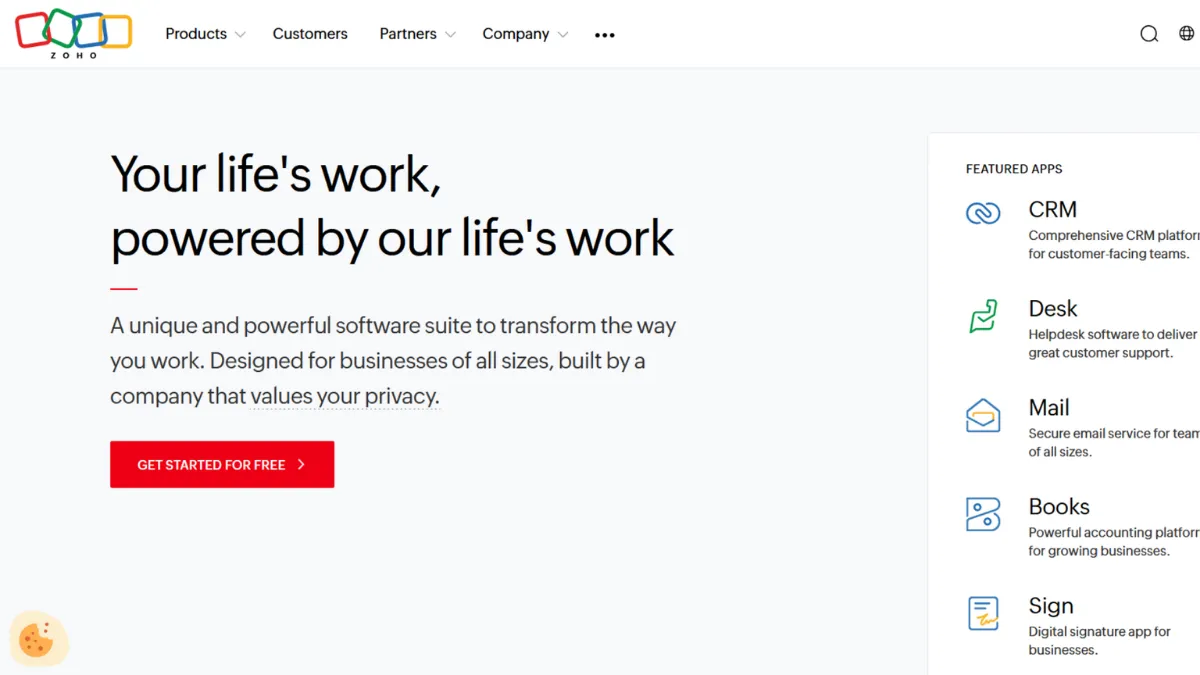
The business software market runs on a simple tension: pay enterprise prices for enterprise power, or accept compromises to stay within budget. Zoho breaks that equation. Across CRM, email, accounting, HR, project management, help desk, and analytics, the platform delivers a depth of functionality that competing suites charge multiples more to match. For a growing business that wants one vendor, one invoice, and genuine cross-functional integration, Zoho is the strongest value proposition available at its price point. That verdict holds with a caveat: the platform rewards patience. Teams that put in the configuration work extract enormous value. Teams that expect polished, guided onboarding comparable to HubSpot will find the experience jarring.
The mechanism behind Zoho's value is vertical integration. Rather than building a best-of-breed CRM and bolting on third-party tools, Zoho has developed the majority of its 45-plus applications in-house over nearly three decades. That means Zoho CRM, Zoho Books, Zoho Desk, Zoho Campaigns, Zoho Analytics, and Zoho Projects share a common data layer. When a sales rep closes a deal in the CRM, finance can generate an invoice in Books without a manual data transfer. Support tickets in Desk surface customer history from CRM. Marketing segments in Campaigns pull live data from both. This inter-app coherence is the platform's defining strength, and it is something stitched-together tool stacks cannot replicate cleanly. The AI layer, called Zia, sits across modules to offer lead scoring, anomaly detection, sentiment analysis on support tickets, and predictive sales forecasting. Zia's depth varies by product, with CRM and Analytics benefiting most, but it adds measurable utility at a price point where competitors either exclude AI or charge separately for it.
Realistic expectations matter here. Zoho is not a quick-start platform. The modular database interface, shared across most applications, organises records in cascading related modules rather than in purpose-built views. New users consistently report spending the first few weeks navigating menus and building configuration. A business replacing a simpler CRM should budget two to four weeks for a meaningful implementation before daily workflows feel natural. The payoff is genuine customisability: modules, fields, workflows, and automation can be tailored to fit specific business processes without touching code in most cases. Reach for Zoho's proprietary scripting language, Deluge, only when the visual builders run out of capability, which for most mid-market teams happens rarely.
The platform suits revenue-focused operations teams at businesses with ten to two hundred employees who need cross-departmental alignment without enterprise-level spend. It also fits founders who have outgrown point solutions and want a single source of truth across sales, finance, and customer service. Consultancies and agencies managing multiple client accounts benefit from the multi-brand and multi-organisation features available at higher CRM tiers.
The limitation to state plainly: customer support quality is inconsistent. Users on standard tiers frequently report slow response times and canned replies when issues require real diagnosis. Zoho charges a meaningful premium to access priority support, which means the base plan effectively treats support as self-service. Businesses with limited internal technical resource should factor that cost into their decision or plan to rely heavily on Zoho's community forums and documentation library, both of which are substantial.
The sections below cover how the platform works mechanically, which features drive the most value, pricing across the main product lines, and how Zoho compares against the alternatives most teams consider at the same stage.
What Is Zoho?
Zoho is a business software company that has built a suite of more than 45 cloud applications spanning sales, marketing, customer service, finance, HR, and operations. Founded in 1996 and bootstrapped to profitability without outside investment, it operates at a scale that most independent software companies cannot match: the platform serves millions of users globally across businesses of all sizes. The core proposition is that a growing company can run its entire operation through a single vendor, with integrated data flowing across every department, rather than managing a fragmented stack of point solutions. What distinguishes Zoho from generic business software alternatives is not any single application but the depth of integration between them. Where a separate CRM, accounting tool, and help desk would require manual exports and third-party connectors such as Zapier or Make to stay in sync, Zoho's applications share a native data layer by design. The practical question, which the following section begins to answer, is how that integration actually works at the application level.
How Zoho Works
Zoho organises almost all of its applications around a modular record structure. An Account in Zoho CRM is a container. Open it and you see related records cascading beneath it: Contacts, Deals, Activities, Emails, Support Cases, Invoices. Each of those related records is itself a module with its own fields, layouts, and automation rules. This architecture makes the platform genuinely configurable. You can add custom fields to any module, build multi-step workflow rules that trigger actions across products, and create custom modules to represent business objects unique to your operation. The cost of that flexibility is visual density. The interface is not task-oriented in the way that specialist tools are. Everything is a record in a database, and navigation requires learning where things live.
Setup for Zoho CRM typically involves importing or migrating contact and deal data, configuring pipeline stages to match your sales process, building workflow rules for lead assignment and follow-up reminders, and connecting your email account for two-way sync. Zoho Campaigns connects to the same contact database, so segments created in CRM feed directly into email audiences without export. Connecting Zoho Books activates the quote-to-invoice flow, allowing sales reps to generate proposals from within the CRM and finance to track payment status without switching platforms. Google Analytics integrates at the website level, with traffic and conversion data available in Zoho Marketing Automation for fuller attribution. The more applications you connect within the ecosystem, the more the data layer compounds in value.
The counterintuitive insight most new users discover too late is this: Zoho rewards narrowing before expanding. Teams that activate every available module on day one and try to configure them simultaneously burn weeks and build messy automations. The teams that get real value quickly pick one or two core workflows, configure them tightly, and add adjacent products once those are stable. The modular architecture supports that incremental approach better than almost any competitor, but the product does not guide you toward it explicitly. Starting with CRM and Desk before layering in Books and Campaigns is the path most implementations follow when they succeed.
Zoho Key Features
Zoho CRM with Zia AI. The CRM is the centrepiece of the suite and the most fully developed application in the portfolio. It covers lead and contact management, visual pipeline tracking, sales automation, multi-channel communication (email, phone, social, live chat), and analytics. Zia adds predictive lead scoring, deal health indicators, workflow suggestions, and email sentiment analysis. The feature set at the Enterprise tier competes directly with platforms charging significantly more. Customisation is deep: field rules, layout editors, canvas view for visual record display, and territory management are all available without code. The area where most teams underestimate effort is automation. Zoho's workflow builder handles common scenarios well, but complex multi-condition rules require careful sequencing and occasional use of Deluge scripting.
Zoho Books and Finance Suite. Zoho Books handles invoicing, expense tracking, bank reconciliation, VAT or GST compliance, and multi-currency transactions. For businesses that also need payroll, inventory, or subscription billing, Zoho Payroll, Zoho Inventory, and Zoho Subscriptions are separate applications that connect to the same financial data layer. The Books free tier supports one user and up to one thousand invoices per year, with paid tiers scaling up user counts and adding features such as project billing and advanced reporting. The tight CRM-to-Books connection is where teams working across sales and finance notice the most practical benefit: approved quotes convert to invoices in two clicks, and payment status feeds back into the deal record.
Zoho One: the bundled suite. Rather than licensing individual applications, Zoho One provides access to the full portfolio for a per-user monthly fee. The All Employee pricing model requires every employee to be licensed, bringing the per-user cost down substantially. The Flexible User model allows selective licensing at a higher per-user rate. Zoho One includes over forty-five applications, making it one of the most cost-efficient software bundles in the market for businesses that can commit to the ecosystem. The 30-day free trial requires no credit card, covers all applications without restriction, and allows full configuration, which is genuinely useful for evaluating fit before committing.
Zoho Desk for customer support. Zoho Desk manages support tickets across email, phone, live chat, social media, and a self-service knowledge base from a single interface. Ticket routing, SLA rules, Blueprint workflow automation, and Zia-powered sentiment analysis are all available on the mid-range tiers. The integration with Zoho CRM means support agents see full customer and deal history on every ticket, removing the context-switching that plagues teams running separate CRM and help desk tools. That cross-product context is the strongest functional argument for staying within the Zoho ecosystem rather than pairing Zoho CRM with a standalone help desk like Zendesk. Last sentence of the features section raises a practical trade-off: Zoho's breadth means most teams use a fraction of what is available, and the interface reflects the full catalogue rather than the workflow you are actually running.
Zoho Pros and Cons
The advantages Zoho delivers most consistently:
- Price-to-feature ratio is exceptional. No competing suite at this price point offers comparable breadth across CRM, accounting, help desk, HR, and marketing. Teams replacing two or three separate tools will almost always reduce their monthly spend while gaining tighter integration.
- Native cross-application data flow. The shared data layer between CRM, Books, Desk, and Campaigns is genuinely integrated, not API-connected. Records update in real time across products without manual syncing or middleware.
- Deep customisability without code. Custom modules, fields, layouts, workflow rules, and automation cover the needs of most mid-market businesses without requiring developers. Deluge scripting extends that further for edge cases.
- Zia AI is underrated at this price point. Lead scoring, anomaly detection, and deal health forecasting come included on upper tiers where competitors charge add-on fees. The depth varies by module but adds measurable signal for sales and support teams.
- 30-day unrestricted trial. Unlike competitors that limit features or record counts during a trial, Zoho One's 30 days gives access to the full suite without a credit card. This is a structural advantage for proper evaluation.
The limitations that genuinely affect users:
- Onboarding friction is real and front-loaded. The modular database UI is counterintuitive for teams coming from simpler tools. Most users report two to four weeks before daily workflows feel natural. There is no guided, opinionated setup path.
- Support quality is a known weak point. Users on standard-tier plans report slow response times and difficulty escalating complex issues. This scores below average compared to the category and is acknowledged in the pricing section below.
- Third-party integrations can feel clunky. Within the Zoho ecosystem, connectivity is strong. Connections to external tools outside the Zoho portfolio sometimes require additional configuration or behave inconsistently.
- Mobile apps lag behind the desktop experience. The CRM and several other applications feel noticeably less polished on mobile, which affects sales teams who rely on the app between client meetings.
- Feature breadth creates interface noise. The platform surfaces every available module regardless of relevance. Teams running simple operations find the UI denser than their workflows require.
How to Get the Most Out of Zoho
Before you activate a single module, map the two or three workflows that account for most of your team's daily friction. For most growing businesses that means lead-to-close in CRM and quote-to-invoice between CRM and Books. Build those two flows first. Configure your pipeline stages, set up workflow rules for lead assignment and follow-up tasks, connect your email account, and test the CRM-to-Books quote conversion. Only once those are reliable should you layer in Desk, Campaigns, or Analytics.
In the first week, resist the pull to activate all available modules. Every module you add before your core workflows are stable adds configuration debt and training overhead. Zoho's architecture supports incremental expansion better than most platforms. Use that feature, not the breadth of the catalogue.
For teams learning how to automate CRM workflows in Zoho, the Workflow Rules builder is the right starting point. Build simple triggers first: when a lead status changes to Qualified, assign it to the relevant rep and send an internal notification. Once those work reliably, introduce Blueprint for multi-step process automation where you need formal stage-gating. Avoid Deluge scripting until the visual builders genuinely cannot cover your requirement. Most businesses never need it.
Measure success by the reduction in manual handoffs between departments. If your sales team is still exporting CSVs to share data with finance or support, the integration is not set up correctly. The benchmark for a well-configured Zoho deployment is that every team works from the same record without switching tools. Use Zoho Analytics to build cross-product dashboards once your data is flowing cleanly. That view across CRM, Desk, and Books in one report is the clearest signal that the platform is working as intended. Review your automation rules monthly in the first quarter. Zoho's flexibility means it is easy to accumulate overlapping or conflicting rules. A brief audit keeps the system clean as your processes evolve.
Who Should Use Zoho?
This is for you if you run a business with ten to two hundred employees and you are paying for three or more separate tools that should be sharing data. A sales team using a standalone CRM, a finance team on a separate accounting platform, and a support team on a disconnected help desk are the exact conditions Zoho was built to replace. The consolidated data layer delivers immediate, practical value in that situation. You will also find Zoho worth the configuration investment if you manage a consultancy or agency that bills by project: the CRM-to-Books-to-Projects flow handles scope, time tracking, invoicing, and client history in one place. Teams already familiar with any database-style CRM, including Salesforce, will adapt to Zoho's modular interface faster than those coming from task-management tools.
Not for you if you need to be operational within a day or two without dedicated setup time. Solo founders or very small teams who want a clean, opinionated CRM without configuration overhead will find HubSpot's free tier or a lighter CRM a better fit. Similarly, if your primary need is marketing automation and your sales process is simple, the Zoho suite adds complexity your workflow does not justify.
Zoho Pricing
Zoho's pricing spans individual application plans and the all-in-one Zoho One bundle. For the CRM alone, paid tiers run from Standard at roughly $14 per user per month through to Ultimate at around $52 per user per month, all billed annually. Each step up adds automation depth, AI features, and data limits. A free CRM tier exists for up to three users with basic contact management and limited storage. The Professional tier, at approximately $23 per user per month, is the point where most growing teams find the feature set sufficient: it unlocks two-way email sync, inventory management, and full sales automation. The Enterprise tier at roughly $40 per user per month adds AI scoring, multi-department features, and advanced analytics. Verify current rates on Zoho's pricing page, as the company adjusts them by region.
Zoho One is the stronger value proposition for businesses that need more than just the CRM. The All Employee plan, which requires licensing every staff member, comes in at roughly $37 per user per month billed annually and covers the full suite of 45-plus applications. The Flexible User plan allows selective licensing at a significantly higher per-user rate. Zoho Books has its own free tier for very small businesses, and Zoho Desk starts at around $14 per agent per month. Premium and Enterprise support tiers cost an additional 20 to 25 per cent of the subscription fee. For businesses with limited internal IT capacity, that support add-on is worth treating as a required line item rather than an optional one. At standard tier support quality, the gap relative to competitors like HubSpot is noticeable enough to affect day-to-day experience.
Zoho vs Alternatives
HubSpot is the most common alternative considered at similar team sizes. It offers a genuinely free CRM tier, polished onboarding, and strong marketing automation, but the cost at scale rises sharply. HubSpot's Professional and Enterprise plans are substantially more expensive than Zoho's equivalent tiers. Choose HubSpot when fast onboarding and marketing-first workflows matter more than total cost or cross-departmental integration. Zoho wins on price and breadth once a team grows past five or six users who need real CRM functionality.
Salesforce is the enterprise benchmark. Its customisability and ecosystem depth exceed Zoho's, and its Flow automation builder gives non-technical admins more visual power than Zoho's equivalent. The cost difference is substantial at every tier, and most implementations require external consultants. Choose Salesforce for large organisations with complex multi-stage sales processes, dedicated technical admin resource, and a budget to match. Zoho gives you 70 to 80 per cent of Salesforce's functional territory for a fraction of the cost, which is the right trade-off for most businesses that are not yet enterprise scale.
Monday.com and ClickUp are sometimes considered as alternatives when the primary need is project and task management rather than CRM. Both are stronger in that specific use case. Zoho Projects is capable but not best-in-class for pure project management. If your business primarily needs work coordination with only basic CRM requirements, either of those platforms is a more natural fit. Zoho wins when sales pipeline management, customer data, and financial workflows are the priority alongside project coordination.
Zoho Review: Final Verdict
Zoho earns an overall score of 4.16 out of 5, reflecting a platform that delivers exceptional value and integration depth while carrying real friction in support quality (3.6) and initial ease of use (3.8). Those two dimensions are the honest costs of accessing everything else the suite provides at this price point. The bottom line: if your business has the patience to configure it properly and the internal capability to work through early learning curves, Zoho is the most cost-efficient way to unify your sales, finance, and support operations under one platform.
How We Rated It:
More Tool Reviews







Subscribe to Stay in the loop
Get the latest AI and technology news, honest tool reviews, and practical guides delivered straight to your inbox.
Success! Check your Inbox!

Tezons Newsletter
The latest technology news, in-depth tool reviews, and practical guides - curated and delivered to your inbox.
Latest News




Have a question?
Have any questions?
Didn’t find what you were looking for? We’re just a message away.