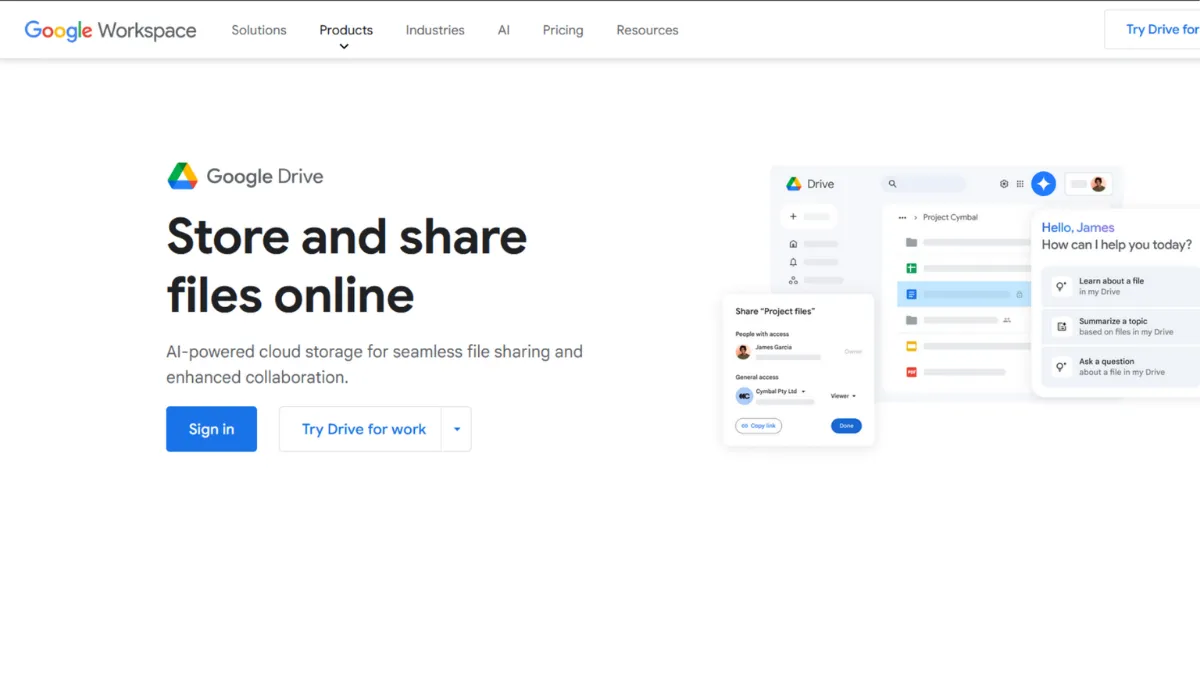
Cloud storage is a commodity. Every major provider gives you a folder in the sky, sync across devices, and a mobile app. What separates Google Drive from the rest is not the storage itself but everything bolted around it: a suite of productivity tools that the majority of knowledge workers already use, a collaboration layer that works without a single plugin, and 15 GB free before you spend a penny. The verdict is straightforward. If your team lives in browsers and your workflows touch documents, spreadsheets, or presentations, Google Drive is the default choice for a reason. The question is not whether it is good, but whether it is right for your specific situation.
The mechanism behind Drive is tighter than most people realise. Files stored natively as Google Docs, Sheets, or Slides do not count against your storage quota, which means a heavy writer or analyst can run an enormous document library without burning through the free tier. Sync works through the desktop application, which keeps a local copy in step with the cloud, but unlike Dropbox, Drive re-uploads the entire file on each change rather than only the modified blocks. For most text documents this is imperceptible. For large video files or complex design assets, you will notice the difference. Real-time collaboration is where Drive genuinely earns its reputation: multiple editors working simultaneously in a single Doc, with a full revision history and comment threads that persist. Most teams using it daily take this for granted until they try working any other way.
Realistic expectations matter here. Drive is not a backup solution, it is a sync service. If you delete a file locally, it disappears from the cloud. Version history exists, but its depth depends on your plan, and recovering deleted files outside a 30-day window typically requires a paid Workspace subscription. Storage fills faster than expected too, because Gmail and Google Photos share the same 15 GB pool. A moderately active Gmail inbox plus a few years of phone photos will exhaust the free allocation before any real Drive usage begins. Budget accordingly from the start.
Drive suits you best if you are a solo founder or small team already working in Google Workspace, a creator or writer producing text-heavy output, a remote team that needs friction-free document sharing, or a business that wants to avoid a separate productivity suite. The tighter your reliance on Google tools, the stronger the case for Drive as the backbone of your file management.
The primary limitation is vendor lock-in that compounds quietly. Native Google formats do not export cleanly to every destination. Teams that need to collaborate with clients or partners heavily invested in Microsoft 365 will hit formatting friction regularly. Privacy controls are also thinner than competitors: Drive does not offer link password protection or download limits on shared files, which creates real governance headaches for sensitive documents.
The sections below cover how Drive works mechanically, which features matter, pricing tiers, and how it stacks up against the main alternatives.
What Is Google Drive?
Google Drive is a cloud storage and file synchronisation service built into every Google account. It solves the problem of files scattered across devices and teams, replacing email attachments and USB drives with a single shared space accessible from any browser or the dedicated desktop application. What distinguishes Drive from a generic storage bucket is the native integration with Google Docs, Sheets, Slides, and Forms: documents created inside Drive are collaborative by default, editable without downloading, and searchable across their full contents. Adoption is enormous, which means the people you share files with almost always already have an account. The interesting question is not whether Drive stores files but how its underlying mechanics affect output quality and team behaviour.
How Google Drive Works
Setup takes minutes. You install the desktop application, sign in with your Google account, and a Drive folder appears on your machine. Anything you place inside it syncs to the cloud automatically. On the web, you access the same files through drive.google.com, where you can create native documents directly without uploading anything. Collaborators you invite receive a link and, depending on the permissions you set, can view, comment, or edit in real time.
Search is one of the more underrated features. Drive indexes the full text of documents, not just filenames, so you can find a contract by searching for a clause inside it rather than remembering what you called the file. This becomes more valuable as your Drive grows, and it is the reason experienced users spend almost no time organising folders. The search is good enough to replace structure.
Permissions work at the file, folder, or shared drive level. You can share with specific people, anyone with a link, or restrict to your organisation. Shared drives, available on paid Workspace plans, assign ownership to the team rather than an individual, which prevents files disappearing when someone leaves. This distinction is the one most small teams discover too late: files stored in a personal Drive belong to that person. When they leave, so does access unless you plan ahead.
The counterintuitive thing most users assume wrong: uploading a file to Drive is not the same as backing it up. Drive mirrors whatever is on your device. Deletions propagate in both directions. If you need true backup with point-in-time recovery, you need a separate tool sitting on top of Drive, not Drive itself. Treat it as a shared working layer, not an archive. That distinction shapes which features deserve your attention and which problems you will need to solve elsewhere.
Google Drive Key Features
Real-time Collaborative Editing. Open a Google Doc, share it with your team, and every person edits the same version simultaneously. Cursor positions appear with colour-coded labels, comment threads attach to specific text, and the full revision history lets you restore any previous version. This is the feature that makes Drive genuinely different from a folder on a server, and it removes the version-control chaos that plagues teams sharing files by email. The practical limit is that native collaboration only works inside Google formats: Word documents uploaded to Drive do not get the same live-editing experience unless you convert them.
Full-text Search Across All Files. Drive indexes the content of documents, PDFs, and even text inside images using optical character recognition. You can search for a phrase you remember writing months ago and find the document without knowing the filename or folder. Teams that lean on this capability tend to spend less time on folder taxonomy and more time actually working. The search quality degrades with very large file libraries, but for most solo founders and small teams it is consistently reliable.
Shared Drives for Team Ownership. Unlike personal Drive storage, Shared Drives assign file ownership to the team. When someone leaves the organisation, their files stay put. You can control access at the folder level, set permissions for entire departments, and manage everything from a central admin console. This feature is only available on paid Workspace plans, and it is the single most important upgrade for any team with more than three or four people sharing files regularly.
Offline Access. The desktop application keeps selected files available without an internet connection, and Chrome browser users can enable offline mode for Google Docs and Sheets directly. Changes made offline sync when the connection returns. The offline experience is reliable for document editing but limited for file types that require third-party applications. Heavy users working in areas with patchy connectivity will find it adequate for text work and frustrating for anything more complex.
Third-party App Integration. Drive connects to a large ecosystem of tools through the Google Workspace Marketplace, including project management platforms like Notion and Airtable. You can open Drive files directly in connected apps, trigger automations from file changes using Zapier or Make, and embed Drive content in external tools. The integration breadth is wide, though depth varies: some connections are genuinely seamless while others amount to little more than a link. The reliance on third-party connectors to fill workflow gaps is also the clearest sign of where Drive's native feature set stops.
Google Drive Pros and Cons
Where Drive earns its position:
- Generous free tier. Fifteen gigabytes of free storage, shared across Drive, Gmail, and Google Photos, is the most competitive free allocation among mainstream providers. Most individuals and early-stage founders will not need to pay anything for months.
- Collaboration without configuration. Real-time co-editing, comment threads, and revision history work out of the box with no plugins or additional subscriptions. Teams get a functional collaboration layer from day one.
- Native document formats save storage quota. Google Docs, Sheets, and Slides do not count toward your storage limit, which means heavy document users can maintain enormous libraries on the free tier.
- Search quality at scale. Full-text indexing across all file types, including scanned PDFs via optical character recognition, makes Drive genuinely useful as a knowledge base rather than just a filing cabinet.
- Ecosystem breadth. The sheer number of tools that connect to Drive, from form builders to automation platforms, means you rarely need to move files manually between applications.
Where Drive shows its limits:
- No link password protection. Shared Drive links cannot be password-protected or download-restricted, which is a real gap for teams handling sensitive documents. Competitors like Dropbox and Box offer this by default.
- Block-level sync is absent. Drive re-uploads entire files on each change. For large files, this creates meaningful delays that Dropbox avoids with its block-level transfer approach.
- Shared Drives require a paid plan. Team-owned storage, the feature that prevents file loss when employees leave, is locked behind Business Standard and above. This is a meaningful constraint for bootstrapped teams.
- Storage is shared with Gmail and Photos. The 15 GB free allocation disappears faster than expected once email and mobile photos are included. New users regularly hit the ceiling without storing a single work file.
- Privacy controls are thinner than alternatives. Drive lacks zero-knowledge encryption and offers limited options for controlling what recipients can do with shared files once a link is generated. Teams with compliance requirements should verify this carefully.
How to Get the Most Out of Google Drive
Before you start, decide on a folder structure and stick to it. Drive's search is good enough that most users eventually abandon strict organisation, but consistent naming conventions across your team will prevent conflicts when multiple people create files on the same topic. Set up a Shared Drive immediately if you are on a paid plan: do not let critical files live in anyone's personal Drive where team ownership does not apply.
In the first week, migrate any files currently shared by email attachment into Drive. The shift from attachments to shared links removes a significant source of version-confusion, and the full-text search will start indexing your documents from day one. Connect Drive to the other tools in your stack: link it to your project management software, set up automations for file-triggered notifications, and install the desktop application on every machine your team uses.
Over time, the most productive Drive users build a habit of creating new documents directly inside Drive rather than uploading files from other applications. A Google Doc created natively is searchable in full, version-controlled automatically, and shareable in a single click. An uploaded Word file is none of those things unless you convert it. The mistake most teams make is treating Drive as a file cabinet for existing documents rather than as the place where documents are born.
Measuring success is straightforward: track how often your team searches Drive versus asks a colleague to send a file. When search replaces the request, you have built a functional shared knowledge layer. If you want to know how to organise Google Drive for a growing team, the answer is to invest in Shared Drive structure early, enforce consistent naming before the library grows past a hundred files, and use starred items as a personal shortcut layer on top of the shared structure rather than duplicating folders.
Who Should Use Google Drive?
This is for you if you are a solo founder or freelancer already using Gmail, building your business on Google tools, and needing a central place to store and share work without paying for storage on day one. It is also a strong fit if you run a small content or operations team where most deliverables are documents, spreadsheets, or slide decks: Drive's collaboration layer removes the overhead of managing versions manually. Remote-first startups that need a shared file system accessible from any device, with no IT setup, will find Drive the path of least resistance.
Not for you if you work primarily in a Microsoft 365 environment. File format friction between Google and Office formats is persistent and irritating, and your clients or colleagues will feel it. Also unsuitable for teams handling highly sensitive documents that require link-level password protection, audit-grade access logs, or zero-knowledge encryption: for those requirements, Box or a dedicated secure file management platform is a better starting point.
Google Drive Pricing
The free tier gives every Google account 15 GB of storage shared across Drive, Gmail, and Google Photos. This is the most generous free allocation among the major providers, but the shared pool means active Gmail users burn through it faster than expected. For individuals needing more, paid storage is available through Google One at various monthly rates depending on the capacity tier. Check the current pricing at one.google.com, as rates have shifted and promotions vary by region.
For teams, storage is bundled into Google Workspace plans. Business Starter offers a modest pooled storage allocation per user alongside custom email and video conferencing. Business Standard increases that allocation substantially and, critically, unlocks Shared Drives, which is the feature that makes Drive viable for growing teams. Business Plus adds advanced security controls and further storage depth. Enterprise plans remove effective storage limits for organisations above a minimum user threshold. Current per-user pricing for all Workspace tiers should be confirmed on Google's own pricing page, as the figures are subject to change.
For most early-stage founders, the free tier is enough to start. The natural trigger for upgrading is either storage exhaustion or the need for Shared Drives, and the Business Standard plan is where those two needs converge. Compared to alternatives, the Workspace bundle makes Drive competitive on value even at the paid tier, given that email, Meet, and productivity tools are included. That context is worth keeping in mind when comparing Drive's storage cost against a standalone cloud storage service.
Google Drive vs Alternatives
The three competitors most worth considering are Dropbox, Microsoft OneDrive, and Box, each with a meaningfully different position.
Dropbox wins on raw sync performance. Its block-level transfer algorithm means only changed portions of a file are uploaded, making it noticeably faster for large files and heavy workflows. Where Drive beats Dropbox is in native document creation and the breadth of the free tier. Choose Dropbox if file sync speed and large-file handling matter more than built-in collaboration tools.
Microsoft OneDrive is the natural home for teams already in the Microsoft 365 ecosystem. The integration with Word, Excel, and Teams is tight in the same way Drive integrates with Google tools. If your team lives in Office applications, OneDrive is the better fit. If you are not tied to Microsoft, Drive's collaboration features and free tier give it the edge for most small teams.
Box targets enterprise and compliance-heavy environments. It offers stronger security controls, link password protection, and granular access auditing that Drive does not match. For a heavily regulated industry, Box is worth the premium. For most founders and small teams, the added complexity and cost are unnecessary overhead.
Whalesync is worth a mention for teams using Drive as a data layer: it allows bi-directional sync between Google Sheets and external databases, which fills a genuine gap for no-code workflows built on Drive. It is not a storage competitor, but it is the kind of tool that extends what Drive can do without replacing it.
Google Drive Review: Final Verdict
Google Drive earns an overall score of 4.37 out of 5, and that number reflects a tool that excels in collaboration and ecosystem breadth while carrying genuine gaps in privacy controls and sync performance for large files. The integration score of 4.6 reflects how deeply Drive connects with the tools most small teams already use, while the privacy score of 3.8 is an honest acknowledgement that link-level security controls lag behind competitors like Dropbox and Box.
The bottom line: Drive is the right default for any team that builds and shares documents rather than moves large binary files. Start on the free tier, upgrade to Business Standard when Shared Drives become a priority, and be deliberate about what you store in a shared link.
How We Rated It:
More Tool Reviews







Subscribe to Stay in the loop
Get the latest AI and technology news, honest tool reviews, and practical guides delivered straight to your inbox.
Success! Check your Inbox!

Tezons Newsletter
The latest technology news, in-depth tool reviews, and practical guides - curated and delivered to your inbox.
Latest News




Have a question?
Have any questions?
Didn’t find what you were looking for? We’re just a message away.