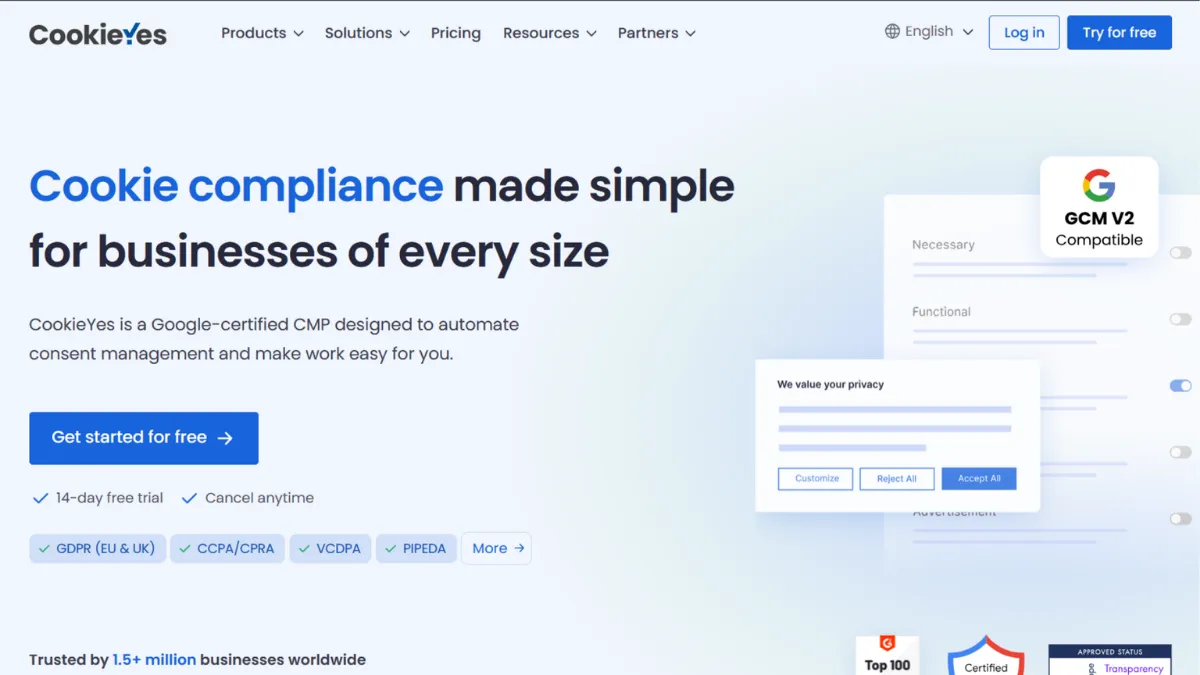
Cookie compliance is one of those tasks that founders treat as a one-afternoon job and then quietly ignore for years. CookieYes is built for that reality: a consent management platform that gets a legally compliant cookie banner live on your site in under thirty minutes, covers GDPR, CCPA, and a growing list of global privacy frameworks, and does so at a price point that does not require a procurement conversation. Scoring 4.31 out of 5 overall, it earns its place as the default recommendation for solo operators, small teams, and agency clients who need real compliance without enterprise overhead.
The platform works by placing a single JavaScript snippet on your site, then handling everything downstream: scanning your pages to detect and categorise cookies, generating a consent banner that captures and logs user choices, and blocking third-party scripts until consent is granted. The consent log is the mechanism most users underestimate. Every accept, reject, and preference is recorded with a timestamp and user identifier, giving you an auditable trail if a regulator ever asks. Most founders set up the banner and move on without realising that the log is the thing that actually proves compliance in an investigation.
Realistically, CookieYes handles most website compliance needs at the Basic and Pro tiers. A WordPress blog with Google Analytics and a Facebook Pixel will be fully covered: cookies scanned, auto-blocked before consent, and logged. The banner renders within a few hundred milliseconds on well-optimised sites, though there are occasional reports of slight rendering delays on slower shared hosting. For most founders, this is not a material issue. Where expectations need managing is traffic volume: each plan caps monthly pageviews, and high-traffic sites will find themselves upgrading or paying overage fees faster than they expect.
CookieYes is specifically the right tool for founders running one to three websites who want compliance handled and forgotten. A content creator monetising through affiliate links, a SaaS founder with a marketing site and a blog, or a small agency managing client sites on WordPress or WIX will all find the tool fits their workflow without friction. It is not the right tool for a team managing dozens of domains or one that needs data subject access request automation baked in.
The most honest limitation is multi-domain management. Each CookieYes plan covers a single domain. If you run several websites, you pay per domain or apply for the Agency Partner Programme, which changes the pricing model entirely. For businesses scaling past three or four sites, the per-domain cost adds up faster than the per-plan headline price suggests.
The sections below cover how the tool works mechanically, which features matter most in practice, and how it stacks up against the alternatives founders most commonly consider.
What Is CookieYes?
CookieYes is a consent management platform (CMP) built to automate cookie compliance for websites of any size. It solves a specific regulatory problem: under GDPR, CCPA, and similar laws, websites must obtain explicit user consent before placing non-essential tracking cookies, and must be able to prove that consent was given. The generic alternative is building a consent mechanism manually, which requires legal knowledge, ongoing maintenance as regulations change, and developer time every time a new cookie is added to the stack. CookieYes replaces all of that with a managed service. The platform holds Google-certified CMP status and IAB TCF v2.3 compliance, which matters for publishers using programmatic advertising. Trusted by over 1.5 million businesses worldwide, it spans industries from solo bloggers to global consumer brands. The way it achieves this at scale comes down to a deceptively simple technical architecture worth understanding before you set it up.
How CookieYes Works
Setup begins in the CookieYes dashboard, where you create a website profile and receive a one-line script tag. You paste this into your site's <head> section, either directly or via Google Analytics's sibling tool, Google Tag Manager. From that point, CookieYes takes over. Its scanner crawls your pages, detects every cookie and tracking script it finds, and assigns each one to a category: necessary, functional, analytics, or marketing. You review the categorisation, adjust anything the scanner missed, and the auto-blocker goes live, meaning no third-party script fires until the visitor grants the relevant category of consent.
The consent banner itself is configured inside the dashboard. You choose a layout (bar, box, or popup depending on your plan), set the colour scheme, write the copy, and select which regulation framework applies. Geo-targeting, available on higher tiers, lets you show different banner behaviours to visitors from different jurisdictions: an opt-in GDPR banner for European visitors and an opt-out CCPA banner for California residents, served from a single installation.
The consent log records every interaction in a structured format tied to a unique consent ID. If a user withdraws consent, their record updates. This log is exportable and is the document you would present in a regulatory audit. Most users never open it, but its existence is what separates a compliant implementation from a banner that merely looks compliant.
The counterintuitive thing about CookieYes is that the scanner is a starting point, not a guarantee. It detects cookies present at the time of the crawl, but dynamically injected scripts added by third-party tools after page load can be missed. Founders who add new marketing tools regularly need to trigger a manual rescan or rely on scheduled monthly scans (a paid-plan feature) rather than assuming the cookie list stays current automatically. The practical question this raises is which features are worth paying for.
CookieYes Key Features
Automated Cookie Scanner. CookieYes crawls your website and detects cookies and tracking technologies without requiring you to inventory them manually. It categorises each cookie by purpose and adds it to your cookie declaration. On paid plans, scans run on a monthly schedule, keeping the declaration current as your third-party tool stack changes. The depth of the scan varies by plan: higher tiers scan more pages per crawl, which matters for content-heavy sites where a shallow scan misses cookies that only appear on category or tag pages.
Customisable Consent Banner. The banner editor lets you adjust layout, colour, button text, positioning, and copy without touching code. Templates cover the standard consent banner formats required by major regulations. On Pro and above, popup layouts become available alongside the standard bar. The range of visual customisation covers most brand requirements at entry-level pricing, though teams wanting advanced CSS control or completely bespoke designs will find themselves on higher tiers or writing overrides manually.
Auto-Blocking. Before a visitor grants consent, CookieYes prevents non-essential third-party scripts from executing. This is the compliance mechanism that actually matters: a banner that asks for consent but allows scripts to run anyway provides no legal protection. Auto-blocking works by wrapping script tags so they are inert until the relevant consent category is accepted. Founders running HubSpot tracking, Meta Pixel, or similar tools benefit immediately from this without additional configuration.
Consent Logging and Audit Trail. Every consent interaction is timestamped and stored against a unique user ID. The log is exportable and structured to satisfy regulatory requests for proof of consent. This feature operates across all plans, including the free tier, which is an unusually generous inclusion given that consent logging is the legal crux of the whole exercise.
Geo-Targeted Banners. Available from the Pro tier upward, geo-targeting serves different consent experiences to visitors based on their location. A UK visitor sees an opt-in GDPR banner; a California visitor sees an opt-out CCPA notice. This removes the need to pick a single global consent model and apply it everywhere, which either over-restricts non-regulated markets or under-protects regulated ones. The integration layer sits between this feature and the rest of your stack, and it is worth examining before committing to a plan.
CookieYes Pros and Cons
Where CookieYes excels:
- Fast, friction-free setup. The one-line script installation and guided dashboard mean most founders are compliant within an hour of signing up. No developer is required for standard deployments on WordPress, Shopify, or Wix.
- Strong cost-to-compliance ratio. A free tier that includes consent logging is rare in this category. Paid plans are priced well below enterprise alternatives while covering the same regulatory frameworks for single-site operators.
- Google Consent Mode v2 certified. As a certified Google CMP partner, CookieYes integrates directly with Google Consent Mode v2, which affects how Google Ads and Analytics model conversions for users who decline tracking. This is a detail that matters commercially, not just legally.
- Broad regulatory coverage. GDPR, CCPA, CPRA, LGPD, POPIA, and a range of other frameworks are supported out of the box, which means you are not restricted to European or US compliance alone.
- Consent log on all plans. Most competitors restrict audit-ready consent logging to paid tiers. CookieYes includes it on the free plan, which is the one feature you cannot afford to be without in a regulatory audit.
Where CookieYes falls short:
- No public API. Developers who want to integrate consent data into their own systems or build custom workflows around consent events have no programmatic access. This limits how far you can extend the platform beyond its built-in UI.
- Per-domain pricing at scale. Each plan covers one domain. Agencies or founders managing several properties pay per site, which erodes the value proposition quickly past three or four domains compared with flat-rate multi-site tools.
- Support is email-first on lower tiers. Live chat is available on paid plans, but some users report slower response times during busy periods. For a compliance tool where a misconfigured banner represents legal risk, delayed support is a real operational concern.
- Shallow scans on entry plans. The page crawl limit on lower tiers means large sites may not have all their cookies detected. A site with hundreds of content pages and varied third-party embeds will need a higher-tier plan to achieve a complete cookie inventory.
- No DSAR automation. Data subject access requests, the process by which users can ask what data you hold on them, sit outside CookieYes's scope entirely. Teams that need both consent management and DSAR handling will require a separate tool or a platform that bundles both.
How to Get the Most Out of CookieYes
Before you install the script, audit what is actually on your site. Open your browser's developer tools, load your homepage, and note every third-party domain making requests. Marketing pixels, analytics tags, chat widgets, and video embeds all set cookies. This manual pass gives you a baseline to check the CookieYes scanner against when it completes its first crawl.
After installation, do not accept the scanner's categorisation blindly. Cross-reference each cookie against the tool's published cookie database and against the vendor's own privacy documentation. A marketing cookie miscategorised as functional will render your consent banner legally incoherent if challenged. Spending thirty minutes on this verification step after the first scan protects you from the most common implementation error.
For ongoing maintenance, enable scheduled monthly scans if you are on a paid tier. Every time you add a new third-party tool, a new cookie appears on your site. Without scheduled rescans, your cookie declaration drifts out of date and your auto-blocker fails to cover the new script. Treat the scan schedule as a compliance calendar item, not a one-time setup task.
If you want to learn how to set up cookie consent for a WordPress site correctly, the answer is to install the CookieYes plugin directly from the WordPress repository, connect it to your CookieYes account, and then run the scanner from the dashboard rather than relying solely on the plugin's embedded scan. The dashboard scan is more thorough and produces the exportable consent log that the plugin-only flow does not surface as clearly.
Measure success through two signals: the consent rate reported in the dashboard (the percentage of visitors who accept cookies), and the absence of cookies being set before consent in your browser's developer tools. Both should be checked after any major change to your site's third-party tool stack. A consent rate that drops sharply after a banner redesign often indicates the new layout is burying the accept button or creating confusion, which affects your analytics data downstream as well as your compliance posture.
Who Should Use CookieYes?
This is the right tool for three types of operators. First, a solo founder or content creator running a single website who uses standard analytics and advertising tools and needs GDPR or CCPA compliance handled without hiring a privacy consultant. The free plan covers this use case completely if traffic is modest. Second, a small SaaS or e-commerce team with a marketing site, blog, and product subdomain who wants a single managed dashboard for consent across two or three properties and the ability to demonstrate compliance to enterprise customers or investors during due diligence. Third, a web design agency managing client sites on WordPress or Shopify that wants a consistent, brand-customisable consent solution it can deploy repeatedly without rebuilding from scratch each time.
CookieYes is not the right choice if you manage more than five domains and need centralised reporting across all of them without paying per site. It is also not suitable if your product collects personal data beyond cookies and you need DSAR workflow management built into the same platform. Enterprise legal or privacy teams who need vendor risk monitoring, data mapping, or full consent lifecycle management at scale will outgrow CookieYes quickly and should look at dedicated enterprise CMPs from the outset.
CookieYes Pricing
CookieYes offers a free plan that covers one domain with a limited number of page scans and a monthly pageview cap. The free tier includes the consent banner, auto-blocking, and consent logging, which is enough for a low-traffic personal site or early-stage startup with minimal third-party tooling. The main restriction is the scan depth and the absence of features like geo-targeting, scheduled scans, and custom branding removal.
Paid plans scale by pageview allowance and feature set. At the time of writing, entry paid tiers start at roughly ten dollars per month for up to 100,000 pageviews, with higher tiers adding more pageviews, deeper scans, geo-targeting, popup layouts, and priority support. The Ultimate tier removes the pageview ceiling and is suited to high-traffic publishers. Pricing is per domain, so multi-site operators should factor that into their total cost. Always verify current rates on the CookieYes pricing page before purchasing, as plan structures and prices update periodically. Compared with enterprise alternatives like OneTrust or Cookiebot at scale, CookieYes delivers strong value for single-site compliance. Against Termly, the pricing is broadly comparable, with CookieYes tending to offer more generous pageview limits at similar price points.
CookieYes vs Alternatives
Cookiebot, now owned by Usercentrics, is the primary enterprise comparison. It offers more granular compliance controls, extensive multi-language support, and stronger reporting for large content sites, but prices by subpage count rather than pageview volume, which became significantly more expensive following recent pricing changes. Choose Cookiebot if you run a content-heavy site with hundreds of pages and need advanced reporting. CookieYes wins on cost and simplicity for single-site operators who do not need that level of depth.
Termly targets the same small-business audience with a similar price point. Its strongest differentiator is an integrated policy generator library covering privacy policies, terms of service, and return policies alongside the consent banner, making it appealing if you want all your legal documents in one dashboard. CookieYes wins on pageview allowances and geo-targeting sophistication. If you want a consent tool only, CookieYes is the better build. If you want legal documents bundled with the banner, Termly is worth evaluating.
OneTrust operates at the enterprise end of the market with pricing that reflects it. It covers consent management, DSAR workflows, data mapping, vendor risk, and privacy programme management in a single platform. It is appropriate for mid-market and enterprise companies with an in-house privacy team. CookieYes wins on every dimension relevant to small teams: speed, simplicity, and cost. OneTrust wins for businesses where privacy is a compliance programme, not a banner.
CookieYes Review: Final Verdict
CookieYes earns a 4.31 out of 5 overall, a score that reflects its strength as a focused consent management tool for small teams and its measurable gaps in multi-domain management, API access, and support responsiveness. Its ease of use score of 4.7 is the standout dimension, and that number is the product's real promise: a technically sound compliance solution that a non-technical founder can deploy and trust. The cost efficiency score of 4.6 reinforces why it dominates this segment.
The bottom line is this: if you run one to three websites and need cookie consent handled correctly, CookieYes is the most practical tool in the category. Founders who need compliance to scale across many domains, or who need privacy management beyond the banner, should budget for a broader platform from the start.
How We Rated It:
More Tool Reviews







Subscribe to Stay in the loop
Get the latest AI and technology news, honest tool reviews, and practical guides delivered straight to your inbox.
Success! Check your Inbox!

Tezons Newsletter
The latest technology news, in-depth tool reviews, and practical guides - curated and delivered to your inbox.
Latest News




Have a question?
Have any questions?
Didn’t find what you were looking for? We’re just a message away.