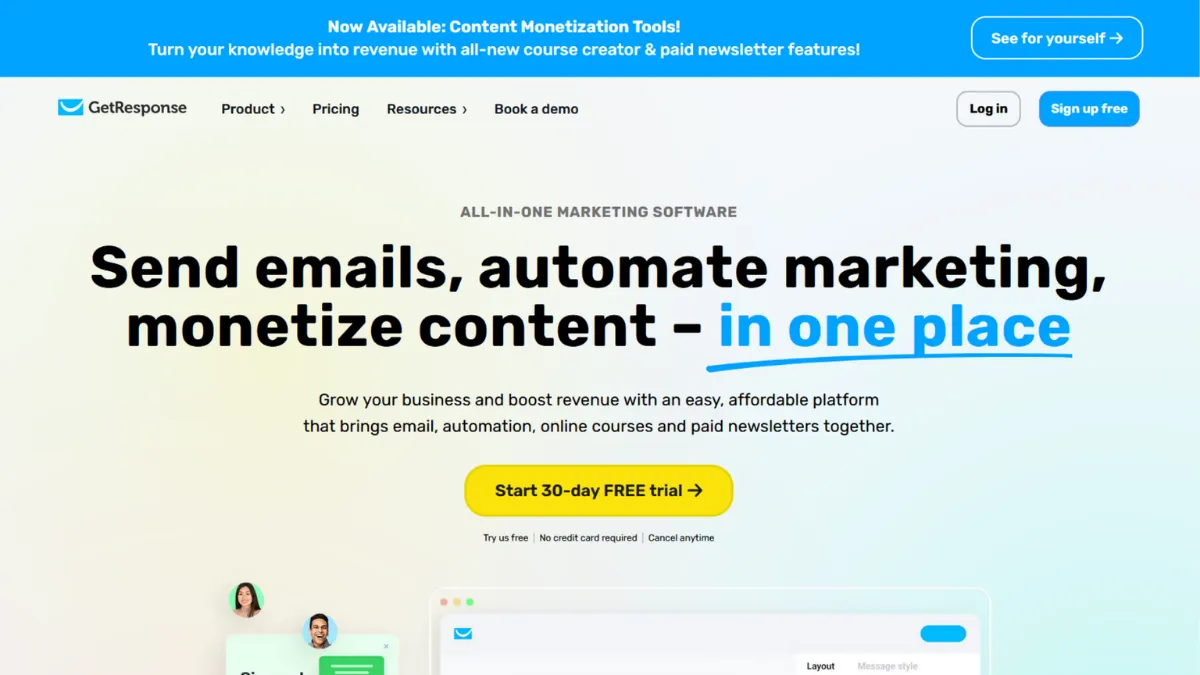
Email platforms that bundle every marketing channel into one subscription sound appealing until you realise most of them do several things adequately and nothing exceptionally. GetResponse breaks that pattern. Built over decades as a dedicated email marketing service, it has expanded methodically into automation, landing pages, webinars, and ecommerce without losing the deliverability focus that made its reputation. The result is a platform that genuinely competes on breadth without abandoning depth, and at a price point that makes enterprise-adjacent features accessible to small teams running lean.
The mechanism behind GetResponse is a contact-centric data model. Every interaction a subscriber takes, opening an email, clicking a link, attending a webinar, visiting a landing page, feeds back into the contact record and can trigger an automation. This is what separates it from simpler broadcast tools. Most users who underperform on the platform treat it like a newsletter sender and ignore the automation builder entirely. The visual workflow editor is where the platform earns its subscription cost: you can build conditional sequences that respond to behaviour, assign lead scores, tag contacts dynamically, and route them into different funnels based on purchase history. Users who set these flows up in the first week consistently see stronger results than those who spend months sending one-off campaigns.
Expect a realistic onboarding window of one to two weeks before automation is running in any meaningful way. The drag-and-drop email editor is fast and the templates are professionally designed, so broadcast campaigns are live within hours. Automation workflows take longer because they require thinking through your contact journey before you build. Landing pages are quick to deploy and include A/B testing on paid plans. Webinars take additional configuration but the registration-to-follow-up sequence, where attendees automatically enter an email flow after the session, is a genuine time-saver for anyone running educational funnels. Deliverability is strong relative to the category, and the platform enforces sender authentication standards that protect long-term inbox placement.
GetResponse suits bootstrapped founders and small marketing teams who need email marketing, lead capture, and basic automation without subscribing to four separate tools. It works particularly well for businesses selling digital products, online courses, or running content-led funnels where webinar hosting and email nurture belong in the same workflow. Coaches, consultants, and info-product creators get meaningful value from the mid-tier plans without needing enterprise configuration. If you are pairing your email marketing with a tool like Airtable for contact management or Google Analytics for campaign attribution, GetResponse connects to both natively.
The integration library is narrower than some rivals. Around 150 native connections means that businesses with complex tech stacks will hit gaps and need to rely on Zapier or the API to fill them. The interface also becomes noticeably busier as your account scales: more automations, more lists, more funnels, and the navigation that felt clean at the start can become harder to handle quickly.
The sections below cover how the platform works mechanically, where it earns its ratings, and which plan tier suits which stage of business.
What Is GetResponse?
GetResponse is an all-in-one marketing platform that combines email marketing, automation, landing pages, webinar hosting, and ecommerce tools under a single subscription. It solves the fragmentation problem that affects most small marketing operations: the need to stitch together separate tools for sending emails, capturing leads, hosting events, and tracking sales. What separates it from a generic email sender is the depth of its automation engine and the inclusion of features, webinars and conversion funnels, that most competitors charge separately for or do not offer at all. The platform has operated for several decades and serves businesses across a wide range of industries, with particular strength in digital commerce and content-led marketing. Understanding how it structures contact data and triggers automated responses is the key question for anyone evaluating whether it fits their workflow.
How GetResponse Works
Setup begins with importing or manually building a contact list. GetResponse organises contacts by list and by tag, and the distinction matters: lists are broad containers while tags are behavioural labels applied through automation. Getting this architecture right at the start saves significant restructuring later. The quickest path to value is creating a signup form or landing page, connecting it to a welcome automation, and letting the platform begin building contact history from day one.
The email editor uses a drag-and-drop block system. You pull in sections for text, images, buttons, and dynamic content blocks that change based on subscriber attributes. The AI email generator can produce a draft from a brief description of your goal, which is useful for getting to a first version quickly, though most experienced users treat it as a starting point rather than a finished product.
Automation workflows are built visually on a canvas. You define a trigger, an event that starts the sequence, then add conditions, wait steps, and actions. A condition might check whether a contact clicked a link; an action might send an email, apply a tag, or move the contact to a different list. The Conversion Funnel feature layers a commercial structure on top of this: it guides you through building a sequence that moves a prospect from a landing page through an email sequence to a purchase, with each step tracked in one view.
The counterintuitive thing most users assume wrong: they expect list size to determine what they can send. List size determines cost, not capability. The platform's sending limits are based on contacts, so a well-segmented list of five thousand engaged subscribers outperforms a bloated list of fifty thousand with low open rates every time. Deliverability is earned through list hygiene and engagement, not by upgrading to a higher plan. This raises a practical question: which features are available at each tier, and where does automation depth actually begin?
GetResponse Key Features
Visual Automation Builder. The workflow editor lets you build multi-step behavioural sequences triggered by opens, clicks, purchases, webinar attendance, and custom events. You can branch logic with conditions, score contacts as they engage, and assign different paths based on their actions. The builder is genuinely visual rather than list-based, which makes complex sequences easier to audit. The practical limit most users encounter is that advanced automation is only fully available on mid-tier and above plans, so entry-level subscribers get a restricted version of the feature that may not support the sequences they need.
Landing Pages and Conversion Funnels. GetResponse includes a landing page builder with over a hundred templates, A/B testing, integrated SEO settings, and a custom domain option on paid plans. The Conversion Funnel feature wraps landing pages, email sequences, and payment processing into a single tracked flow. You can sell digital products directly through a funnel without connecting a separate ecommerce platform. This is particularly useful for solo creators who want to launch a product without configuring Shopify or a standalone checkout tool.
Webinar Hosting. The platform hosts live and on-demand webinars with screen sharing, chat, polls, and automatic recording. Attendee capacity varies by plan. The key operational advantage is that webinar registrants automatically enter email follow-up sequences without manual export and import. Competitors charge separately for webinar software at a monthly cost that can exceed the GetResponse subscription price on its own.
AI Email Generator and Subject Line Tools. An AI writing tool produces email drafts based on your goal, industry, and audience inputs. A subject line optimiser suggests alternatives based on predicted engagement. Both tools reduce the time from brief to sendable draft. They are most useful for teams without a dedicated copywriter rather than as a replacement for considered, brand-specific writing.
Ecommerce Tools. On higher-tier plans, GetResponse connects to WooCommerce, Shopify, and other platforms to import product and contact data. AI-powered product recommendations personalise email content based on browsing and purchase behaviour. Abandoned cart sequences trigger automatically when a customer leaves without completing checkout. The ecommerce feature set is genuinely useful for small online stores, though it does not match the depth of dedicated ecommerce email platforms at the top of the market. This difference in depth is worth examining in the context of what the platform does well and where it falls short.
GetResponse Pros and Cons
Where GetResponse earns its subscription cost:
- Breadth of features at accessible price points. Webinar hosting, landing pages, automation, and email marketing in one subscription represent genuine cost consolidation for small teams. Replacing these features with separate tools would cost significantly more each month.
- Strong deliverability infrastructure. The platform enforces sender authentication standards and provides list hygiene tools that support long-term inbox placement. Users migrating from less structured senders often see immediate improvement.
- Visual automation builder. The canvas-based workflow editor is easier to understand than list-based alternatives. Complex sequences remain readable months after they are built, which matters when you need to edit or troubleshoot them.
- Webinar-to-email integration. The automatic hand-off from webinar attendee to email sequence is an underrated time-saver. Most platforms require a manual export and reimport step that introduces lag and errors.
- Generous free tier for initial testing. The free plan supports a limited number of contacts and includes core email features, which is enough to evaluate the platform before committing to a paid subscription.
Where the platform creates friction:
- Interface complexity at scale. The navigation becomes cluttered as you add more automations, lists, and funnels. Teams running multiple campaigns simultaneously find the information architecture harder to handle than simpler tools.
- Advanced automation is plan-gated. The most useful workflow features sit behind mid-tier and above plans. Entry-level subscribers get a limited version that may not justify the subscription over a simpler, cheaper alternative.
- Narrower native integration library. Around 150 native connections is adequate for straightforward setups but creates gaps for businesses with established tech stacks. Workarounds through Zapier or the API add configuration overhead.
- Ecommerce depth versus specialists. For high-volume online stores with complex segmentation needs, dedicated ecommerce email platforms offer more granular behavioural data and predictive analytics than GetResponse currently matches.
- Pricing scales with list size. As your contact list grows, the monthly cost increases materially. This is standard for the category but worth modelling at your projected list size before committing to an annual plan.
How to Get the Most Out of GetResponse
Before you import your list, decide on your tagging architecture. Tags are the connective tissue of every automation you will build. If you import contacts without a consistent tagging logic, you will spend weeks cleaning up the mess before your sequences work correctly. Map out the key behaviours you want to track, purchase, webinar attendance, content downloads, and build your tags around those events before anything else.
In the first week, prioritise three things: a working signup form connected to a welcome sequence, a landing page for your primary lead magnet, and a basic broadcast schedule. These three elements alone will generate measurable engagement data that informs everything you build next. Resist the temptation to build a complex automation before you have enough contact history to know what your audience actually responds to.
Building results over time means treating the automation builder as an evolving system rather than a one-time project. Start with a simple welcome sequence, then extend it based on what contacts do after the initial emails. Contacts who click product links get tagged and enter a nurture sequence; contacts who go quiet for thirty days enter a re-engagement flow. This layered approach is how email marketing compounds: each new segment and sequence improves overall revenue per subscriber without increasing your ad spend.
The mistake most users make is measuring success solely by open rates. Open rates are useful but noisy. Click-through rate, conversion rate from email to landing page, and revenue per email sent are the numbers that tell you whether your content and automation are working. GetResponse's analytics dashboard tracks all of these natively, and connecting it to Google Analytics adds session-level attribution on top.
If you want to learn how to build an email funnel that converts cold leads to paying customers, the platform's Conversion Funnel tool is the most structured starting point available. Create the landing page first, then work backwards: what email sequence would move someone who just opted in towards a purchase decision? Build that sequence before you drive any traffic to the page. Teams that follow this order consistently outperform those who build the funnel in the opposite direction.
Who Should Use GetResponse?
This is for you if you are running a digital product business, a coaching practice, or a content-led brand and you want email, landing pages, and automation without managing three separate subscriptions. A solo creator launching an online course needs a way to capture leads, run a pre-launch email sequence, host a free webinar, and sell the course on checkout: GetResponse handles all four without leaving the platform. A small ecommerce team running a WooCommerce store that wants abandoned cart emails, post-purchase sequences, and product recommendation campaigns without the cost of a specialist ecommerce platform will find the mid-tier plan covers most of what they need. A bootstrapped SaaS founder building an email list and running nurture sequences before a launch will benefit from the automation depth that entry-level newsletter tools do not offer.
Not for you if you are running a high-volume ecommerce operation with a large customer database and sophisticated segmentation requirements. At that scale, dedicated ecommerce email platforms with deeper behavioural data and predictive modelling will consistently outperform GetResponse. Also not for you if your existing tech stack is heavily integrated and you need native connections to more than 150 tools: the gaps will create enough friction to outweigh the cost savings.
GetResponse Pricing
A free plan exists and covers a limited number of contacts with basic email features. It includes GetResponse branding on outgoing emails and restricts automation to a single workflow. It is adequate for testing the platform but not for running a real marketing operation. The free tier is best treated as an evaluation period rather than a long-term solution.
Paid plans begin at an entry tier covering essential email marketing, with pricing that scales based on the number of contacts in your account. Mid-tier plans add full automation, unlimited workflows, and landing page A/B testing. Higher-tier plans layer in webinar hosting, ecommerce integrations, and advanced segmentation. An enterprise-level option with custom pricing includes SMS marketing, a dedicated account manager, and additional compliance features. Annual billing reduces the monthly cost materially compared to monthly billing. Nonprofits receive a significant discount, which makes the platform one of the more accessible options for organisations in that sector. Always check the current pricing page at getresponse.com for exact figures, as rates and plan structures change. Relative to the alternatives, GetResponse's entry pricing is competitive, but the cost gap narrows as you move to higher tiers where specialist tools become credible options.
GetResponse vs Alternatives
Mailchimp is the most common starting point for new email marketers and offers a larger free tier by contact count. Its automation is less visual and less powerful than GetResponse's, and its pricing at larger list sizes tends to be higher. Choose Mailchimp if you want the widest name recognition and the largest template library. GetResponse wins on automation depth and built-in webinar hosting at comparable price points.
Klaviyo is the specialist choice for ecommerce brands on Shopify or WooCommerce that need granular behavioural segmentation and predictive analytics. Its data model is built around purchase events in a way GetResponse's is not. Choose Klaviyo if ecommerce retention is your primary use case and you are willing to pay a premium for depth. GetResponse wins on breadth, webinar hosting, and overall cost for non-ecommerce use cases.
ActiveCampaign is GetResponse's closest match in terms of automation sophistication and similarly positioned as a mid-market all-in-one platform. ActiveCampaign has a larger native integration library and is rated higher for deliverability management, but it costs more at comparable contact tiers and does not include webinar hosting. Choose ActiveCampaign if CRM depth and integration breadth are your priorities. GetResponse wins on total feature value per pound spent for teams that need webinars and funnels alongside email.
Moosend competes at the entry level with strong automation at a lower price point but lacks the webinar hosting and conversion funnel features that differentiate GetResponse. Choose Moosend if budget is the primary constraint and you do not need the broader feature set. GetResponse wins when the additional tools justify the higher subscription cost.
GetResponse Review: Final Verdict
GetResponse earns an overall score of 4.22 out of 5, driven by a strong functionality rating of 4.6 that reflects its genuine breadth: webinars, landing pages, automation, ecommerce tools, and AI features in a single platform at a price point that smaller operations can sustain. The integrations score of 3.8 is the honest caveat: around 150 native connections is adequate but will create friction for teams with complex existing stacks, and that limitation belongs in the evaluation conversation.
The bottom line is this: if you are building a digital business and want email marketing, lead capture, and automation without paying for three separate platforms, GetResponse is one of the strongest options at its price point. If your primary need is deep ecommerce analytics or a vast integration library, look at the specialist alternatives first.
How We Rated It:
More Tool Reviews







Subscribe to Stay in the loop
Get the latest AI and technology news, honest tool reviews, and practical guides delivered straight to your inbox.
Success! Check your Inbox!

Tezons Newsletter
The latest technology news, in-depth tool reviews, and practical guides - curated and delivered to your inbox.
Latest News




Have a question?
Have any questions?
Didn’t find what you were looking for? We’re just a message away.