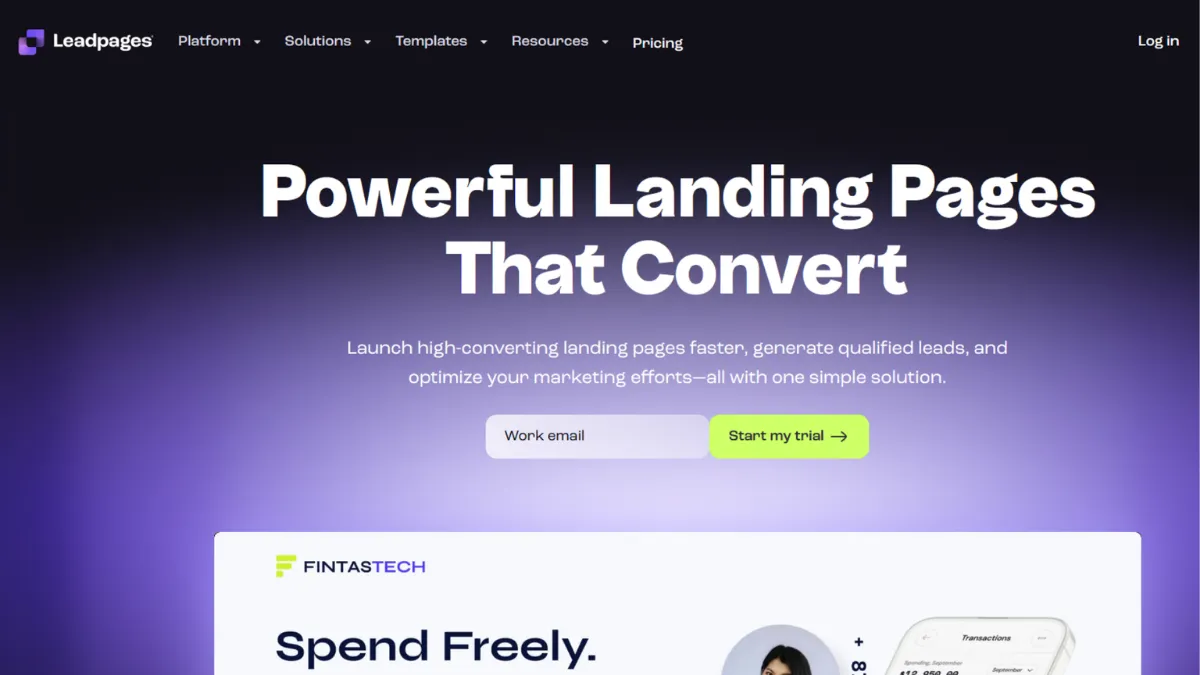
Getting a landing page live before your audience loses interest is not a design problem. It is a speed problem. Leadpages solves that specific problem better than almost any tool at its price point: a structured drag-and-drop editor, a large library of conversion-focused templates, and a publishing workflow that does not require a developer or a staging environment. The result is that a solo founder or small marketing team can go from a blank screen to a live, connected page collecting emails or payments in under an hour. That outcome sounds modest until you compare it to the two-week agency turnaround or the clunky page editor built into your email platform. The gap is significant.
The mechanism behind Leadpages is a grid-based editor that constrains your design choices in ways that initially feel limiting but ultimately produce clean, mobile-responsive pages faster than a pixel-free canvas would. You pick a template, swap in your copy and images, connect your email provider or payment processor, and publish to a Leadpages subdomain or your own domain. Conversion rate data sits in the dashboard alongside page views and opt-in counts, so you can read results without jumping to a separate analytics tool. What most users miss is that the editor's structured approach is a feature, not a compromise. Freeform editors like those in Instapage or Unbounce give you more control but slow down production. If you are running a campaign where speed to publish matters more than pixel-perfect layout, the constraint works in your favour.
Realistic expectations matter here. Leadpages is not an all-in-one marketing platform. It will not replace your email tool, your CRM, or your website. What it does is give you a reliable, fast way to publish focused pages for specific campaigns: lead magnets, webinar registrations, product launches, consultation bookings. Most users who stick with it publish somewhere between five and twenty pages across a year, using the template library and built-in split testing to optimise a handful of high-traffic campaigns rather than managing a large page inventory.
Leadpages suits bootstrapped founders, freelancers, coaches, and consultants who need conversion pages that work without hiring a designer. It also fits marketing teams inside small businesses that want a dedicated landing page tool without committing to the higher cost of enterprise-grade platforms. The sweet spot is someone who already has an email list, a lead magnet, or a paid campaign and needs pages to match.
The editor is the genuine limitation. Compared to Unbounce or Instapage, layout flexibility is lower. You cannot freely position elements outside the grid, and mobile customisation options are thinner than competitors offer at similar price points. Users who need precise design control or complex multi-step funnels will hit that ceiling quickly.
The sections below cover how Leadpages works mechanically, what its key features do in practice, who it suits, what it costs, and how it stands against its main competitors.
What Is Leadpages?
Leadpages is a landing page builder and lead generation platform aimed at small businesses, solo operators, and marketing teams that need to publish conversion-focused pages without relying on a developer. It launched in 2012 and grew by positioning itself as the accessible, affordable alternative to more complex platforms. Beyond landing pages, it includes pop-up forms (LeadBoxes), alert bars, and basic website functionality, making it something closer to a lightweight lead generation toolkit than a single-purpose page builder. What distinguishes it from a generic page feature inside a tool like Mailchimp or HubSpot is the depth of the template library, the conversion tracking built directly into the dashboard, and the ability to publish on your own domain without touching code. The question of how much of that breadth you can actually access depends on which plan you are on, and understanding the editor mechanics is essential before committing.
How Leadpages Works
You start by choosing a template from a library organised by use case: lead generation, sales, webinar registration, thank-you pages, and more. Templates are sorted by estimated conversion rate, which is one of the more useful navigation choices in any landing page tool. Once inside the editor, you work within a structured column-and-section grid. Each section of the page contains rows and columns, and you drag elements into those slots rather than placing them freely anywhere on the canvas. Text, images, buttons, forms, countdown timers, and video embeds all follow this structure.
Publishing happens either to a Leadpages subdomain (free, instant) or to your own custom domain (available on paid plans). You can also publish directly to a WordPress site via the official plugin, which is useful if you want landing pages to sit under your existing domain without DNS changes. After publishing, the dashboard tracks page views, conversions, and conversion rate per page, giving you enough data to make basic optimisation decisions without needing a separate analytics layer, though connecting Google Analytics for deeper data is straightforward.
The counterintuitive insight most users miss: Leadpages works best when you stop trying to fight the grid. Attempts to replicate complex bespoke designs inside the editor waste time and produce inconsistent results. The users who get the most out of it treat templates as finished creative starting points and change only copy, colours, and imagery rather than trying to rebuild layouts from scratch. The editor rewards speed over control, and adjusting your approach to match that reality changes the tool from frustrating to genuinely fast.
Leadpages Key Features
Drag-and-drop page editor. The editor uses a structured grid system that keeps pages clean and mobile-responsive by default. You add sections, set column counts, and place elements within those containers. It is not the most flexible editor in the market, but the guardrails mean pages look presentable without design experience. The practical trade-off is that creative layouts with overlapping elements or free-float positioning are not achievable without custom code.
Template library. Leadpages offers a substantial library of templates organised by conversion goal, industry, and page type. Templates are ranked by conversion rate data, which is a practical differentiator from competitors that organise purely by visual style. Choosing a template with a demonstrated track record reduces the guesswork involved in page design, particularly for users without a background in conversion optimisation.
LeadBoxes and alert bars. These are pop-up opt-in forms and notification bars that you can deploy on any website, not just Leadpages-hosted pages. A LeadBox triggers on click, on a timer, or on exit intent. Alert bars sit at the top or bottom of a page and stay visible as users scroll. Both connect to your email platform directly, making them useful for capturing leads from existing website traffic without rebuilding the whole site in Leadpages.
A/B split testing. Available on higher-tier plans, the built-in split testing tool lets you run two variants of a page simultaneously and tracks which version converts at a higher rate. The setup is simple: duplicate a page, change one element, and activate the test. Results display in the dashboard alongside the base conversion data. The tooling is functional rather than advanced. You get winner detection but not multi-variate testing or statistical significance indicators.
Checkout and payments integration. Leadpages supports direct payment collection on landing pages through integrations with payment processors such as Stripe. This means you can sell a product, course, or service directly from a landing page without routing visitors to a separate checkout platform. The feature works well for simple one-product offers. It is not a substitute for a full e-commerce setup via Shopify or WooCommerce for multi-product catalogues.
The integrations picture is broad at the connection level but shallower in terms of native data passing. Most connections work via webhook or a tool like Zapier rather than deep two-way sync, which matters if you need lead data to flow automatically into a CRM with field mapping.
Leadpages Pros and Cons
What Leadpages does well:
- Fast time to publish. The structured editor and organised template library mean a competent first-timer can have a working landing page live in under an hour. This is the tool's most consistent practical strength and the reason it retains a loyal base of solo operators.
- Conversion-ranked templates. Sorting templates by conversion rate rather than just visual category is a useful feature that gives less experienced marketers a shortcut to pages with a demonstrated record.
- No per-page publish limits. Unlike some competitors that cap the number of live pages on entry-level plans, Leadpages allows unlimited published pages across its paid tiers. For teams running multiple campaigns simultaneously, this matters.
- LeadBoxes work on any site. The pop-up forms are not restricted to Leadpages-hosted pages. You can deploy them on any existing website via a script embed, which makes the tool useful even if you only use it for lead capture forms rather than full landing pages.
- Accessible price point. Leadpages is the most affordable specialist landing page builder in its competitive set, which makes it sustainable for solo operators and early-stage businesses that cannot justify the higher monthly cost of more powerful alternatives.
Where Leadpages falls short:
- Editor flexibility is the weakest in its class. The grid-based system produces clean pages quickly but prevents the kind of freeform design control available in Instapage or Unbounce. Users wanting precise layout control will find the constraints frustrating rather than helpful.
- A/B testing is plan-gated. Restricting split testing to higher-tier plans is a meaningful limitation for budget-conscious users. Split testing is a standard conversion optimisation activity, and locking it behind an upgrade creates friction for the audience Leadpages is trying to serve.
- Mobile customisation is limited. You cannot independently edit the mobile layout in the way competing tools allow. The mobile view is auto-generated from the desktop layout, which works most of the time but produces inconsistent results on complex or image-heavy pages.
- Analytics depth is thin. The built-in dashboard covers views and conversions but little else. Meaningful optimisation work requires connecting a third-party analytics tool, adding setup overhead that partially negates the platform's speed advantage.
- Support response times vary by plan. Lower-tier users report slower support turnaround. For a tool marketed at beginners and solo operators who may need help quickly, tiering support access behind plan level is a genuine operational concern.
How to Get the Most Out of Leadpages
Before building your first page, connect your email platform and set up your custom domain. Both tasks take under fifteen minutes and eliminate the two most common frustrations new users encounter: leads going nowhere and published pages sitting on a Leadpages subdomain instead of your brand URL. Completing this setup once at the start means every page you build after is ready to publish and capture leads immediately.
In your first session, resist the urge to browse templates by visual appeal. Filter by use case and sort by conversion rate. Pick the top-ranked template for your goal, change the copy and images, and publish. You will learn more from seeing a real page collect real data than from spending three hours adjusting a layout in the editor. Optimisation is a data activity, not a design activity.
Over the first few weeks, use the dashboard conversion rate data to identify your lowest-performing pages. If a page with significant traffic is converting below your target, activate a split test on the Pro plan. Change one variable: the headline, the button colour, or the form position. Run the test until you have a clear winner, then apply the learning to your other pages.
The mistake most Leadpages users make is treating every page as a standalone creative project. A faster path is developing two or three proven page structures across your campaigns and reusing them as templates. Once you know what a high-converting lead magnet page looks like for your audience, duplicate it for the next campaign and change only the offer-specific content.
If you want to know how to build a landing page that converts visitors into subscribers, the answer is simpler than most guides suggest: one clear offer, one form, one call to action, and a headline that states the outcome the visitor gets. Leadpages makes that structure easy to execute. Where teams go wrong is adding multiple offers, navigation links, and social proof sections that dilute the focus. Remove anything from the page that does not directly support the single conversion goal.
For tracking, connect Google Analytics and set up a goal tied to your thank-you page URL. This gives you conversion data alongside your broader traffic reporting and makes it easier to calculate cost per lead from paid campaigns running into those pages.
Who Should Use Leadpages?
Leadpages is a strong fit for three specific types of users. The first is a freelancer, coach, or consultant running lead generation for their own services. They need professional-looking opt-in pages for lead magnets, discovery call bookings, or webinar registrations, but they do not have a design background and cannot justify a developer. Leadpages gives them polished pages without those dependencies. The second is a small e-commerce or digital product business that wants to test promotional landing pages outside of their main site. Publishing a campaign page quickly without involving their web developer, then measuring performance before deciding whether to invest in a permanent page, is a use case Leadpages handles efficiently. The third is a small marketing team running paid traffic campaigns on a tight budget. They need to publish destination pages for ad campaigns without waiting on design resource, and they need basic conversion data available immediately.
Leadpages is not the right choice if you need granular design control over page layouts, independent mobile editing, or advanced personalisation based on ad parameters. Agencies managing large clients with complex creative requirements will hit the editor ceiling quickly. Teams running sophisticated multi-variate testing programmes will also find the A/B tooling too basic for serious optimisation work. If your primary need is a full sales funnel with upsells, order bumps, and email sequences built into the same platform, a dedicated funnel builder is the more appropriate choice.
Leadpages Pricing
Leadpages operates on a paid subscription model with no permanent free tier, though it offers a free trial period so you can test the platform before committing. The entry-level Standard plan covers the core editor, templates, custom domain publishing, and unlimited pages, but restricts access to A/B testing and some of the more advanced lead notification features. The Pro plan adds split testing, online sales and payments, and a higher tier of email trigger functionality. Pricing for both tiers is lower than most direct competitors at comparable feature levels, which is a consistent reason users choose Leadpages over Unbounce or Instapage for budget-constrained campaigns. Annual billing reduces the monthly cost meaningfully compared to month-to-month rates. Check the current pricing at leadpages.com directly, as plan structures and rates change periodically. The key verdict: for solo operators and small teams who primarily need fast page publishing and basic conversion tracking, the Standard plan is likely sufficient. Upgrading to Pro is worth it if split testing is part of your optimisation workflow. Compared to the alternatives reviewed below, Leadpages consistently offers the lowest entry price in its competitive set.
Leadpages vs Alternatives
Unbounce is the most direct competitor and the better choice when design flexibility matters more than price. Its freeform drag-and-drop editor lets you position elements anywhere on the canvas, its Smart Traffic feature uses machine learning to route visitors to the best-performing page variant automatically, and A/B testing is available at lower plan thresholds than Leadpages offers. Unbounce costs more at every tier, but the creative and optimisation ceiling is substantially higher. Choose Unbounce when you have the budget and need precise layout control or dynamic text replacement for paid search campaigns. Choose Leadpages when speed and cost are the deciding factors.
Instapage sits above both in terms of power and price. Its grid-free editor, team collaboration tools, and heatmap integration make it a strong choice for marketing teams running high-volume paid campaigns where conversion rate improvements directly affect cost per acquisition. For most solo founders and small teams, the price point is difficult to justify. Instapage competes in a different budget bracket entirely.
HubSpot's landing page builder comes included within its broader marketing platform. If you are already on a HubSpot plan, you have landing page functionality built in, and the deep CRM integration means lead data flows directly into contact records without any middleware. The landing page editor is not as focused as Leadpages, but the connected ecosystem adds significant value for teams already in that stack. If your setup is already HubSpot-centred, there is rarely a reason to add a separate landing page tool. If you are not on HubSpot, the cost of entry for the landing page feature alone makes Leadpages the more practical starting point.
GetResponse includes landing page creation as part of its email marketing and automation suite. The pages are functional and the integration with its own email platform is seamless, but the template library and conversion optimisation tooling are less developed than Leadpages. GetResponse makes sense if you want landing pages and email marketing managed inside one platform and you are willing to accept a less specialised page builder. For users who already have an email platform and want the best standalone page creation experience at the lowest cost, Leadpages remains the stronger choice.
Leadpages Review: Final Verdict
Leadpages earns a 4.16 out of 5 overall, reflecting a tool that does its core job well at a price point most small operators can sustain. Its ease of use score is the standout dimension at 4.6: the structured editor and conversion-ranked template library reduce the barrier to publishing effective pages more than any competitor at this price level. The lower customisation score of 3.7 reflects a real limitation that prospective users should weigh against their design requirements before committing. Leadpages is not the most powerful landing page builder available, but it is the fastest route from zero to a live, converting page for founders and small teams who cannot afford to spend two weeks getting one campaign off the ground.
How We Rated It:
More Tool Reviews







Subscribe to Stay in the loop
Get the latest AI and technology news, honest tool reviews, and practical guides delivered straight to your inbox.
Success! Check your Inbox!

Tezons Newsletter
The latest technology news, in-depth tool reviews, and practical guides - curated and delivered to your inbox.
Latest News




Have a question?
Have any questions?
Didn’t find what you were looking for? We’re just a message away.