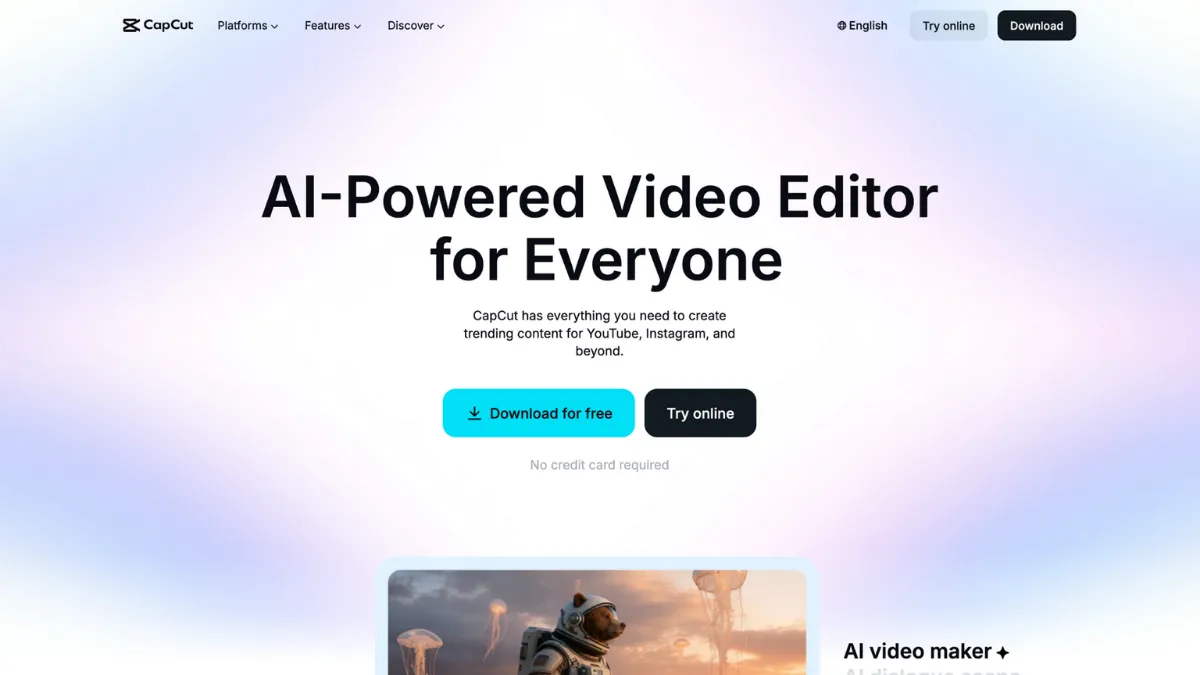
Short-form video has become the primary distribution channel for product launches, brand awareness, and creator monetisation. CapCut sits at the centre of that shift: a mobile-first video editor built by ByteDance that has accumulated over 200 million monthly active users by solving the exact problem that stops most founders and creators from posting consistently. The barrier to polished video used to be software expertise. CapCut removes it. The free tier gives you a multi-track timeline, keyframe animation, chroma key, auto-beat sync, AI voiceover, and a library of templates calibrated to TikTok, Instagram Reels, and YouTube Shorts. That combination puts broadcast-quality output within reach of someone who has never opened a timeline before.
The mechanism behind CapCut's traction is template-led editing. Rather than building a video from scratch, most users start from a pre-timed template, drop in their footage, and let the tool handle transitions, text animation, and music sync. This works because ByteDance has a structural advantage: its engineers observe what performs on TikTok before anyone else does and bake those formats directly into CapCut's template library. The mistake most new users make is treating CapCut as a replacement for creative strategy. Templates accelerate production; they do not generate ideas. Founders who get the most out of CapCut combine its speed with original hooks and product-specific footage rather than relying on trending audio alone to carry performance.
Realistic expectations matter here. CapCut is a production accelerator for short-form content, not a studio editing suite. You can go from raw phone footage to a publish-ready Reel in under ten minutes on the free plan. Upgrading to a paid tier removes watermarks, unlocks 4K export, and gives you AI caption generation that cuts captioning time significantly for anyone posting regularly. The free plan is genuinely useful for testing content formats before committing to a subscription. Most creators posting three or more times per week will hit the ceiling of the free tier and find a monthly subscription cost-effective against the time it saves.
CapCut is built for content creators, solo founders, and small marketing teams who need to produce short-form video at volume without hiring an editor. It suits bootstrapped brands that rely on organic social, course creators repurposing long-form content into clips, and e-commerce operators building product demo libraries. If your output is TikTok, Reels, or Shorts, CapCut is the most efficient path from footage to published video currently available at this price point.
The limitation to state plainly: CapCut is owned by ByteDance, the parent company of TikTok, and faces active privacy litigation in US federal court over its data collection practices. A class-action suit alleges the app collected photos, videos, location data, and biometric data without adequate disclosure. ByteDance claims users consented via its published privacy policy. The case is ongoing. If you produce commercially sensitive video content, handle client footage, or operate in a regulated sector, that context belongs in your vendor assessment before you upload a single clip.
The sections below cover how CapCut works, what the paid tiers unlock, who gets genuine value from it, and four alternatives worth comparing against it.
What Is CapCut?
CapCut is a video editing application developed by ByteDance and available on iOS, Android, Windows, and macOS, with a web version for browser-based editing. It targets the gap between fully manual professional editors and basic crop-and-trim apps: a tool with real editing depth that does not require any prior training to produce a presentable result. Where a generic free video editor gives you cuts and transitions, CapCut layers in AI-powered features, a social-optimised template library, and format presets calibrated to every major short-form platform. The product launched under a different name and was rebranded to CapCut for international markets. It has since grown into one of the most downloaded creative apps globally, with adoption driven heavily by its association with TikTok content formats. The question the next section answers is whether the mechanism behind that output quality holds up when you look at how the tool works rather than what the end result looks like.
How CapCut Works
CapCut organises editing around a multi-track timeline that functions on both mobile and desktop. You import footage from your camera roll or cloud storage, drop clips onto the timeline, and then layer text, audio, effects, stickers, and overlays on separate tracks above the video. The timeline supports keyframe animation, meaning you can set a property at one point in time and a different value at another, and CapCut interpolates the movement. That gives you basic motion graphics without any plugin or additional software.
Template editing works differently. You select a template, which arrives pre-timed with its own audio, transitions, and text placeholders, and then replace the placeholder footage with your own clips. CapCut auto-adjusts clip timing to fit the template structure. This is the fastest path to a polished output and the one most creators use for high-volume posting. The trade-off is limited flexibility: templates constrain duration, pacing, and structure, and heavy customisation often requires abandoning the template and building manually.
AI features handle tasks that would otherwise require a skilled editor: background removal without a green screen, auto-captioning with styled text overlays, noise reduction, and speech enhancement. These run on-device for some functions and via ByteDance servers for others. Output quality on AI captions is strong for clear speech in English; accuracy drops with accents, technical vocabulary, and background noise. Pairing CapCut with a tool like Castmagic for transcript accuracy before importing captions is worth considering for anyone producing educational or interview-format content.
The counterintuitive insight most users miss: CapCut is optimised for consumption, not archive. Its project files are not designed for long-term collaborative editing. If you need to hand a project off to another editor, or return to a complex edit weeks later, the workflow breaks down faster than in a professional editor. Treat it as a publishing tool, not a production asset library. That framing shapes which tier you actually need.
CapCut Key Features
CapCut packs more editing capability into a free mobile app than any comparable tool in its category. Understanding what each feature actually does in practice separates users who get consistent results from those who cycle through templates without building a repeatable workflow.
AI Auto-Captions. CapCut generates styled captions from speech automatically, placing them on the timeline as editable text layers. You can change font, size, colour, animation style, and position without touching each word individually. For creators posting captioned content daily, this alone saves several hours per week. Accuracy is high for standard speech; review every export before publishing if your content includes product names, technical terms, or non-native English speakers.
Template Library. Thousands of pre-built templates cover every major short-form format. Each template ships with its own timing, audio, and visual style. For founders building a content calendar without a dedicated editor, templates provide a consistent output baseline. The most useful templates are not always the trending ones: evergreen product showcase and talking-head formats tend to have longer shelf lives than trend-chasing effects.
Background Removal and Chroma Key. CapCut removes backgrounds from video clips using AI, without requiring a physical green screen. Chroma key is also available for footage shot against a solid colour. Background quality is adequate for social media and acceptable for most brand content. Fine hair detail and complex edges remain a known limitation across all consumer-grade background removal tools.
Speed Ramping and Keyframe Animation. Speed ramping lets you slow down or accelerate footage at specific points on the timeline, a technique common in product reveal and sports content. Combined with keyframe animation, you can create smooth camera movements, zoom transitions, and text entrance effects without any motion design experience. These two features together explain why CapCut output often looks more produced than the time investment would suggest.
Multi-Platform Export Presets. CapCut includes format presets for TikTok, Instagram Reels, YouTube Shorts, and standard 16:9 output. Resolution options on the free plan are capped at 1080p; the paid tiers unlock 4K. Anyone using Buffer or a similar scheduling tool to distribute across platforms will find the preset system saves meaningful time at the export stage. The absence of deep native integrations with third-party publishing platforms is worth noting: CapCut outputs files for manual upload rather than connecting directly to your posting workflow.
CapCut Pros and Cons
The free tier is one of the strongest in any creative software category. The cons below are grounded in genuine limitations, not theoretical edge cases.
- Generous free tier. The free plan includes a multi-track timeline, keyframe animation, chroma key, AI voiceover, and 1080p export. Most competing free editors lock two or more of these features behind a paywall. For a solo creator or bootstrapped brand, this is a material cost advantage.
- Template speed advantage. Getting from raw footage to a publish-ready short takes under ten minutes using a template. No other tool at this price point matches that production speed for social-format video.
- AI features are genuinely useful. Auto-captions, background removal, and noise reduction work well enough to replace tasks that previously required a separate tool or specialist. The quality is social-ready, not broadcast-ready.
- Cross-platform availability. The same project is editable on iOS, Android, and desktop, which matters for teams where capture happens on mobile but finishing happens on a larger screen.
- Overlooks audio post-production. CapCut handles music sync and basic noise reduction, but its audio editing depth is shallow. If your content relies on voiceover quality, podcast-style dialogue, or precise sound design, you will need a separate audio tool. This is an underappreciated gap for course creators and interview-format producers.
- ByteDance data practices. Active litigation over data collection is a material concern for any business using CapCut to edit branded or client footage. The terms of service grant ByteDance a broad licence over uploaded content. Read the current policy before uploading commercially sensitive material.
- Multi-track workflow limitations. Ripple trim affects only the video track, leaving text and overlay layers out of sync. Editors working with five or more layers on a single project will find this workflow friction significant.
- Crash risk on complex projects. User reports consistently note mid-edit crashes on mobile when projects contain many effects layers. Exporting a backup at intermediate stages is a necessary habit rather than a precaution.
- Pricing structure has changed repeatedly. The tier structure and what each plan includes has shifted multiple times. Always verify current plan limits on CapCut's own pricing page before committing to an annual subscription.
How to Get the Most Out of CapCut for Short-Form Video
The setup decision most users ignore is account type. Creating a CapCut account rather than using the app as a guest gives you cloud sync across devices and access to your project history. Do this before you build your first project. Losing an edit because you switched phones is avoidable.
In the first week, resist the pull toward trending templates. Spend the first three sessions building manually from a blank project: import footage, place it on the timeline, add a caption track, and export at your target resolution. Understanding the manual workflow makes template customisation faster and prevents you from being boxed in by a template's structure when a client or campaign needs a specific format.
Building a results pattern over time means developing a small library of your own templates. CapCut lets you save edited projects and reuse the structure with new footage. A founder posting weekly product updates, for instance, can build a branded intro, a middle section with product footage, and a CTA outro, then swap the middle content each week. That approach keeps visual consistency without starting from zero each time.
The mistake most CapCut users make is treating every feature as essential. Auto-captions, speed ramping, and background removal are the three features that deliver the clearest output improvement relative to the time they take to use. Prioritise those and ignore the effects library until you have a repeatable workflow.
Measuring success on CapCut is straightforward: track time per published video and completion rate on the platform you distribute to. If your per-video production time is not falling after the first month, you are likely rebuilding structure each session rather than reusing it. If you want to know how to create short-form video content that performs consistently, the answer is almost always fewer effects and a stronger opening three seconds, not more features. Pair CapCut's output with a tool like Google Analytics to track which video formats are driving traffic to your owned channels, so production decisions are informed by performance data rather than guesswork.
Who Should Use CapCut?
CapCut fits three types of user well. The first is the solo founder running organic social for a consumer product. You are posting three to five times per week, you have no budget for a video editor, and your content is product demos, behind-the-scenes clips, and talking-head commentary. CapCut's template library and AI captions remove the two biggest time costs in that workflow. The second is the course creator or coach repurposing long-form content into short clips. You have existing recorded material and need to extract highlights, add captions, and format for Reels or Shorts without hiring a specialist. The third is the small marketing team producing social content in-house. CapCut's cross-platform availability means the person who shoots on mobile can hand off to someone finishing on desktop without a format conflict.
CapCut is not the right tool if you edit client footage professionally and need watertight data governance, if your workflow requires frame-accurate multi-track audio post-production, or if you produce video for broadcast, film, or regulated industries where a ByteDance data licence creates compliance exposure. Professional editors who need granular colour grading, advanced audio mixing, or project handoff capability will find CapCut's ceiling too low within weeks.
CapCut Pricing
CapCut offers a free tier that covers the full basic editing toolkit, 1080p export, and access to a large portion of the template and effects library. Certain templates and effects marked as premium will add a watermark to your export if used on the free plan, which limits its usefulness for branded content. Cloud storage for cross-device sync is no longer available on the free plan.
Paid plans include a Standard tier and a Pro tier, with pricing varying by region and whether you pay monthly or annually. The annual Pro plan works out meaningfully cheaper per month than the monthly rate. The Pro tier unlocks 4K export, AI captions without limits, background removal at higher quality, and removes watermarks from all content. A seven-day free trial is available. Pricing has shifted multiple times, so check CapCut's own pricing page for current rates before subscribing. The Standard tier sits between free and Pro and is primarily worth considering if watermark removal is your only requirement. Most users who outgrow the free plan will find the jump to Pro delivers more per pound than Standard. Compared to the tools in the next section, CapCut's Pro tier is competitively priced for the feature set it delivers.
CapCut vs Alternatives
DaVinci Resolve is the strongest free alternative for desktop editors who have hit CapCut's ceiling. Its colour grading, audio post-production via the Fairlight module, and multi-track workflow are professional-grade and available at no cost. The trade-off is a steeper learning curve and no mobile editing. Choose DaVinci Resolve when your content requires precision that CapCut cannot deliver; stay with CapCut when mobile capture and speed matter more than depth.
InShot targets mobile-first creators who find CapCut's feature set larger than they need. It runs more smoothly on older devices, its interface is genuinely simpler, and it is effective for photo-to-video slideshows and straightforward montage work. InShot lacks CapCut's AI feature depth and template library breadth. Choose InShot if you want a lighter tool with a cleaner data footprint; choose CapCut if you need AI captions or background removal on mobile.
Runway competes with CapCut at the AI-features end, offering generative video capabilities, advanced background removal, and AI-driven editing tools aimed at professional and agency workflows. Runway is more expensive and requires more technical comfort than CapCut. Choose Runway when your content strategy involves generative AI or when output quality needs to clear a professional production bar. Canva offers video editing as part of its broader design platform, which is useful if your workflow blends static graphics, social posts, and short video in one place. Its video depth is shallower than CapCut's, but the design integration is a genuine advantage for brand teams producing mixed-format content. CapCut wins on video-specific capability; Canva wins on workflow breadth.
CapCut Review: Final Verdict
CapCut earns an overall score of 4.07 out of 5, a result that reflects a genuinely strong product with two real weaknesses: a privacy posture that demands scrutiny for commercial use, and a data customisation ceiling that limits professional workflows. Its ease of use score of 4.8 is the standout dimension, and it is warranted. No other tool in this category gets a non-technical user to a publish-ready short-form video faster at a comparable price.
The bottom line: CapCut is the most efficient short-form video production tool available for creators and founders posting at volume on social. Use it with eyes open about the ByteDance data context, verify current pricing before subscribing, and pair it with stronger audio and analytics tools where CapCut's own capability runs out.
How We Rated It:
More Tool Reviews







Subscribe to Stay in the loop
Get the latest AI and technology news, honest tool reviews, and practical guides delivered straight to your inbox.
Success! Check your Inbox!

Tezons Newsletter
The latest technology news, in-depth tool reviews, and practical guides - curated and delivered to your inbox.
Latest News




Have a question?
Have any questions?
Didn’t find what you were looking for? We’re just a message away.