Paraphrasing is one of those tasks that sounds simple until you are doing it at volume. Rewriting source material for research papers, rephrasing marketing copy for different audiences, reformulating wire content to avoid duplicate penalties: each of these eats time and creative energy that most founders and small teams cannot spare. QuillBot addresses this problem directly, and it does so with enough breadth across its tool suite that it functions less like a single utility and more like a writing workbench. For users whose core need is rewriting existing text rather than generating new content from scratch, it is the strongest dedicated option in its category. The overall score of 4.19 reflects a tool that excels at its primary job while carrying some constraints worth understanding before you commit.
The mechanism behind QuillBot is a paraphrasing engine trained to preserve meaning while varying structure, vocabulary, and tone. You paste text in, select a mode, and receive an alternative version on the right. The modes range from Standard and Fluency, which make minimal structural changes, through to Formal, Simple, Creative, and Custom, which give you control over how aggressively the output diverges from the source. A synonym-swapping layer sits on top, letting you click any word to see contextually weighted alternatives. What most users get wrong is treating the first output as final: QuillBot tends to produce better results when you iterate, using the synonym suggestions and switching modes to triangulate toward the version that fits your voice and context.
Realistic expectations matter here. The paraphrasing engine handles clear, well-structured source text reliably. Feed it jargon-heavy technical writing, poorly punctuated input, or highly idiomatic prose and the outputs degrade noticeably. The tool is not a substitute for understanding what you are writing about: if the source is weak, the paraphrase will be too. Premium users get unlimited word counts and all modes, while the free plan caps paraphrasing at 125 words per session, which is workable for short tasks but genuinely limiting for document-level work. Expect the plagiarism checker and advanced AI detection features to be the most practically useful additions at the paid tier, not the mode variety alone.
QuillBot is built for students managing source integration, content marketers repurposing existing material, non-native English speakers refining their phrasing, and journalists or researchers working with licensed content they need to make editorially distinctive. If your primary output is original long-form content generated from a brief, tools like Jasper or Copy.ai address a fundamentally different workflow and will serve you better.
The most significant limitation is one of category, not execution. QuillBot refines and rewrites; it does not create. Users who arrive expecting it to generate original ideas, produce content strategies, or draft from scratch will find the tool insufficient regardless of which plan they are on. The AI Chat feature provides some generative capability, but it is not QuillBot's strength and lags behind dedicated generative tools.
The sections below cover the full feature set, who gets the most value at each pricing tier, how QuillBot compares against Grammarly and Wordtune, and the specific workflow habits that separate users who get consistent results from those who abandon it after a week.
What Is QuillBot?
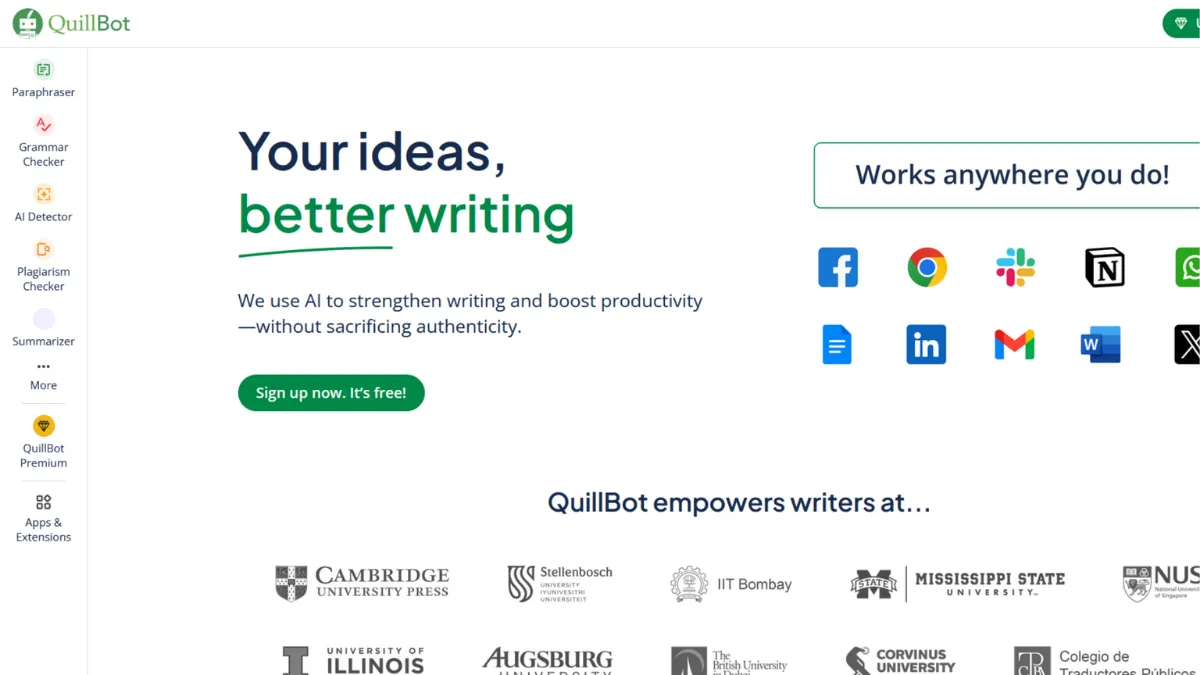
QuillBot is an AI-powered writing assistant built around a paraphrasing engine, expanded over time into a multi-tool suite covering grammar checking, summarisation, plagiarism detection, AI content detection, translation, citation generation, and an AI humaniser. The problem it solves is the gap between having information and being able to express it clearly, originally, and appropriately for a given audience. What differentiates it from a generic writing tool is its depth in the paraphrasing function specifically: the modal variety, synonym control, and document-level processing go further than anything bolt-on to a broader platform. The platform reports over 35 million users, a scale that reflects its strong foothold in academic and content-professional markets. That adoption signals the paraphrasing engine has earned genuine trust, which raises the practical question of how the mechanics actually work and where they break down.
How QuillBot Works
Setup is low-friction. You create an account, land on the paraphraser interface, and can be processing text within two minutes. There is no project structure, no onboarding sequence, and no learning curve to speak of on the surface. The paraphraser takes text via paste or document upload, processes it, and returns an alternative version. Free users work within the 125-word session limit; Premium users have no ceiling. The Chrome extension extends the core paraphrasing, grammar, and detection tools into Google Docs, Gmail, and most browser-based editors, which is where the tool becomes genuinely embedded in a workflow rather than a tab you visit occasionally.
Output quality is shaped by three decisions you make before clicking generate: mode selection, the synonym aggression slider, and your input quality. The Formal mode tightens language and removes colloquialisms; Simple makes dense text more accessible; Creative produces the most structural variation but also the most risk of meaning drift. The synonym slider controls how much vocabulary gets swapped at word level, independent of mode. Setting it too high on technical content produces outputs that are grammatically plausible but semantically off. The grammar checker runs separately and catches a broad range of issues across English, German, French, Spanish, and Portuguese, while the translation tool covers over 45 languages.
The counterintuitive insight that most users miss: QuillBot's results improve substantially when you treat it as an iterative editor rather than a one-shot processor. Running the same passage through two different modes, comparing the outputs, and then using the synonym layer to blend the best elements of each produces far more usable text than accepting the first result. Users who process and paste without reviewing are leaving the tool's actual value on the table. The practical implication of this for workflow is that QuillBot rewards writers who already have a clear sense of what they want to say and need help with how to say it differently, which leads directly to the question of which specific features support that process.
QuillBot Key Features
Paraphraser with modal control. The flagship tool offers multiple paraphrasing modes including Standard, Fluency, Formal, Simple, Creative, Expand, Shorten, and a Custom mode where you define your own style target. Each mode produces structurally distinct outputs rather than surface-level synonym swaps, and the synonym picker lets you refine at word level after the initial pass. Premium unlocks all modes and removes word limits; free users get Standard and Fluency only. To use it well, run the passage through two modes back to back and compare before deciding which to build from.
Grammar Checker. The grammar tool goes beyond basic spell-checking to cover punctuation, sentence structure, clarity, and stylistic suggestions. It supports multiple languages and integrates an AI detection signal so you can review content for both correctness and origin in the same interface. The contextual AI commands inside the grammar checker let you rewrite, simplify, or expand selected sections without switching tools, which meaningfully reduces the friction of moving between editing tasks.
AI Detector and AI Humaniser. The AI Detector analyses text for patterns consistent with AI generation, covering output from major language models, and supports over 20 languages. It distinguishes between assistive AI use and fully generated content, which is more nuanced than binary detection tools. The AI Humaniser works in the opposite direction: it rewrites AI-generated text to reduce detectable patterns and improve naturalness. Both tools connect directly to the Paraphraser so you can act on detection results immediately rather than copying between tabs.
Summariser and Citation Generator. The Summariser condenses documents to key points and allows custom summary length and format. It handles document uploads, not only pasted text, making it practical for processing longer research material. The Citation Generator produces formatted references across major academic citation styles from URLs, DOIs, or manual input, which is a genuinely useful addition for students and researchers who would otherwise use a separate tool like Notion or a standalone citation manager.
Chrome Extension and Integrations. The Chrome extension brings core QuillBot functionality into any browser-based editor, including Google Docs and Gmail. This is the integration layer that makes QuillBot a persistent part of a writing workflow rather than an occasional utility. Native integrations outside the browser extension are limited; QuillBot is not designed to connect into marketing stacks or automate workflows through platforms like Zapier. That constraint is worth knowing before you assume it will slot into a broader content operation without manual steps.
QuillBot Pros and Cons
Where QuillBot earns its place:
- Best-in-category paraphrasing engine. The modal variety and synonym control produce more contextually accurate rewrites than any comparable tool. The output quality on clear, well-structured source text is consistently high and meaningfully faster than manual rewriting.
- Generous free tier for short-form work. The 125-word free paraphraser, combined with free access to the grammar checker, AI detector, summariser, and citation generator, makes QuillBot genuinely useful before you spend anything. Most comparable tools restrict the free tier to a brief trial window rather than ongoing access.
- Multilingual support across core tools. Grammar checking across five languages and translation into over 45 makes QuillBot practical for non-native English writers and international teams, a capability most direct competitors restrict to English only.
- Integrated AI detection and humanisation. Having detection and humanisation sitting alongside the paraphraser in one interface removes a workflow step that would otherwise require a separate tool. The connection between detection results and immediate paraphrasing action is a considered design choice, not a bolted-on feature.
- Low onboarding friction. No project setup, no template selection, no learning curve. You can produce a useful output in under three minutes from a cold start, which matters when you are reaching for a tool mid-task rather than planning to use it.
Where QuillBot falls short:
- The free paraphraser limit is a real constraint. At 125 words per session, any document-level task hits the ceiling immediately. Users doing serious academic or professional work will find the free tier insufficient within a single session, not after a week of use.
- No original content generation. QuillBot does not draft from prompts, generate outlines, or create content from scratch. Users who want generative capability alongside editing need to run a second tool, which adds cost and context-switching.
- Integration ecosystem is narrow. Outside the Chrome extension and a Microsoft Word add-in, QuillBot does not connect natively to content management platforms, email tools, or marketing stacks. Teams wanting automated workflows will need to handle handoffs manually.
- Output quality degrades on poor input. Jargon-heavy, poorly punctuated, or highly idiomatic source text produces paraphrases that drift in meaning. The tool amplifies whatever structure is already present; it does not repair fundamentally weak writing.
- Plagiarism checker depth varies by plan. The plagiarism checker, one of the most practically valuable features for academic users, is limited in scope on the free plan. Users who need reliable plagiarism detection at scale should verify the current limits on the pricing page before choosing their tier.
How to Get the Most Out of QuillBot
Before you start, set up the Chrome extension. Keeping QuillBot accessible in the browser rather than as a separate tab means you use it where your writing actually happens, which increases the number of times you reach for it and reduces the friction that causes tools to get abandoned. If you are working in Google Docs or a web-based CMS, the extension is the most important setup step.
In your first session, test the same passage through at least three modes. Standard, Formal, and either Creative or Simple depending on your use case. This teaches you how aggressively each mode diverges from the source and what kind of input each handles well. Most users pick one mode and stick to it, missing the comparative value that makes QuillBot's modal design worthwhile.
Build results over time by developing a two-pass habit: paraphrase first, then run the grammar checker on the output before using it. The paraphrasing engine occasionally introduces structural awkwardness that the grammar checker catches and flags. Running both tools in sequence takes less than two minutes and catches most of the edge cases where the output drifts from what you intended.
The mistake most users make is treating QuillBot as a shortcut that removes the need to read the output carefully. It is a speed multiplier for writers who review and refine, not an automatic finalisation tool. Writers who paste in, copy out, and publish without reading are the ones who report inconsistent quality in reviews: the issue is the habit, not the tool.
To measure success, track time spent on paraphrasing tasks before and after integrating QuillBot into your workflow. If you are researching how to paraphrase without plagiarism for academic writing, the combination of the paraphrasing modes and the plagiarism checker gives you a closed-loop workflow: rewrite the passage, then verify it clears the checker before submission. That loop is where QuillBot earns its keep for research-heavy writing.
Who Should Use QuillBot?
This is for you if your writing involves a high proportion of source-to-output reformulation rather than original drafting. Three personas get clear value: the postgraduate researcher synthesising literature who needs to integrate source material without triggering plagiarism checks; the content marketer repurposing existing articles for different platforms or audiences who needs speed without sacrificing tone control; and the non-native English professional who writes confidently in their first language and needs help making English outputs feel natural and appropriately formal. Each of these users has a specific, recurring task that QuillBot accelerates with tools purpose-built for that task.
QuillBot is not the right fit if your primary need is generating original content from briefs or keywords. A founder building a content operation from scratch, who needs tools that draft blog posts, ad copy, or landing page text from a prompt, will find QuillBot's generative capability too limited to anchor a workflow. Tools with stronger generative engines, or platforms that combine generation with editing, will serve that use case better. Similarly, teams needing deep CRM, project management, or publishing platform integrations will hit QuillBot's narrow integration layer quickly.
QuillBot Pricing
QuillBot offers a permanent free plan, not a trial, which gives access to the paraphraser at a 125-word session limit, the grammar checker, summariser, AI detector with limited usage, and citation generator. For short-form tasks and users testing the tool before committing, the free tier delivers meaningful value. Premium removes the word cap entirely, unlocks all paraphrasing modes, expands AI detector usage, adds the plagiarism checker, and enables the AI humaniser without daily limits. Approximate annual pricing for Premium sits around $8 to $10 per month when billed annually, with a higher monthly rate for rolling billing. A Teams plan adds centralised management, usage metrics, and shared style guides for organisations running multiple users. A verified student discount is also available at a reduced annual rate. Confirm current prices on QuillBot's pricing page before purchasing, as these figures reflect available information at the time of writing and may have changed. Relative to alternatives like Grammarly, QuillBot's Premium tier is priced competitively for users whose primary need is paraphrasing and summarisation rather than grammar correction depth.
QuillBot vs Alternatives
The three tools founders and researchers most commonly compare QuillBot against are Grammarly, Wordtune, and Writesonic.
Grammarly is the strongest alternative for grammar-first users. Its error detection is more thorough and its inline suggestions more context-aware than QuillBot's grammar checker. Grammarly has expanded into AI rewriting, but paraphrasing remains a secondary capability rather than its core. Choose Grammarly if correcting errors and improving clarity in your own writing is the primary task. QuillBot wins when you are working with source material you need to reformulate, not prose you wrote yourself.
Wordtune focuses on sentence-level rewriting with strong tone control. Its free plan is more restrictive than QuillBot's, capping rewrites per day rather than per word count. Wordtune handles casual-to-formal tone shifting well and suits users who know what they want to say but need help finding the right phrasing. QuillBot wins on document-scale paraphrasing, mode variety, and the breadth of its surrounding tool suite. Wordtune wins for short, high-stakes sentence rewrites where tone precision matters more than volume.
Writesonic sits in a different category: it generates original content from prompts rather than reformulating existing text. If you need a tool that drafts as well as edits, Writesonic covers more of that workflow. QuillBot is the stronger choice when your input already exists and you need to rework it rather than create from nothing.
Overall: QuillBot is the default choice for paraphrasing volume; Grammarly for grammar precision; Wordtune for short-form tone control.
QuillBot Review: Final Verdict
QuillBot earns an overall score of 4.19 out of 5, a figure anchored by its 4.8 on ease of use and its strong 4.6 on accuracy for its core paraphrasing function. The integration score of 3.5 reflects a genuine limitation: outside the Chrome extension and Word add-in, QuillBot does not connect to the tools that most content operations run on, and that constraint is real for teams expecting a networked workflow.
The bottom line: if you regularly reformulate source material, whether for academic integrity, content repurposing, or audience adaptation, QuillBot is the most capable dedicated tool in the category at its price point. Buy Premium annually; use the Chrome extension; iterate rather than accepting first outputs.
How We Rated It:
More Tool Reviews







Subscribe to Stay in the loop
Get the latest AI and technology news, honest tool reviews, and practical guides delivered straight to your inbox.
Success! Check your Inbox!

Tezons Newsletter
The latest technology news, in-depth tool reviews, and practical guides - curated and delivered to your inbox.
Latest News




Have a question?
Have any questions?
Didn’t find what you were looking for? We’re just a message away.