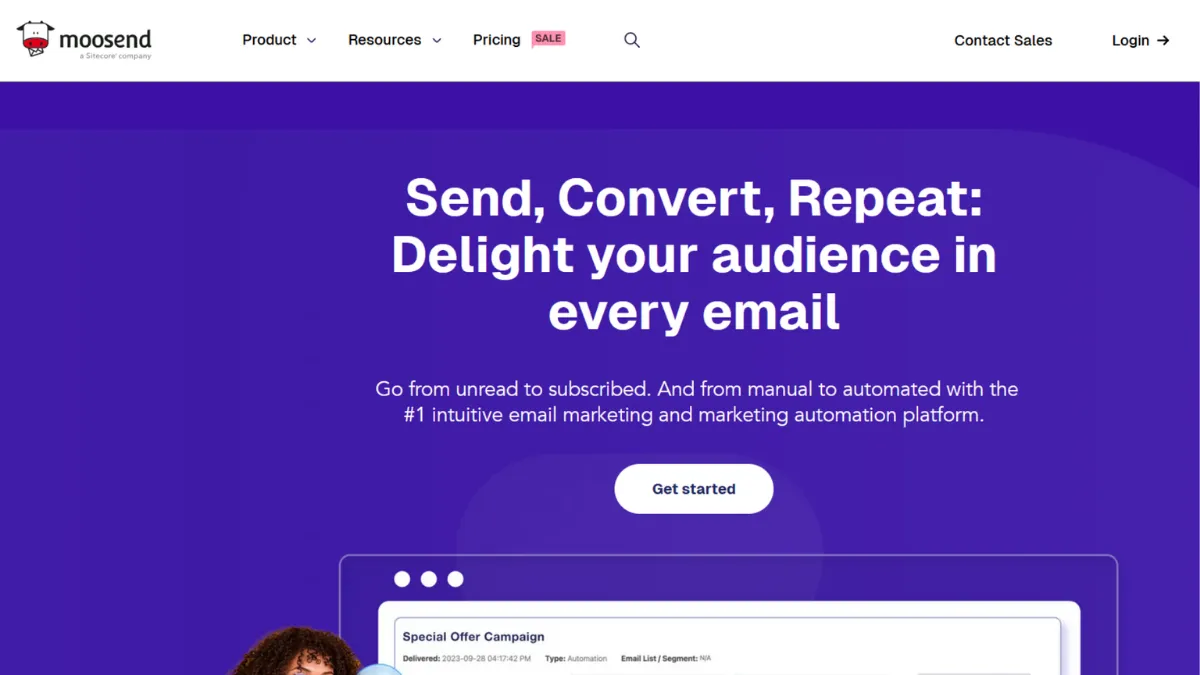
Email marketing platforms tend to charge a premium once you add automation, and most small teams end up paying for features they rarely use. Moosend takes the opposite position: one paid tier, all core features included, at a price point that undercuts nearly every direct competitor. That value equation is real, but understanding where the trade-offs sit matters before you commit. The platform covers the fundamentals, namely email campaigns, automation workflows, landing pages, and lead capture forms, with enough depth to serve most small and medium-sized businesses without requiring a larger budget or a dedicated marketing team.
The mechanism is straightforward. You build emails with a drag-and-drop editor, segment your contacts by behaviour or attributes, and trigger automated sequences from events like sign-ups, purchases, or abandoned carts. What drives results is the combination of unlimited sends on all paid plans and a contact-based pricing model where you only pay for unique email addresses. A subscriber who appears across multiple lists counts once, which keeps costs predictable as your list grows. Most users underestimate how much time the pre-built automation templates save at the start. You do not need to build a welcome sequence or cart abandonment flow from scratch, and both are available on entry-level plans without tier restrictions.
Realistic expectations matter here. Moosend delivers professional-grade email marketing at budget pricing. It does not match the automation depth of more expensive platforms, and the native integration count is lower than some alternatives, which means you may need Zapier or Make to connect niche tools in your stack. The 30-day free trial gives you access to the full Pro feature set with up to 1,000 contacts, and no credit card is required. For most small teams, that window is enough to validate whether the platform fits your workflow before spending anything.
Moosend suits small to medium-sized businesses, digital agencies managing multiple client accounts, and content creators building newsletter audiences. It works particularly well if your primary channel is email and you want professional automation without paying for SMS, push notifications, or a built-in CRM you will not use.
The main limitation is breadth. Moosend is an email-only platform. You will not find SMS marketing, push notifications, or an integrated sales pipeline. For teams that want a single platform to manage email alongside other channels, that gap becomes significant. Transactional email capability is also restricted to higher-tier plans, so check the current plan structure if that feature is critical to your workflow.
The sections below cover how the platform works mechanically, its key features, and a direct comparison with the most relevant alternatives.
What Is Moosend?
Moosend is an email marketing and automation platform built for small and medium-sized businesses that want professional campaign tools without enterprise-level pricing. It solves the gap between basic newsletter senders and expensive all-in-one marketing suites. Where platforms like HubSpot bundle email into a broader CRM and charge accordingly, Moosend focuses entirely on email, which keeps the interface clean and the price low. The platform has been acquired by Sitecore, providing infrastructure stability and development resources that smaller email tools often lack. Adoption is substantial, with the platform serving businesses ranging from early-stage startups to established brands. The question of how it handles the mechanics of automation and deliverability is what separates it from cheaper newsletter tools.
How Moosend Works
Setup follows a standard flow. You create an account, import or build your contact list, verify your sending domain, and connect your first campaign or automation. The domain verification step matters more than most guides emphasise. Proper SPF and DKIM configuration directly affects inbox placement, and Moosend's support documentation covers this thoroughly. Skipping it or rushing it is the most common reason new accounts see deliverability issues early on.
The drag-and-drop editor handles campaign creation. You select a template from the library, customise layout, content, and branding, then set up personalisation fields to pull subscriber-specific data into the email. The automation builder uses a visual canvas where you define trigger events, add conditions, and chain actions. Pre-built workflow templates for welcome series, cart abandonment, and re-engagement sequences are available on all plans, which shortens the time between account creation and your first live automation considerably.
Segmentation drives personalisation. You can build audience segments based on subscriber behaviour, custom fields, or engagement history, and target those segments with specific campaigns or automation branches. The platform also supports web tracking, which lets you monitor what subscribers do on your site after clicking through an email, and trigger follow-up automations from those actions.
The counterintuitive thing about Moosend's automation is that its simplicity is a feature, not a limitation, for most teams. Advanced platforms offer dozens of condition types and deep branching logic, but most small business workflows use three or four triggers at most. Building in Moosend is fast precisely because the builder does not overwhelm you with options you will never configure. Where that simplicity becomes a genuine constraint is when you need multi-channel triggers or conditional logic that spans more than a few steps. That question of feature ceiling leads directly into which capabilities Moosend includes at the Pro tier.
Moosend Key Features
Drag-and-Drop Email Builder. The email editor gives you a canvas-based interface where you add, remove, and reorder content blocks without touching code. It supports custom HTML for users who want direct control, and includes a JSON upload option for teams that template-build externally. Every draft is auto-saved, and the preview function lets you check how an email renders across devices before sending. The editor is functional and fast to learn, though the interface design feels slightly dated compared to newer competitors.
Marketing Automation Workflows. The automation builder covers the triggers most small business email programmes need: new subscriber, purchase event, cart abandonment, anniversary, re-engagement, and custom behavioural events via web tracking. You set trigger conditions, add filters to narrow the audience, and define actions such as send email, update contact field, or add to a new segment. Pre-built workflow templates cut setup time significantly for common sequences. The builder handles standard automation well; the ceiling appears when you need complex conditional branching across multiple audience states.
Segmentation and Personalisation. Contacts can be segmented by any data field, including custom attributes you define on import, engagement behaviour such as open and click history, and web tracking data if you have the tracking script installed. Dynamic content blocks let you show different email content to different segments within a single campaign, which reduces the need to build multiple versions of the same send. AI-powered product recommendation blocks pull items from a connected store and personalise suggestions per recipient based on browsing history.
Landing Pages and Subscription Forms. Both are included on all paid plans without a separate charge. The landing page builder shares the same drag-and-drop interface as the email editor, which shortens the learning curve. Forms can be embedded on external sites, set to appear as pop-ups, or used as standalone hosted pages. The templates are clean and mobile-responsive, though the customisation depth is narrower than dedicated landing page tools like Leadpages.
Campaign Analytics and Reporting. Moosend's reporting dashboard covers open rates, click-through rates, geolocation data, device and email client breakdowns, and revenue tracking when web tracking is active. Click maps show which links inside an email attract the most engagement, which is useful for layout decisions on future campaigns. Custom reports are available on higher-tier plans. The standard Pro reporting is sufficient for most small teams but may feel limited for organisations that need advanced cohort analysis or multi-campaign attribution. That reporting gap is worth considering before committing, particularly if data-driven optimisation is central to your programme.
Moosend Pros and Cons
What works in Moosend's favour:
- Price-to-feature ratio. Entry-level paid pricing includes unlimited sends, automation, landing pages, and forms with no feature gating by tier. Most competitors charge more for the same set of capabilities, and some reserve automation for mid or high tiers entirely.
- Clean onboarding experience. The interface is straightforward enough for first-time email marketers to build and send a campaign on their first session. Pre-built automation templates remove the blank-canvas problem that slows adoption on more complex platforms.
- Fair contact counting policy. Moosend charges per unique email address, not per list entry. A contact on three different lists counts once, which keeps costs predictable for teams that segment heavily or run multiple campaigns to overlapping audiences.
- Live chat support quality. User reviews consistently flag the support team as responsive and technically capable. Live chat access is available during the trial, which is not standard across the category at entry pricing.
- Sitecore backing provides platform stability. For businesses evaluating long-term tool commitment, the acquisition by an established enterprise software company reduces the platform risk that smaller email startups sometimes carry.
Where Moosend has real gaps:
- Email-only channel coverage. The platform does not support SMS, push notifications, or any outbound channel beyond email. Teams that want multi-channel campaign management will need additional tools, which adds cost and coordination overhead.
- Native integration count is limited. With approximately 80 to 100 native integrations, Moosend connects to the major platforms but misses niche tools. Businesses with non-standard stacks will likely need Zapier or Make to fill the gaps, adding a layer of complexity and cost.
- Transactional email on higher tiers only. If you need to send receipts, password resets, or order confirmations through the same platform, verify the current plan requirements before signing up. This limitation affects e-commerce businesses in particular.
- Automation logic is not enterprise-grade. The visual builder covers standard workflows competently but lacks the condition depth and multi-branch logic available in platforms built specifically for complex automation programmes.
- Support hours are not round-the-clock. Live and email support operates during business hours. Teams in non-European time zones or those running time-sensitive campaigns outside standard hours should factor this into their evaluation.
How to Get the Most Out of Moosend
Before you send anything, configure your sending domain properly. Verify SPF, DKIM, and DMARC records for your domain and warm up your sending reputation with smaller batches if your list is new. The platform's deliverability depends on list hygiene as much as technical setup, so scrub any contacts older than six months before the first campaign goes out.
In your first week, build three automations: a welcome sequence for new subscribers, a re-engagement flow for contacts who have not opened in 90 days, and a basic lead nurture sequence that delivers value over five to seven emails. These three flows handle the majority of list activity for most small businesses and give you measurable performance data quickly. Use the pre-built workflow templates as starting points rather than building from scratch.
For ongoing campaign performance, use segmentation before every broadcast send. Even a simple two-segment split based on recent engagement, specifically contacts who opened in the last 30 days versus those who have not, tends to improve open rates and protect sender reputation. Moosend's dynamic content blocks let you run these variations inside a single campaign rather than building separate sends.
If you want to know how to improve email open rates using Moosend, the single highest-impact action is combining subject line A/B testing with send-time optimisation based on the engagement data in your analytics dashboard. Moosend's reporting shows when your specific audience opens emails, and aligning send times to those windows produces measurable uplift without requiring any additional tools.
Measure success by tracking three numbers: open rate trend over time, click-to-open rate per campaign, and automation conversion rate for your highest-value workflow. Revenue tracking through the web tracking integration gives you a direct attribution line if you operate an e-commerce store. Teams that set up web tracking early get considerably more actionable data than those who add it later and need to rebuild their attribution history.
Who Should Use Moosend?
This is for you if you fit one of three specific profiles. You run a small to medium-sized e-commerce business and want automation for cart abandonment, post-purchase sequences, and product recommendations without paying for a full CRM platform alongside your email tool. You are a digital marketing agency managing email campaigns for multiple clients and need a cost-effective platform where client account separation is clean and team member access levels are configurable. Or you are an independent creator or content business building a newsletter audience from scratch and want professional automation, including welcome sequences and broadcast campaigns, at a price that makes sense at a few hundred or a few thousand subscribers.
Moosend is not the right tool if you need multi-channel campaign management from a single platform. Businesses running coordinated email, SMS, and push notification programmes will hit its ceiling quickly and find the email-only scope a structural limitation rather than a minor gap. It is also a poor fit for sales-led businesses that want a shared inbox, pipeline management, and contact history in one place. That use case belongs with a CRM-centred platform.
Moosend Pricing
Moosend does not offer a permanent free tier. The free option is a 30-day trial that includes access to Pro plan features with up to 1,000 contacts and unlimited sends, and no credit card is required to start. After the trial, you move to a paid subscription or purchase email credits for occasional sending.
The Pro plan is the standard paid tier and covers all core features: the email builder, automation workflows, landing pages, subscription forms, and reporting. Pricing is contact-based and starts at the lower end of the market for comparable feature sets. Annual billing reduces the monthly cost, and bi-annual contracts offer a further reduction. Non-profit organisations can access additional discounts on top of annual pricing.
Above Pro sits Moosend+, which lets you add individual enterprise-tier features as paid add-ons, and a full Enterprise plan for larger organisations that need dedicated IPs, SSO authentication, custom reporting, and a dedicated account manager. Transactional email and advanced team management features sit at these higher tiers rather than on the standard Pro plan.
Always verify current pricing on Moosend's pricing page before committing, as contact tier pricing changes. Compared to alternatives in the same category, Moosend's Pro plan consistently comes in below market rate, which makes the absence of a permanent free tier easier to absorb. That competitive positioning is worth holding in mind when reviewing the alternatives below.
Moosend vs Alternatives
Mailchimp is the most common comparison. It carries a larger template library and a broader native integration catalogue at around 300 connections versus Moosend's smaller native count. The trade-off is price. Mailchimp's paid tiers cost considerably more at equivalent contact levels, and automation features are gated differently across plan tiers. Choose Mailchimp if brand-name integrations and a wider ecosystem matter more than cost. Moosend wins on value per pound spent for equivalent email marketing capability.
GetResponse adds features Moosend does not have, including a webinar tool and sales funnel builder, making it a stronger option for businesses that want to run live events or build multi-step conversion funnels from within their email platform. The pricing is higher, but the broader feature set justifies the gap for teams that will use those additional tools. Moosend is the better pick when you want email-focused capability without paying for features outside that scope.
Klaviyo targets e-commerce businesses specifically and offers considerably deeper behavioural segmentation, predictive analytics, and revenue attribution than Moosend provides. For stores on Shopify or similar platforms with large catalogues and sophisticated retention programmes, Klaviyo's e-commerce intelligence produces measurably better campaign outcomes. The cost is substantially higher. Moosend suits e-commerce teams earlier in their growth, where the standard automation set covers most use cases and the budget difference matters.
MailerLite competes most directly with Moosend at the budget end. It offers a free plan that Moosend no longer provides, which gives it an edge for very early-stage users who are not yet ready to spend. At paid tiers, the feature sets are broadly comparable. The choice between them often comes down to interface preference and which integrations you already rely on.
Moosend Review: Final Verdict
Moosend earns an overall score of 4.21 out of 5, a rating that reflects its genuine strength in the email marketing category at its price point. The cost-efficiency score is the highest dimension, which is accurate. No other platform consistently provides unlimited sends, full automation, landing pages, and forms at entry-level contact-based pricing without feature gating. The integration score is the lowest, and that reflects a real gap that some teams will feel immediately depending on their existing stack.
The bottom line: Moosend is the right tool if email is your primary marketing channel, your automation needs are standard, and cost predictability matters. It is not the right tool if you need multi-channel reach or deep third-party connectivity out of the box.
How We Rated It:
More Tool Reviews







Subscribe to Stay in the loop
Get the latest AI and technology news, honest tool reviews, and practical guides delivered straight to your inbox.
Success! Check your Inbox!

Tezons Newsletter
The latest technology news, in-depth tool reviews, and practical guides - curated and delivered to your inbox.
Latest News




Have a question?
Have any questions?
Didn’t find what you were looking for? We’re just a message away.