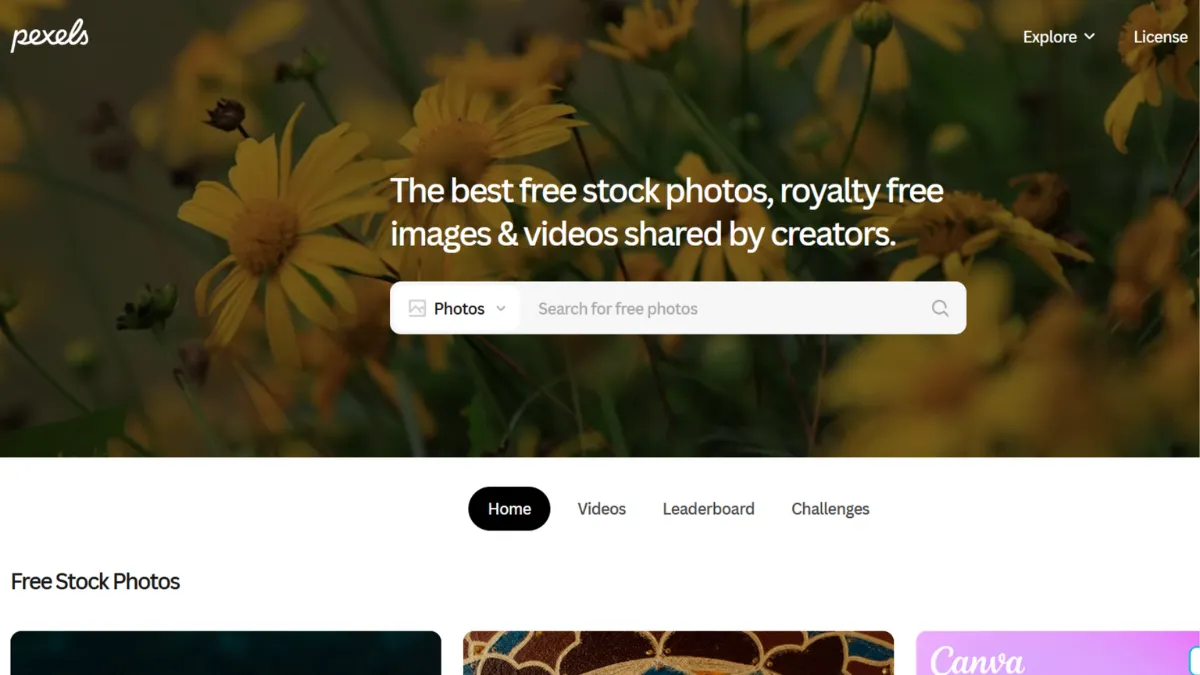
Stock photography has a cost problem, and Pexels solves it without compromise. Every photo and video on the platform is free to download and use commercially, with no attribution required, no subscription tier hiding the good stuff, and no per-image fees accruing in the background. For a solo founder building a landing page, a marketer pulling visuals for a campaign, or a developer seeding an app with placeholder imagery, Pexels removes the friction that premium libraries deliberately preserve. The question is not whether it is worth paying for. There is nothing to pay. The real question is whether the library is good enough to replace a paid service.
Pexels works through community contribution. Photographers submit their work, the platform curates for quality, and approved images enter a searchable catalogue of over three million photos and videos. The Pexels licence, modelled closely on Creative Commons Zero, permits commercial use, modification, and distribution with one meaningful restriction: you cannot resell an unaltered image as a standalone product on another stock platform. That restriction will not affect the vast majority of users. The curation layer is what separates Pexels from open image dumps. Because submissions are reviewed before publishing, the overall quality standard holds up across categories in a way that purely open platforms cannot guarantee. The platform was acquired by Canva in 2019, which has embedded Pexels directly into Canva's design editor, meaning anyone already on Canva has frictionless access to the full library without switching tabs.
Realistically, Pexels will cover most visual needs for content creation, web design, social media, and internal presentations. The library skews toward lifestyle photography, nature, architecture, and business imagery, which maps well to the categories founders and marketers pull from most often. Where it falls short is niche specificity: if you need an on-brand, carefully art-directed set of images for a specific product aesthetic, you will spend more time searching than you would on a curated premium service. The platform surfaces relevant results quickly for broad queries, but narrow or stylistically specific searches can produce uneven results. Treat it as a high-quality default rather than a guaranteed match for every brief.
Pexels suits content marketers, indie developers, bootstrapped founders, freelance designers, and educators who need a reliable supply of commercial-use imagery without a procurement process. It is particularly strong for teams producing high-volume content, where the cost savings of a free library compound significantly over time. Developers building apps or tools that need a stock media source should also consider Pexels early, given its free API.
The platform's one structural limitation is that it provides no indemnification. Pexels does not guarantee that every uploaded image is free of third-party copyright claims. If a submitted photo turns out to infringe on someone else's rights, the legal exposure lands with you, not the platform. This is a known trade-off across free stock sites and does not make Pexels uniquely risky, but it is a real consideration for agencies managing brand campaigns or any work destined for wide commercial distribution. Paid platforms like Adobe Stock offer indemnification as part of what justifies their pricing.
The sections below cover how Pexels works, its key features, pricing context, and how it stacks up against the closest alternatives.
What Is Pexels?
Pexels is a free stock photography and video platform that gives creators, marketers, and developers access to a library of over three million royalty-free assets without payment, subscription, or attribution obligation. It was founded in Germany in 2014 and acquired by Canva in 2019, which integrated the library directly into Canva's design environment and backstopped the platform with the resources of one of the design industry's most well-funded companies. The problem Pexels addresses is straightforward: premium stock libraries charge significant per-image or monthly fees that add up fast for teams producing content at volume, while fully open image repositories often mix low-quality submissions with genuinely usable photos. Pexels sits between those options by curating submissions for quality without charging for access. Unlike platforms where free assets are a thin sample of a premium catalogue, the entire Pexels library is available to every user at no cost. The practical outcome is a resource that individual creators and large marketing teams use in the same workflow. That scale sets up a useful question about how the platform actually surfaces the right image when you need it.
How Pexels Works
Searching Pexels starts with a keyword query on the homepage or within the API. The platform returns a grid of photos or videos sorted by relevance, with filters for orientation, size, and colour available to narrow results. You can also browse curated collections and categories, which the editorial team assembles to surface themed or seasonal content. Download requires a free account on some device paths but no account at all on desktop via direct download, though creating an account unlocks collection-saving, which makes repeated sourcing sessions considerably more efficient.
The API extends this to developers. You register for a free API key, send a search or curated endpoint request with an Authorization header, and receive a JSON response containing photo or video objects with URLs, photographer attribution data, and metadata. The free tier allows up to 200 requests per hour and 20,000 per month, which covers the needs of most applications outside high-scale production. Official SDK support covers JavaScript, PHP, and Ruby, with community libraries available for Python, Go, and Swift. Mobile SDKs for Android and iOS expand access to app development contexts.
Quality control happens at submission rather than after the fact. Photographers upload their work, the Pexels team reviews it against quality standards, and approved images enter the library. This means you are not scrolling through raw user uploads to find one usable shot. It also means the library grows more slowly than platforms with open submission policies, which is the trade-off that keeps the average quality floor higher. One thing many users assume incorrectly: Pexels search relevance does not work like a visual similarity engine. It is keyword-based. A query that would return a dozen near-perfect matches on a premium platform may surface mixed results on Pexels if the photographer tagged the image differently from how you described it. Building more specific search terms, or browsing collections rather than searching, often produces better results than a single broad query.
Pexels Key Features
Free photo and video library. The entire catalogue, spanning over three million photos and a large collection of videos, is available without charge. There is no free tier with a ceiling and a paid tier above it. Every asset downloads at full resolution. For teams who have previously paid per-image fees or managed a stock subscription budget, removing that line item entirely is the feature everything else flows from. The practical impact is largest for content teams producing at volume, where per-asset costs become material.
Pexels Licence. The licence structure permits commercial use, modification, and redistribution with no attribution required. You can drop a Pexels image into a client deliverable, a paid product, or an ad campaign without adding a credit line. The restriction set is narrow: no reselling unaltered images as stock assets, no using images to imply endorsement from identifiable people or brands, and no use in illegal or adult content contexts. For most business use cases, this is a clean, low-friction licence. The absence of indemnification is a genuine gap noted in the limitations section, and it is worth reading the licence page directly before deploying images in sensitive commercial contexts.
Pexels API. The developer API gives applications programmatic access to the full library via a simple REST interface with JSON responses. Free unlimited requests are available at moderate rate limits, making it accessible for side projects and production apps alike. Airtable uses the Pexels API internally for image sourcing, which illustrates the kind of workflow integration the API enables. SDK support across major languages and mobile platforms lowers the integration cost for development teams. Functionality here is solid at the free tier, though the rate limits will constrain very high-volume applications.
Canva integration. Because Canva acquired Pexels, the library is embedded natively inside the Canva design editor. Users working in Canva do not need to open a separate browser tab to find and download an image. They search the Pexels library from within their design context, select an asset, and it drops directly onto the canvas. This integration removes the break in workflow that characterises most third-party asset sourcing. It also applies to tools that plug into Canva itself, extending reach further into creator and marketing workflows.
Extensions and plugins. Pexels publishes a Chrome extension, a WordPress plugin, a Photoshop plugin, a Google Slides add-on, and a Microsoft Office add-on. These bring the library directly into the tools where images are most commonly used, reducing the friction of asset sourcing across different workflow environments. The breadth of these integrations is a notable strength for a free platform. Customisation at the individual content level is limited, however: you cannot apply filters or make significant edits within Pexels itself, so editing happens outside the platform. This is worth acknowledging as a functional boundary. Pexels is a source, not an editor.
Pexels Pros and Cons
The strengths of Pexels are structural rather than incremental.
- Completely free with no hidden tiers. Every asset at full resolution, no subscription required, no per-download fee. For high-volume content teams, the cost saving over a comparable paid library is significant.
- No attribution required. The licence allows commercial use without crediting the photographer. This simplifies workflows for client work, ad campaigns, and published content where attribution lines create production friction.
- Strong API for developers. Free access with a practical rate limit, clean documentation, and multi-language SDK support. Developers building apps that need stock imagery rarely find a better starting point at zero cost.
- Canva integration removes switching friction. For anyone already using Canva, image sourcing becomes part of the design session rather than a separate task. Few free asset platforms offer this level of native workflow embedding.
- Curated quality standard. Submission review means the library maintains a consistent quality floor. You will find genuinely professional photography across the main categories without spending time filtering out poor uploads.
The limitations matter in specific contexts.
- No indemnification. Pexels does not guarantee that submitted images are free of third-party copyright claims. If a contributor uploads work they do not own, the legal exposure falls to you as the end user. This does not reflect poor practice on Pexels' part, but it is a meaningful risk for agencies and brands running significant commercial campaigns.
- Keyword-dependent search. The search engine is text-based and does not offer visual or semantic matching. Finding a stylistically specific image can require more searches than a premium platform would need. Filters are available but limited compared to commercial libraries.
- No illustrations, vectors, or audio. The catalogue covers photos and videos only. Teams that need illustrations, icons, or audio assets need a separate source, which increases the number of platforms to manage.
- Customisation within the platform is minimal. Pexels provides no editing tools. You source images here and edit them elsewhere. For users who want a single environment for sourcing and light editing, this is a real gap.
- Niche categories can feel thin. Search results for specific industries, demographics, or visual styles may surface fewer relevant options than a large commercial library. Teams with precise visual briefs may find themselves returning the same images repeatedly.
How to Get the Most Out of Pexels
Set up a free account before you start sourcing in volume. The account unlocks saved collections, which is the feature that transforms Pexels from a single-search tool into a repeatable asset pipeline. Create a collection per project or content theme and add images as you find them, rather than downloading immediately and managing files locally.
Search behaviour matters more on Pexels than on platforms with visual matching. Broad single-word queries produce wide results that often miss the right tone. Test two or three word combinations that describe the scene, mood, or subject together: 'team meeting candid' will return different results than 'office meeting' or 'business people'. When keyword search underperforms, switch to browsing the curated collections instead. The editorial team assembles thematic sets that are often more coherent aesthetically than search results.
For developers, the key to getting the most out of the Pexels API is combining search endpoints with curated endpoints. The search endpoint returns broad results; the curated endpoint returns the platform's current editorial selection, which tends to be higher quality and more visually consistent. For applications that display imagery in a feed or background context, the curated endpoint is usually the better default. Plan API usage against the rate limits early: 200 requests per hour and 20,000 per month is sufficient for most use cases, but a high-traffic application that queries on every page load will exhaust the monthly cap. Cache results where possible.
To use Pexels effectively for social media content, build a batch sourcing habit rather than searching per post. Set aside time monthly to build collections for upcoming content themes. This prevents the last-minute image hunt that leads to using the first adequate result rather than the best one. Pair Pexels with a scheduling tool like Buffer or a design tool like Canva to close the gap between finding an image and publishing it. The combination reduces total content production time considerably versus sourcing, editing, and scheduling as separate sessions.
The mistake most Pexels users make is treating it as a search engine for specific images. It works better as a bank of visual material you draw from over time. Collections are the mechanism for that. Build them proactively and you will spend less time searching when you need an asset quickly.
Who Should Use Pexels?
Pexels works well for three specific profiles. Solo founders and bootstrapped teams building marketing assets need commercial-use imagery without a subscription budget line. Pexels solves this without compromise on quality for the most common image categories: people at work, lifestyle, product contexts, and environment shots. Content marketers producing blog posts, newsletters, and social media at volume will find the free library eliminates both cost and the approval friction that paid licences sometimes require. Developers building web applications, SaaS products, or content tools that need a stock image source should consider the Pexels API as a default starting point before evaluating paid alternatives, given that the free tier covers most practical rate requirements.
Pexels is not the right fit for creative directors or brand teams with a specific visual identity to protect. If your brand guidelines require a coherent aesthetic across every image and you need to source dozens of photos that match a precise tone, the library's inconsistency at the niche level will create more curation work than a curated premium service would. Agencies running high-value commercial campaigns who need indemnification as standard should use a paid platform with legal coverage built into the licence, such as Adobe Stock. And if your work requires illustrations, icons, or audio alongside photography, Pexels will only solve part of the sourcing problem.
Pexels Pricing
Pexels is entirely free. There is no paid tier, no subscription, no per-download charge, and no premium asset category behind a paywall. Every photo and video in the catalogue downloads at full resolution at no cost. The platform operates as a loss leader subsidised by Canva's subscription business, which means users benefit from a well-resourced platform without contributing to its revenue. This funding model has held since the Canva acquisition and shows no signs of changing, though as with any free platform, you should verify current terms on the Pexels website.
The cost case for Pexels is straightforward for most users: there is no cost. Where the calculation becomes interesting is in the comparison with paid platforms. A mid-tier subscription to a commercial stock library with indemnification will cost a meaningful monthly amount. Pexels delivers most of the core use case for zero. The gap is quality ceiling, niche depth, and legal protection. If those factors matter for a specific project, a paid service is the right call. For everything else, Pexels is difficult to argue against on cost grounds. Compared to alternatives, the free model makes even Pixabay and Unsplash comparable: all three are free, so the decision comes down to quality, search, and licensing rather than pricing.
Pexels vs Alternatives
Unsplash is the comparison most founders reach for first. Both platforms are free, both require no attribution, and both cover photography rather than illustrations. The meaningful difference is aesthetic: Unsplash skews toward editorial, magazine-quality photography that performs well in hero banners, decks, and high-visibility marketing pages. Pexels has a broader, more utilitarian library that trades some of that editorial polish for greater subject variety. For high-visibility brand assets where image quality carries the page, Unsplash is often the stronger choice. For volume content production across varied topics, Pexels covers more ground.
Pixabay extends beyond photos and videos to include vectors and illustrations, which gives it an advantage for teams that need multiple asset types from one source. Its licensing is broadly comparable to Pexels, though trademark-related restrictions are slightly more complex. The search quality is similar, and neither platform matches the visual specificity of a commercial library. Pixabay is worth testing if your team regularly needs vector assets and wants to reduce the number of platforms in the sourcing workflow.
Midjourney represents a different approach entirely. Rather than sourcing existing photography, Midjourney generates original images from text prompts. For teams that need visuals not found in any stock library, whether because the subject is too specific, too futuristic, or simply does not exist as a photograph, AI generation solves a problem that Pexels cannot. The trade-off is cost, a learning curve for prompting, and the fact that generated images sometimes look synthetic in contexts where photographic realism matters.
Adobe Stock covers the indemnification gap that Pexels leaves open. For agencies and brands running commercial campaigns where legal coverage is a requirement rather than a preference, Adobe Stock's licensing terms are more robust, and the library depth at the premium end exceeds what any free platform offers. The monthly cost is the trade-off, but for high-stakes commercial use, the coverage justifies it.
Pexels Review: Final Verdict
Pexels earns an overall score of 4.36 out of 5, which reflects a platform that delivers exceptional cost-efficiency at 5.0 and reliable ease of use, while scoring more modestly on customisation at 3.8 and functionality at 4.2, both consequences of its deliberate focus as a source rather than an editing environment. No other free stock platform matches the combination of library scale, curation quality, API access, and zero-cost licensing that Pexels provides at this point in the market.
The bottom line: if you need commercial-use photography and video and you do not require indemnification, Pexels is the correct default before any paid platform is considered.
How We Rated It:
More Tool Reviews







Subscribe to Stay in the loop
Get the latest AI and technology news, honest tool reviews, and practical guides delivered straight to your inbox.
Success! Check your Inbox!

Tezons Newsletter
The latest technology news, in-depth tool reviews, and practical guides - curated and delivered to your inbox.
Latest News




Have a question?
Have any questions?
Didn’t find what you were looking for? We’re just a message away.