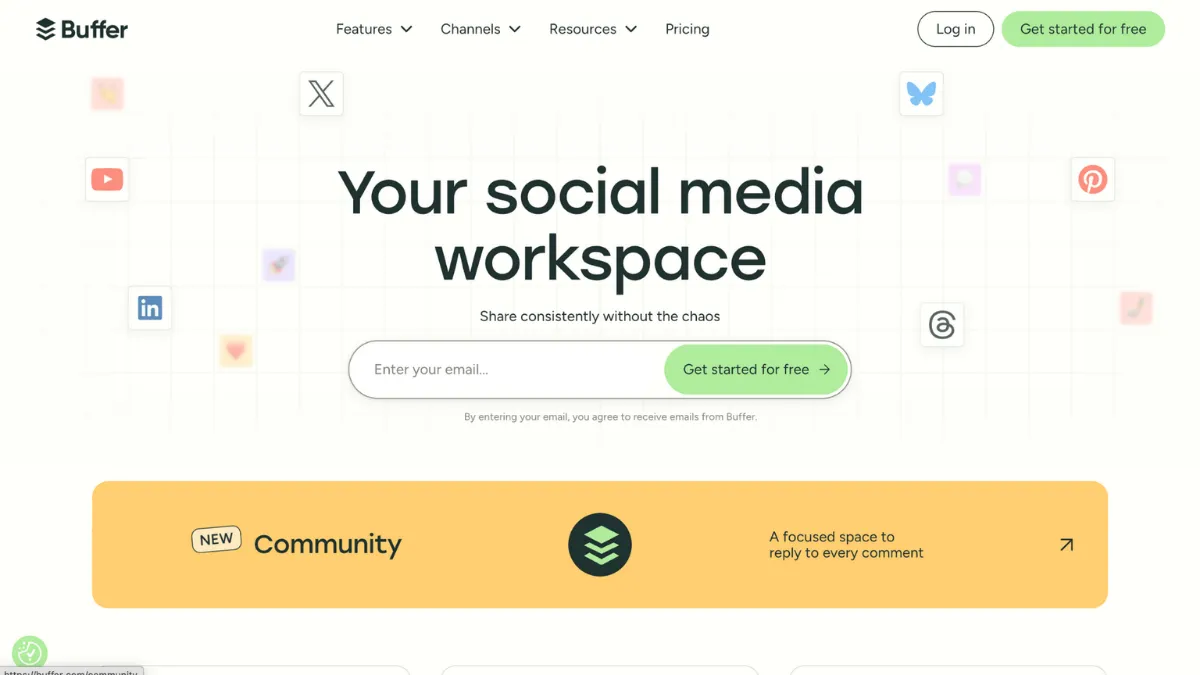
Scheduling social media posts is one of those tasks that looks simple until you are doing it across four platforms, two time zones, and a content calendar that keeps shifting. Buffer earns its reputation as the cleanest solution in this category: it removes friction at every step, from connecting your accounts on day one to queuing a month of content in an afternoon. The verdict is direct. For solo founders, small teams, and creators who need reliable, affordable scheduling without an enterprise learning curve, Buffer is the right default choice. If you need social listening, deep analytics, or complex approval workflows, you will hit its ceiling quickly.
The mechanism behind Buffer is a post queue: you add content, set a posting schedule for each channel, and Buffer works through that queue automatically. You control the frequency and timing per platform; Buffer handles the distribution. What most new users get wrong is treating it as a set-and-forget tool without calibrating their queues. The optimal output comes when you pair Buffer's scheduling engine with a consistent content production habit. Feeding the queue irregularly produces irregular results. The teams that see steady growth from Buffer are the ones that batch content creation weekly and let Buffer maintain a steady drumbeat across channels throughout the week.
Realistic expectations matter here. Buffer does not grow your audience on its own. It ensures your content reaches people at times you choose, consistently, across platforms including Instagram, Facebook, X, LinkedIn, Pinterest, TikTok, Threads, and YouTube. For early-stage teams, the practical benefit is time recovery: batching two hours of content work on a Monday and letting Buffer publish throughout the week is a genuine workflow shift. Expect to spend roughly three to four weeks calibrating your schedule before you have meaningful engagement data to work with.
Buffer suits a specific type of operator. The founder managing their own social presence alongside building a product, the content creator posting across three or four platforms, the small marketing team of one or two people who need collaboration without enterprise pricing. These users get the most out of what Buffer does well. If you are running a six-person marketing team that needs unified inbox management, approval chains with granular permissions, or competitor benchmarking, you will be reaching for other tools within a month.
The clearest limitation is analytics depth. Buffer's post-performance data covers the basics: engagement, reach, clicks, and follower growth. It does not offer social listening, sentiment analysis, or competitor tracking. Brands that rely on data to shape strategy, rather than confirm it after the fact, will find this a real constraint rather than a minor gap.
The sections below cover how Buffer works, its key features, pricing, and how it compares to the alternatives worth considering.
What Is Buffer?
Buffer is a social media scheduling and publishing platform built for small businesses, independent creators, and lean marketing teams. The core problem it solves is consistency: most teams know what they want to post but struggle to maintain a regular publishing cadence without spending an hour a day on manual posting. Buffer centralises that process, letting you prepare content in batches and publish on a schedule across all major platforms. What sets it apart from a generic scheduling alternative is the combination of a transparent per-channel pricing model, an unusually clean interface, and a free tier that is genuinely useful rather than artificially restricted. The platform has been around long enough to be deeply integrated into many small-team workflows, and its sustained adoption signals that it solves the core problem reliably. Whether Buffer's simplicity is a strength or a limitation depends entirely on what you need it to do beyond scheduling, which is the question the rest of this review addresses.
How Buffer Works
Setup takes under ten minutes. You create an account, connect your social channels by authorising Buffer through each platform's API, and define a posting schedule: the days and times you want content to go out on each channel. From that point, any content you add to Buffer slots into the next available position in your queue.
Content creation inside Buffer is straightforward. You write your post, attach media, add a first comment if you are posting to Instagram, and customise the copy per platform if the audiences differ. Buffer generates a preview for each platform before you queue, which prevents the most common formatting errors. The visual content calendar gives you a weekly and monthly view of what is scheduled, so you can spot gaps without clicking through individual posts.
The AI assistant within Buffer helps with copy generation and repurposing. You can paste existing content and ask it to reformat for a different platform, generate caption variations, or produce post ideas from a topic prompt. It accelerates content production without replacing editorial judgement. The Start Page feature sits alongside the core scheduler and lets you build a simple link-in-bio landing page, useful for Instagram and TikTok profiles where a single URL in the bio is the only clickable link.
Analytics update on a delay rather than in real time, pulling data from each platform's API on a rolling basis. Most users assume Buffer has access to live platform data; it does not. The reporting reflects what the platform APIs share, which means engagement data can lag by several hours. This is a platform API constraint shared across all scheduling tools, not a Buffer-specific issue. Where Buffer's analytics do fall short relative to competitors is in the absence of cross-channel benchmarking, social listening data, and audience demographic breakdowns. The post-performance reports cover what happened to your content; they do not tell you much about who saw it or how to adjust your strategy based on what competitors are doing. Building a reliable content cadence with Notion for editorial planning alongside Buffer's queue is a combination that many small teams find more effective than relying on Buffer's built-in calendar alone.
Buffer Key Features
Multi-platform scheduling. Buffer connects to all major social networks and lets you schedule content independently per channel. You set different posting times for Instagram versus LinkedIn versus X, queue content in bulk, and manage everything from a single dashboard. The per-channel customisation means you can tailor copy for each audience rather than posting identical content everywhere, which tends to produce better engagement results.
AI assistant. The AI writing tool inside Buffer handles caption generation, post repurposing, and idea prompts. It is designed for speed rather than sophistication: paste a blog URL or topic, and it produces platform-appropriate draft copy. It works best as a starting point that you edit rather than a finished output you publish without review. Founders who write their own content find it most useful for breaking blank-page paralysis on days when ideas are slow.
Visual content calendar. Buffer's calendar view shows your scheduled posts across all channels in a weekly or monthly grid. You can drag and drop to reschedule, spot publishing gaps at a glance, and review the mix of content types across a period. This is the feature most users interact with daily once the initial queue is set up. It keeps scheduling a visual exercise rather than a spreadsheet task.
Start Page. Buffer includes a link-in-bio landing page builder. You configure a page with links, products, articles, and media, publish it to a Buffer-hosted URL, and use that URL in your Instagram or TikTok bio. Basic traffic data is included. It is not a replacement for a tool like Leadpages for conversion-focused landing pages, but it solves the single-URL constraint on social profiles without requiring a separate subscription.
Analytics and reporting. Buffer's analytics cover post-level engagement metrics, follower growth trends, and click data. On paid plans you can compare performance across date ranges and identify which content types generate the most engagement. The reporting gives you enough to make informed scheduling decisions, such as which days produce the most engagement or whether video outperforms static images on a given channel. What it does not provide is competitor data, social listening, or audience demographic breakdowns. Teams that need that layer of insight will need to pair Buffer with a dedicated analytics tool or move to a platform with broader reporting built in.
The analytics gap is the feature area that will push some users toward alternatives, and it is worth naming before reviewing the pros and cons directly.
Buffer Pros and Cons
Where Buffer performs well:
- Genuinely clean interface. Buffer's UX is among the least cluttered in the scheduling category. Onboarding takes minutes, and the core workflow of adding and queuing content is learnable on the first session without documentation.
- Transparent per-channel pricing. Charging per social channel rather than per seat means small teams with few channels pay less than tools with flat per-seat fees. The pricing model rewards lean setups.
- Free tier with real utility. The free plan supports up to three channels and a meaningful number of scheduled posts per channel. Unlike many tools that gate the core feature behind a paywall, Buffer's free plan functions as a genuine lightweight scheduler rather than a trial disguised as a free product.
- Reliable publishing. Posts go out when scheduled with high consistency. Reliability is the baseline expectation for any scheduling tool, and Buffer meets it without the publishing failures that some competitors have been criticised for.
- Human support on every plan. Buffer provides access to human customer support across all paid plans, including email and chat. This is less common in a category where free and entry-level plans are often restricted to self-service documentation.
Where Buffer falls short:
- No social listening. Buffer has no built-in capability to monitor brand mentions, track keywords, or analyse competitor activity. Teams that rely on listening data to inform their content strategy will need a separate tool entirely.
- Basic analytics on lower tiers. Engagement data exists, but cross-channel benchmarking, audience demographics, and sentiment tracking are absent. The analytics inform tactical adjustments but not strategic planning.
- No unified inbox. Replies and comments on your posts must be handled directly on each platform. Buffer does not aggregate incoming social messages, which adds friction for community managers who handle significant inbound volume.
- Approval workflow limitations. Team plan includes collaboration, but the approval controls are relatively simple. Agencies or teams with strict content governance requirements will find the permissions insufficient.
- Cost scales with channels. The per-channel pricing model, which benefits small accounts, becomes expensive when you manage ten or more channels. At that scale, flat-fee tools with unlimited channels can work out cheaper.
How to Get the Most Out of Buffer
Before you connect your accounts, decide which channels actually matter for your current stage. Connecting every platform you have ever created a profile on is a common mistake. Buffer works best when you are publishing consistently to two or three channels rather than sporadically to six. Start with the platforms where your audience is most active and add channels once your publishing cadence is stable.
In your first week, set your posting schedule based on platform-specific peak times rather than personal convenience. Buffer's analytics on the free plan will not tell you optimal posting times for your specific account early on, so use general platform guidance as a starting point and adjust based on your own engagement data after four to six weeks. Set the schedule, fill the queue for the coming week, and resist the urge to adjust posting times every few days before you have enough data to draw conclusions.
Content batching is where Buffer returns the most time. Block two hours weekly to create and queue posts for the following week. Write copy, select media, customise per platform, and let Buffer handle the rest. The teams that abandon Buffer usually do so because they never built this habit and found themselves logging in daily to post manually, which defeats the purpose.
To understand how to schedule social media posts effectively using Buffer, the key is mapping your content types to your posting frequency before you open the tool. Buffer works best as an execution layer, not a strategy layer. Pair it with a simple content plan in a spreadsheet or a tool like Airtable to track content themes, campaign timelines, and asset status. Buffer's calendar is good for seeing what is scheduled; it is less suited to planning what to create next.
For measuring success, track your Buffer analytics weekly rather than daily. Look for patterns across four weeks rather than individual post performance. Which content type generates the most engagement on each platform? Are you maintaining your publishing frequency? These two questions, answered honestly every month, will tell you more than chasing individual post metrics.
Who Should Use Buffer?
This is for you if you are a solo founder or creator publishing across two to four social platforms and spending more time on manual posting than content creation. You want a tool that removes the operational overhead, not one that requires an afternoon of configuration to understand. Buffer is also the right choice for a small marketing team of two or three people that needs basic collaboration and a shared content calendar without paying per-seat enterprise pricing. A third strong fit is a non-profit or early-stage startup with a limited budget that needs a free or very low-cost scheduling solution that actually functions rather than teases features behind a paywall.
Buffer is not for you if social listening is a core part of how you operate. Agencies managing ten or more client accounts will also find the per-channel cost model adds up quickly and the approval workflows too limited. If your team regularly needs to respond to social comments as part of community management, the absence of a unified inbox will create a separate tab problem that compounds daily. Brands that shape strategy from analytics rather than confirming it afterward will find Buffer's reporting too thin for meaningful decisions.
Buffer Pricing
Buffer offers a free plan that supports a small number of channels and a limited post queue per channel. It is a functional starting point for individuals testing the tool or managing a minimal social presence. The free tier does not include analytics, the content calendar, or RSS feed integration, which limits its usefulness for anyone publishing with strategic intent.
Paid plans are structured on a per-channel basis, with separate pricing tiers for individuals and teams. The Essentials plan adds analytics and the calendar at a per-channel monthly rate. The Team plan, priced higher per channel, adds unlimited users and collaboration features. An Agency plan exists for higher-volume operations at a flat monthly rate covering a larger channel count. Exact current pricing should be confirmed on Buffer's pricing page, as the per-channel model means your actual cost depends on how many accounts you connect. Annual billing reduces the monthly rate meaningfully compared to month-to-month.
At the entry paid tier, Buffer is one of the most cost-efficient scheduling tools available. A solo founder managing three channels pays very little per month. The value proposition remains strong up to around five or six channels, after which some flat-fee competitors start to compete on price. Compared to alternatives like Hootsuite, which starts at a significantly higher monthly rate for its paid plans, Buffer's entry cost is substantially lower, though Hootsuite includes features Buffer does not offer at any tier.
Buffer vs Alternatives
The most direct comparison is with Hootsuite. Hootsuite offers broader feature coverage including social listening integrations, bulk scheduling, and more sophisticated team collaboration tools. It costs considerably more at every tier. Choose Hootsuite when your team needs monitoring and reporting beyond basic post analytics. Buffer wins on simplicity, cost, and onboarding speed for teams that primarily need reliable scheduling.
Later positions itself as the visual-first scheduling tool, with a strong emphasis on Instagram grid planning and drag-and-drop calendar management. If your strategy centres on Instagram and visual content, Later's grid preview and media library features are more purpose-built than Buffer's. Buffer is the better choice when you manage multiple platforms with equal priority rather than Instagram as the primary channel.
Sprout Social operates at a different price point entirely, with plans suited to larger marketing teams and agencies that need social CRM, deep reporting, and enterprise approval workflows. It addresses the analytics and listening gaps that Buffer leaves open. The cost differential is significant: Sprout Social's entry pricing starts far above Buffer's Team plan. Choose Sprout Social when the budget exists and the reporting depth is non-negotiable. Buffer remains the right default for the majority of small teams where Sprout's feature set exceeds what is actually used.
For teams that need to automate social posting as part of a broader workflow, pairing Buffer with Zapier extends its utility considerably, connecting Buffer to content sources, approval tools, and CRM platforms that Buffer does not integrate with natively.
Buffer Review: Final Verdict
Buffer earns a 4.21 overall score, a number that reflects a tool doing its core job well while carrying real gaps in analytics and listening that prevent a higher rating. The ease-of-use score is the standout dimension: few tools in this category are as immediately usable without training or configuration overhead. The analytics limitation, reflected in a lower score for that dimension, is the single factor most likely to determine whether Buffer is right for your situation or not. If post-scheduling and reliable publishing are what you need, Buffer delivers them cleanly and affordably. If you need data to drive decisions, you will need more than Buffer offers.
How We Rated It:
More Tool Reviews







Subscribe to Stay in the loop
Get the latest AI and technology news, honest tool reviews, and practical guides delivered straight to your inbox.
Success! Check your Inbox!

Tezons Newsletter
The latest technology news, in-depth tool reviews, and practical guides - curated and delivered to your inbox.
Latest News




Have a question?
Have any questions?
Didn’t find what you were looking for? We’re just a message away.