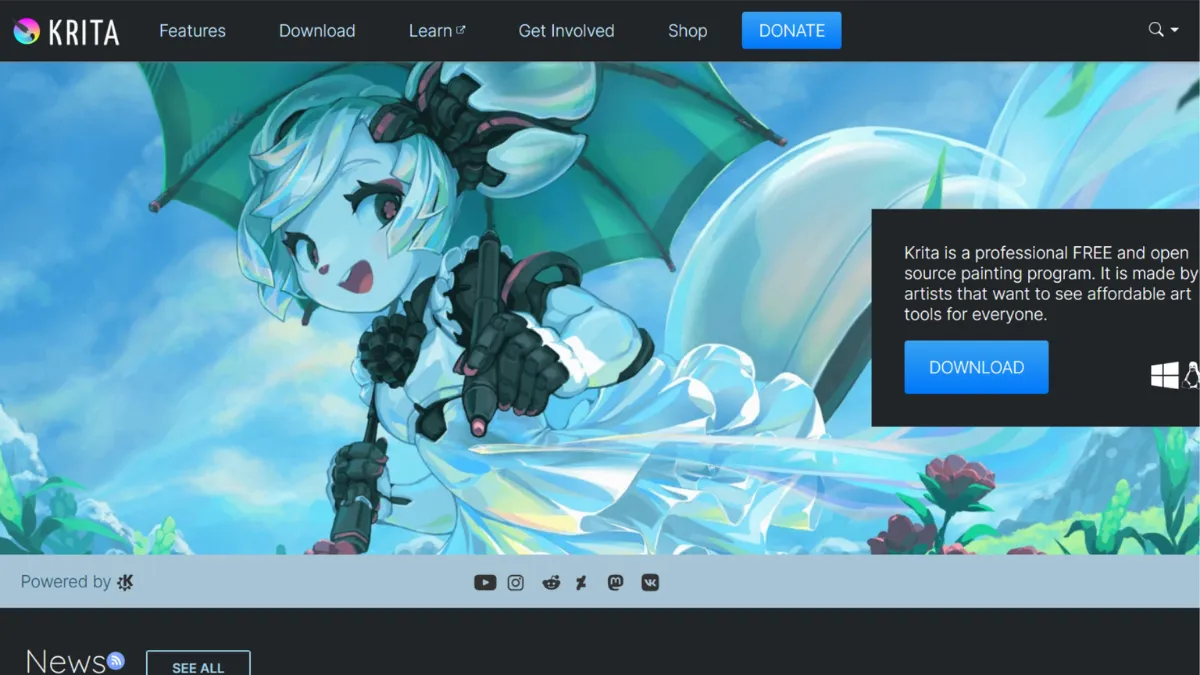
Open-source digital painting software has a reputation problem: most of it feels like a compromise. Krita breaks that pattern. Built by artists for artists, it delivers a brush engine and layer system that rival paid professional tools, at a price of exactly nothing. The catch is not quality, it is scope: Krita is a painting application, not a creative suite, and the moment you need photo retouching, vector mastery, or tight plugin compatibility with a studio pipeline, its limits become visible. For solo illustrators, concept artists, and animators who want a serious tool without a subscription, Krita is one of the strongest options available at any price.
What drives Krita's results is the brush engine. Where most painting applications give you a single engine with sliders, Krita ships with nine distinct engines, each designed for a different stroke character: pixel, shape, colour smudge, sketch, hairy, chalk, and more. This means you are not emulating traditional media through workarounds, you are selecting an engine whose physics are built for that medium. The colour smudge engine, for instance, picks up colour from the canvas and blends it with your stroke, producing wet paint behaviour that most commercial tools cannot match without third-party brushes. Most new users open Krita, browse the default brush presets, and treat them like a library to scroll through. That is the wrong approach. The engine selection and its parameters are where the real work happens, and spending time there unlocks results that the defaults alone cannot show you.
Expect a learning curve of one to two weeks before the workspace feels natural. Krita's interface is dense and customisable, which means it rewards configuration. Out of the box, the docker panels and tool options can feel scattered, but the workspace system lets you save layouts per task: one for painting, one for animation, one for comic lettering. Once configured, context-switching becomes fast. Brush lag is a known historical complaint, and while recent versions have improved response times considerably, performance on large canvases with complex brushes still depends on your hardware. On a mid-range machine, this is manageable. On older hardware, it is the most consistent friction point.
Krita suits illustrators who want natural media emulation without paying for Procreate or a Adobe Express subscription, and concept artists working in games or film who need texture painting and HDR colour support. It is also a credible choice for independent comic creators, given its dedicated comic workflow features including panel borders and speech bubble tools. Animators working on short-form frame-by-frame work will find the timeline solid, though not as polished as dedicated animation software.
The integration story is thin. Krita connects with G'MIC for filter effects and supports PSD file import and export, but it does not slot into broader creative pipelines the way commercial tools do. If your workflow involves handing files to colleagues using Figma or involves automated asset pipelines, plan for conversion friction. The plugin ecosystem exists but is small compared to what Photoshop or Clip Studio Paint offer.
The sections ahead cover Krita's key features, where it pulls ahead of alternatives, how to get useful results quickly, and who should look elsewhere.
What Is Krita?
Krita is a free, open-source digital painting application maintained by the Krita Foundation, a non-profit organisation funded through donations and optional store purchases. It runs on Windows, macOS, Linux, Android, and ChromeOS. Unlike general-purpose image editors that treat painting as one feature among many, Krita was built from the ground up as a painting tool: every interface decision, every default, and every engine is oriented toward the creative process rather than photo manipulation or document production. What separates it from free alternatives like GIMP is that distinction in intent. GIMP handles image editing; Krita handles art-making. The software has accumulated a large global user base across professional illustrators, indie game developers, and animation students, and its community produces a steady stream of brush packs, texture libraries, and tutorial content. The question of how its core mechanics actually produce those results is worth understanding before you open a canvas.
How Krita Works
Download and install Krita from the official site or, for automatic updates, purchase through Steam. No account is required, and there is no activation step. Open the application and you land on a configurable workspace with a canvas in the centre, docker panels on either side, and a toolbar along the top. The first configuration decision that pays off is the workspace: select the preset that matches your task from the top menu, or drag and build your own and save it.
Brushes in Krita are not just presets with different shapes. Each brush preset sits on top of an engine, and changing the engine changes the underlying physics of the stroke. Selecting a brush and opening the brush editor reveals the engine type, which you can switch independently of the visual preset. This is the layer of control most users skip, and it is where Krita's paint behaviour becomes genuinely distinctive. Pair a hairy brush engine with a low flow setting and you get bristle separation on the canvas. Switch to colour smudge with a low smear value and colour mixes under the stroke without muddying.
Layers work as you would expect from any professional painting tool, with raster, vector, filter, group, and fill layer types. Non-destructive adjustments sit on filter layers above the painted content, which means you can shift colour balance or brightness without touching the underlying pixel data. The transform tool handles warping, perspective correction, and liquify-style mesh distortion on individual layers or selections.
The counterintuitive thing most users get wrong: Krita's stabiliser is on by default at a low setting, which smooths strokes slightly. For linework this is helpful, but for loose, gestural painting it introduces a subtle delay between hand and mark that can feel like lag when it is actually stabilisation. Disabling it or reducing the setting in the tool options bar changes the feel of the application dramatically. What many users report as a performance problem is often a settings problem.
Krita Key Features
Nine Brush Engines. Krita's brush engine system is the feature that separates it most clearly from its free competitors. Each engine models a different physical drawing or painting behaviour, from the pixel engine for crisp digital linework to the sketch engine for randomised, hatching-style strokes. Brush presets bundle an engine with a saved configuration, but you can build your own from any engine using the brush editor. The practical value is that natural media emulation, wet mixing, and textured mark-making are all achievable within a single application without third-party brush packs, though community packs do exist and are worth exploring once you understand the defaults.
Layer System with Filter Layers. Krita supports raster, vector, group, fill, clone, and filter layers. The filter layer type is particularly useful: place a Hue/Saturation or Levels adjustment as a filter layer above your painted content and it applies non-destructively to everything beneath it in the stack, or clip it to a single layer using a clipping group. This workflow allows colour correction and tonal adjustment at any stage without committing to a change, which matters on long illustrations where colour direction shifts mid-project.
Animation Workspace. Krita includes a dedicated animation workspace with a timeline, onion skinning, frame-by-frame playback, and audio import. The workflow suits short-form character animation and animatics rather than full production pipelines, but for independent animators producing content for social platforms or personal projects, it handles the core tasks without requiring a separate application. Export options include image sequences and video, though the render step requires FFmpeg, which you download separately and point Krita toward in the settings.
Drawing Assistants. The assistants system provides perspective grids, ellipse guides, vanishing point tools, a ruler, and a fisheye grid. These sit on a non-destructive overlay layer and snap your brush strokes to the guide geometry. For concept artists building environment work or for comic artists managing panel perspective, this removes a class of manual correction work that otherwise costs time in post.
Resource Management and Community Brush Packs. Krita ships with a substantial default brush library, but the community has produced hundreds of additional packs covering everything from gouache emulation to ink brushes built for manga linework. The resource manager lets you import, organise, and tag these packs without cluttering the default set. The ecosystem is smaller than what Photoshop or Clip Studio Paint offer commercially, but the quality ceiling of the best community packs is high. The absence of an in-app marketplace means you are finding and downloading these manually, which adds a small overhead for new users.
The resource and integration situation leads directly to a trade-off that the next section addresses plainly.
Krita Pros and Cons
Where Krita leads the field:
- Completely free with no feature locks. Every tool, engine, and workspace is available on the free download. There is no premium tier withholding features, and no subscription model to manage. For budget-conscious artists or students, this makes a professional-grade painting environment accessible without compromise.
- Brush engine depth is best-in-class for free software. Nine engines with full parameter control gives Krita a painting flexibility that most commercial tools at comparable or higher price points do not match. Natural media emulation, particularly wet mixing and bristle behaviour, is a genuine strength.
- Non-destructive editing via filter layers. The filter layer system means colour and tonal corrections stay editable throughout the project. Many free painting tools lack this, forcing destructive adjustments that lock you out of later changes.
- Cross-platform with no cloud dependency. Krita runs on Windows, macOS, and Linux with no account requirement and no internet connection needed after installation. Your files stay local and the tool works offline.
- Active community producing ongoing resources. Forums, tutorial channels, and community brush packs are continuously updated. The Krita Artists forum is a genuinely useful support resource, with developers participating in discussions.
Where Krita falls short:
- Performance on large canvases with complex brushes. At high resolutions with demanding brush configurations, some hardware shows slowdown. Users with older graphics cards or limited RAM encounter this more frequently, and it remains the most common complaint in user reviews.
- Integration ecosystem is thin. Native integrations with external tools are limited. G'MIC for filters and PSD import/export cover the basics, but Krita does not connect with project management or asset pipeline tools the way commercial software increasingly does. If your workflow involves other applications, expect manual file handling.
- Animation export requires FFmpeg setup. Exporting video from the animation workspace requires downloading and configuring a separate application. For non-technical users, this is a friction point that trips up otherwise straightforward animation projects.
- Plugin ecosystem is small. Krita has an API and supports Python scripting for extensions, but the available plugin library is a fraction of what Photoshop users have access to. Studios with customised Photoshop plugin workflows will find substitutes difficult to source.
- Vector tools are limited. Krita handles basic vector shapes and text, but it is not a substitute for a dedicated vector application. Users who need strong vector capability alongside painting should keep a second tool available.
How to Get the Most Out of Krita
Before opening a canvas, spend fifteen minutes configuring your workspace. Open the settings menu, assign shortcuts for your most-used tools (brush, eraser, eyedropper, fill), and save the layout as a named workspace. This removes the friction that causes most new users to abandon the tool in the first session. If you use a graphics tablet, calibrate pressure curves in the input settings: the defaults are conservative, and adjusting them to match your stylus pressure makes the brush response feel far more natural from the start.
Your first week should focus on the brush editor rather than the preset library. Open three or four presets you like, look at which engine each uses, and adjust one parameter at a time to understand what it changes. Flow, opacity, and size dynamics controlled by pressure are the parameters that most affect how a stroke feels. Once you understand those relationships, building your own presets becomes fast, and you stop hunting through the library for something that feels right.
For colour work, set up a palette before you paint. Krita's palette docker lets you save swatches from your reference image, and using a limited palette from the start prevents the colour drift that affects long painting sessions. The colour history wheel in the corner is useful for revisiting recent choices without opening a dialogue.
How to get consistent results when painting digitally in Krita comes down to layer discipline. Keep your sketch on a separate layer set to a low opacity and a blending mode like Multiply. Block in flat colour on layers below the sketch, then add shading and highlights in separate layers above. This structure lets you correct any stage without repainting everything above or below it. Most users who feel like Krita is slow or difficult to iterate on are working on a single merged layer, which removes all flexibility.
To measure progress, export a flattened PNG at regular intervals and compare them. Krita does not have a built-in version history beyond undo steps, so this manual discipline substitutes for the snapshot features found in some commercial tools. If you use Google Drive or Dropbox, saving versioned exports there takes thirty seconds and protects weeks of work.
Who Should Use Krita?
This is for you if you fit one of these profiles. You are an independent illustrator or concept artist who wants a professional painting environment but cannot justify or does not want a commercial software subscription. Krita gives you the brush engine depth and layer system to produce portfolio-quality work, and the zero cost means every hour of practice is spent without a financial commitment hanging over it. You are an indie game developer or solo animator producing 2D assets, textures, or short animations: Krita handles all three workflows within a single application, reducing the number of tools in your stack. You are a student or self-taught artist building skill: the community tutorial ecosystem is large enough that you can learn most techniques through free resources, and the Krita Artists forum provides feedback and troubleshooting from experienced practitioners.
Krita is not for you if you work in a studio where the pipeline depends on Photoshop-specific plugins or proprietary brush packs that do not port cleanly. The plugin ecosystem gap is real, and studios that have built automations around Photoshop scripting will not find substitutes in Krita. It is also not a fit if your primary work is photo editing or retouching: Krita's tools are painting tools, and while it can open and export PSD files, it is not competing with image editing software and should not be chosen for that purpose.
Krita Pricing
Krita is free. Download it from the official website and every feature is available immediately with no account, no activation, and no time limit. The Krita Foundation also offers the application through Steam and the Microsoft Store at a modest one-time cost, which provides automatic updates and directly funds development. Purchasing through a store is a voluntary contribution, not a requirement, and it does not unlock features unavailable in the free version.
There are no paid tiers, no enterprise pricing, and no cloud storage component. The sustainability model relies on donations, store purchases, and periodic community fundraisers. This means development pace is tied to community funding, which is slower and less predictable than a venture-backed product roadmap, but it also means the software will never pivot to a subscription model or lock features behind a paywall.
For cost-efficiency, Krita is unmatched in its category. You are getting a brush engine and layer system that would cost a significant monthly fee elsewhere, for nothing. The trade-off is the integration thinness and smaller plugin ecosystem described above. Verify current store pricing on Krita's official site, as it may vary by region or platform. Compared to alternatives, the pricing situation alone makes Krita worth evaluating before committing to a paid tool.
Krita vs Alternatives
The most direct comparison is with Adobe Photoshop. Photoshop is a more capable all-in-one tool for photo manipulation, vector handling, and studio-grade plugin integration, but its painting brush engine is weaker than Krita's for natural media work. Artists who paint digitally as their primary output often find Krita's brush physics more satisfying, while those who combine painting with retouching or compositing will miss Photoshop's broader toolset. Photoshop wins on ecosystem; Krita wins on painting depth and price.
Clip Studio Paint is the stronger commercial competitor for illustrators and comic artists. Its vector line tools, perspective rulers, and manga-specific features are more mature than Krita's equivalents, and its integration with digital storefronts for asset purchases is a practical advantage. Clip Studio operates on a subscription or one-time purchase model depending on the tier. For comic and manga artists specifically, it is the closer fit. For painters and concept artists, Krita is competitive.
Canva targets a different user entirely: quick graphic design and template-based content rather than freehand painting. Choosing between them is not a real decision for a dedicated digital artist. Canva handles social graphics and presentations; Krita handles art. If your work sits in the design space rather than illustration, Canva is the more practical tool.
Midjourney is worth mentioning because some artists now use AI image generation for reference or initial composition, then paint over the result in Krita. The two tools serve different functions and complement rather than compete with each other, though the question of whether AI-generated starting points fit your practice is one only you can answer.
Krita Review: Final Verdict
Krita earns an overall score of 4.16 out of 5. That figure is held back by the thin integration ecosystem, which scores 3.5, an honest reflection of a standalone tool that does not connect with external services or pipelines in any meaningful way. The rating is noted plainly here because it is a real limitation for anyone working in a multi-tool environment. Where Krita excels is functionality and customisation: the brush engine system and layer types give serious artists control that most tools at any price point do not match. The cost-efficiency score reflects a straightforward reality: free software of this quality has no commercial peer at the same price.
The bottom line is that Krita is the best free digital painting application available, and for many working illustrators and concept artists it is simply the best painting application, period. If painting is your primary output and integrations are not a constraint, download it before paying for anything else.
How We Rated It:
More Tool Reviews







Subscribe to Stay in the loop
Get the latest AI and technology news, honest tool reviews, and practical guides delivered straight to your inbox.
Success! Check your Inbox!

Tezons Newsletter
The latest technology news, in-depth tool reviews, and practical guides - curated and delivered to your inbox.
Latest News




Have a question?
Have any questions?
Didn’t find what you were looking for? We’re just a message away.