
What Is Typeform?
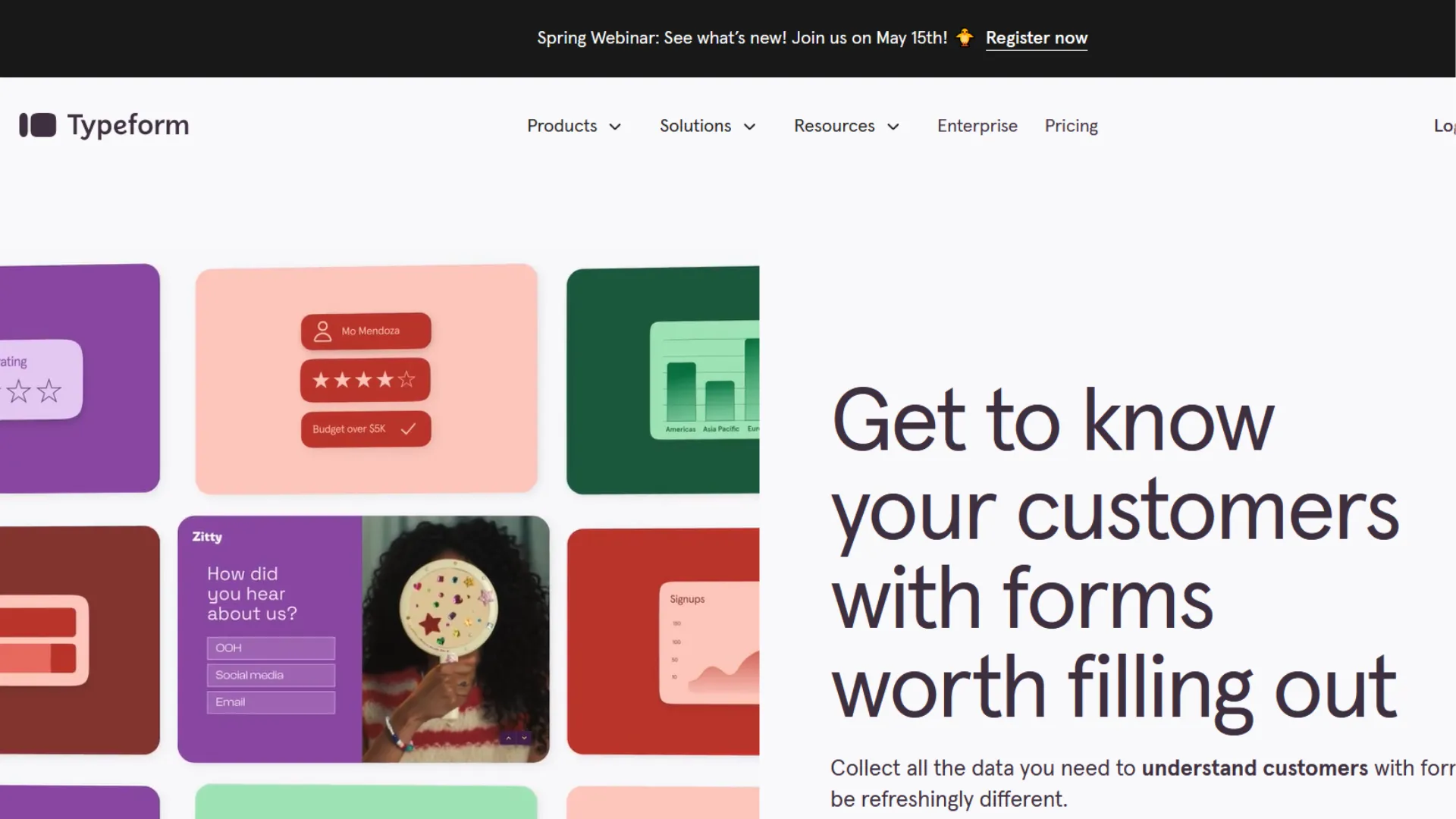
Typeform is an interactive form, survey and questionnaire builder used to collect feedback, leads and customer data without requiring code. It sits in the broader category of customer support and feedback tools, but its function centres on how questions are presented and answered rather than managing support tickets. The platform presents one question at a time in a conversational style that many respondents find easier to complete than traditional long pages of questions. People use it to run customer satisfaction surveys, gather product feedback, qualify leads, create application forms or embed forms on websites and apps. It integrates with other systems so data flows into CRM, email or analytics tools, making it part of a wider feedback and engagement stack rather than a standalone support desk.
Key Features of Typeform
- A visual form builder that lets you design interactive surveys and questionnaires with conditional logic so respondents only see relevant questions and the experience feels more personalised.
- Multiple question types including text, choice, rating and file upload fields so you can tailor how you collect different kinds of input and adapt to context.
- Branding and customisation options that let you apply your colours, fonts and logos so forms align with your identity, albeit deeper design control requires higher plans.
- Integrations with other tools and automation platforms so responses can trigger actions like CRM updates, notifications or segmentation workflows without manual export.
- Analytics and reporting that summarise responses and completion rates so you can assess which questions drop off or where patterns emerge.
- Templates for common use cases like customer feedback, product surveys, lead capture and event registration that save setup time and ensure consistent structure.
Pros
- The conversational question flow tends to improve completion rates compared to static forms because it feels more like a dialogue than a checklist.
- It does not require technical skills to build surveys, which means teams can iterate and update forms without involving developers.
- A broad set of templates reduces time to launch, especially for common needs like customer satisfaction or product feedback.
- Conditional logic and customisation make forms feel tailored to respondents, helping you avoid irrelevant questions and reduce drop-off.
- Integrations ensure collected responses can feed into existing systems and processes, which is practical when you want feedback to trigger downstream actions.
Cons
- Monthly response limits on most plans can become a constraint if you expect high traffic or need to run many concurrent surveys, as limits are shared across all forms.
- The conversational design that helps with engagement also means forms feel slower if respondents want to scan and answer quickly, which matters in high-volume contexts.
- Advanced analytics and priority support are locked behind higher pricing tiers, so smaller teams may hit capability ceilings unless they upgrade.
- For deep research workflows or structured user testing, Typeform’s output needs further processing in analytics platforms rather than providing those insights directly.
Best Use Cases for Typeform
- A product manager running periodic customer satisfaction surveys after major releases so the team can spot recurring issues or sentiment shifts.
- A marketer capturing lead information through interactive qualification forms embedded on landing pages to segment prospects before handoff to sales.
- A support team collecting post-interaction feedback to understand satisfaction with service or identify process improvements.
- An HR lead gathering internal feedback on employee experience or training needs without imposing heavy survey fatigue.
- A small business testing customer reactions to new features or offerings using templates that reflect the right question structure.
- An event organiser capturing registrations and post-event impressions to refine future programming.
Who Uses Typeform?
Typeform suits teams and individuals who need to collect structured input from people outside the organisation and want a better respondent experience than generic forms. Marketing, product, support and customer experience roles often use it to gather feedback, leads or satisfaction scores because it does not demand technical skills to set up or maintain. Small to medium businesses and distributed teams find it useful when they need quick iteration without custom development, whereas very large enterprises or research teams might pair it with specialised analytics or in-app feedback tools for deeper analysis. It fits where conversational data capture helps response rates and where results feed into other systems for action.
Pricing for Typeform
- Free plan with basic functionality, typically limited to a small number of responses per month across all forms, useful for experimentation or very light use.
- Entry plans from around a low monthly fee that increase response limits, add more features and support, and expand user seats.
- Mid tier plans that support higher response volumes, additional customisation, and integrations that matter for business workflows.
- Business or enterprise tiers with advanced analytics, priority support and optional security or compliance features, with pricing rising sharply as response capacities and seat counts increase.
- Pricing affects real use because response caps and feature gating determine whether you can run large surveys, automate workflows or build internal dashboards without moving to higher plans.
How Typeform Compares to Similar Tools
Typeform is often compared with other survey and form builders like Google Forms, SurveyMonkey and Jotform. Against Google Forms, Typeform provides a more engaging, conversational design but comes with usage and response limits that Google’s free option does not impose. Compared with SurveyMonkey, Typeform leans into experience and aesthetics whereas SurveyMonkey offers deeper survey analytics and research-oriented controls, which matter for formal studies. Jotform provides a broader set of form widgets and integrations at competitive price points, which can make it economical for large sets of varied forms, but its interface can feel less tailored to conversational workflows. In essence, Typeform works best where the priority is respondent engagement and branding, while alternatives are often chosen for scale, deeper analysis or specific integrations. Teams that need forms to feel part of their brand and want respondents to complete rather than skim are more likely to favour Typeform, while those prioritising cost per response or advanced survey research may choose other platforms.
Key Takeaways for Typeform
- Typeform makes structured data collection more engaging by showing one question at a time and supporting conditional paths through surveys.
- It does not require technical skills to create or iterate forms, which helps teams move faster without developer involvement.
- Response limits and feature gating on pricing tiers mean planning around anticipated volume is important.
- For straightforward feedback and lead capture, it fits well, but deeper research or analytics still calls for external tools.
- Integration with other systems helps embed survey results into broader processes rather than leave data stranded in a single tool.
Tezons Insight on Typeform
In real operations Typeform shines when the goal is to gather input from people who are not already engaged with you, because the conversational format reduces fatigue and improves completion. That matters when collecting customer feedback, leads or event registrations that otherwise languish in traditional long sheets. The trade-off is that its pricing structure incentivises careful planning around response volume and feature needs, so teams must balance anticipated use against budget. In workflows where the data needs to feed other systems, the ability to connect into CRM, analytics or automation platforms keeps feedback part of the engine, but Typeform itself stops at collection and basic insights. It suits teams that value experience and clarity over raw survey horsepower, and it works best when used as part of a wider toolkit rather than a one stop place for research to revenue.

We want to work with you.
We’re always looking for partners to help us deliver top-notch services. If you’re excited to collaborate and bring digital growth solutions to clients together, let’s connect and make it happen.
Latest Blogs
Fresh Insights, Expert Tips, and Trendspotting to Keep Your Business Ahead



Join Tezons.
Eager to elevate your career? Join our team of innovators and contact us today to discover exciting opportunities at Tezons.