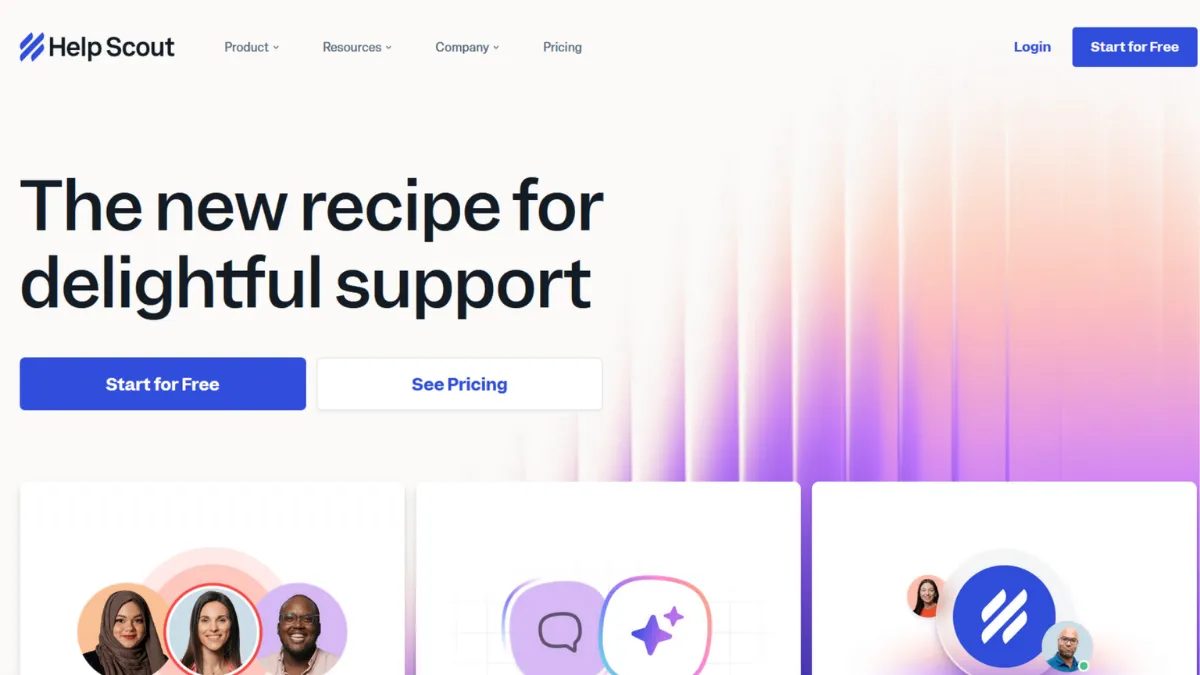
Customer support tooling tends to overcomplicate itself fast. Ticketing systems pile on routing rules, SLA tiers, and chat automation until the tool your team opens every morning feels more like a project management suite than a place to talk to customers. Help Scout bets against this trend deliberately, and for a specific class of business, that bet pays off. This is a shared inbox and knowledge base platform built on the premise that great support feels like a personal email, not a support ticket. If your primary support channel is email and you want your team coordinating without exposing that coordination to customers, Help Scout is the clearest option in its price range.
The mechanism is a shared inbox where multiple agents handle conversations from one queue without customers ever seeing ticket numbers, assignment alerts, or the machinery behind the replies. Collision detection shows who is already drafting a reply to a given conversation, preventing duplicate responses in real time. Internal notes sit alongside the customer thread, invisible to the recipient, so your team can flag context, escalate internally, or hand off without the customer noticing. The Beacon widget extends this into your product or marketing site: customers search your knowledge base, start a live chat, or submit an email from a single embedded component. Most users underestimate how much deflection a well-stocked knowledge base inside Beacon can generate before a conversation even reaches the inbox.
Realistic expectations matter here. Help Scout will not replace a dedicated CRM, a no-code chatbot builder, or a voice support system. Teams expecting complex automated conversation flows or deep WhatsApp integration will hit walls. What it does deliver reliably is a fast, low-friction inbox where new agents reach full productivity within a day, CSAT ratings that surface naturally through the conversation flow, and reporting on team response times and volume trends. The Docs knowledge base is competent and SEO-friendly, though it will not replace a purpose-built documentation platform for teams with very large article libraries.
The platform suits SaaS companies at the seed-to-Series A stage, e-commerce brands running email-first support with a team of two to fifteen agents, and B2B services businesses where every customer conversation carries relationship weight. Non-profits also use it heavily, partly because of mission-aligned pricing and partly because the interface demands no technical training from volunteers or junior staff.
The one limitation worth naming plainly: Help Scout has no native WhatsApp channel, limited native voice support, and its chatbot automation is AI-assisted rather than fully configurable. If your support mix includes a meaningful volume of social messaging or you need branching conversational flows without touching code, the platform will frustrate you. Pairing it with Zapier can extend its reach, but that adds workflow overhead.
Pricing, integrations, the Beacon widget mechanics, and a head-to-head comparison with the main alternatives are covered below.
What Is Help Scout?
Help Scout is a customer support platform combining a shared inbox, a self-service knowledge base called Docs, and an embeddable chat widget called Beacon. The problem it solves is the coordination overhead of a small-to-mid-size support team handling high email volume: without a shared inbox, conversations get missed, duplicated, or owned by one person's personal email account. Unlike enterprise helpdesk systems such as Zendesk, which layer on extensive ticketing infrastructure, Help Scout keeps the customer-facing experience indistinguishable from a one-on-one email. Customers receive a plain reply from a named agent; they never interact with a ticket portal. The platform serves over 12,000 businesses globally and has built particular adoption among SaaS teams and bootstrapped e-commerce operations that prioritise response quality over automation volume. The question of how all of this holds together mechanically, particularly how Beacon ties the knowledge base to live support, is where the product's real design thinking becomes visible.
How Help Scout Works
Setup starts with connecting one or more email addresses to a mailbox inside Help Scout. Inbound emails land in a shared queue where any agent can claim, reply to, or reassign a conversation. The interface mirrors a conventional email client closely enough that most agents require no onboarding beyond a thirty-minute walkthrough. Workflows, Help Scout's automation layer, handle routing: incoming emails matching certain conditions get tagged, assigned to a team, or moved to a specific mailbox automatically. These are condition-and-action rules rather than fully visual flow builders, so complex branching logic requires careful rule stacking.
Beacon is deployed by pasting a JavaScript snippet into your site or app. Once live, it surfaces a widget that can show proactive messages to specific visitor segments, allow customers to search Docs articles, initiate a chat, or submit a form that becomes an email conversation in the inbox. The AI Answers feature inside Beacon draws on your Docs content to suggest relevant articles as the customer types, before they contact a human agent at all. Article deflection rates depend almost entirely on the quality and coverage of your Docs library, which makes investing in knowledge base content the highest-leverage action in the first month of using the platform.
The counterintuitive insight most teams learn too late: the inbox workflow and the Docs library are not independent products. Beacon's deflection performance is a direct function of how thoroughly your Docs site covers the questions actually hitting your inbox. Teams that treat Docs as a secondary task after getting the inbox running leave most of Help Scout's value unrealised. Pulling your thirty most common email topics and writing short Docs articles for each of them, before launch, is what separates teams that see strong deflection from those who wonder why everyone still emails. This has a direct practical implication for features: understanding what Beacon can do changes how you prioritise the knowledge base build.
Help Scout Key Features
Shared Inbox with Collision Detection. Every email conversation lands in a queue visible to the whole team. Agents can assign conversations to themselves or teammates, leave internal notes, add tags, and track status from open to closed. The collision detection system shows a live indicator when another agent has a conversation open, preventing two people from drafting simultaneous replies. For teams transitioning from a single support email address managed by one person, this alone resolves the most common coordination failure without requiring any process change.
Beacon Help Widget. Beacon is the customer-facing layer that connects your knowledge base, live chat, and email intake into one embedded component. Visitors on your site or inside your app see a single widget that adapts based on your configuration: you can show proactive messages to specific user segments, surface relevant Docs articles automatically as someone types a question, and let customers choose between chat and email. Beacon's AI Answers feature queries your Docs content in real time, suggesting articles before a conversation is created. The proactive messaging capability, called Messages, allows you to target users by page, session behaviour, or custom attributes, though volume above 2,000 unique viewers per month carries usage-based charges.
Docs Knowledge Base. The Docs product lets you build a public or restricted self-service site with categorised articles, search, and basic branding customisation. Articles are SEO-friendly with editable URLs and meta descriptions. Multiple Docs sites are available on paid plans, which matters if you support more than one product or brand from the same account. The editor is straightforward: rich text with image and video embed support, no markdown or code required. Docs integrates directly with Beacon, meaning articles surface inside the widget without any additional configuration.
Workflows and Automation. Workflows are condition-based rules that fire when a conversation matches set criteria. You can auto-assign conversations by mailbox, tag by subject line keywords, send automated replies for out-of-hours messages, or escalate based on wait time. The automation is reliable and covers most routine inbox management tasks. The ceiling is the absence of a visual flow builder: branching logic across multiple conditions requires layering several rules carefully, which can become unwieldy for complex routing requirements. Teams that need fully visual automation design may find a tool like Make more appropriate for their workflow layer.
Reporting and CSAT. Built-in reports cover conversation volume, team response times, resolution times, and happiness ratings. CSAT surveys are sent automatically after a conversation closes and aggregate into a happiness score visible in the dashboard. Custom reporting and more granular filtering are available on higher-tier plans. The reporting is sufficient for most teams tracking support performance at a team level, but does not replace a dedicated analytics platform if you need deep customer-level trend analysis. The trade-off between reporting depth and pricing tier is one area where the plan structure becomes directly relevant.
Help Scout Pros and Cons
Help Scout earns its reputation in specific areas while carrying real gaps worth knowing before you commit.
- Genuinely fast onboarding. New agents reach working proficiency within hours, not days. The inbox interface borrows so much from conventional email clients that the learning curve is nearly flat, which matters when support headcount turns over or scales quickly.
- Beacon bundles real value. Live chat, AI-assisted article suggestions, proactive messaging, and email intake in one widget. Comparable platforms charge separately for chat functionality; Help Scout includes Beacon on all plans, which changes the cost calculation significantly for teams that need both channels.
- Customer experience stays personal. Customers receive plain email replies from named agents. There are no ticket portals, no automated acknowledgement theatre, and no visible queue numbers. For brands where relationship quality matters, this is a structural advantage over ticket-first platforms.
- Reliable uptime and performance. The platform maintains a strong reported uptime record. Support teams that depend on inbox availability cannot afford unpredictable outages, and Help Scout's stability is consistently noted by long-term users.
- Contact-based pricing model is transparent. Billing by contacts helped rather than per-seat means growing teams are not penalised for adding agents. The model aligns cost with support volume rather than headcount, which suits scaling operations.
There are genuine limitations that affect specific use cases.
- No native WhatsApp or voice channel. Help Scout does not natively support WhatsApp or inbound phone calls. Teams with customers who primarily contact via messaging apps will need a separate tool, adding complexity to their support stack.
- Chatbot automation has a low ceiling. Beacon includes AI Answers for article suggestion, but there is no no-code builder for creating custom conversational flows or scripted bot journeys. Teams wanting bot-first deflection before human handoff will find this limiting.
- Shopify integration is shallow. The Shopify connection surfaces basic order data in the conversation sidebar but does not support order editing, cart recovery, or revenue attribution from within Help Scout. E-commerce teams with high order-related ticket volume may find this insufficient.
- Reporting depth requires higher-tier plans. Custom reports and advanced filtering are gated above the entry plan. Teams on Standard get solid but limited analytics, and accessing the full reporting suite requires a plan upgrade.
- CRM depth is limited by design. Help Scout is a support inbox, not a CRM. Customer profiles exist but are lightweight. Teams tracking complex deal stages or sales-adjacent interactions alongside support will need a separate CRM and an integration layer.
How to Get the Most Out of Help Scout
Before your first conversation lands, build your Docs library. Pull the subject lines from your last three months of support emails and write a short article for every topic that appears more than twice. This is the single most leveraged setup action: Beacon's AI Answers can only deflect questions your Docs library actually answers, and teams that skip this step spend months wondering why their chat volume is not falling.
In the first week, configure your Workflows before you start handling volume. Set up auto-assignment rules so conversations route to the right mailbox or team from arrival. Add tag-based rules for your most common inquiry categories so reporting is meaningful from day one. Tagging retroactively is laborious and rarely happens in practice.
To build results over time, review your Happiness report weekly rather than monthly. CSAT dips are early signals of process problems: a drop in one agent's score often points to a knowledge gap or a routing failure rather than a performance issue. Use the data to identify which conversation types are taking the longest to close and write Docs articles specifically for those topics.
The mistake most teams make is treating the Docs and Beacon configuration as one-time setup. Help Scout rewards ongoing investment in the knowledge base. Adding a short article every time a new question type appears in the inbox compounds over time: deflection rates improve gradually, and your team handles progressively more complex conversations rather than repeating answers to common questions.
To understand how to reduce support volume with Help Scout, the key is the Beacon placement strategy. Embedding Beacon inside your app at the exact moment a user is likely to struggle (checkout, onboarding step three, a complex settings screen) generates far higher deflection than placing it only in a footer widget on your marketing site. Measure which pages generate the most Beacon opens and prioritise Docs content for those contexts. Success looks like a stable or falling conversation volume as your user base grows, not just faster response times.
Who Should Use Help Scout?
Help Scout suits three types of teams well. SaaS founders with a support inbox growing faster than their team: you need a shared queue, not a ticketing system, and you want customers to feel like they are emailing a person rather than filing a request. Bootstrapped e-commerce operators running a small team of agents who handle returns, shipping queries, and product questions primarily by email: the shared inbox removes the coordination chaos of a group email address without requiring the configuration overhead of a heavy helpdesk platform. B2B service businesses where every customer relationship has commercial weight: the named-agent reply model and internal notes system protect relationship continuity when team members change.
Help Scout is not the right tool if your support operation is primarily voice-based, if your customers contact you predominantly via WhatsApp or Instagram Direct, or if you need a no-code chatbot builder for automating first-line support before a human is involved. Enterprise teams requiring deep custom reporting, role-based access controls at a granular level, or HIPAA-compliant data handling should verify that Help Scout's higher-tier plans cover their specific compliance requirements before committing.
Help Scout Pricing
Help Scout offers a free plan that supports up to 50 contacts per month and includes the shared inbox, Docs knowledge base, and Beacon with AI Answers. The contact limit makes the free tier useful for testing the platform but insufficient for any business with meaningful inbound volume. Paid plans move to a contact-based billing model rather than per-seat pricing, which means you can add agents without paying more for each additional user. The Standard plan starts at around $50 per month for 100 contacts and adds multiple inboxes, multiple Docs sites, API access, over 100 integrations, advanced reports, CSAT ratings, and customer properties. The Plus plan, at roughly $75 per month for 100 contacts, layers on native Salesforce, Jira, and HubSpot integrations alongside custom fields, advanced permissions, and restricted Docs sites. A Pro tier at custom pricing targets larger operations needing dedicated onboarding and higher contact volume thresholds. Always verify current rates on Help Scout's own pricing page, as the contact-based model means your actual monthly cost scales with support volume. Relative to alternatives in this category, Help Scout sits at a mid-range price point. Whether it justifies the cost compared to competitors is worth examining directly.
Help Scout vs Alternatives
The most direct competitors each occupy a meaningfully different position, and choosing between them comes down to use case rather than feature count.
Zendesk is the dominant enterprise helpdesk and offers far deeper automation, omnichannel routing, and custom reporting than Help Scout. For teams that need voice, WhatsApp, complex SLA management, and a fully configurable bot builder, Zendesk is the better fit. Help Scout wins when you want a lighter, faster setup and a customer experience that does not feel like a ticketing system. Zendesk's configuration overhead and pricing at scale can be prohibitive for teams under twenty agents.
Intercom positions itself as a messaging-first platform with a strong chatbot builder and product-tour capabilities. If a significant portion of your support strategy relies on proactive in-app messaging, automated conversation flows, or customer success features alongside support, Intercom offers more. Help Scout's Beacon covers the basics of in-app support, but Intercom's automation depth is in a different category. Help Scout wins on price transparency and inbox simplicity.
Hiver takes a different architectural approach: it runs entirely inside Gmail rather than as a standalone platform. For teams already living in Google Workspace who want a shared inbox without switching tools, Hiver removes the migration cost entirely. Help Scout wins when you want a self-hosted knowledge base, Beacon's chat widget, and a dedicated support environment outside Gmail's UI constraints.
Zoho Desk offers a broader feature set at a lower per-user price point and suits teams that want deep automation and multi-channel support without Zendesk's cost. Help Scout wins on interface clarity and onboarding speed; Zoho wins on feature breadth at a given budget.
Help Scout Review: Final Verdict
Help Scout earns a 4.24 overall across nine dimensions, reflecting a platform that does its core job exceptionally well while carrying deliberate limitations that matter to specific users. Its ease of use scores highest in our evaluation: few shared inbox tools reach working speed this quickly for new agents. The lower scores on customisation and chatbot depth are acknowledged constraints, not oversights, and they reflect a product that has chosen focus over comprehensiveness. The bottom line: if email is your primary support channel and customer experience quality matters more to you than automation sophistication, Help Scout is the strongest tool at this price point. Teams needing voice, WhatsApp, or configurable bot flows should look elsewhere.
How We Rated It:
More Tool Reviews







Subscribe to Stay in the loop
Get the latest AI and technology news, honest tool reviews, and practical guides delivered straight to your inbox.
Success! Check your Inbox!

Tezons Newsletter
The latest technology news, in-depth tool reviews, and practical guides - curated and delivered to your inbox.
Latest News




Have a question?
Have any questions?
Didn’t find what you were looking for? We’re just a message away.