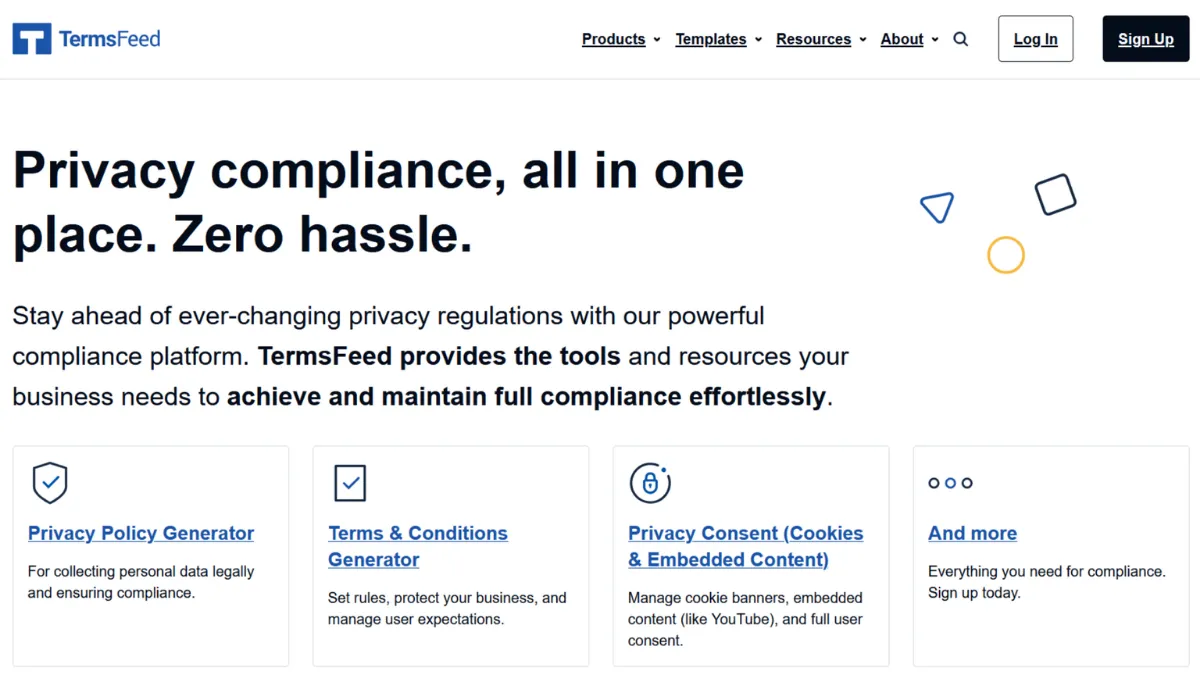
Legal compliance is the part of launching an online business that most founders ignore until something forces their hand. A cease-and-desist letter, an app store rejection, or an angry email from a EU-based user suddenly makes a Privacy Policy feel urgent. TermsFeed exists precisely for that moment, but it rewards founders who use it before the pressure hits. The platform generates privacy policies, terms and conditions, cookie consent banners, disclaimers, EULAs, and a handful of other legal documents through a guided questionnaire, producing downloadable agreements without any legal training on your part. It is not a law firm, and it does not pretend to be. What it offers is a pragmatic shortcut: serviceable, widely accepted legal copy in minutes rather than weeks.
The mechanism is straightforward. You select the document type, answer a series of questions about your business, the data you collect, the third-party services you use, and the jurisdictions you operate in, and TermsFeed assembles the relevant clauses into a formatted policy. The output quality depends heavily on how carefully you answer those questions. Founders who rush through the questionnaire and select the minimum provisions get a thin document that may not hold up under scrutiny. Those who take ten minutes to map out every third-party tool they use, such as Google Analytics for tracking or Mailchimp for email marketing, and tick the corresponding provisions, get something meaningfully more robust. The a-la-carte model means you build the document clause by clause, which is both the platform's greatest strength and its primary source of confusion for first-time users.
Realistic expectations matter here. A TermsFeed policy costs a fraction of what a solicitor charges for a bespoke agreement, and for the vast majority of small websites, SaaS products, and mobile apps, that trade-off is entirely sensible. You should not expect a document that accounts for every edge case in your jurisdiction, and you should have any agreement covering significant commercial risk reviewed by an actual lawyer. For standard data collection disclosures, cookie consent, and terms governing user behaviour on a website, the output is fit for purpose. Most founders find they can get a complete policy published within twenty minutes of first opening the platform.
TermsFeed suits early-stage founders, indie developers, small e-commerce operators, and content creators who need to put legally required documents in place quickly and cheaply. If you sell physical products through Shopify, run a newsletter, or ship a mobile app to the App Store, the documents you need are all here. It also suits bootstrapped SaaS teams who want to avoid paying ongoing subscription fees to a compliance platform for documents that do not change week to week.
The platform's main limitation is depth. Highly regulated industries, businesses handling sensitive categories of data, or founders operating across multiple legal entities will find the questionnaire too blunt an instrument. The generated documents are general purpose, and the clause library, while broad, does not cover every niche scenario. Some users also note that the pricing interface is not intuitive: it can be unclear what you are purchasing before you complete checkout.
The sections below cover how TermsFeed works mechanically, what its key features deliver in practice, and how it compares against the main alternatives in the legal document generation category.
What Is TermsFeed?
TermsFeed is a legal document generation platform for online businesses. It solves the problem that the vast majority of website and app owners need compliant privacy policies, terms of service, and cookie consent mechanisms, but cannot justify the cost of retaining a lawyer to draft them. The product covers a wide range of document types and supports compliance with major privacy frameworks including GDPR, CCPA, CPRA, COPPA, PIPEDA, CalOPPA, and the UK Data Protection Act. What sets it apart from simply downloading a free template is the questionnaire-driven approach: your answers about your specific data practices, third-party tools, and jurisdictions shape the clauses included in the output. The platform is trusted by well over 100,000 businesses, from solo freelancers to small corporate teams. The question worth asking next is what actually happens under the hood when you generate a document.
How TermsFeed Works
You begin by creating a free account and selecting the type of agreement you need. The generator then walks you through a structured questionnaire covering your platform type (website, app, SaaS, Facebook app, desktop software), the personal data you collect, the third-party services you integrate, and the specific legal jurisdictions relevant to your users. Each questionnaire branch unlocks different clause sets. Selecting that you use Google AdSense, for instance, adds advertising provisions. Selecting GDPR compliance adds the required data subject rights disclosures.
Once you complete the questionnaire, TermsFeed assembles the policy and shows you a preview. Basic documents are free to download. Premium provisions, such as analytics clauses or payment processing terms, are available for a one-time fee per document. You can download the finished policy as a PDF, Word document, or plain text file, or host it directly on a TermsFeed URL and link to it from your site. Separately, the Privacy Consent product operates on a subscription model and handles the cookie consent banner itself, including geolocation-based display rules, consent logging in CSV format, and the blocking of embedded content (YouTube, reCAPTCHA, and similar) until the user accepts.
The counterintuitive thing most users discover: the free document is not a taster version of a premium document. It is a structurally complete policy that covers the basics. The premium additions are specific provisions for specific third-party tools, and whether you need them depends entirely on what your site does. A straightforward blog with no e-commerce and no ad network may need very little beyond the free tier. The practical implication this raises is which specific features you are actually paying for, and that is precisely what the next section addresses.
TermsFeed Key Features
Privacy Policy Generator. The flagship product covers all major privacy frameworks through a single questionnaire flow. You select the laws applicable to your situation, describe your data collection practices, and indicate which third-party services you use. The output is a formatted, plain-language policy ready to publish. Provisions for analytics platforms, email marketing services, payment processors, and remarketing tools are available as paid add-ons, priced individually so you only pay for what your stack requires.
Terms and Conditions Generator. This covers user-generated content rules, intellectual property, liability limitations, dispute resolution, and account termination clauses. It works across website, app, SaaS, and e-commerce contexts. Founders building products on top of platforms like Stripe for payments will find the relevant payment provisions available as add-on clauses.
Privacy Consent (Cookie Consent Management). This is a separate subscription product and the most technically involved part of the platform. It places a consent banner on your site, uses geolocation to display the correct notice to users in regulated jurisdictions, blocks third-party scripts and embeds from loading before consent is given, and logs all consent events with downloadable CSV records. This last feature, the auditable consent log, is the one that most businesses underestimate until they face a compliance audit.
Additional Document Types. Beyond the two headline generators, TermsFeed covers disclaimers, cookie policies, refund and return policies, EULAs, and acceptable use policies. Each follows the same questionnaire-driven model. For a founder publishing content, selling digital products through Gumroad, or shipping downloadable software, these secondary documents cover scenarios the main Privacy Policy generator does not address.
Free Standalone Tools. TermsFeed provides a free cookie consent banner script, an I Agree checkbox tool for embedding consent collection into web forms, and a CCPA opt-out mechanism. These are lightweight implementations for founders who need basic compliance signalling without the full Privacy Consent subscription. The limitation worth knowing upfront: the free cookie consent tool does not log consent records, which is a requirement under GDPR for businesses that need to demonstrate compliance. That gap between the free tool and the paid Privacy Consent product is where most founders eventually discover they have underinvested.
TermsFeed Pros and Cons
TermsFeed delivers a genuinely useful compliance shortcut for most small online businesses, but it is not the right fit for every situation.
- One-time payment model for documents. Unlike the majority of competitors, TermsFeed charges a single fee per document rather than a recurring subscription. For stable businesses whose legal pages do not change frequently, this represents a meaningful cost advantage over time.
- Broad jurisdictional coverage. The generator handles GDPR, CCPA, CPRA, COPPA, PIPEDA, CalOPPA, and the UK DPA within the same questionnaire flow, making it usable across most markets without needing multiple tools.
- Consent logging in Privacy Consent. The downloadable CSV of consent events is an underappreciated feature. Many founders only realise they need an auditable consent record after a data subject request or regulator enquiry, at which point the log becomes essential.
- Free tier is genuinely functional. The free documents cover the structural basics for straightforward sites. You are not locked into paying before seeing output quality, which reduces the risk of purchasing something unsuitable.
- WordPress plugin availability. The AutoTerms plugin brings the generator and cookie consent tools directly into the WordPress admin panel, removing the need to manually copy and paste policy text or embed scripts.
The platform has real limitations that affect specific users more than others.
- Checkout experience is confusing. Multiple reviewers flag the same issue: the pricing page shows options but lacks clear purchase buttons, and the flow for understanding what you owe before you pay is not transparent. This creates friction at the worst possible moment.
- No free trial on Privacy Consent. The subscription-based consent management product offers a seven-day return policy but no trial period. You are committing money before you can fully evaluate whether the banner configuration meets your needs.
- Documents are not jurisdiction-specific legal advice. TermsFeed is explicit about this, but founders in regulated sectors sometimes overlook it. The output is template-driven; it does not account for your specific legal entity structure, data processing agreements with sub-processors, or sector-specific obligations.
- Limited editing interface. Once generated, policies have restricted in-tool editing. Significant customisation requires downloading the document and editing it externally, which breaks the clean update workflow the platform otherwise provides.
- Cost can accumulate with add-on provisions. The a-la-carte model is cost-efficient for lean stacks but becomes expensive if your product integrates many third-party tools, each requiring its own paid provision. Check the full cost before you start.
How to Get the Most Out of TermsFeed
Before you open the generator, audit your tech stack. List every third-party service your site or app loads: analytics tools, advertising networks, payment processors, email platforms, embedded media, and any marketing automation. TermsFeed's cost and output quality both depend on this list. Founders who generate a policy before completing this audit almost always need to return and add provisions, paying again for the same document.
When you reach the questionnaire, treat every question as consequential rather than a formality. The jurisdictions you select determine which legal frameworks appear in the output. If you collect data from EU residents at all, select GDPR. If you have any US traffic, consider CalOPPA and CCPA. Under-selecting here produces a policy that looks complete but leaves legal gaps.
For the cookie consent banner, use the Privacy Consent product rather than the free script if you need GDPR compliance. The practical difference is the consent log. Knowing how to set up GDPR-compliant cookie consent properly means configuring the banner to block third-party scripts from loading before the user accepts, not merely displaying a notice. TermsFeed's Privacy Consent does this through its vendor script management feature, which intercepts tools like Google Analytics and holds them until consent fires. Most free cookie banners do not do this, which means they display a notice while the scripts run anyway, providing cosmetic rather than substantive compliance.
Once your documents are live, set a reminder to review them whenever you add a new third-party integration to your stack. A new payment processor or analytics tool that you add without updating your policy creates an undisclosed data flow, which is the specific scenario regulators and data subject complaints target. TermsFeed's hosted policy URL approach makes this update process straightforward: you update the document in the platform and the change propagates to your live URL automatically.
Measure success here simply: your policies are live, they accurately describe your data practices, and your cookie consent banner blocks non-essential scripts until the user opts in. That baseline covers the vast majority of compliance obligations for a small online business.
Who Should Use TermsFeed?
TermsFeed suits three types of operator clearly.
Indie developers and solo founders shipping apps or SaaS products who need compliant legal pages before an App Store submission or product launch. The questionnaire flow covers mobile apps and SaaS contexts directly, and the EULA generator addresses the specific requirements of software licensing. You are solving a launch blocker, not building a compliance programme.
Small e-commerce operators running stores on platforms where legal pages are mandatory. If you sell products online and collect payment or shipping data, a Privacy Policy and Terms of Service are non-negotiable requirements. TermsFeed gets you there in under half an hour without a legal retainer.
Content creators, bloggers, and newsletter operators who use affiliate links, run ads, or collect email addresses. These activities each carry disclosure requirements that TermsFeed covers directly through its disclaimer and privacy policy generators. The cost is low enough that there is no reasonable argument for not having the documents in place.
TermsFeed is not the right choice if you are building in a highly regulated sector such as fintech, healthtech, or children's education, where sector-specific legal obligations go well beyond what a questionnaire-driven generator can address. It is also a poor fit for multi-entity corporate structures or any situation where your legal team will need to negotiate or materially customise the output. In those contexts, the generated document is a starting point at best, and the editing limitations make working from it more frustrating than starting from scratch with counsel.
TermsFeed Pricing
TermsFeed uses a split pricing model. Basic documents across all major categories are free to generate and download, covering the structural skeleton of each agreement type. Premium provisions, covering specific third-party tools such as analytics platforms, payment processors, advertising networks, and email marketing services, are priced as individual one-time payments per document. Individual provisions range from roughly $14 to $34 each at the time of writing; check the pricing page on the TermsFeed site for current rates, as these can change.
Privacy Consent, the consent management platform for cookie banners, operates on a monthly or annual subscription basis. The annual plan works out cheaper per month than the monthly option. Neither plan includes a free trial, though TermsFeed offers a short return window if the product does not meet your needs. Note that premium policy documents are not included in the Privacy Consent subscription: the two product lines are separate purchases.
For a straightforward website with a modest third-party stack, the total cost of getting fully documented is low relative to alternatives in the category. For a product with many integrations, the per-provision model can accumulate into a bill that rivals a subscription competitor. Verify your full stack before you start generating. Compared to the alternatives below, the one-time payment approach is TermsFeed's clearest differentiator on cost.
TermsFeed vs Alternatives
Termly is the most direct competitor. It uses a subscription model across its paid tiers rather than per-document pricing, which suits businesses that want to manage multiple policies under one plan and need automated cookie scanning. Termly's cookie scanner automatically detects cookies on your site and updates the consent banner accordingly, a feature TermsFeed does not offer. Choose Termly if you want an all-in-one subscription that handles ongoing cookie catalogue maintenance. Choose TermsFeed if you want to own your documents outright and pay once.
CookieYes focuses primarily on the consent management side rather than document generation. It offers automatic cookie scanning and a consent banner with a generous free tier. If your primary need is a GDPR-compliant cookie banner and you already have your privacy policy handled elsewhere, CookieYes deserves a look. TermsFeed wins when you need both the policy documents and the banner from a single provider.
Cookiebot is the enterprise-grade option in this category. It offers automatic cookie scanning, consent logging, and integrations with larger digital marketing stacks. It is meaningfully more expensive at scale and aimed at organisations with compliance teams rather than solo founders. TermsFeed serves a different market entirely and should not be compared on features the target user does not need.
Iubenda sits between TermsFeed and Cookiebot in scope, offering both policy generation and consent management on a subscription basis, with strong European market coverage. For businesses primarily serving EU audiences where GDPR compliance depth matters most, Iubenda is worth evaluating alongside TermsFeed.
TermsFeed Review: Final Verdict
TermsFeed earns an overall score of 4.19 out of 5, reflecting a platform that delivers genuine value for its target user while carrying a few real friction points. Its ease of use score of 4.3 reflects how quickly a non-technical founder can produce a publishable document; the lower integrations score of 3.5 reflects that this is fundamentally a document tool, not a platform that connects into your broader software stack.
The bottom line: if you run a small online business and need compliant legal pages without paying a lawyer, TermsFeed is a sensible, cost-effective choice. Get your tech stack mapped before you start the questionnaire, and do not mistake the free cookie consent script for a GDPR-compliant consent management solution.
How We Rated It:
More Tool Reviews







Subscribe to Stay in the loop
Get the latest AI and technology news, honest tool reviews, and practical guides delivered straight to your inbox.
Success! Check your Inbox!

Tezons Newsletter
The latest technology news, in-depth tool reviews, and practical guides - curated and delivered to your inbox.
Latest News




Have a question?
Have any questions?
Didn’t find what you were looking for? We’re just a message away.