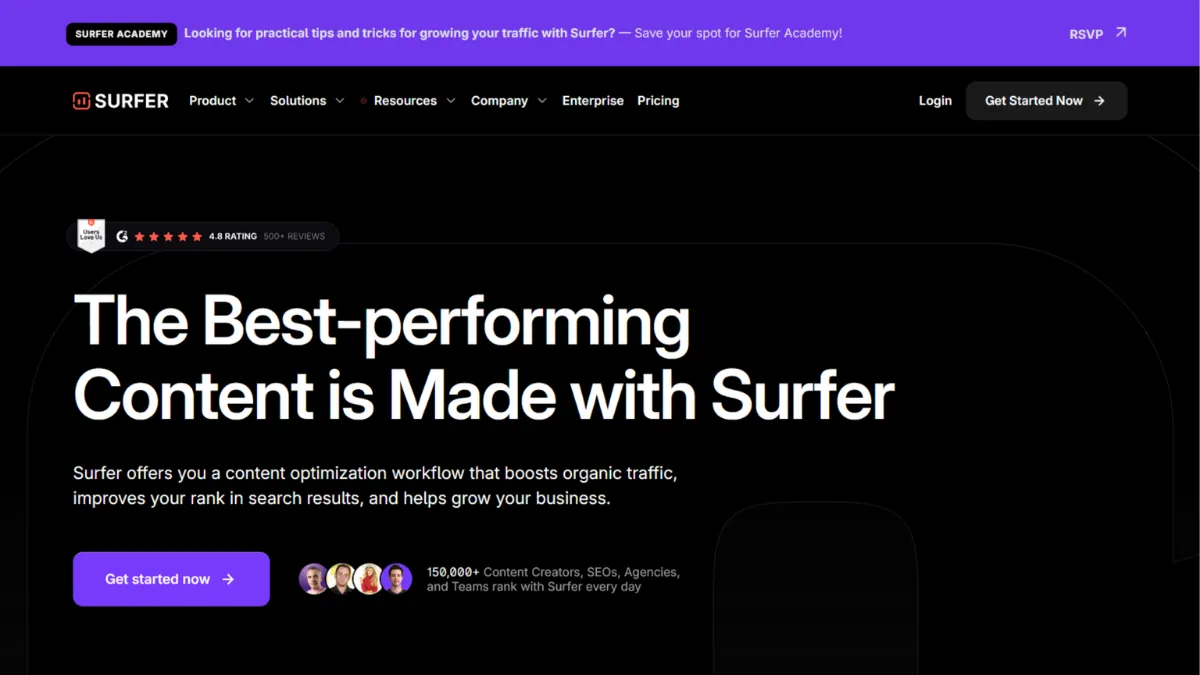
Content that ranks is content built around what Google already rewards, and Surfer SEO makes that pattern visible in real time. The platform sits squarely in the on-page content optimisation category, and for writers and content teams who treat SEO as a repeatable process rather than a guessing game, it delivers genuine structural value. Used with editorial discipline, it accelerates the gap between a blank document and a piece ready to compete. Used carelessly, it produces exactly the kind of bloated, score-chasing content that Google's helpful content updates have been systematically penalising. The difference between those two outcomes is almost entirely about how you approach the tool.
Surfer works by pulling live data from the top-ranking pages for your target keyword, then distilling that data into a Content Score, a keyword checklist, and structural guidelines covering word count, heading frequency, and paragraph length. The underlying methodology analyses over 500 on-page signals to identify patterns shared by high-ranking competitors. This is correlation-based intelligence, not causation, and that distinction matters: the tool can tell you what the top 20 pages have in common, but it cannot tell you why those patterns produced rankings rather than reflected them. Writers who treat the Content Score as a ceiling to hit tend to overshoot it, producing robotic text loaded with phrases at frequencies the tool considers optimal but that read as unnatural. Scores in the 70 to 85 range consistently outperform the push toward 90-plus, because the content remains readable. The model rewards coverage, not repetition.
Realistically, Surfer does not guarantee rankings, and no tool in this category does. What it does is reduce the number of obvious on-page mistakes and surface the semantic territory your competitors are covering. For a new article targeting a moderately competitive keyword, expect a meaningful improvement in content structure within the first session. For an existing piece being audited and refreshed, results vary by domain authority and backlink profile, factors Surfer does not influence. The tool handles the on-page layer only, so if your site has technical issues or lacks referring domains, a high Content Score alone will not move the needle.
Surfer is best suited to content teams, in-house SEOs, and agency writers producing volume above a handful of articles per month. Solo bloggers who publish occasionally will find the credit system works against them; the per-article cost at lower tiers can feel steep relative to output. The sweet spot is a team producing regular content for competitive niches where structured competitor analysis is worth paying for systematically rather than running manually each time.
The most honest limitation is scope: Surfer is an on-page content tool, not a full SEO platform. It has no backlink analysis, no technical audit capability covering crawl errors or site speed, and its keyword research data is less granular than dedicated tools like Ahrefs or Semrush. Teams expecting a single subscription to cover their entire SEO workflow will need to budget for supplementary tools.
The sections below cover how the platform works mechanically, which features matter most in practice, a clear-eyed look at the credit-based pricing model, and who genuinely gets value from the subscription.
What Is Surfer SEO?
Surfer SEO is a cloud-based content optimisation platform designed to help writers and SEO professionals create content that ranks higher in organic search. The core problem it addresses is the guesswork involved in on-page SEO: most writers know they need to cover a topic thoroughly, but have no data-driven way to know which terms to include, how long the piece should be, or how their structure compares to what is currently ranking. Surfer replaces that guesswork with live SERP analysis. Where a generic content brief gives you a list of talking points, Surfer gives you a scoring dashboard that updates as you write. The platform has grown to serve a substantial user base of content marketers, agencies, and in-house teams, making it one of the better-recognised names in the content optimisation category. The natural question its adoption raises is how that optimisation actually works under the hood, because the mechanics determine whether you get improved rankings or keyword-stuffed filler.
How Surfer SEO Works
Setup starts by entering a target keyword and selecting a SERP location. Surfer pulls the top-ranking pages, typically between 20 and 50, and analyses them for shared patterns in word count, heading structure, keyword frequency, NLP-derived entities, and image usage. The result is a set of guidelines displayed in a sidebar alongside the Content Editor, a writing workspace where you compose or paste your content. As you write, the Content Score updates in real time, reflecting how closely your content mirrors the patterns Surfer identified in the competitor set.
The guidelines include a recommended word count range, a list of keywords and phrases to include with suggested usage counts, a heading count target, and image frequency recommendations. Enabling the NLP layer adds a second list of semantically related terms weighted by Google's natural language signals, which is particularly useful for competitive topics where topical depth matters as much as keyword coverage. The editor integrates directly with Google Docs and WordPress, meaning you can optimise within whichever environment your team already uses rather than managing a separate workflow.
The counterintuitive insight most users miss is that the competitor set Surfer selects by default is not always the right one. If your competitors include pages with very low Content Scores themselves, or pages misaligned with your search intent, their patterns will skew your guidelines toward the wrong targets. Reviewing and manually adjusting which pages Surfer pulls into its analysis is one of the highest-leverage actions you can take before writing a single word. Letting the default stand is the most common reason users end up with guidelines that feel off, and it is also the step the tool's own homepage does not explain clearly. Understanding how to curate the competitor set is what determines whether your output in the Content Editor addresses the right practical question: which features actually move the needle?
Surfer SEO Key Features
Surfer's feature set has expanded beyond its original Content Editor to cover a broader slice of the content production workflow, though on-page optimisation remains the core.
Content Editor. The flagship feature pairs a writing workspace with a live scoring dashboard. As you write, it tracks your Content Score, keyword coverage, word count, and heading structure against the competitor data Surfer analysed for your target keyword. The practical value is that it removes the need for a separate post-writing optimisation pass: you can see gaps as they appear and close them during drafting. To use it well, treat the keyword suggestions as a coverage checklist rather than a frequency mandate. Inserting a phrase 15 times because the tool suggests a range of 10 to 20 will hurt readability without adding ranking value.
Content Audit. The audit feature analyses existing published pages against current SERP data for their target keywords. It surfaces pages where your Content Score has dropped relative to competitors, flags optimisation opportunities ranked by estimated traffic impact, and lets you prioritise a refresh backlog without running a manual review of each URL. This is most useful for sites with a substantial archive of older content that was not built with structured on-page optimisation from the start. Connecting to Google Analytics alongside Surfer's audit gives you a fuller picture of which pages to prioritise based on both ranking position and traffic value.
Keyword Research. Surfer includes a built-in keyword research module that returns search volume, keyword difficulty, and intent signals for a given query. The data is adequate for scoping content topics and building a basic cluster structure, but it is less comprehensive than dedicated research platforms. Teams doing deep keyword strategy work will typically use Surfer's keyword research as a starting point rather than their primary source.
Surfer AI. The AI writing layer generates full draft articles based on your keyword and Content Editor guidelines. It produces SEO-aware drafts faster than starting from scratch, and the integration means the output is already calibrated against competitor structure. The drafts require editorial review: AI-generated content at this tier is serviceable but rarely publication-ready without a writer's pass for tone, accuracy, and originality. Teams using Jasper or similar AI writing tools should note that Surfer's AI layer is tightly coupled to its optimisation data, which is a meaningful workflow advantage over standalone AI writers.
SERP Analyser. A deeper competitive intelligence tool that breaks down over 500 on-page signals for a given keyword, including backlink counts, common keywords across top pages, content structure patterns, and page-level metrics. On the Essential plan this is available as a paid add-on; it is included in higher tiers. The volume of data it returns can be overwhelming for users who are not already comfortable reading SERP-level analysis, which sets up a real trade-off worth examining directly.
Surfer SEO Pros and Cons
Surfer earns its place in most content-focused SEO workflows, but it comes with specific limitations that affect different types of users in predictably different ways.
- Real-time optimisation feedback. The live Content Score removes the guesswork from on-page optimisation during drafting. You can close gaps in keyword coverage and structure before a piece is published rather than running a separate audit cycle afterward. This compresses the feedback loop that would otherwise require multiple editing passes.
- Google Docs and WordPress integration. Writing directly in Google Docs or WordPress with Surfer's sidebar active means your team does not have to change tools or copy content between environments. For agencies managing multiple writers, this removes a significant source of workflow friction.
- Content audit at scale. For sites with large content archives, the ability to batch-prioritise refresh opportunities by estimated traffic impact is genuinely useful. Running this analysis manually across hundreds of pages would take days; Surfer surfaces it in minutes.
- Multilingual support. Surfer analyses SERPs across multiple languages and regions, making it practical for teams producing content for non-English markets where localised competitor data matters. Check the tool's current documentation for the specific languages supported at your plan tier.
- Workflow integration for teams. Shareable editor links and multi-user editing allow content leads to set up optimisation briefs that writers fill out without needing full platform access. This is an often-overlooked capability that reduces licence costs for larger teams.
The tool also has real limitations.
- Over-optimisation risk. The Content Score is the most common source of misuse. Chasing scores above 85 tends to produce content that reads as formulaic, with terms inserted at mechanically recommended frequencies rather than for communicative clarity. The score is a guide, not a target ceiling, and the distinction is not obvious to new users.
- No technical SEO coverage. Surfer does not crawl your site, flag speed issues, identify broken links, or analyse backlinks. Teams expecting a single tool to handle their full SEO workflow will be disappointed. This is a content optimisation platform, not a site health platform.
- Keyword research depth. The built-in keyword research module covers the basics, but falls short of the depth available from Ahrefs or Semrush for competitive analysis or large-scale topic mapping.
- Credit system friction. Monthly credits for Content Editor articles and audits expire on monthly plans. High-volume months followed by slow months create an inefficient credit burn pattern. Annual billing allocates credits upfront, which helps but does not fully resolve the issue.
- Cost relative to output at lower tiers. The Essential plan's article limit suits moderate content output, but solo creators or small blogs publishing fewer than 10 articles per month will find the per-article effective cost high relative to what they produce.
How to Get the Most Out of Surfer SEO
Before opening the Content Editor, spend time on the competitor set. Surfer populates the default analysis with the top-ranking pages for your keyword, but those pages may not share your content format or search intent. A listicle ranking alongside a detailed guide will give you averaged guidelines that fit neither format well. Remove pages that are structurally different from what you are producing and restrict the competitor set to pages that genuinely reflect your target format. This one step produces materially better guidelines than accepting the default.
On your first week with the platform, run the Content Audit on your highest-traffic existing pages before touching a new article. The audit identifies pages already ranking in positions 5 to 20 where a structured refresh is likely to produce a faster traffic lift than a brand-new piece. This is the highest-leverage use of the tool for sites with an existing content base, and most new users skip it in favour of drafting new content immediately.
When using the Content Editor for new content, write a complete draft first, then optimise. Writers who write to the score in real time tend to produce disjointed text that hits the keyword targets in the wrong order. A complete first draft gives you a better base to refine, and the second-pass optimisation session is faster than trying to score-chase from line one.
To get the most out of Surfer SEO for ranking in competitive niches, treat the NLP keyword layer as your primary list and the standard keyword list as a secondary reference. NLP terms represent semantic coverage that Google's language models weight in topical authority assessment, whereas standard keyword repetition targets are more susceptible to the over-optimisation trap.
Measure success by tracking position changes for the specific URLs you optimise, not by Content Score alone. A piece that improves from position 18 to position 6 after a Surfer-guided refresh is a clear signal. A piece that scores 88 in the editor but does not move in the SERP is a signal that the issue lies elsewhere, in backlinks, domain authority, or technical factors, and continuing to optimise on-page will not resolve it.
Pair Surfer with a project management tool like Notion or ClickUp to track which pages are in the optimisation queue, which have been refreshed, and what position changes followed. Without this tracking layer, it is hard to evaluate whether the subscription is producing measurable results.
Who Should Use Surfer SEO?
Surfer is a strong fit for three specific profiles. Content marketing managers at B2B or e-commerce companies producing five or more articles per month will find the Content Editor reduces the time from brief to publication-ready draft, while the audit feature manages their existing content backlog systematically. SEO agency writers handling multiple client accounts benefit from the shareable editor links and the ability to deliver structured briefs without giving clients full platform access. In-house SEOs at companies where content is the primary acquisition channel will use the audit and keyword tools to prioritise the highest-impact refresh opportunities across large archives.
Surfer is not the right fit for founders or operators who need technical SEO coverage alongside content optimisation, because this tool does not provide it. If your primary ranking issues are related to site speed, crawl budget, or backlink gaps, spending on Surfer before addressing those problems is the wrong order. It is also a poor match for content creators producing one or two articles per month, where the credit system makes the effective per-article cost difficult to justify against the subscription fee.
Surfer SEO Pricing
Surfer operates on a tiered subscription model with no free tier. An Essential plan provides access to the Content Editor with a monthly article limit suited to individuals and small teams; the Scale plan unlocks higher limits, additional seats, and more advanced features including domain-level planning. Enterprise is custom-priced and aimed at large agencies requiring white-labelling, SSO, and priority support. Approximate monthly costs on annual billing start around $79 for Essential and rise to the mid-hundreds for Scale, with exact current figures on Surfer's pricing page, which you should verify before purchasing as these tiers and rates have changed more than once.
One structural consideration: monthly plans carry higher per-month costs than annual, and unused credits on monthly plans do not roll over. The annual plan allocates the full year's credits upfront, giving more flexibility around publishing cadence. Add-ons including the SERP Analyser on the Essential tier and the AI Tracker monitoring brand visibility in AI search results carry separate fees on top of the base subscription. For teams comparing Surfer to a comprehensive SEO platform, the cost calculation needs to account for the tools Surfer does not replace, because most professional users will still need a backlink or technical audit solution running alongside it.
Surfer SEO vs Alternatives
The closest direct competitor is Clearscope, which takes a similar content-scoring approach but positions itself more squarely at enterprise content teams. Clearscope's interface is cleaner and its grade-based scoring is arguably less prone to the over-optimisation trap, but its pricing is substantially higher and it lacks Surfer's AI writing layer. Choose Clearscope if your team has a larger budget and prioritises editorial quality signals over volume features. Surfer wins on pricing and workflow breadth for mid-market teams.
Page Optimizer Pro targets a more technically minded SEO audience with granular on-page factor control, including TF-IDF analysis and schema recommendations. It costs significantly less than Surfer but has a steeper learning curve and a less polished interface. Choose Page Optimizer Pro if you want deeper technical on-page control and are comfortable without the AI writing integration. Surfer wins on ease of use and team workflow features.
Semrush includes a Writing Assistant that performs a similar content scoring function within a much larger platform covering keyword research, backlink analysis, rank tracking, and technical audits. If you already subscribe to Semrush at a tier that includes the Writing Assistant, you may not need Surfer at all. The Writing Assistant is less feature-rich than Surfer's Content Editor, but for teams already paying for Semrush's broader data, it is the more cost-efficient choice. Surfer wins as a dedicated content optimisation tool for teams that do not need Semrush's full suite.
Frase.io is a lighter-weight content optimisation and briefing tool that costs less than Surfer and is well suited to smaller teams or solo content creators. It lacks the depth of Surfer's NLP analysis and audit capabilities, but for users who find Surfer's credit limits restrictive at the Essential tier, Frase is worth evaluating.
Surfer SEO Review: Final Verdict
Surfer SEO earns an overall score of 4.16 out of 5, reflecting a genuinely strong on-page content optimisation tool with a specific and meaningful scope limitation: it does not cover technical SEO, backlink analysis, or deep keyword intelligence, and teams who need those capabilities will require additional subscriptions. The platform's highest scores reflect what it was built to do. The Content Editor remains one of the best real-time writing optimisation environments available, and the Content Audit is a practical high-value feature for sites with existing content to manage. The lower score on integrations reflects the deliberate narrowness of the platform rather than poor execution.
The bottom line: Surfer is worth its subscription cost for content teams producing regular volume who are willing to use the Content Score as a guide rather than a target. Treat it as a structure and coverage tool, not a ranking guarantee, and the return is clear.
How We Rated It:
More Tool Reviews







Subscribe to Stay in the loop
Get the latest AI and technology news, honest tool reviews, and practical guides delivered straight to your inbox.
Success! Check your Inbox!

Tezons Newsletter
The latest technology news, in-depth tool reviews, and practical guides - curated and delivered to your inbox.
Latest News




Have a question?
Have any questions?
Didn’t find what you were looking for? We’re just a message away.