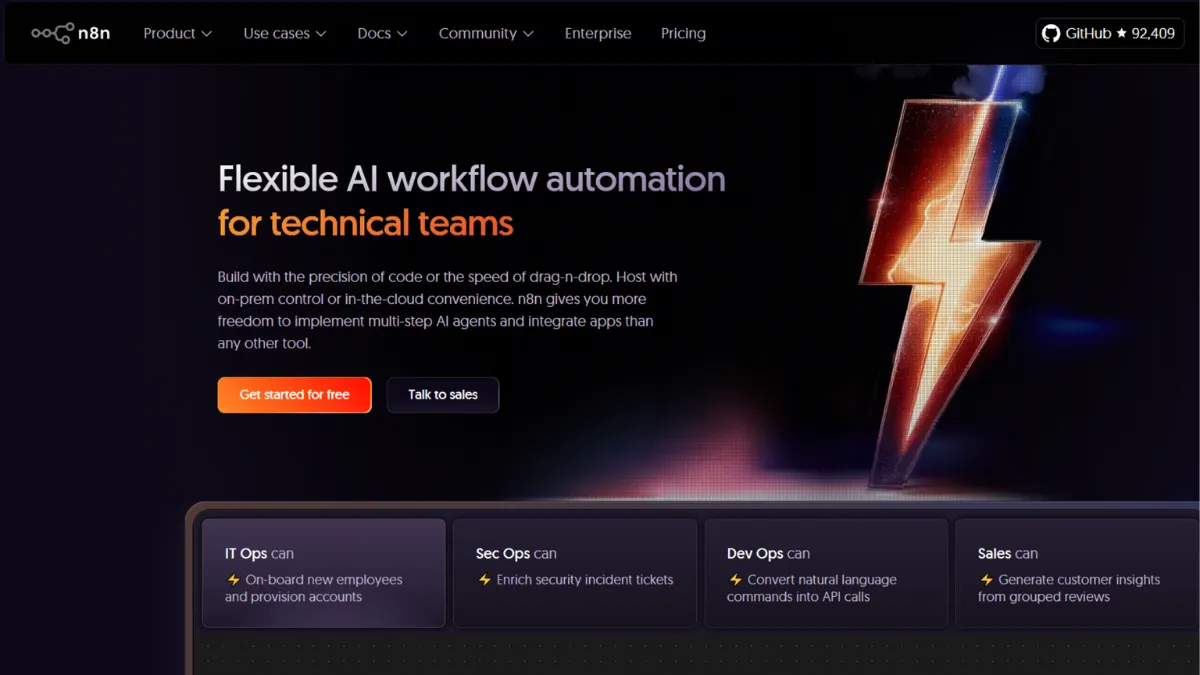
Workflow automation splits into two camps: tools that hold your hand and charge for every step, and tools that give you genuine control at the cost of a steeper setup curve. N8N sits firmly in the second camp, and for technical founders and developers willing to invest an hour in configuration, it delivers more automation leverage per pound than anything else in its price range. The execution-based pricing model means a workflow with 50 steps costs the same as one with 5, which is a structural advantage that compounds as your automations grow in complexity. Most teams arrive here after hitting the task-limit ceiling on Zapier or the credit wall on Make, and once they have self-hosted n8n running, they rarely go back.
The tool operates on a node-based canvas where every app, logic branch, database query, or code block is a discrete node. You connect nodes in sequence or in parallel to form a workflow, then trigger it on a schedule, via webhook, or from an external event. What separates n8n from comparable visual builders is the code node: at any point in a workflow you can drop in raw JavaScript or Python, which means the tool is not limited to what its pre-built integrations can do. Teams building AI-powered workflows use this to call custom model endpoints, parse unusual data structures, or route outputs through logic that no drag-and-drop interface could represent. The self-hosted Community Edition is free and imposes no execution limits, no workflow count caps, and no user fees, making the total cost of ownership essentially just your server costs if you run it on a cheap VPS.
Realistic expectations matter here. N8N is not a ten-minute setup. The Community Edition requires a server, Docker or Node.js knowledge, and ongoing maintenance responsibility. Cloud plans eliminate that overhead but introduce execution limits and monthly fees. On the cloud Starter plan you get 2,500 executions per month, which is enough for light use but easy to exhaust if you run polling workflows. The Pro plan raises that ceiling considerably and adds features like workflow history and shared projects. Teams that need Git-based version control, SSO, multiple environments, and audit logging step up to the Business plan. Always check the pricing page for current rates, as n8n has restructured its tiers and the specifics shift regularly.
N8N suits developers, technical operations managers, and growth teams who need automation that goes beyond what off-the-shelf connectors provide. Founders building internal tools on Airtable or Notion use n8n to automate data flows between those tools and external APIs without paying per-task fees. If you run complex multi-step workflows at any meaningful volume, the per-execution pricing model will save you money over per-step alternatives within weeks.
The learning curve is the honest limitation. Non-technical users will struggle with node configuration, error handling, and the absence of a guided setup experience. The UI is dense, debugging requires reading execution logs, and building reliable error-handling paths demands familiarity with how data flows between nodes. Teams expecting Zapier-level simplicity will be frustrated.
The sections below cover how the tool works, its key features, a strategy guide, pricing context, and a comparison against the main alternatives.
What Is N8N?
N8N is an open-source, node-based workflow automation platform that connects applications, APIs, databases, and AI models into automated processes. It solves the problem of tool fragmentation: instead of copying data between platforms manually or paying for per-task automation that gets expensive at volume, you build persistent workflows that handle the transfer, transformation, and routing of data automatically. What distinguishes n8n from a generic automation tool is its source-available architecture, which allows self-hosting for complete data sovereignty, and its native support for JavaScript and Python inside workflows, which removes the ceiling that no-code tools impose. The platform has built a large community of developers and technical operators who share workflow templates, meaning common use cases often have a starting point you can adapt rather than build from scratch. Understanding how n8n structures its execution model is the key to knowing whether it fits your situation.
How N8N Works
Every automation in n8n starts with a trigger node, which defines the condition that starts a workflow run. Triggers can be time-based (a cron schedule), event-based (a webhook receiving a POST request from another app), or polling-based (checking a service at intervals for new data). Once triggered, the workflow passes data through a sequence of action nodes, each of which performs an operation: calling an API, transforming a value, writing to a database, sending a message, or running a code block.
Data flows between nodes as JSON objects. Each node receives the output of the previous node, transforms or acts on it, and passes its own output forward. Understanding this pipeline is the most important skill to develop in n8n, because errors almost always trace back to a mismatch between what one node outputs and what the next node expects. The expression editor, which lets you reference field values from any previous node using a dot-notation syntax, is where most of the real logic happens.
The code node deserves particular attention. It accepts full JavaScript or Python, executes within the workflow context, and can access all items flowing through the pipeline. This is where n8n breaks away from competitors: you can write a loop, call a custom API endpoint with complex authentication, parse a nested object, or run a regular expression on incoming data without leaving the workflow canvas. Teams building on Make or Zapier often hit a wall when their logic exceeds what connectors support; n8n removes that wall entirely.
The counterintuitive thing most new users assume wrong: they treat n8n like Zapier, building one workflow per integration. The more efficient pattern is to build fewer, longer workflows where a single execution handles multiple operations end to end. Since billing counts full workflow runs rather than individual steps, longer workflows are not more expensive, they are more efficient. Teams who restructure their automations around this insight typically see both cost reductions and simpler maintenance.
N8N Key Features
Visual workflow canvas. The node-based editor lets you build automation sequences by dragging nodes onto a canvas and connecting them with wires. The layout shows inputs and outputs directly alongside each node's settings, which tightens the feedback loop when debugging. You can zoom out to see the entire workflow architecture or zoom into a single node to inspect its configuration without leaving the canvas. This dual-level visibility makes complex workflows navigable in a way that list-based builders cannot replicate.
Code nodes. At any point in a workflow, you can insert a code node that accepts JavaScript or Python. This gives you full programmatic control over data transformation, conditional logic, and API calls without leaving the workflow environment. Teams use code nodes to handle authentication schemes that pre-built connectors do not support, to manipulate data structures that exceed what expression editors can manage, and to call AI model APIs with custom prompting logic. This is the feature that makes n8n genuinely distinct from most visual automation tools.
Self-hosting option. The Community Edition runs on your own infrastructure under a source-available licence at no software cost. You deploy via Docker or npm, connect it to your own database, and retain complete control over where data is stored and processed. For teams handling sensitive customer data, regulated information, or any situation where third-party cloud storage creates compliance risk, self-hosting is a structural advantage that few automation platforms provide at this price point.
AI agent and MCP integration. N8N has built native AI workflow capabilities that go beyond simple API calls. You can build AI agents that use tool-calling to perform multi-step tasks, add human-in-the-loop approval steps, enforce structured inputs and outputs to constrain AI behaviour, and stream logs to external observability tools. The platform also supports the Model Context Protocol, meaning you can expose your n8n workflows as callable tools from AI clients like Claude and similar platforms.
400-plus integrations. N8N ships with a large library of pre-built nodes covering the most common SaaS apps, databases, communication tools, and developer services. For anything not covered, the HTTP Request node handles any REST API, and the community regularly publishes custom nodes for niche tools. The result is that integration gaps are rare, and when they exist, the code node closes them. The practical implication worth noting is that integration quality varies: core nodes are well-maintained, but community nodes may lag behind API changes from the vendor they cover.
N8N Pros and Cons
Where n8n performs well:
- Execution-based pricing removes per-step cost creep. A workflow with 100 steps costs the same single execution as one with 3. Teams running high-volume or complex automations save significantly compared to task-counted alternatives, and the saving grows as workflow complexity increases.
- Self-hosting gives genuine data control. Regulated industries, data-sensitive businesses, and teams in jurisdictions with strict data residency requirements can run n8n on their own infrastructure. Few tools in this category offer a comparable self-hosted option without a prohibitive enterprise fee.
- Code nodes remove the no-code ceiling. When visual connectors cannot handle your logic, you write the code yourself. This is the feature that makes n8n suitable for genuinely complex automations that would be impossible in purely visual tools.
- Active community and template library. The n8n community has published thousands of workflow templates across common use cases. Starting from an existing template and adapting it is substantially faster than building from a blank canvas, particularly when you are learning the platform.
- Unlimited workflows, users, and steps on all cloud plans. N8N removed per-workflow and per-user limits across every tier. Teams can onboard colleagues and experiment freely without worrying about hitting count-based ceilings.
Where n8n falls short:
- Setup demands real technical investment. Self-hosting requires server management, Docker knowledge, and ongoing maintenance. Even cloud plans have a steeper onboarding curve than competitor tools, and non-technical users will find the interface unfamiliar.
- Error handling is your responsibility. N8N does not add error-handling logic automatically. You must build error branches explicitly into every workflow that matters in production, which adds time to every build and punishes teams who skip this step.
- Cloud Starter execution limits constrain moderate usage. The entry cloud plan's monthly execution cap is easy to exhaust for teams running scheduled workflows at any real frequency. Moving up to a higher tier adds cost that may not be justified until usage is clearly established.
- Community node quality varies. Nodes built by the community rather than the n8n core team may break when the upstream API changes, and update timelines are unpredictable. Relying on a community node for a production-critical workflow carries maintenance risk.
- Debugging requires reading logs. There is no beginner-friendly error explainer. When a workflow fails, you read the execution log, trace the data flow, and identify where the mismatch occurred. This is manageable for developers but a meaningful friction point for operations teams without technical support.
How to Get the Most Out of N8N
Before you build anything, decide where you are hosting. Self-hosted gives you cost advantages and data control; cloud gives you speed and removes infrastructure overhead. If you are uncertain, start on the cloud Starter plan to learn the tool, then evaluate migration to self-hosted once you understand your execution volume and workflow architecture. Migrating workflows between environments is straightforward since they export as JSON.
In the first session, avoid complex multi-app workflows. Build a single webhook trigger that receives test data and logs it to a spreadsheet or sends it to a Slack channel. The goal is to understand how data moves between nodes before you stack logic on top. Once you can trace a value from an incoming webhook payload through an expression in a subsequent node without confusion, you are ready to build production workflows.
The mistake most users make is building many small workflows instead of fewer comprehensive ones. Because n8n counts complete workflow runs rather than individual steps, there is no cost incentive to keep workflows short. A single workflow that handles lead capture, data enrichment, CRM entry, and Slack notification is cheaper to run and easier to maintain than four separate workflows wired together with webhooks. Build long, not wide.
To measure success, monitor your execution logs for two signals: error rate and execution duration. A rising error rate usually means an upstream API has changed or your input data has drifted from what your nodes expect. Rising execution duration can signal that a code node has an inefficient loop or that an external API you are calling is slowing down. Both are early warnings before a workflow fails silently in production.
To learn how to automate workflows in n8n for AI use cases, the platform's built-in AI agent nodes let you connect a language model, define a set of tools it can call, and run the agent as part of a larger workflow with human approval checkpoints. This is more controllable than running a standalone AI agent because you wrap the model's actions in the same error handling, logging, and routing logic you apply to everything else. Teams using HubSpot or similar CRMs have found this pattern useful for qualifying leads automatically while keeping a human in the approval loop before any action is taken.
Who Should Use N8N?
This is for you if you are building internal tools or automating business operations and you have at least one technical person on the team. A developer or technical operator who can handle JSON, read API documentation, and troubleshoot a failed webhook will get significant value from n8n within days. A SaaS founder running high-volume data pipelines between tools like databases and external APIs will find the per-execution pricing model substantially cheaper than per-task alternatives once workflows run at any real scale. Teams with data residency requirements who need self-hosted automation without an enterprise contract are a strong match.
N8N is also well-suited to developers building AI-powered internal tooling. The MCP integration, code nodes, and human-in-the-loop workflow patterns make it a serious option for teams who want structured AI automation rather than a black-box agent.
This is not for you if you are a solo non-technical founder who needs automation running in under an hour with no server setup. It is also a poor fit for teams where every person who might edit a workflow lacks technical comfort with data structures and JSON, since the interface does not abstract those away the way simpler tools do.
N8N Pricing
N8N runs on a freemium model with a self-hosted Community Edition that is free with no execution limits, and cloud plans that charge based on monthly execution volume rather than individual steps or users. All cloud plans now include unlimited workflows, steps, and users, so the only variable is how many times your workflows run per month.
The cloud Starter plan includes a modest monthly execution quota suited to light use or initial experimentation. The Pro plan increases that quota and adds collaboration features including shared projects and workflow history. The Business plan adds enterprise-grade features: SSO, SAML, LDAP, Git-based version control, multiple isolated environments, role-based access control, and audit logging. A startup discount programme offers qualifying companies the Business plan at half price. Enterprise pricing is custom and scales with execution volume.
For many technical teams, the self-hosted Community Edition is the most cost-efficient option: you pay only server costs, typically modest on a basic VPS, and face no execution caps. The trade-off is infrastructure maintenance and the absence of managed uptime guarantees. Always check the current pricing page for exact figures, as n8n has revised its tier structure multiple times. Compared to per-step tools, the cost advantage of n8n grows with workflow complexity, which shapes the comparison against alternatives meaningfully.
N8N vs Alternatives
The three tools you will most often weigh against n8n are Zapier, Make, and Workato, each occupying a different position on the technical complexity and price spectrum.
Zapier is the most accessible alternative and the most expensive at volume. Its per-task billing model means every step in a workflow consumes quota, so complex automations drain allowances quickly. For non-technical users running simple two-step integrations at low volume, Zapier's ease of use justifies its cost. When workflows grow complex or volumes rise, n8n wins on price and flexibility.
Make (formerly Integromat) sits between Zapier and n8n on the technical scale. Its per-operation billing is more granular than Zapier's tasks but still charges per step, which creates cost pressure on long workflows. Make's visual builder is more approachable for non-developers, and its cloud-only model removes infrastructure concerns. For teams that want more power than Zapier but are not ready for self-hosting, Make is the natural intermediate step. N8N wins on data control, code flexibility, and cost at high workflow complexity.
Workato targets enterprise teams with deep CRM integrations, a large pre-built recipe library, and strong governance features. Pricing starts well above n8n and requires a sales process. Teams that have outgrown n8n's self-managed model and need dedicated support SLAs and enterprise compliance tooling will eventually look at Workato, but for most scaling teams n8n's Business plan covers the requirement at a fraction of the cost.
N8N Review: Final Verdict
N8N earns an overall score of 4.37 out of 5, driven by strong marks in functionality and customisation, both at 4.7, reflecting the code node depth and self-hosting flexibility that set it apart from visual-only competitors. Ease of use scores 3.7, which is acknowledged plainly: the tool rewards technical users and frustrates everyone else. Support at 3.8 reflects the reality that community forum assistance, while substantial, is not a substitute for dedicated support on production-critical workflows.
The bottom line: n8n is the most powerful workflow automation option at this price point for teams with at least one technical person. If that describes your situation, the execution-based pricing and self-hosting option make it a rational default over per-step alternatives at any meaningful scale.
How We Rated It:
More Tool Reviews







Subscribe to Stay in the loop
Get the latest AI and technology news, honest tool reviews, and practical guides delivered straight to your inbox.
Success! Check your Inbox!

Tezons Newsletter
The latest technology news, in-depth tool reviews, and practical guides - curated and delivered to your inbox.
Latest News




Have a question?
Have any questions?
Didn’t find what you were looking for? We’re just a message away.