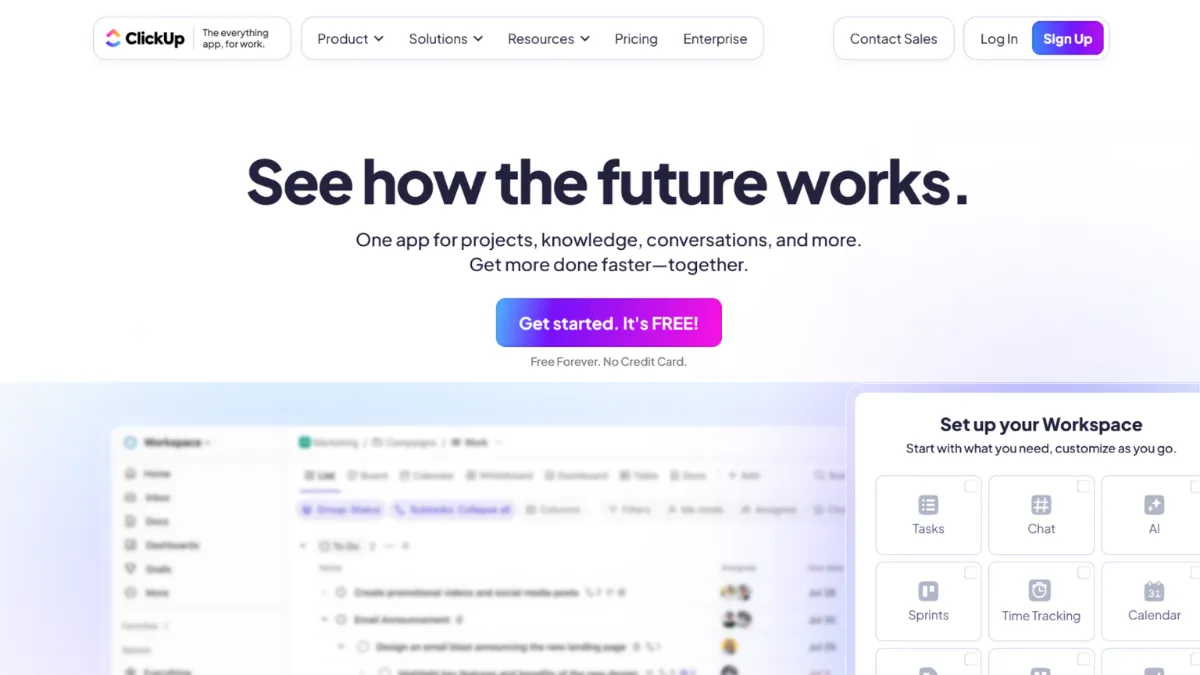
Project management tools rarely survive contact with a growing team. Most collapse under the weight of mismatched workflows, and teams end up duct-taping together three or four apps where one should do. ClickUp is the most serious attempt at solving that problem in the current market, and for many teams it succeeds. It combines task management, documentation, time tracking, goal setting, and automation in a single workspace, and it does so at a price that undercuts most of its enterprise-grade rivals. The question is not whether ClickUp can handle your work. The question is whether you can handle ClickUp.
The platform's power comes from its hierarchy: Spaces sit at the top, containing Folders, which contain Lists, which contain Tasks and Subtasks. That structure sounds clean on paper, but the real mechanism driving results is customisation at every level. You can set custom task statuses per List, add custom fields to capture data specific to your team, choose from over eleven view types including List, Board, Gantt, and Calendar, and build automations that trigger across those views. The mistake most new users make is treating ClickUp like a slightly fancier to-do app. They create one Space, dump everything into a flat list, and wonder why it feels cluttered. ClickUp rewards teams who map their actual workflow before they touch the setup screen.
Realistically, expect the first two weeks to feel slow. Onboarding a team of five to ten people typically takes concentrated effort: deciding on a Space structure, standardising task statuses, and agreeing on which views each team will use. Founders who push through that friction report genuine workflow consolidation, replacing tools like Notion for docs, separate time-tracking apps, and basic spreadsheet-based project tracking. Teams that skip the setup phase tend to abandon the platform within a month, which skews user sentiment more negatively than the tool deserves.
ClickUp suits product teams, marketing agencies, and operations-heavy businesses with five or more people who need visibility across multiple concurrent workstreams. It works well for founders who are comfortable with software configuration and want one source of truth rather than a collection of single-purpose tools. Solo operators can use it effectively, but they are paying for capability they will rarely use unless their work is genuinely complex.
The honest limitation is performance. Heavy workspaces with hundreds of tasks and multiple simultaneous views load slowly, and the desktop application in particular draws consistent complaints about lag. This is not a fringe issue: it appears across user forums and reviews with enough regularity to constitute a structural weakness rather than isolated bad luck. If your team works at pace and switches between views frequently, the loading times become a genuine drag on productivity.
The sections below cover what ClickUp actually does well, how to configure it for real results, what it costs, and where competitors serve specific use cases better.
What Is ClickUp?
ClickUp is a cloud-based project management and productivity platform designed to replace the patchwork of tools most teams accumulate as they scale. It addresses the problem of workflow fragmentation by putting task management, document creation, time tracking, goal setting, and process automation under one login. What separates it from a generic project management app is the depth of its customisation layer: almost every element of the workspace, from task statuses to field types to notification rules, can be configured without writing code. The platform serves teams across industries including software development, marketing, consulting, and operations. Its free tier is among the most generous in the category, which has driven broad adoption across small and mid-size businesses. Understanding what drives that breadth of fit requires looking at how the underlying system actually works mechanically.
How ClickUp Works
Every ClickUp workspace is built on a four-level hierarchy: Spaces, Folders, Lists, and Tasks. Spaces are the broadest container, typically representing a department or major function. Folders group related Lists within a Space, and Lists are where the actual task management happens. Tasks sit inside Lists and can carry Subtasks, Custom Fields, assignees, due dates, priorities, time estimates, and attachments. This hierarchy is not cosmetic. The permissions system, the filtering logic, and the notification rules all flow down through it, which means structural decisions made at the Space level affect everything below.
Views sit on top of that hierarchy and let you see the same underlying data in different formats. A List view shows tasks in a linear format. A Board view renders them as Kanban cards. A Gantt view draws timelines. A Calendar view maps due dates. You can create multiple views within the same List and switch between them without moving data. This is where ClickUp's setup advantage becomes clear: a well-configured List lets a developer work in a Board view, a manager check a Gantt, and an executive glance at a Dashboard, all looking at the same tasks.
Automations work by setting trigger-condition-action rules. A trigger might be a status change; the condition filters which tasks it applies to; the action could be reassigning the task, posting a notification to Slack, or updating a custom field. The automation engine is capable, though users should know that automation execution is not always instant. Complex multi-step automations can introduce noticeable delays, and teams running high-frequency workflows may find native automations insufficient, turning instead to tools like Zapier or Make for more reliable trigger handling. The counterintuitive insight most users miss: ClickUp's value is not in the features themselves but in the consistency of the data model underneath them. Every view, automation, and report is only as useful as the discipline with which your team maintains task statuses and custom fields. The tool amplifies good habits; it cannot substitute for them.
ClickUp Key Features
Multiple Views. ClickUp offers more than eleven ways to visualise the same task data, including List, Board, Gantt, Calendar, Timeline, Workload, and Mind Map. Each view is saved independently within a List or Folder, so teams can build a set of default views that different roles use without interfering with each other. The practical value is that you stop maintaining separate tools for different audiences. The Workload view in particular is useful for capacity planning: it shows each team member's assigned hours against their availability, which helps managers redistribute work before deadlines become problems rather than after.
Custom Fields and Statuses. Every List in ClickUp can have its own set of task statuses and custom fields. Fields can be text, number, dropdown, date, checkbox, URL, relationship, or formula types. This means a sales pipeline List can track deal value and close probability as native task fields, while an engineering List tracks sprint points and repository links. When paired with Airtable-style relationships between Lists, you can model reasonably complex data structures without leaving the platform. The caveat is that this flexibility requires deliberate governance; teams that let everyone add custom fields without a naming convention end up with chaotic workspaces.
Docs and Knowledge Management. ClickUp includes a native document editor that supports nested pages, tables, embedded media, and task linking. Teams can build internal wikis, SOPs, and meeting notes directly within their workspace and link documents to related tasks. The search function pulls results across both tasks and documents, which is the main advantage over keeping documentation in a separate tool. For teams whose knowledge management needs are straightforward, this can genuinely replace a standalone tool.
Time Tracking. Native time tracking lets team members log hours directly against tasks, either manually or via a running timer. Managers can view time logged across a project, compare it to estimates, and export reports. It covers the basics well, though teams with complex billing requirements or detailed payroll integration needs may find the native functionality limited and reach for a dedicated time-tracking integration.
ClickUp Brain. The AI layer, available as a paid add-on to any plan, can summarise tasks, generate subtask lists, draft documents, and answer questions about workspace content. It is a practical addition for teams that want to reduce the overhead of status updates and documentation without switching to a separate AI writing tool. The pricing is per user per month on top of the base plan rate, so teams should verify current costs on the ClickUp pricing page before budgeting. One trade-off worth noting in the next section: the add-on cost model means ClickUp's total price for AI-assisted workflows is not always as lean as the base plan pricing suggests.
ClickUp Pros and Cons
ClickUp has genuine strengths, but it also carries trade-offs that matter depending on team size and working style.
- Exceptional feature density at the price. Few platforms in this category match the combination of task management, docs, time tracking, goals, and automation at ClickUp's price point. Teams consolidating from multiple tools often find genuine cost savings.
- Highly configurable workflows. The ability to set custom statuses, fields, and views per List means the tool adapts to diverse team structures rather than forcing teams into a single methodology.
- Generous free tier. The free plan supports unlimited tasks and unlimited members with a meaningful subset of features. For very small teams managing straightforward projects, it is a credible long-term option rather than a trial incentive.
- Strong integration ecosystem. Native connections to Slack, Google Drive, GitHub, and dozens of other tools, plus access to automation platforms, mean ClickUp fits into most existing tech stacks without rebuilding workflows from scratch.
- ClickUp Brain adds practical AI utility. For teams already on a paid plan, the AI add-on provides task summarisation and document drafting that reduce administrative overhead in a measurable way, rather than functioning as a novelty.
The cons are real and should inform your decision, not be dismissed as minor edge cases.
- Performance degrades in large workspaces. Loading times increase noticeably as workspace complexity grows. Teams running hundreds of tasks across multiple active views experience lag that undermines the productivity argument for using the tool at all.
- Steep onboarding curve. New users without prior experience in structured project management tools frequently find the interface overwhelming. The feature density that experienced users value is the same density that causes new team members to disengage.
- Automation execution is not always immediate. Triggers can take minutes to fire in complex automation chains, which makes the automation layer unreliable for time-sensitive workflows.
- Subtask limitations on lower plans. Access to certain Subtask features is gated by plan tier, which creates friction for teams whose workflows depend on nested task structures before they have committed to a higher plan.
- Customer support response times are inconsistent. Across verified reviews, support speed is the most cited weakness. For teams whose work depends on platform reliability, slow support responses during outages or configuration issues are a material risk.
How to Get the Most Out of ClickUp
Start by mapping your team's workflows on paper before creating a single Space. Identify your major functions, the stages each type of work moves through, and the data points you need to track per task type. That map becomes your Space and List structure. Teams that skip this step and migrate existing task lists directly into ClickUp recreate their old disorganisation inside a more complex system.
In your first week, limit the views you create. Pick two or three views per List maximum: one for individual contributors, one for managers. Resist the temptation to enable every ClickApp available. Add features as your team identifies a genuine need, not in advance of one. ClickUp's configurability is an asset when used incrementally and a liability when treated as an invitation to build the most elaborate workspace possible on day one.
To build results over time, establish a weekly discipline around task statuses. Every open task should have a current status that reflects real progress, not aspirational progress. Run a short weekly review where team members update statuses before the team meeting, so dashboards show accurate data rather than stale snapshots. This single habit makes ClickUp's reporting and workload views useful instead of misleading.
If you want to know how to automate workflows in ClickUp effectively, start with the highest-frequency manual action your team takes each week, whether that is reassigning tasks at a status change, sending a Slack notification when a deadline approaches, or creating recurring tasks on a schedule. Build one automation, test it for two weeks, then add the next. Teams that build ten automations at once and troubleshoot them simultaneously lose track of which rule is causing unexpected behaviour.
The mistake most users make is treating ClickUp's Everything view as a working view. The Everything view is a diagnostic tool: useful for spotting what has no owner or no due date across your entire workspace. It is not designed to be the view you work from daily. Teams that default to the Everything view end up overwhelmed by volume and lose the organisational benefit the hierarchy was designed to provide. Measure success by whether your weekly review takes less time month over month, not by how many features you have enabled.
Who Should Use ClickUp?
This is for you if you are running a team of five or more people across multiple concurrent projects and currently managing work across two or more disconnected tools. A product manager coordinating a roadmap in a spreadsheet, tracking bugs in a separate tool, and writing specs in a standalone document editor will find ClickUp's consolidation genuinely valuable. A marketing agency juggling client campaigns with different deliverable types, status workflows, and team assignments is another strong fit: the custom status and field system handles the variation without requiring a separate workspace per client. An operations lead at a scaling business who needs to give leadership visibility into project progress without building manual reports is a third clear match; ClickUp's Dashboards pull live task data into summary views that update automatically.
ClickUp is not the right tool if you want something your team can learn in an afternoon and use productively by end of week. Freelancers managing a small personal task list, teams whose work is genuinely simple and linear, and non-technical operators who need a tool that configures itself will find the platform's complexity a net negative rather than an advantage. Trello or a lightweight task manager will serve those users better with far less friction.
ClickUp Pricing
ClickUp offers a free plan that supports unlimited tasks and unlimited members, making it one of the more usable free tiers in the project management category. It covers basic task management, a limited number of views, and a capped storage allowance. Teams managing straightforward projects with a stable small group will find the free plan sufficient for extended use, though certain features like unlimited Gantt views, time tracking, and advanced automation are reserved for paid plans.
Paid plans start at an entry level that unlocks most of the core functionality, with a mid-tier plan adding more advanced automation, workload management, and additional Dashboard features. A higher-tier Business plan extends those capabilities further, and an Enterprise tier adds API access, advanced security controls, and dedicated onboarding support. ClickUp Brain, the AI assistant, is priced separately as a per-user monthly add-on available on paid plans. Pricing across all tiers is billed per user per month, with discounts for annual billing. Always check the ClickUp pricing page directly for current rates, as this category sees regular adjustments. Relative to competitors, ClickUp's base plan pricing is competitive, but the AI add-on and the per-user scaling model mean costs for larger teams can approach those of alternatives that bundle more features into a flat rate.
ClickUp vs Alternatives
The most common alternatives teams evaluate alongside ClickUp are Notion, Monday.com, ClickUp itself versus Trello, and Airtable, though the right comparison depends on where your current gaps actually are.
Notion is the closest rival for teams whose primary need is documentation and knowledge management with light task tracking layered on top. Notion's editor is more polished and its database system is more intuitive for non-technical users. ClickUp wins when task management is the primary workflow and documentation is secondary; Notion wins when the inverse is true.
Monday.com targets enterprise teams and has invested heavily in a cleaner interface and faster onboarding. Its automations are more reliable and its support is more responsive, but the per-seat cost at scale is materially higher than ClickUp. Choose Monday.com when team adoption speed and support quality outweigh the cost difference. Choose ClickUp when budget is a constraint and your team has the patience to invest in setup.
Airtable is the stronger choice when your workflow is fundamentally data-driven rather than task-driven. If you are building internal databases, product catalogues, or CRM-like structures, Airtable's relational database model handles that better than ClickUp's task hierarchy. ClickUp wins on task management depth; Airtable wins on structured data flexibility.
Trello remains the simplest option for small teams running Kanban-style workflows with minimal reporting needs. It cannot match ClickUp's breadth, but for teams that need Kanban and nothing else, that simplicity is the point.
ClickUp Review: Final Verdict
ClickUp earns an overall score of 4.19 out of 5, which reflects a tool that delivers exceptional feature coverage and value for money but carries real weaknesses in performance and support that prevent a higher rating. The strongest dimension is Functionality at 4.7, reflecting genuine category leadership in feature breadth for the price. The weakest dimension is Performance at 3.7, a score that acknowledges the lag issues documented consistently across user reviews and the platform's own feedback forums.
The bottom line: ClickUp is the best all-in-one project management platform at its price point for teams willing to invest in proper setup. If your team skips that investment, the tool's complexity will work against you rather than for you.
How We Rated It:
More Tool Reviews







Subscribe to Stay in the loop
Get the latest AI and technology news, honest tool reviews, and practical guides delivered straight to your inbox.
Success! Check your Inbox!

Tezons Newsletter
The latest technology news, in-depth tool reviews, and practical guides - curated and delivered to your inbox.
Latest News




Have a question?
Have any questions?
Didn’t find what you were looking for? We’re just a message away.