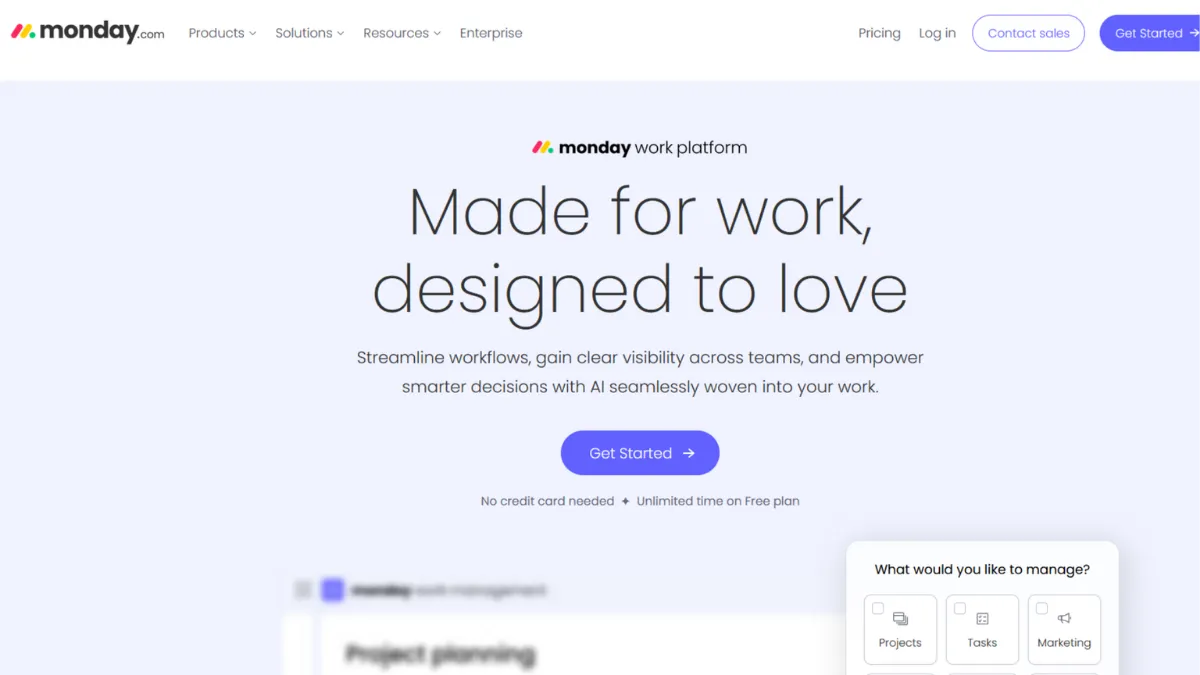
Project management platforms tend to over-promise on flexibility and under-deliver on usability. Monday.com sits at an unusual intersection: a genuinely visual work operating system that non-technical teams can configure without writing a single line of code, yet deep enough that operations, marketing, and product departments can run entirely separate workflows inside the same account. The platform has earned its dominant position not through feature bloat, but through a board-based architecture that maps to how most business teams already think about work. That said, the pricing structure deserves scrutiny before you commit, and the free plan is not the starting point the marketing suggests.
The mechanism behind Monday.com is a grid of boards, each built from configurable columns. A column can track status, dates, assignees, numbers, files, formulas, or dependencies. Every row is an item, and every item can carry sub-items for nested tasks. The power comes from layering views on top of that data: Gantt charts, Kanban boards, calendar views, timelines, and workload charts all pull from the same underlying board, so switching perspectives does not mean duplicating data. Most users configure a board and then stop there. The teams that get the most from the platform build automations that move items between boards, trigger notifications, and sync data across departments, creating a lightweight operational backbone without connecting a separate tool like Zapier or Make.
Expecting Monday.com to replace a dedicated CRM or a deep documentation system leads to disappointment. The built-in docs are workable for brief notes but not a substitute for a proper knowledge base. Teams that need a wiki alongside their project boards often end up paying for Monday.com and Notion simultaneously, which adds up. On realistic timelines, a small team can set up a working board structure in an afternoon. Meaningful automation requires a few days of iteration. Cross-department rollouts with consistent naming conventions typically take three to six weeks to stabilise.
Monday.com suits operations managers, marketing leads, and agency teams coordinating work across multiple clients or departments. The sweet spot is five to fifty users who need visual clarity on project status without the overhead of configuring a tool from scratch. It works for teams that move fast and want their project board to look like a real dashboard, not a spreadsheet.
The three-seat minimum on all paid plans is a genuine cost issue. A solo operator or a two-person team pays for seats they cannot use, and the free plan's two-user, three-board limit rules out any real working environment. Automation limits on the Standard plan hit faster than expected: a small team running active workflows can exhaust 250 monthly automation actions within days.
The sections below cover the core features, pricing tiers, how to get the most from the platform, and how it compares to the closest alternatives.
What Is Monday.com?
Monday.com is a cloud-based work management platform built around a visual board system that teams use to plan projects, track tasks, manage pipelines, and run cross-functional workflows. The platform positions itself as a Work OS: a configurable layer that sits above individual tools and gives every department a shared view of what is in progress, what is blocked, and what is done. Unlike traditional project management software built for a single team type, Monday.com offers four distinct product modules: Work Management for general teams, Sales CRM for pipeline tracking, Dev for engineering sprints, and Service for support ticketing. Each module shares the same board architecture but ships with templates and features tuned to its context. The platform is used across thousands of organisations globally and has established itself as one of the most recognised names in the category, competing directly with Asana, ClickUp, and Trello. The question worth asking is not whether it works, but whether the specific tier you can afford includes the automation and integration depth your team requires.
How Monday.com Works
Every workspace in Monday.com is structured around boards. A board is a table of items and columns, where the columns define what data each item carries. You choose column types when you build the board: a Status column lets you create custom labels and colour-code progress, a Date column tracks deadlines, a People column assigns owners, and a Number column runs basic arithmetic for budgets or hours. This column system is the architecture behind Monday's flexibility: you can model a sales pipeline, a content calendar, a bug tracker, or an onboarding checklist using the same board format.
Views transform how you see that data without changing the underlying records. Switching from a board view to a Gantt chart reveals dependencies and timelines. The calendar view shows deadline density across a month. The workload view surfaces who is overcommitted across multiple boards. These views are available from the Standard plan upward, and they are where the tool's visual advantage becomes practical rather than cosmetic.
Automations in Monday.com follow a condition-action logic: when a status changes to Done, notify the assigned person and move the item to a different board. Setting these up requires no technical knowledge. The limitation is the monthly action cap, which resets each billing cycle. Teams often underestimate how quickly a chain of automations compounds: a single triggered sequence can consume four or five actions per item, per event. The counterintuitive insight most new users miss is that Monday.com is not primarily a task tool. The teams that use it most effectively treat it as a data layer, populating columns with structured information and using automations and dashboards to surface insights rather than manually updating rows.
Monday.com Key Features
Customisable Board System. The board is Monday.com's foundational unit, and its column-based structure gives teams control over what data they track without requiring a developer. You can add, remove, and reorder over 30 column types per board, then save the configuration as a template for other teams to use. The practical value is that every department can build a board that matches its actual workflow rather than adapting to a predefined structure. To use it well, establish a consistent column naming convention before sharing boards across teams: inconsistent status labels are the most common reason cross-department dashboards break.
Multiple Work Views. Monday.com ships with eight core views: Board, List, Timeline (Gantt), Calendar, Map, Chart, Workload, and Form. Each view pulls from the same board data, so adding a Gantt view does not mean rebuilding the project. The Timeline view is where project managers spend most of their time, mapping task dependencies and identifying scheduling conflicts before they become delays. The Workload view is particularly underused: it shows capacity across assignees on multiple boards, which makes it easier to redistribute work when someone is overloaded.
Automation Builder. The no-code automation builder handles conditional triggers, scheduled actions, and cross-board data movement. The interface is template-driven: you select a pre-built recipe and modify the conditions, which reduces setup time significantly. Advanced users chain multiple automations to create multi-step workflows. The hard limit is the monthly action cap tied to your plan tier. The Standard plan's 250 actions per month is adequate for teams with occasional automations but insufficient for teams running daily workflow triggers at scale.
Dashboards and Reporting. Dashboards in Monday.com aggregate data from multiple boards into a single view using widgets: battery charts, number summaries, timeline bars, and table snapshots. A Standard plan dashboard can pull from up to five boards; the Pro plan extends this to twenty. For teams managing multiple simultaneous projects, the dashboard is how executives and project leads get a status overview without opening individual boards. Building an accurate dashboard requires well-structured source boards, so the quality of your reporting is directly tied to the discipline of your data entry.
Integrations and API. Monday.com connects natively to tools including Slack, Google Drive, HubSpot, and Microsoft Teams. The integration library covers the mainstream business stack competently. Monthly integration actions are counted against the same cap as automations on Standard and Pro plans, which means heavy API usage competes with workflow automations for your monthly allowance. This action-sharing is a real constraint that the pricing page does not make obvious, and it is worth checking before committing to a tier.
The action cap across automations and integrations combined is the trade-off most teams hit unexpectedly, and it feeds directly into whether the Standard plan is sufficient or whether the jump to Pro is forced.
Monday.com Pros and Cons
Monday.com does several things well, and a few things that will frustrate specific user types.
- Genuinely fast onboarding. Non-technical teams can build a working board in under an hour using the template library. The interface rarely requires explanation, which reduces adoption friction compared to tools with steeper initial configuration.
- Visual clarity at a glance. The colour-coded status system and multiple view options make project health visible without digging into task details. Cross-functional teams report that this visibility reduces the volume of status-update meetings.
- Scalable board architecture. The same board structure that works for a five-person marketing team scales to enterprise workflows without requiring a platform migration. You add columns, boards, and automations incrementally rather than rebuilding from scratch.
- Multi-product flexibility. Running Work Management, CRM, and Dev modules under one account gives cross-functional organisations a single login for different team types. This is an often-overlooked operational advantage over single-purpose tools.
- Strong template library. Over 200 templates across industries and use cases give new teams a concrete starting point rather than a blank grid. Templates are editable, so they serve as a scaffold rather than a constraint.
The platform also carries limitations worth naming directly before you commit.
- Weak free plan. Two users and three boards is not a usable working environment for any team beyond the most basic personal task tracking. Asana and ClickUp offer substantially more on their free tiers.
- Three-seat minimum on paid plans. Solo users and two-person teams pay for a seat they cannot use. On the Standard plan, that is an extra twelve dollars per month every month, which compounds across an annual contract.
- Automation action cap creates upgrade pressure. The 250 monthly actions on Standard disappear quickly once a team runs daily workflow triggers. Moving to Pro to access 25,000 actions is a significant price jump, and some teams reach that ceiling within months of setting up their first automations.
- Documents are not a replacement for a knowledge base. The built-in Docs feature covers basic collaborative notes but lacks the linking, hierarchy, and search depth of a dedicated tool. Teams that need documentation alongside project management often find themselves using a second platform.
- Privacy and compliance documentation requires enterprise tier. HIPAA compliance, SAML SSO, and advanced permissions are locked behind the Enterprise plan. Teams in regulated industries or with strict data governance requirements may find the lower tiers insufficient, and enterprise pricing is negotiated rather than published.
How to Get the Most Out of Monday.com
Before you touch a board, decide on your naming conventions. Every status label, column name, and board title should follow a consistent pattern that anyone on the team can understand without context. Teams that skip this step end up with dashboards that aggregate inconsistent data, which makes the reporting worthless.
Set up your first board from a template rather than from scratch. Monday.com's template library covers the most common use cases across marketing, operations, HR, and product. Starting from a template gives you a structural model to adapt rather than a blank grid to fill, which cuts initial setup time significantly. Delete the columns you do not need immediately; unused columns create visual noise and slow adoption.
Automations are where Monday.com earns its cost. Build your first automation in the second or third week of use, once you understand which status transitions happen most frequently. Start with one trigger: when an item's status changes to Done, notify the relevant stakeholder and move the item to a completed board. This single automation eliminates a category of manual status updates. Track your action count in the admin panel weekly during your first month; most teams discover they need the Pro plan within sixty days of building their first automation sequence.
For teams asking how to manage projects in Monday.com across multiple departments, the answer is dashboards. Build one master dashboard per business area, pulling widgets from the relevant boards. Keep the widget count low: five or six widgets per dashboard is more useful than fifteen. Overloaded dashboards become hard to scan.
Measure success by tracking how many status-update messages your team sends externally. If the board is working, the answer to most project questions is visible without asking anyone. Teams that find themselves narrating board status via Slack messages have not built their automation layer correctly and should review their notification and status triggers before adding more boards.
Who Should Use Monday.com?
Monday.com works well for specific team profiles. Three in particular get consistent value from the platform.
Operations managers at companies with ten to fifty employees who coordinate work across departments without a dedicated project management tool will find the board system covers most of their needs. The workload view and cross-board dashboards are particularly valuable for this profile.
Marketing teams managing campaign calendars, content pipelines, and agency relationships benefit from the visual status tracking and form-based intake. The ability to collect requests via a form that auto-creates board items reduces the manual work of translating briefs into tasks.
Agency teams running multiple client accounts in parallel can use separate boards per client with a master dashboard for portfolio-level oversight. The guest access feature, available from the Standard plan, lets clients view progress without requiring a paid seat.
Monday.com is not right for you if you are a solo user or a two-person team. You will pay for a seat minimum you cannot use, and the free plan is too restricted to serve as a genuine alternative. Development teams whose primary need is issue tracking and sprint management will find Jira's native agile tooling and GitHub integration more suited to their workflow. Teams that need a serious knowledge base alongside their project management will consistently hit the limits of Monday's built-in Docs feature.
Monday.com Pricing
Monday.com uses seat-based pricing across four tiers for its Work Management module. The Free plan supports two users with three boards, which is sufficient for evaluating the interface but not for running real work. The Basic plan starts at around nine dollars per seat per month on annual billing but requires a minimum of three seats, meaning the real entry cost is higher than the headline figure suggests. Standard, the most popular tier, runs around twelve dollars per seat per month annually and unlocks timeline views, automations (capped at 250 actions per month), integrations, and guest access. Pro, at roughly nineteen dollars per seat per month annually, raises the automation limit to 25,000 actions and adds time tracking, private boards, and formula columns. Enterprise pricing is negotiated directly with Monday.com's sales team and includes advanced security, HIPAA compliance, and dedicated support.
The cost efficiency score in this review reflects the three-seat minimum and the automation action caps, both of which add friction and cost for smaller teams or teams with active workflow automation. Monthly billing is available but costs approximately eighteen to thirty percent more than annual rates depending on the tier. CRM and Service modules are priced separately and carry higher per-seat costs than Work Management. Always verify current pricing on Monday.com's pricing page before committing; pricing has been updated recently. Relative to the alternatives covered below, Monday.com sits at a mid-to-premium price point for the feature set available on lower tiers.
Monday.com vs Alternatives
ClickUp is the most direct competitor and wins on price-to-feature ratio. Its free plan allows unlimited users, its paid tiers start lower, and it includes docs, goals, and whiteboards in one platform. The trade-off is a steeper learning curve: non-technical teams typically spend more time configuring ClickUp before it becomes productive. Choose ClickUp if budget is the primary constraint and your team has the patience to invest in setup. Monday.com wins when faster onboarding and a more polished interface matter more than raw feature density.
Asana targets teams that want a structured, goal-oriented workflow rather than a flexible canvas. Its free tier supports up to fifteen users, which makes it a better entry point for small teams evaluating their options. Asana's task hierarchy is more rigid than Monday.com's board system, which suits teams with defined project structures but limits cross-functional adaptability. Choose Asana if your primary work is sequential project management with clear task dependencies. Monday.com is stronger for operational and marketing teams that model non-linear workflows.
Notion occupies a different position: it combines a knowledge base with lightweight task management. Teams that need documentation and project tracking in one tool should evaluate Notion before Monday.com, since adding Notion to an existing Monday.com subscription is a cost duplication many teams eventually accept. Notion's project management features lack Monday.com's visual depth, but for smaller teams that write as much as they track tasks, it may be sufficient.
Trello remains a viable option for teams whose workflow fits a Kanban board and nothing more. It is cheaper at the entry level and simpler to learn. Teams that outgrow basic Kanban or need Gantt views, automations, and dashboards will find Trello's ceiling low relative to Monday.com's Standard plan.
Monday.com Review: Final Verdict
Monday.com earns an overall score of 4.39 out of 5, with its functionality (4.7) and ease of use (4.6) as its strongest dimensions. The cost efficiency score of 3.8 reflects a real issue: the three-seat minimum and automation action caps make lower tiers more expensive in practice than the headline pricing suggests, and teams with active workflows often find themselves forced to the Pro plan sooner than expected. The data privacy score of 4.2 reflects that enterprise-grade compliance features are reserved for the negotiated tier.
The bottom line: Monday.com is the right choice for visual thinkers managing cross-functional work, as long as you budget for at least the Standard plan and account for the three-seat floor from day one.
How We Rated It:
More Tool Reviews







Subscribe to Stay in the loop
Get the latest AI and technology news, honest tool reviews, and practical guides delivered straight to your inbox.
Success! Check your Inbox!

Tezons Newsletter
The latest technology news, in-depth tool reviews, and practical guides - curated and delivered to your inbox.
Latest News




Have a question?
Have any questions?
Didn’t find what you were looking for? We’re just a message away.