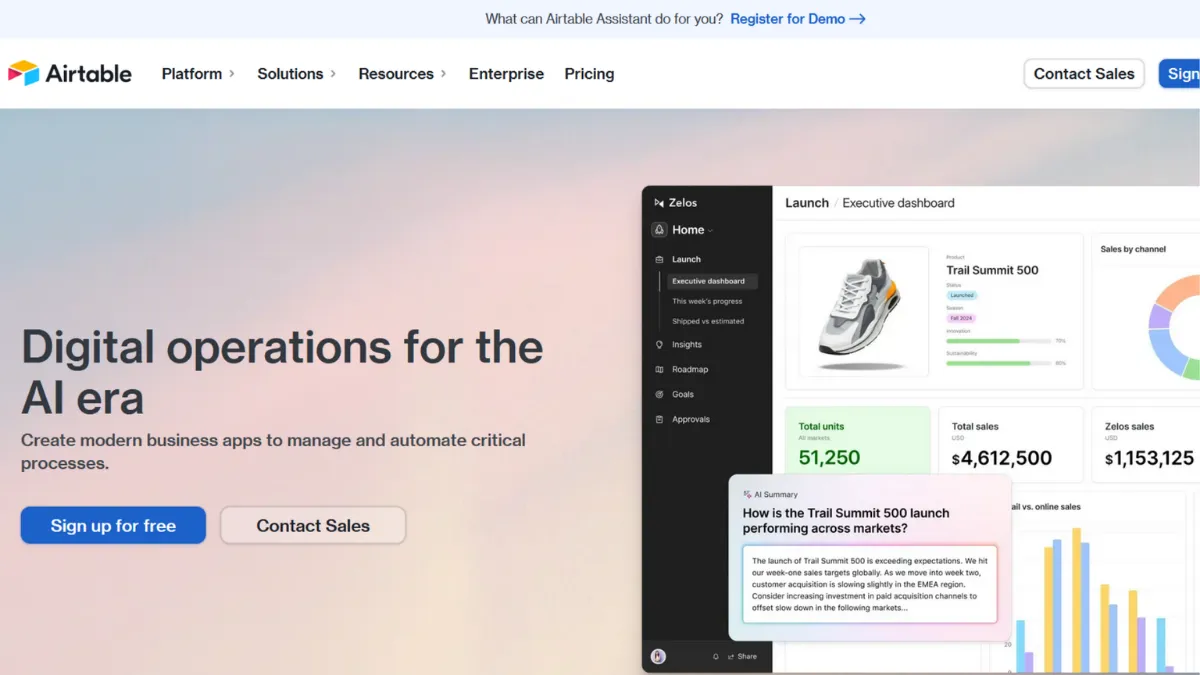
Airtable sits between two worlds most teams are already frustrated with. Spreadsheets lose their structure the moment more than one person edits them. Project management tools enforce their own rigid models on data that does not fit. Airtable is a relational database with a spreadsheet interface built for non-technical teams who need linked, structured, automated data without writing a line of code. It suits operations managers, product leads, and marketing teams whose work spans multiple interconnected objects: clients, projects, deliverables, campaigns. Used correctly, it replaces three or four separate tools. Used carelessly, it becomes an expensive spreadsheet that nobody can maintain.
The platform now serves over 500,000 organisations, including 80% of the Fortune 100, and has expanded well beyond its original base-and-table model. In 2026 it includes Omni, a conversational AI builder that creates tables, interfaces, and automations from plain-language prompts, and Field Agents, AI-powered fields that run autonomous tasks inside records: document analysis, data classification, content generation. These are add-ons built on top of a core that remains the same: a relational database where the data model you design determines almost everything that follows.
The non-obvious thing most new users get wrong: Airtable rewards investment in schema design before you add a single record. Teams that build tables the way they would build spreadsheet tabs: flat, unlinked, one per project. Those teams end up rebuilding within three months. Teams that design their tables as proper entities (clients, projects, tasks, invoices as separate linked tables) access the relational layer that makes the platform worth paying for. The schema-first principle is not in any marketing material, but it is what separates the teams that call Airtable essential from the ones that call it confusing.
How Airtable's relational model works without code
Every Airtable workspace holds bases, and every base holds tables. Each table stores records in typed fields: text, number, date, attachment, formula, checkbox, linked record, lookup, rollup, and more. Field types enforce data integrity in a way no spreadsheet does. You cannot accidentally store a number in a date field. Formula fields calculate automatically when dependent fields change. This typed structure is what allows Airtable to behave as a database rather than a glorified list.
Linked records are the engine. When you connect a record in one table to a record in another, you can then use lookup fields to pull data across that link and rollup fields to aggregate it. A client record in your Clients table can link to every project in your Projects table and every invoice in your Invoices table. Change the client name once and it updates everywhere. Rollup fields can sum the total value of all linked invoices, count open projects, or surface the latest delivery date, all without formulas that drift out of sync.
Automations run on triggers: a record is created, a field value changes, a form is submitted, a schedule fires. Each trigger can chain multiple actions, including sending emails, creating records in other tables, updating field values, and calling external APIs. The counterintuitive detail most users miss is that automations act on the data model, not on the view. If an automation behaves unexpectedly, the problem is nearly always in the field values or trigger conditions, not the automation builder itself. Clean, well-typed fields before you build any automation saves hours of debugging later.
Airtable's workflow automation capabilities extend further through its native integration layer, which connects directly to Slack, Google Workspace, Salesforce, Jira, and Tableau. For everything else, Zapier and Make extend the reach to hundreds more applications. The API is well-documented and supports up to 5 requests per second per base, a hard ceiling that does not increase at any price tier and matters for teams building high-frequency custom integrations.

Three teams that get the most from Airtable
Airtable's flexibility means it lands differently depending on what the team needs. Three use cases account for the majority of teams that call it essential.
Operations managers handling multi-object workflows. If you are currently maintaining data across three or more spreadsheets and manually copying information between them, Airtable consolidates that into a single relational system. A typical ops base links Clients to Projects to Deliverables to Invoices. Status changes in one table propagate through linked views. Automations eliminate the manual updates: when a project status changes to Complete, a follow-up record is created in the Billing table and the account manager gets a Slack notification. The Interface Designer then gives leadership a clean summary dashboard with filtered kanban views, rollup charts, and status summaries, without access to the raw tables underneath.
Product managers building cross-functional roadmaps. A product roadmap that links to engineering tasks, design briefs, and release notes is a different tool from a flat backlog. In Airtable, each roadmap item is a record linked to the team members, sprint, and status updates associated with it. Timeline and Gantt views give the planning layer. Kanban gives the execution layer. Both operate on the same underlying records without duplicating data. Where tools like ClickUp impose their own hierarchy on your work, Airtable lets you define the schema that matches your actual process.
Marketing teams managing content pipelines and campaign tracking. Content operations that involve briefs, assets, approvals, and publishing dates across multiple channels fit Airtable's multi-view model well. A single Content table can show a grid to the editor, a calendar to the publishing manager, and a kanban to the creative team, all without creating three separate tracking systems. Forms feed content requests directly into the pipeline as new records. Automations handle approval routing. The built-in form builder handles intake cleanly for most workflows, though teams needing brand-sensitive or conversion-optimised intake flows will find a dedicated tool like Typeform more capable, connected to Airtable via integration.
Where Airtable creates friction
The platform has real limitations that affect specific users in predictably different ways:
- Per-seat pricing compounds as teams grow. Anyone who can edit a record in any base is a billed seat for the whole month. The contractor who updates one field, the analyst who corrects a formula twice a quarter, each counts as $20 per month on the annual Team plan. Edit access spreads faster than teams budget for, and the October 2025 billing policy change removed prorated refunds for mid-cycle seat removals.
- The Team-to-Business jump is 125% per seat. Team costs $20 per editor per month on annual billing. Business costs $45. There is no middle tier. Hitting the 50,000-record-per-base ceiling or the 25,000-automation-run monthly limit forces an immediate step to Business. For a 25-person team, that is the difference between roughly $6,000 and $13,500 per year.
- AI and portal features carry separate costs. AI credits are included on paid plans but reset monthly and run out quickly for teams using Omni and Field Agents regularly. Additional credit packs cost around $40 per month for 20,000 credits. External portal access for clients or guests starts at $120 per month for 15 users on the Team plan. Neither is included in the headline per-seat price.
- Interface Designer has a hard cap on lower tiers. The Team plan limits you to 3 interfaces per base, which is restrictive for teams building multiple role-specific dashboards. Business removes this limit.
- Reporting is limited without extensions. Native charting handles basic summary data, but cross-base reporting and sophisticated data visualisation require third-party tools or paid extensions.
- The free plan is not functional for real workflows. 1,000 records per base and 100 automation runs per month is enough to evaluate the platform. Most teams outgrow it within a few months of active use.
Airtable pricing: what each tier includes
All figures are verified from Airtable's pricing page and cross-referenced against third-party sources as of mid-2026. Always confirm current rates at airtable.com before committing, as tiers and limits have changed periodically.
- Free: $0. Up to 5 editors per workspace, 1,000 records per base, 100 automation runs per month, 1 GB of attachment storage, Interface Designer access (1 interface per base), and 2-week snapshot history. Adequate for individual testing; not suitable for team workflows or any base that accumulates data over time.
- Team: $20 per editor per month (annual) / $24 monthly. 50,000 records per base, 25,000 automation runs per month, Gantt and timeline views, custom branded forms, 6-month revision history, and 3 interfaces per base. The practical entry point for small teams of 3 to 10 people that need a genuine database with automations. A 6-editor team on annual billing pays $1,440 per year before add-ons.
- Business: $45 per editor per month (annual) / $54 monthly. 125,000 records per base, 100,000 automation runs per month, two-way sync, unlimited interfaces, admin panel with SSO (SAML), and commenters free rather than billed. The commenter billing change alone can flip the economics for stakeholder-heavy teams. Worth the step if your team has many people who need to comment but not edit. On Business, they cost nothing.
- Enterprise Scale: custom pricing. Up to 500,000 records per base (or 100 million with HyperDB), dedicated support, audit logs, data loss prevention, and full compliance controls. Requires direct contact with Airtable's sales team.
The add-ons to price separately before comparing tiers: Airtable Portals start at $120 per month for 15 external users on Team. AI credits for Omni and Field Agents are included but usage-based; additional packs run around $40 per month for 20,000 credits. A 10-person team using AI features heavily can exhaust included credits within weeks.
How Airtable compares to Notion, Monday.com, and Make
Notion is the most common comparison, but the tools solve fundamentally different problems. Notion is document-first: its database rows are also full pages, which makes it strong for knowledge management, project briefs, and team wikis. Airtable is data-first: records are typed rows with enforced field types and a relational layer. Choose Notion when your team's primary output is written content and collaborative documentation. Choose Airtable when the primary need is structured, linked, automated data with multiple views. At $10 per seat per month on Notion's Team plan versus $20 on Airtable's Team plan, teams whose needs skew toward documentation will pay less and get more for that specific purpose.
Monday.com competes directly on project management. It is more polished to onboard, has stronger built-in reporting, and at around $12 per seat per month on its Standard plan is considerably cheaper for task tracking. Airtable wins when you need genuine relational data, flexible schema design, and automations that act on data relationships rather than task statuses. Monday.com wins when the team wants a structured project management tool that works out of the box without schema design overhead.
Make is not a direct competitor but is worth addressing because most Airtable teams use it. Where Airtable's built-in automations cover internal data workflows, Make handles complex connections to the broader tool ecosystem at a lower price than Zapier for advanced multi-step logic. The two work together well: Airtable holds the data layer, Make handles the cross-platform plumbing.

The decision point is simpler than most comparison guides make it: if your team's work involves multiple interconnected objects (clients, projects, deliverables, campaigns) that need to stay in sync, Airtable's relational model justifies the cost. If the work is primarily task lists, document collaboration, or single-table tracking, a cheaper or simpler tool will serve better and leave room in the budget for tools that deserve premium pricing.
How We Rated It:
More Tool Reviews







Subscribe to Stay in the loop
Get the latest AI and technology news, honest tool reviews, and practical guides delivered straight to your inbox.
Success! Check your Inbox!

Tezons Newsletter
The latest technology news, in-depth tool reviews, and practical guides - curated and delivered to your inbox.
Latest News




Have a question?
Have any questions?
Didn’t find what you were looking for? We’re just a message away.