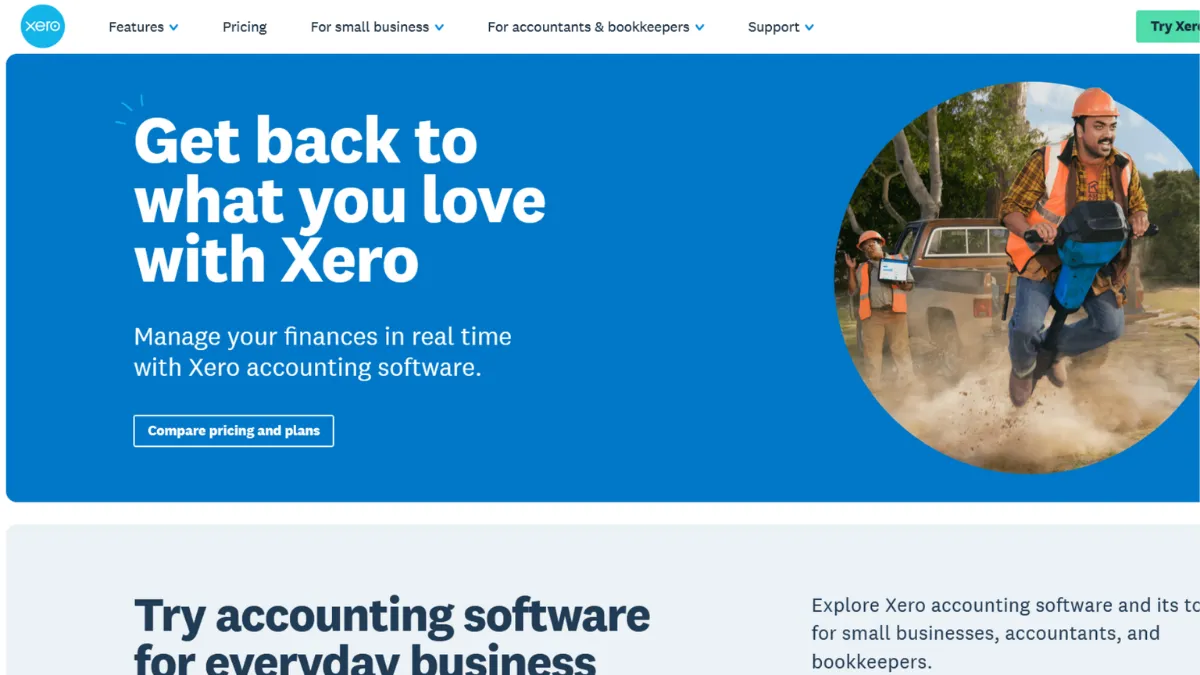
Accounting software only earns its subscription fee when it removes work rather than creating it. Xero does exactly that for the majority of small and growing businesses: it pulls transactions from your bank automatically, suggests reconciliation matches, generates professional invoices, and keeps your books current without requiring an accountant in the room. The verdict is clear. Xero is the strongest all-round cloud accounting platform for founders and small teams who want reliable financials without a steep learning curve, and it consistently outperforms desktop-era alternatives on collaboration and accessibility. Pair it with a payment processor like Stripe and you have a billing and reconciliation loop that runs with minimal manual input.
The mechanism that makes Xero work is its bank feed. You connect your business accounts once and Xero begins importing transactions continuously. From there, the platform uses suggested matching to connect those transactions to your invoices, bills, and expense records. Bank rules let you automate this further: tell Xero that every payment from a specific supplier maps to a specific account code and it will handle that category permanently. The result is that daily reconciliation shrinks from a chore into a five-minute confirmation task. Where most users go wrong is treating the bank feed as a passive feature and skipping the bank rules setup. Without rules, the suggested matches are accurate but still require manual approval on every line. With rules, the platform starts to resemble a self-updating ledger.
Expect to reach a usable, reconciled set of books within one to two weeks of starting. The initial connection to your bank is quick, but setting up your chart of accounts, adding your team, and establishing recurring invoice templates takes a few sessions. The reporting suite delivers profit and loss, balance sheet, and cash flow statements that update in real time. Multi-currency support is available on the higher tier. Payroll is region-specific and either included or available as an add-on depending on where you are, so confirm the current position on Xero's own site before factoring it into a purchase decision.
Xero suits founders running product or service businesses who deal with a steady volume of invoices and need their accountant or bookkeeper to see the same numbers they see, without emailing spreadsheets. It also fits remote or distributed teams where cloud access from any device is a practical necessity, not a luxury. The unlimited-user model across all plans is a genuine structural advantage for any business adding headcount.
The real gap is depth on the accounts payable side. Xero's native payables tools handle bill entry and tracking, but granular departmental budgeting and variance analysis require add-ons from the app marketplace. If your reporting needs extend to multi-entity consolidation or complex project costing at scale, you will outgrow what the core platform provides without spending on third-party tools.
The sections below cover how Xero works mechanically, which features matter most in day-to-day use, and how it compares to the alternatives most founders consider before signing up.
What Is Xero?
Xero is a cloud-based accounting platform built for small and medium-sized businesses. It replaces the traditional desktop ledger with a browser-based system that connects directly to your bank accounts, automates routine bookkeeping tasks, and gives everyone on your team, including your external accountant, access to the same live financial data. The problem it solves is the one every founder eventually hits: managing money through spreadsheets or disconnected tools becomes untenable once transaction volumes grow past a handful per week. Unlike generic spreadsheet workflows or entry-level tools built only for invoicing, Xero covers the full accounting cycle: income, expenses, payroll, inventory, and reporting in one place. With over a thousand third-party app integrations and a large global network of certified advisors, it has built infrastructure around itself that extends its reach well beyond what the core platform covers. The question worth asking is not whether Xero can handle your books, but which plan and which add-ons match your actual workflow, and that comes down to how the system works at the operational level.
How Xero Works
Setup begins with connecting your bank accounts. Xero supports thousands of banks globally through direct feed connections, which pull in transactions automatically. Once the feed is live, the platform begins suggesting matches between incoming transactions and any invoices or bills already in the system. You confirm, adjust, or reject each match, and over time bank rules reduce even that work by automating categories you define.
Invoicing sits within the same environment. You create a contact record for each client once and Xero retains their details for every subsequent invoice. Branded invoice templates, automated payment reminders, and a payment link attached to each invoice cover the send-to-collect cycle. Accepted payment integrations, including with PayPal and various card processors, allow clients to pay directly from the invoice, and Xero marks it as paid and reconciles the receipt automatically.
The reporting layer reads from the same underlying data. Because every transaction flows through the platform rather than being entered retrospectively, your profit and loss statement reflects today, not last month. Xero also includes a Hubdoc integration for receipt capture, where photographed receipts are matched to transactions without manual data entry.
The counterintuitive thing most users get wrong: Xero is not opinionated about your chart of accounts by default. You can accept the standard template and never touch it, and the books will function. But the quality of your reporting depends entirely on how consistently you categorise transactions. Two businesses using identical Xero plans can end up with very different levels of useful insight purely based on whether they configured account codes thoughtfully at the start. The features below are only as powerful as the categorisation discipline behind them.
Xero Key Features
Automated Bank Reconciliation. Xero connects to your bank accounts via direct feeds and imports transactions continuously. The suggested matching engine compares incoming debits and credits against open invoices and bills and proposes the correct match. Bank rules let you automate recurring categories, so that a monthly software subscription, for example, always codes to the right expense account without human input. The practical value is that daily reconciliation becomes a confirmation rather than a construction task, which matters most when you are running a business rather than a bookkeeping firm.
Invoicing and Accounts Receivable. The invoicing module covers creation, branding, scheduling, and chasing. You can set up recurring invoices for retainer clients, attach a payment link that lets customers settle by card or bank transfer, and configure automated reminder sequences for overdue amounts. Invoice status tracking shows whether a contact has viewed the invoice and whether payment is pending or late. For service businesses that invoice regularly, this module alone recovers significant administrative time each month.
Financial Reporting. Xero generates profit and loss statements, balance sheets, and cash flow reports from live data. The reporting suite includes budget tracking against actuals, aged receivables and payables summaries, and a dashboard that surfaces key metrics on login. Reports can be shared with your accountant or exported for external use. Complex multi-entity consolidation and granular departmental reporting require either higher-tier plans or third-party add-ons, which raises the effective cost for businesses with more sophisticated needs, and this is the customisation ceiling worth understanding before you commit.
Multi-Currency Support. Available on the Established plan, multi-currency lets you invoice in foreign currencies, record transactions in those currencies, and reconcile against bank accounts held in multiple denominations. Exchange rate gains and losses are tracked automatically. This feature makes Xero genuinely useful for businesses with international clients or suppliers rather than purely domestic operators.
App Marketplace and Integrations. Xero connects to over a thousand third-party apps covering payroll, inventory, e-commerce, CRM, project management, and payments. Tools like HubSpot and Shopify have native Xero integrations that sync customer and sales data into the accounting layer without manual export. The breadth of this ecosystem is one of Xero's clearest structural advantages over smaller accounting tools. The integrations vary in quality; some are full two-way syncs and others are basic data pushes, so verify the specific connection you need before building a workflow around it.
Xero Pros and Cons
Where Xero earns its subscription:
- Unlimited users on every plan. Most competing platforms charge per seat or cap users on lower tiers. Xero includes unlimited users regardless of which plan you are on, which makes it structurally cheaper for any business sharing access with staff, an accountant, or a bookkeeper.
- Bank feed reliability. The automatic bank feed and suggested matching are consistent across a wide range of global banks. This is the core daily-use feature and its dependability matters more than any peripheral functionality.
- Ecosystem depth. Over a thousand app integrations mean you can extend Xero to cover payroll, inventory, e-commerce reconciliation, and project costing without switching platforms. The marketplace is useful in practice rather than decorative.
- Real-time collaboration. Because all data lives in the cloud and user access is unlimited, your accountant sees the same figures you do at any moment. This reduces the end-of-quarter scramble and makes advisory conversations faster and more accurate.
- Accessible interface for non-accountants. Xero is easier to handle than most full-featured accounting platforms. Team members without formal bookkeeping training can run daily tasks, create invoices, and read reports, which reduces dependence on external support for routine work.
Where Xero falls short:
- Entry-tier invoice and bill caps. The lowest plan limits the number of invoices and bills you can send and enter per month. Businesses with even moderate transaction volumes will hit this ceiling and need to upgrade sooner than the entry price suggests.
- Accounts payable lacks depth. Native payables tools cover bill entry and tracking but lack the granular departmental budgeting and approval workflow features that more complex businesses need. Add-ons fill the gap but add cost.
- Payroll varies by region and plan. Payroll availability and employee limits differ by country. This creates inconsistency in what you receive for the same listed price depending on where your business operates.
- Support has no phone channel. Xero does not offer phone support and live chat availability varies by plan and region. When you face an urgent reconciliation problem, you are relying on a self-service knowledge base, which is thorough but not a substitute for direct help.
- Report customisation reaches a ceiling. The built-in reporting is solid for standard statements, but building bespoke dashboards or customising reports beyond available templates requires either patience with native tools or a third-party add-on at extra cost.
How to Get the Most Out of Xero
Before you activate your account, gather your chart of accounts preferences and your opening bank balance. Importing these correctly at the start prevents laborious corrections later. If you are migrating from another platform, Xero's conversion service or a certified advisor can bring in historical data rather than leaving you to re-enter it manually.
In the first week, connect every business bank account and credit card. Leaving any account outside the system compromises the value of real-time reporting, which depends on complete data. Set up your invoice template with your logo, and configure at least two automated reminder sequences: one for invoices approaching their due date and one for overdue amounts. This eliminates the largest single time sink for most service businesses before you have touched anything complex.
Bank rules deserve attention in week two. Review a month's worth of historical transactions and identify the categories that recur. Software subscriptions, rent, payroll runs, and regular supplier payments are the usual candidates. Building rules for these means the platform categorises them automatically going forward, and your reconciliation queue shrinks to genuinely ambiguous transactions only.
If you want to know how to automate accounting workflows in Xero, the answer is the combination of bank rules, recurring invoices, and a payment integration that closes the income loop. Set up a payment gateway through the integrations panel and attach it to your invoice template so clients can pay in one click. Xero reconciles the receipt automatically when the payment arrives. Use Google Drive to archive supporting documents alongside your Xero records, particularly for expenses that may require audit evidence at a later date.
Measure progress by how long monthly close takes. In a well-configured account, a founder with a manageable transaction volume should be able to confirm reconciliation, review the profit and loss statement, and check aged receivables in under thirty minutes. If close is taking longer, the constraint is usually missing bank rules or uncategorised transactions accumulating over time. Running the account watchlist report weekly catches these before they compound into a significant problem.
Who Should Use Xero?
Xero works well for three distinct operator types. The first is a product-based small business owner, perhaps running an e-commerce brand or a physical retail operation, who needs inventory tracking, sales reconciliation, and tax compliance managed without a dedicated finance hire. The second is a service business founder with a team of three to twenty people who invoices clients monthly, has a bookkeeper or accountant reviewing the books periodically, and needs both parties to work from the same live data without sending files back and forth. The third is a growing company at the stage where spreadsheets have broken down and a proper double-entry accounting system is overdue, but hiring a controller is not yet justified. Xero fills that gap with enough structure to run real financials and enough accessibility to avoid requiring an accounting background to operate day-to-day.
Xero is not the right fit if you need consolidated reporting across multiple legal entities, sophisticated departmental budgeting with formal approval workflows, or a platform with deep industry-specific compliance modules. Enterprise finance teams, nonprofits with complex grant reporting, or businesses that have reached a scale where a full ERP is warranted will find the native capabilities insufficient and add-on costs escalating quickly. Sole traders or freelancers with fewer than twenty transactions a month and no employees will pay for more platform than they use; a lighter invoicing tool handles that scenario more cost-effectively.
Xero Pricing
Xero operates on a tiered subscription model where plans differ by features rather than user count. The entry tier covers basic invoicing and bank reconciliation but places monthly limits on the number of invoices and bills you can process, making it suitable only for very early-stage businesses or sole traders with low volumes. The mid-tier removes those caps and covers the core accounting workflow for most small businesses. The top tier adds multi-currency support, expense management, and project tracking, which growing companies with international activity or billable project work will need.
Optional add-ons for payroll beyond included allowances and for enhanced analytics carry additional monthly costs. Pricing varies by region and promotional rates apply periodically, so always confirm current figures on Xero's own pricing page before committing. A free trial is available and is worth using specifically to test the bank feed connection with your bank before signing up. At mid-tier pricing, Xero delivers solid value relative to what it replaces: hours of manual bookkeeping or a collection of disconnected tools. The unlimited-user model tips the value comparison in Xero's favour versus alternatives that charge per seat, particularly for teams of three or more. The customisation score of 4.0 reflects the fact that reporting depth requires paid add-ons beyond the base platform, a factor worth pricing in when comparing plans. Compared to alternatives at similar price points, the total cost of ownership depends heavily on which add-ons you actually need.
Xero vs Alternatives
QuickBooks Online is the most direct competitor. It offers more granular accounts payable tools and stronger payroll functionality in markets where its local tax integrations are deep, particularly the US. Phone support across all plans is a meaningful practical advantage over Xero. The trade-off is that QuickBooks charges per user above a low threshold, so team costs scale faster than with Xero's unlimited model. Choose QuickBooks if you need detailed US payroll compliance or multi-tier approval workflows. Xero wins on collaboration, interface accessibility, and per-user economics for growing teams.
FreshBooks is built primarily for freelancers and very small service businesses. Its time tracking and client invoicing experience is polished and the entry price is lower. However, FreshBooks lacks the full double-entry accounting infrastructure, multi-currency capability, and integration depth that businesses at any meaningful scale require. Choose FreshBooks if you are a sole trader invoicing a handful of clients. Xero is the natural upgrade when financial complexity increases.
Sage Business Cloud Accounting is a credible alternative, particularly in the UK and European market where Sage has a long compliance history. It suits businesses in regulated industries or those with complex VAT requirements. Xero's advantage over Sage is its modern interface and broader third-party app ecosystem. Zoho Books is worth evaluating if you already use other Zoho products, since native data flow between Zoho CRM and Zoho Books reduces integration effort and the entry price is lower than Xero's. Xero's accountant network and ecosystem breadth remain the stronger choice for businesses whose advisors are already on the platform.
Xero Review: Final Verdict
Xero earns a 4.28 overall score, reflecting a genuinely capable cloud accounting platform with a few friction points that prevent a higher rating. Its integration capabilities score 4.6, the strongest dimension across the review, and that breadth of ecosystem is the feature most likely to determine long-term value. The support score of 3.8 represents a real limitation: no phone channel and variable live chat means you are largely self-sufficient when something breaks urgently.
The bottom line: Xero is the right call for any business that has outgrown spreadsheets, works with an external accountant, and needs a system that scales with headcount without escalating per-user costs. Commit to the mid-tier plan, set up bank rules in week two, and connect your payment gateway before sending the first invoice.
How We Rated It:
More Tool Reviews







Subscribe to Stay in the loop
Get the latest AI and technology news, honest tool reviews, and practical guides delivered straight to your inbox.
Success! Check your Inbox!

Tezons Newsletter
The latest technology news, in-depth tool reviews, and practical guides - curated and delivered to your inbox.
Latest News




Have a question?
Have any questions?
Didn’t find what you were looking for? We’re just a message away.