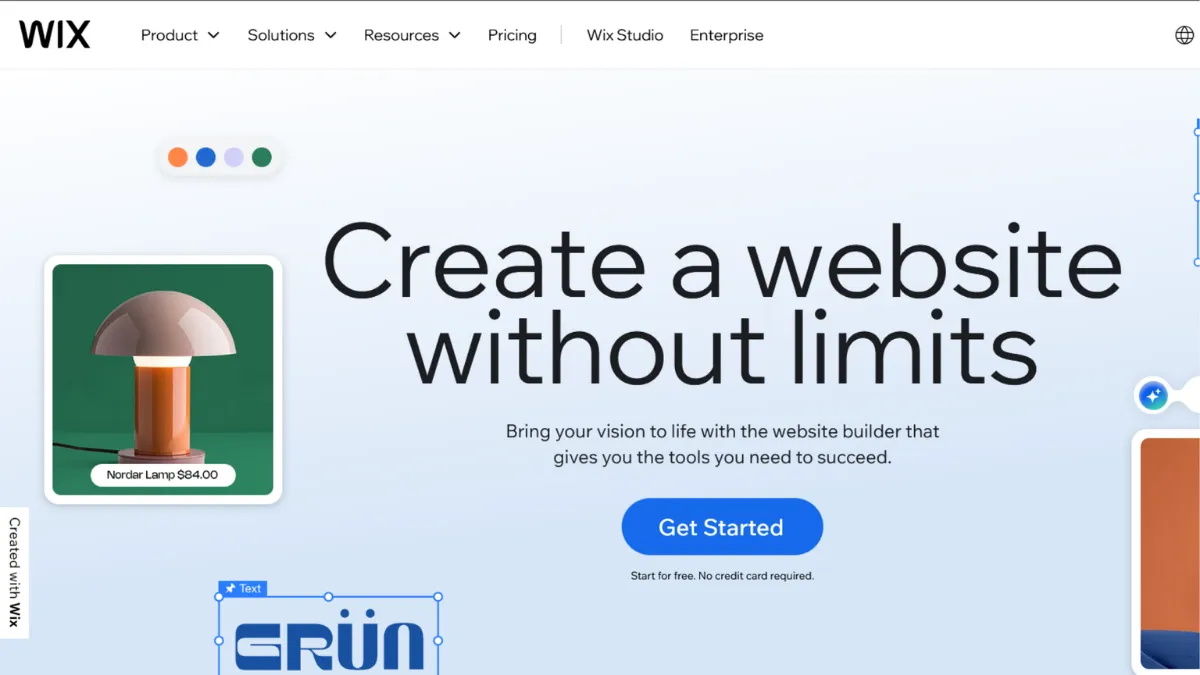
Building a website without a developer used to mean accepting serious compromises on design, speed, or functionality. Wix has spent over a decade proving that trade-off is no longer inevitable. With more than 200 million registered users and a market share that towers over every competing website builder, it has become the default starting point for small businesses, freelancers, and early-stage founders who need a professional web presence without touching a line of code. The platform works because it refuses to make you choose between ease and capability: drag-and-drop editing sits alongside built-in ecommerce, booking tools, a CRM layer, and a growing suite of AI features that can scaffold an entire site from a short description of your business. For many founders, Wix is the only tool they will ever need.
The mechanism behind Wix is a pixel-precise editor that gives you complete spatial freedom: any element can be placed anywhere on the page. Most builders force you into column-based grids; Wix does not. That freedom is both the platform's greatest strength and its primary source of user error. Beginners who move elements without understanding alignment and spacing often produce sites that look fine on desktop but break apart on mobile. Wix handles the mobile view separately, which means changes to your desktop layout do not automatically propagate. You need to check and adjust your mobile version manually after significant layout changes. Users who ignore this step and publish without reviewing the mobile view account for a disproportionate share of complaints about Wix looking unprofessional. The editor itself is not the problem; skipping the mobile review step is.
Expect to have a publishable site within a few hours for most use cases, and a fully functional ecommerce storefront within a day or two once you have uploaded products, configured payment processing, and reviewed your tax settings. The AI website builder, available on all plans including the free tier, can compress that initial setup to under an hour by generating a site structure from a conversational prompt. That generated output will not be production-ready without further customisation, but it gives you a credible starting framework rather than a blank canvas. Businesses with complex inventory, multi-currency requirements, or high-volume sales will hit the ceiling of what Wix's ecommerce tools can handle, but the platform is more than capable for most independent businesses operating below that scale.
Wix works best for independent service businesses, small retailers, creative professionals, and early-stage startups that need to move quickly and maintain their own site without ongoing developer support. Restaurants, studios, consultants, coaches, and local businesses with up to a few hundred products are the natural home territory. If you are in that segment and want a platform that handles hosting, security, updates, and scaling without requiring a technical co-founder, Wix is a strong choice.
The one limitation worth naming clearly: once you commit to a template on Wix, you cannot switch to a different one without rebuilding the site from scratch. This is a structural constraint, not an oversight. Templates in Wix are tied to the site's underlying architecture, not just its visual skin. Choosing the wrong template and realising that months later means starting over. Pick deliberately before you publish.
The sections below cover how the platform works, its key features, honest pros and cons, a practical usage guide, pricing, and how it compares to the main alternatives.
What Is Wix?
Wix is an all-in-one website builder that lets you create, host, and manage a website without writing code. It solves the problem of the technical barrier to web publishing: historically, having a custom domain with a professional design meant hiring a developer or spending weeks learning a CMS. Wix compresses that process to hours by bundling hosting, a visual editor, templates, ecommerce, booking, email marketing, and a CRM into a single platform. What separates it from a generic site builder is the depth of what ships natively: you are not assembling a stack of separate tools and hoping they integrate, you are working within one cohesive system. The platform also ships Wix Studio, a separate environment built for professional designers and agencies that need tighter layout control and multi-site client management. With well over 200 million registered users, Wix is the largest website builder by market share, which means its template library, app market, and community support reflect years of real-world feedback from an enormous user base. The question most founders should be asking is not whether Wix can build their site, but whether the editing model and ecommerce ceiling match the scale they are planning for.
How Wix Works
Setup starts with a template selection from a library of over 2,000 options, organised by industry and use case. The AI website builder offers an alternative: answer a short sequence of questions about your business, and the system generates a personalised site structure without requiring you to pick a template manually. Either path lands you in the Wix Editor, a browser-based environment where you can click and drag any element, resize it, recolour it, or replace it without touching code. Sections, strips, and widgets can be added from a panel on the left; the result is visible in real time on the canvas.
The quality of what the editor produces depends heavily on your restraint. The freedom to place anything anywhere means the editor will not stop you from creating a cluttered, illegible layout. Designers who understand hierarchy and whitespace will love the control. Founders who move quickly and check alignment rarely often produce sites that look busy. A practical habit: after any significant design session, switch to the mobile preview and tighten the layout before publishing. The desktop and mobile views are independent in the classic Wix Editor, so each needs its own attention.
Wix connects to payment processors, runs its own CRM called Ascend by Wix, and extends through an app market with hundreds of third-party integrations covering everything from loyalty programmes to live chat. The Velo development environment, available to more technical users, opens the door to custom JavaScript, database collections, and API connections. For developers, this is the counterintuitive insight most users miss: Wix is not just a drag-and-drop tool. It contains a full-stack development layer underneath. Founders who assume Wix has a hard ceiling on custom functionality often hit that assumption before they hit the actual platform limit. The practical question S4 addresses is what the platform delivers without touching Velo at all.
Wix Key Features
AI Website Builder and AI Tools. Wix offers more than 20 AI-powered features spanning site creation, content generation, image enhancement, and marketing. The AI website builder generates a complete site structure from a conversational prompt, while the AI text creator drafts and rewrites page copy on demand. AI section creator builds new page sections from a description. For founders who have never built a website before, these tools lower the barrier of the blank page considerably. The generated output is a starting point that needs editing, not a finished product, but it compresses the initial setup from days to hours.
Ecommerce and Bookings. Wix Stores supports physical products, digital downloads, subscriptions, and service-based offerings. Booking management lets service businesses accept appointments, collect payments, and send reminders without a third-party scheduling tool. The ecommerce layer is available from the Core plan upward. Transaction fees apply on top of payment processor fees, so verify the current rate structure on the Wix pricing page before assuming the listed plan price is the total cost of selling online.
The App Market. Hundreds of apps extend Wix across categories including CRM, marketing automation, social proof, invoicing, and live chat. Many are built by Wix itself; others are third-party additions. Pairing Wix with a dedicated email marketing platform such as Mailchimp or Klaviyo via the app market is common for businesses that outgrow the native Ascend email tools. The market gives Wix meaningful integration reach without requiring technical configuration.
SEO Tools. Wix includes an SEO setup wizard, editable meta tags, automatic sitemap generation, structured data support, and redirect management. For founders doing serious keyword research alongside their Wix site, pairing the platform with a tool like Semrush or Ahrefs covers the analytical gap the native tools leave. Wix's SEO capabilities are solid for most small business use cases; they become a ceiling only when competing for high-volume search terms where technical optimisation and page speed matter most.
Wix Studio. Alongside the standard editor, Wix Studio is a separate environment designed for agencies and professional web designers. It introduces responsive grid-based layouts, multi-site dashboard management, client collaboration tools, and a more developer-facing code environment. For solo founders, Studio is likely overkill. For agencies managing multiple client sites, it changes the workflow considerably. The counterintuitive thing most users get wrong about Wix Studio: it is not a more advanced version of the same editor. It operates on a different layout model, so skills built in the classic editor do not transfer one-for-one.
Wix Pros and Cons
The strengths of Wix are meaningful for the right user profile.
- Ease of entry. Setting up a professional-looking site requires no technical knowledge. The onboarding flow, AI tools, and template library together mean most users have a publishable site within a day. This is a genuine competitive advantage over platforms that require plugin management or manual hosting configuration.
- Feature depth relative to price. Hosting, SSL, CRM basics, email marketing, booking, and ecommerce tools ship within a single subscription. The equivalent functionality assembled from separate tools would cost considerably more and require integration work.
- Large app market. The ability to extend Wix with third-party apps means the platform rarely hits a hard functional ceiling at the small business level. Connecting a project management tool like Airtable for data handling, or adding a chatbot, takes minutes rather than developer hours.
- AI tooling breadth. Wix has invested heavily in AI features across the product, not just the builder. Text generation, image enhancement, marketing automation, and the AI chatbot give founders capabilities that previously required standalone subscriptions.
- Support quality. Wix provides a help centre, community forums, video tutorials, and phone support depending on plan level. For a platform aimed at non-technical users, responsive support is a significant practical advantage.
The limitations are equally real and worth understanding before committing.
- Template lock-in. Once you build on a template, switching to a different one requires rebuilding the site from scratch. This is the most commonly cited frustration among Wix users. Choose your template carefully before investing significant time in the editor.
- Mobile view requires separate attention. The classic editor maintains separate desktop and mobile layouts. Every design change needs a mobile review. Users who skip this step regularly publish sites that look poor on phones.
- SEO ceiling in competitive niches. Wix has improved its SEO infrastructure substantially, but in high-competition keyword environments, platforms with cleaner code output and more technical SEO controls have a measurable advantage.
- Ecommerce is not Shopify-grade. Multi-currency checkout, complex inventory management, and high-volume scaling are areas where Shopify has a clear functional lead. Wix ecommerce serves the small retailer well; it is not the right tool for a high-growth DTC brand.
- Renewal pricing. Introductory pricing on annual plans is typically lower than renewal rates. Verify the renewal price before signing up, not the promotional headline figure.
How to Get the Most Out of Wix
Before opening the editor, spend twenty minutes in the template library with real intent. Filter by your industry, open three or four candidates, and evaluate them against the pages your site actually needs, not against how the demo content looks. Template lock-in means this decision is difficult to reverse. Picking the wrong template because the stock photography looked appealing is an extremely common mistake that costs founders days of rework later.
In your first session, focus on structure before design. Set up all the pages you need, rough in the navigation, and drop placeholder content into every section before you spend time on typography or colour. This gives you an accurate picture of how the layout handles your actual content, which often differs substantially from the demo content in the template.
To get results from Wix's SEO tools, use the SEO setup wizard in full, then move beyond it. Write unique meta descriptions for every page, check that your page titles contain the phrase you are targeting, and submit your sitemap via Google Search Console. Wix generates the sitemap automatically; you need to submit it manually. Most users who complain about Wix SEO performance have skipped one of these steps. If you want to understand how to improve SEO on a Wix site specifically, the answer is almost always found in the meta data and internal linking structure, not in the platform's technical limitations.
Build your email list from day one using a form connected to your email marketing tool of choice. The native Ascend email tools work adequately for low-volume sends, but if email marketing is a core channel for your business, connecting a dedicated platform early saves a messy migration later. Review your mobile layout after every significant editing session, not just before launch. The founders who maintain the best-performing Wix sites treat the mobile view as a first-class deliverable, not a final check.
Measure success on Wix through the native analytics dashboard and, more importantly, through a connected Google Analytics property. Wix analytics provides a useful summary; Google Analytics provides the segmentation and event tracking needed to make real decisions about content and conversion. Connect the two at setup, not six months later when you are trying to understand a traffic drop.
Who Should Use Wix?
Wix suits three specific profiles particularly well. The first is the independent service business: a consultant, therapist, photographer, personal trainer, or studio owner who needs a site with booking, payment collection, and clear service pages. Wix handles all of that natively without plugins or third-party scheduling tools. The second is the early-stage founder who needs to validate a business idea with a credible web presence in days, not weeks. The AI builder and template library make it possible to publish something professional before a more considered technical build is warranted. The third is the small retailer with a manageable product catalogue: up to a few hundred SKUs, straightforward fulfilment, and a single base currency. Wix Stores covers that scope comfortably.
Wix is not for you if you are building a high-volume ecommerce operation where inventory complexity, multi-currency checkout, or advanced fulfilment integrations are day-one requirements. It is also not for developers who want clean code ownership and full control over every technical decision: Webflow or a self-hosted solution will serve that profile better. If SEO in a hyper-competitive niche is the primary growth lever for your business, the technical SEO ceiling on Wix is a real constraint worth taking seriously.
Wix Pricing
Wix offers a permanent free plan that lets you build and publish a site on a Wix subdomain with the platform's branding visible to visitors. This is a reasonable environment for testing the editor, but it is not suitable for a business-facing site: the subdomain and branding signal underinvestment to potential customers. The paid plans start at a Light tier, which removes ads and connects a custom domain, and progress through Core, Business, and Business Elite tiers. The Core plan is the entry point for ecommerce and booking tools; if selling is part of your model, this is the minimum viable tier. The Business Elite plan, at the top of the range, is the only tier that provides unlimited storage. Transaction fees on sales apply on top of payment processor fees; the current rates are on Wix's pricing page and should be checked before committing. All plans include a free custom domain for the first year. Note that introductory annual pricing is typically lower than the renewal rate, which catches some users off guard at year two. Compared to Squarespace, Wix's entry price is broadly competitive; compared to a self-hosted WordPress setup, Wix is more expensive but removes all infrastructure management overhead. For most small businesses, the Core plan delivers the right balance of tools and cost.
Wix vs Alternatives
Squarespace is the closest direct competitor and the most common alternative founder choose. Squarespace templates have a reputation for more refined aesthetics, but the platform offers less layout freedom and a smaller app ecosystem. Choose Squarespace if design consistency matters more to you than flexibility, or if you prefer a more constrained editor that prevents layout errors. Wix wins when you need the app market depth, the booking tools, or the AI feature set.
Webflow targets a different user: designers and developers who want pixel-level control over every CSS property and clean exportable code. The learning curve is substantially steeper and the pricing is higher, but the output quality and SEO technical ceiling are both superior. Choose Webflow for design-intensive sites or when competitive SEO is a primary business driver. Wix wins on speed to launch and accessibility for non-technical users.
Shopify is the clear winner if ecommerce is the primary function of your site, especially for growing retailers with complex inventory, multi-currency needs, or high transaction volumes. Wix Stores handles light ecommerce capably, but Shopify's ecommerce infrastructure is purpose-built for scale at a level Wix does not match. Wix wins for businesses where ecommerce is one feature among several rather than the whole product.
Squarespace remains the strongest aesthetic alternative, but for most early-stage founders who need speed, breadth of tools, and solid support, Wix edges ahead on practical grounds.
Wix Review: Final Verdict
Wix earns an overall score of 4.27 out of 5, which reflects a platform that genuinely over-delivers at its price point for the right user profile. Its ease of use score leads the individual dimensions, reflecting how consistently it removes technical friction for non-developers. The SEO ceiling and template lock-in are real constraints acknowledged in that scoring, but they matter mainly to a specific subset of users. For the independent business owner, early-stage founder, or small retailer who wants a capable, maintained, all-in-one web presence without ongoing developer dependency, Wix is the most practical starting point in its category.
How We Rated It:
More Tool Reviews







Subscribe to Stay in the loop
Get the latest AI and technology news, honest tool reviews, and practical guides delivered straight to your inbox.
Success! Check your Inbox!

Tezons Newsletter
The latest technology news, in-depth tool reviews, and practical guides - curated and delivered to your inbox.
Latest News




Have a question?
Have any questions?
Didn’t find what you were looking for? We’re just a message away.