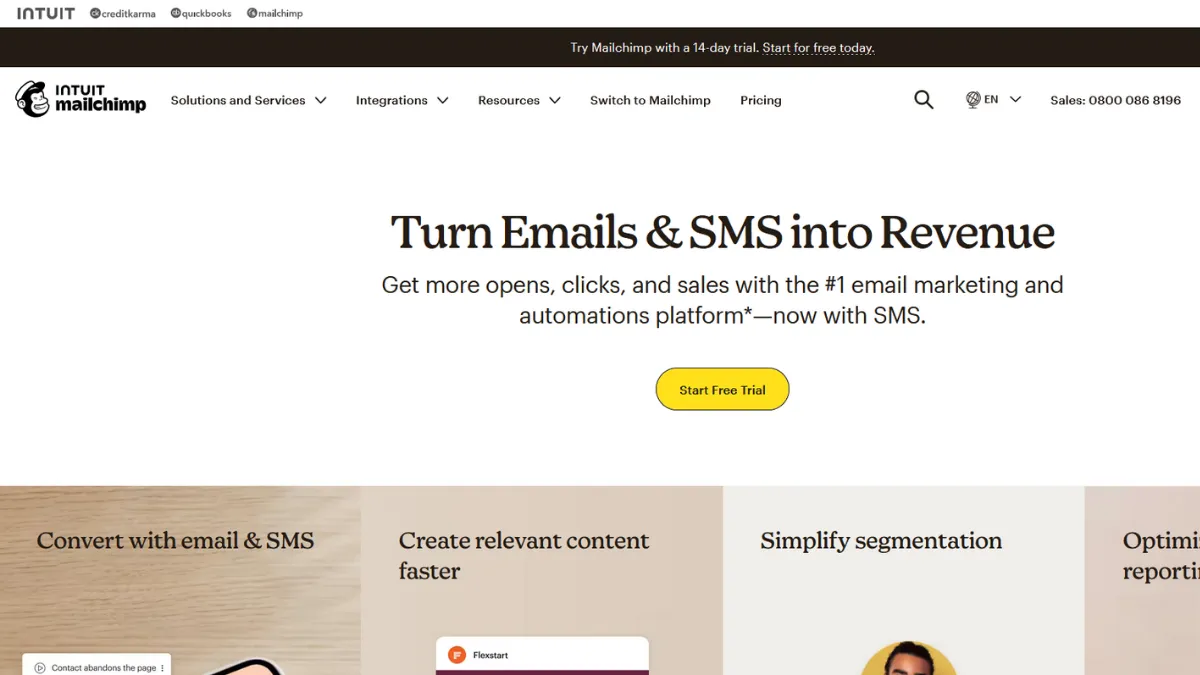
Email marketing has a default setting, and for most businesses that default is Mailchimp. That is not an accident. With over 14 million users and one of the largest template libraries in the category, Mailchimp has spent two decades making it easy to send professional campaigns without hiring a designer or developer. The platform covers the full email workflow from list building and segmentation through automation flows, A/B testing, and revenue attribution. For a business in its first few years of audience growth, it is the most recognisable starting point, and for good reason.
What drives results in Mailchimp is the combination of a polished drag-and-drop editor, behavioural segmentation, and an automation layer that handles the most commercially valuable sequences, particularly abandoned cart recovery for e-commerce businesses and welcome series for new subscribers. The mistake most users make is treating it as a broadcast tool. The platform rewards those who segment early, connect their e-commerce store or Shopify account on day one, and build automations before their list grows. Accounts that simply send bulk newsletters to a single unsegmented audience miss the majority of the revenue-driving functionality.
Realistic expectations matter here. Mailchimp delivers strong deliverability, reportedly placing the majority of campaigns in the inbox at rates among the highest in the category. A well-segmented list of 5,000 to 25,000 contacts is where the platform performs most confidently. At that scale, the Standard plan gives you enough automation depth, dynamic content, and analytics to run a genuinely personalised programme. Above that, costs escalate quickly because pricing scales with contact count, and unsubscribed or inactive contacts still count toward your billing total.
Mailchimp suits small to mid-size businesses that want a single platform for email campaigns, automation, and basic audience analytics without needing a developer to configure it. It is especially strong for e-commerce brands using Shopify or WooCommerce, where the platform can track purchases, trigger post-buy sequences, and attribute revenue directly to campaigns. Content creators, service businesses, and SaaS teams building newsletter audiences also find the interface approachable.
The core limitation is cost at scale. Pricing is contact-based rather than send-based, which becomes expensive quickly as lists grow. You pay for every contact including those who have unsubscribed. Advanced automation, multivariate testing, and comparative reporting are gated behind the Standard and Premium tiers, and SMS marketing is a paid add-on rather than an included feature. Teams that outgrow the Standard plan often find the Premium tier difficult to justify against specialist alternatives.
The sections below cover how the platform works mechanically, which features deliver the most practical value, and how Mailchimp compares to the alternatives most likely to appear on your shortlist.
What Is Mailchimp?
Mailchimp is an email marketing and automation platform that helps businesses build subscriber lists, design campaigns, and send targeted emails at scale. Owned by Intuit since its acquisition, the platform has expanded well beyond email into landing pages, a website builder, SMS marketing, and transactional email, though email remains its strongest capability. What distinguishes it from a generic email tool is the combination of its integration ecosystem, spanning over 300 native connections, and a segmentation engine that can target audiences based on purchase behaviour, engagement history, and predicted demographics. With a reported user base of over 14 million, it is one of the most widely adopted platforms in the category. The question of how it handles list management, automation flows, and contact-based pricing mechanics is what determines whether it is the right fit for a particular business.
How Mailchimp Works
Every Mailchimp account is organised around an audience, which is where all contacts are stored. Unlike some platforms that allow unlimited lists, Mailchimp recommends a single audience with segmentation used to target subgroups. This architecture is efficient when your segments are well-defined, but it can create complexity when managing contacts across different brands or product lines, because each audience is siloed and contacts in multiple audiences count toward your billing total separately.
Campaigns are built in the drag-and-drop editor, where you pull in content blocks, connect dynamic content to segment conditions, and preview rendering across device types. Once connected to an e-commerce store, the platform pulls in product data, purchase history, and browsing behaviour, making it possible to send a product recommendation email that shows each recipient items relevant to their own order history. The editor handles this through merge tags and conditional content blocks rather than requiring any code.
Automation flows, now called Marketing Automation Flows after a rebrand in mid-2025, are triggered by subscriber actions: joining a list, making a purchase, abandoning a cart, clicking a specific link. The Standard plan handles multi-step sequences. The most counterintuitive aspect of how Mailchimp works is its contact counting logic. Many users assume the free plan supports 500 contacts. The free plan actually caps at 250 contacts for live sending. The 500-contact figure refers to storage, not sending eligibility. This distinction catches a significant number of new users by surprise when accounts are placed on hold mid-campaign. Understanding which contacts are archived versus active, and auditing your list regularly to remove inactive contacts, has a direct effect on both your monthly cost and your deliverability rates.
Mailchimp Key Features
Drag-and-drop email editor. The campaign builder lets you construct emails from a library of content blocks without writing code. You can set conditional visibility on individual blocks so different content appears to different audience segments within the same send. The editor handles mobile-responsive layout automatically, and a preview mode shows rendering across common email clients. For most marketing teams, this removes the bottleneck of needing design or development resource to produce a professional campaign.
Audience segmentation. Mailchimp's segmentation tools let you filter contacts by engagement history, e-commerce behaviour, purchase frequency, geographic location, predicted demographics inferred from AI, and data from connected integrations including Salesforce and SurveyMonkey. Segments update dynamically as contacts meet or exit criteria, so a segment of customers who purchased in the last 30 days stays current without manual maintenance. Advanced segmentation, which allows more than five conditions per segment, is available on the Premium plan only.
Marketing Automation Flows. Pre-built journey templates cover the highest-value automation use cases: welcome sequences, abandoned cart recovery, post-purchase follow-up, win-back campaigns, and birthday messages. For e-commerce businesses, the abandoned cart flow alone is often the most commercially significant automation, recovering revenue that would otherwise be lost. Multi-step, conditional flows are accessible on the Standard plan. The automation builder is functional for most common sequences but does not support complex nested conditional logic, which limits more advanced behavioural programmes.
A/B and multivariate testing. Subject line, send time, content, and sender name can all be tested on Essentials and above. Multivariate testing, which tests combinations of variables simultaneously, is available on the Standard plan and above. This makes it possible to identify which combination of subject line and content drives the best open and click rates without running multiple sequential tests.
Reporting and revenue attribution. Campaign reports show open rates, click rates, unsubscribe rates, and e-commerce revenue where a store is connected. Revenue attribution uses a configurable click window and shows which campaigns and automations generated actual purchases. The Standard plan adds comparative campaign reports, which let you benchmark performance across multiple sends in a single view. The trade-off worth noting is that Mailchimp's revenue reporting is adequate for understanding campaign-level performance but is less granular than specialist e-commerce email tools when it comes to per-subscriber lifetime value tracking.
Mailchimp Pros and Cons
Mailchimp has real strengths and a set of limitations that become more significant as your list and requirements grow.
- Industry-standard template library. Mailchimp offers one of the largest collections of pre-designed, mobile-responsive templates in the email category. Non-designers can produce polished campaigns without starting from a blank canvas, which reduces the time from account setup to first send significantly.
- Integration depth. Over 300 native integrations cover the major e-commerce platforms, CRMs, analytics tools, and advertising channels. Connecting to Zapier extends that ecosystem further. This makes Mailchimp a practical hub for teams that want email activity to feed into other parts of their marketing stack.
- Deliverability reputation. Mailchimp's shared sending infrastructure has a strong deliverability record, with inbox placement rates that regularly rank among the top performers in independent audits. For businesses starting out, this is a meaningful advantage over self-hosted or lower-reputation alternatives.
- E-commerce automation out of the box. Abandoned cart, post-purchase, and product recommendation flows work with minimal setup once an e-commerce store is connected. These automations drive measurable revenue without requiring ongoing management.
- Intuit Assist AI tools. AI-powered subject line suggestions, content generation, and send-time optimisation are available on paid plans. The send-time optimisation in particular, which schedules delivery per contact based on their engagement history, can lift open rates for audiences spread across multiple time zones.
The limitations are worth understanding before you commit to a plan tier.
- Contact-based pricing with no credit for inactives. Mailchimp counts every contact including unsubscribed and inactive records toward your billing total. As lists grow, this inflates costs. Regular list hygiene is essential, but it is still a structural disadvantage compared to platforms that price on active contacts only.
- Free plan is now highly restricted. The free tier caps at 250 contacts for live sending, with no automation, no scheduling, and no support after the first 30 days. It is sufficient for testing the interface but impractical for any real sending programme.
- Advanced automation is not competitive at the top end. Teams that need nested conditional logic, sophisticated behavioural triggers, or CRM-depth lead scoring will find the automation builder limiting compared to specialist platforms. The tool handles standard sequences well, but complex multi-branch journeys require workarounds.
- SMS is an add-on, not included. Unlike some competitors that bundle SMS credits into base plans, Mailchimp charges separately for SMS marketing. For businesses that want to run email and SMS in a single platform, this raises the effective monthly cost materially.
- Support is plan-dependent. Live chat and email support are available on paid plans, but free users lose access to live support after the first 30 days. Premium support, including phone access, is only included on the Premium tier starting at approximately $350 per month for 10,000 contacts.
How to Get the Most Out of Mailchimp
Before sending your first campaign, connect your e-commerce platform and configure your signup forms. The segmentation and automation features only become useful once Mailchimp has contact data to work with, and the richer that data is from the start, the more precise your targeting can be. Set up a custom domain for sending authentication rather than relying on a shared Mailchimp subdomain. This protects your sender reputation and ensures your campaigns are not disadvantaged by other senders on the same infrastructure.
Your first week should focus on three automations: a welcome sequence for new subscribers, an abandoned cart flow if you run an e-commerce store, and a re-engagement campaign for contacts who have not opened in 90 days. These three sequences address the highest-leverage points in the subscriber lifecycle and will generate returns before your first broadcast campaign goes out.
Building results over time comes down to segmentation discipline. Most Mailchimp users maintain a single undifferentiated list and wonder why engagement rates drift downward over time. Applying tags to contacts based on their actions, creating dynamic segments for engaged and unengaged subscribers, and suppressing unengaged contacts from broadcast sends will protect your deliverability scores and keep your open rates healthy. Mailchimp's predictive segmentation tools, available on Standard and above, identify contacts most likely to purchase again, which makes it possible to prioritise high-value contacts for promotional sends without blasting your entire list.
If you want to know how to improve email open rates with Mailchimp, the single highest-impact change is enabling send-time optimisation on the Standard plan and testing at least two subject line variants per campaign. These two adjustments alone, applied consistently, produce measurable improvements in engagement without requiring any change to your content strategy. The mistake most users make is over-sending to their full list rather than narrowing each send to the segment most likely to engage with that specific content.
Measure success by tracking revenue per recipient rather than open rate alone. Open rate is a useful signal but is increasingly unreliable due to privacy-related tracking changes across email clients. Revenue per email, unsubscribe rate, and list growth rate are the metrics that give you an accurate picture of whether your programme is working.
Who Should Use Mailchimp?
This is for you if you run an e-commerce store and want abandoned cart recovery, post-purchase sequences, and product recommendation emails without a complex technical setup. It is also the right fit for content creators or service businesses building a newsletter audience from scratch, where the template library, form builder, and basic automation cover everything you need at entry-level cost. Marketing teams at small to mid-size companies that need a shared platform with role-based access, campaign reporting, and 300-plus integrations will find Mailchimp a practical choice that the majority of the team can use without training.
Mailchimp is not the right tool if you need sophisticated multi-branch automation with conditional logic, or if you are running a high-volume transactional email programme where per-block pricing at $20 per 25,000 emails becomes uneconomical. Teams using Klaviyo for deep e-commerce behavioural segmentation, or GetResponse for webinar and funnel marketing, will typically find those platforms better matched to those specific use cases. Businesses with rapidly growing lists should also model the cost trajectory carefully before committing, because Mailchimp becomes one of the more expensive options per contact once lists exceed 10,000 to 25,000 records.
Mailchimp Pricing
Mailchimp operates four tiers: Free, Essentials, Standard, and Premium. The free plan is limited to 250 contacts for live sending with no automation or scheduling, making it suitable for testing the interface rather than running a real programme. Essentials starts at approximately $13 per month for 500 contacts and adds scheduling, A/B testing on subject lines, and email support. Standard, the most popular paid tier, starts at around $20 per month for 500 contacts and includes multi-step automations, send-time optimisation, dynamic content, and comparative reporting. At 10,000 contacts the Standard plan runs to approximately $135 per month, and at 25,000 contacts it reaches roughly $270 per month. Premium, starting at around $350 per month for 10,000 contacts, adds unlimited audiences, advanced segmentation, multivariate testing, and phone support.
SMS marketing and transactional email are priced separately as add-ons, and the contact-counting model bills for unsubscribed contacts alongside active ones. Independent reviews consistently find that actual monthly spend runs above the listed plan price once add-ons and overage charges are factored in. Always check the current rates on Mailchimp's pricing page before committing, as tiers and prices have changed multiple times. Compared to alternatives like Moosend, which offers automation and landing pages at a lower contact-based price point, Mailchimp carries a brand-recognition premium. For teams that need the integration breadth and deliverability track record, that premium is often justified.
Mailchimp vs Alternatives
The strongest competition for Mailchimp comes from platforms that match it in ease of use but undercut it on price or exceed it on automation depth, depending on what your programme requires.
Klaviyo is the most direct challenge for e-commerce teams. It offers deeper behavioural segmentation, per-subscriber lifetime value tracking, and a more sophisticated automation builder. Klaviyo also prices on active contacts only, which removes the billing friction of inactive list members. Choose Klaviyo when your e-commerce programme is advanced enough to need predictive analytics and churn risk modelling. Choose Mailchimp when your e-commerce workflows are standard and you want a broader integration footprint without a steeper learning curve.
GetResponse is a credible alternative for businesses that want email, webinars, landing pages, and basic CRM in a single subscription at a lower price point than Mailchimp's Standard plan. Its automation builder handles multi-step flows with solid visual clarity. GetResponse wins on price efficiency for mid-size lists. Mailchimp wins on template quality, integration breadth, and deliverability reputation.
Beehiiv is worth considering for newsletter publishers and content creators. It is built specifically for that audience, with built-in monetisation, subscriber referral programmes, and a cleaner editorial workflow than Mailchimp's campaign interface. For a pure newsletter operation without e-commerce, Beehiiv often delivers more value at a lower cost. Mailchimp remains the stronger choice when email sits inside a broader marketing stack that needs to connect to CRM, analytics, and advertising platforms.
Mailchimp Review: Final Verdict
Mailchimp earns an overall score of 4.23 out of 5, reflecting a platform that is genuinely capable at the core email marketing use case while showing its constraints at the advanced and budget-sensitive ends of the market. Its integration capabilities stand out at 4.6, which is the dimension that most justifies the platform's position as a default choice for businesses building a connected marketing stack. Cost efficiency scores 3.8, acknowledging that the contact-based pricing model with add-on SMS and transactional email means real spend regularly exceeds headline plan prices.
The bottom line: Mailchimp is the right starting point for most small to mid-size businesses doing email marketing, and it earns that position through deliverability, template quality, and integration breadth. Outgrow it when your automation requirements demand conditional complexity or your list size makes the per-contact pricing uneconomical.
How We Rated It:
More Tool Reviews







Subscribe to Stay in the loop
Get the latest AI and technology news, honest tool reviews, and practical guides delivered straight to your inbox.
Success! Check your Inbox!

Tezons Newsletter
The latest technology news, in-depth tool reviews, and practical guides - curated and delivered to your inbox.
Latest News




Have a question?
Have any questions?
Didn’t find what you were looking for? We’re just a message away.