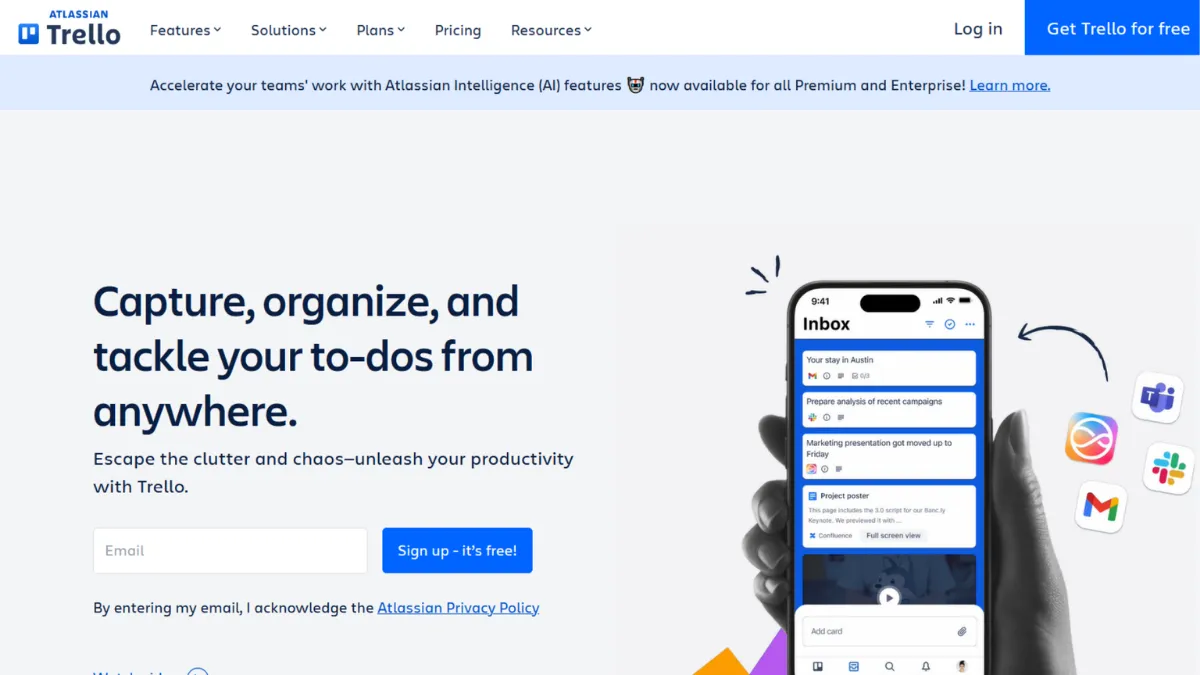
Kanban boards look deceptively simple, and that simplicity is precisely where Trello earns its place. Most project management software starts by asking you to define dependencies, estimate effort, and assign roles before you can track a single task. Trello inverts that: you create a board, add a list, drop in a card, and your workflow is visible before you have finished your coffee. For solo founders, small teams, and anyone whose projects follow a clear left-to-right flow, that immediacy is a genuine advantage. The tools that compete with Trello tend to be more powerful and considerably harder to use, and for many teams the trade is not worth making.
The underlying model is boards, lists, and cards. A board represents a project or a workflow. Lists are the stages, typically something like To Do, In Progress, and Done, though you can define as many as you need. Cards are tasks: you move them through lists by dragging, and you can attach checklists, due dates, labels, members, files, and comments directly to each card. What most users miss early on is Butler, Trello's built-in automation engine. Butler lets you set rule-based triggers, such as automatically moving a card to Done when its checklist is complete, or assigning a member when a card enters a particular list. Used well, Butler removes a significant amount of manual board maintenance. The catch is that automation runs are subject to quotas that vary by plan, so heavy automation on the free tier will eventually hit a ceiling.
Realistic expectations matter here. Trello is not a replacement for a proper project management platform if your work involves task dependencies, resource allocation, or Gantt-style scheduling. What it delivers is a low-friction, highly visual system for tracking work that follows a linear or lane-based flow. Teams using it for content pipelines, design sprints, hiring processes, or client onboarding often find it sufficient for months or years without needing to upgrade beyond the free plan. The moment your workflow requires subtask hierarchies, time tracking, or complex cross-project reporting, you will start to notice the gaps.
Trello is best suited to small teams of up to around fifteen people whose work does not require fine-grained dependency management. Content teams, freelance studios, early-stage product teams managing a light backlog, and operations teams tracking recurring processes all tend to get strong results. If your planning sessions regularly produce Gantt charts, or if you manage work across multiple interconnected projects, a more structured tool will serve you better from the start.
The clearest limitation is the absence of native task dependencies and the lack of built-in reporting. You can work around both through Power-Ups, which are third-party or Atlassian-built integrations that extend Trello's functionality. But the more Power-Ups you stack, the more the interface accumulates friction, and the further Trello moves from the simplicity that made it worth choosing in the first place.
The sections below cover how Trello works mechanically, what its features actually deliver, and where it sits relative to tools like ClickUp and Notion for teams weighing alternatives.
What Is Trello?
Trello is a visual task and project management tool built around the Kanban methodology. It was acquired by Atlassian and sits within that ecosystem alongside Jira and Confluence. The core problem it solves is visibility: at any moment, anyone on the team can see which tasks exist, where they are in the workflow, and who owns them, without attending a status meeting or reading a report. Unlike a spreadsheet-based approach or a generic to-do list app, Trello externalises workflow structure, making the board itself the source of truth. It has accumulated tens of millions of users across industries, which means the learning curve is supported by an unusually large body of templates, tutorials, and community resources. The question worth asking before you sign up is not whether Trello is good at what it does, but whether what it does matches the complexity of your work.
How Trello Works
Setting up Trello takes minutes. You create a workspace, add a board, name your lists, and start creating cards. Each card is a task container: it holds a title, description, checklist items, attachments, comments, due dates, labels, and assigned members. You move cards between lists by dragging them, and the board updates in real time for all members. On mobile, the experience is nearly identical, which matters for teams that track work on the go.
Power-Ups extend the base functionality. Each Power-Up connects Trello to an external service or adds a feature layer, such as a Calendar view, a time-tracking tool, or a connector to Slack or Google Drive. The free plan allows unlimited Power-Ups, which was not always the case, and it meaningfully increases what you can build without paying. Butler automation runs on top of this: you define triggers and actions in plain language, and Butler executes them automatically. A rule might say: when a card is moved to the Review list, assign it to a specific member and set a due date three days from now. Building these rules requires no coding knowledge.
The counterintuitive thing most users discover too late is that Butler's monthly run quota is shared across the entire workspace, not per user. A workspace with ten active boards and aggressive automation will exhaust its free-tier quota well before the month ends. The practical implication is that you should audit which automations genuinely save time before enabling them broadly. Selective, high-value automations on your busiest boards will stretch the quota further than sprinkling small automations everywhere. That question of where to invest your automation budget leads directly into the features worth understanding in depth.
Trello Key Features
Boards, Lists, and Cards. The three-tier hierarchy is both Trello's signature and its structural constraint. Boards hold projects; lists hold stages; cards hold tasks. Each card can carry a substantial amount of detail: descriptions, multi-item checklists, file attachments, colour-coded labels, member assignments, and due dates. The drag-and-drop interface is responsive and reliable. Where this system starts to strain is when a task genuinely belongs to multiple projects or when you need to nest subtasks more than one level deep. Trello has no native cross-board card linking or formal subtask structure, so complex dependency trees require workarounds.
Butler Automation. Butler is Trello's no-code automation engine, available on every plan with quotas that increase on paid tiers. You can build rule-based triggers, scheduled commands, card and board buttons, and calendar-based commands. A trigger fires when something happens on a board; a scheduled command runs at a time you specify. The interface for building rules is straightforward, and Trello has added natural language input to make rule creation faster. The run quota system means you need to be intentional about which automations to enable, particularly on the free plan.
Power-Ups. Power-Ups are the extensibility layer. There are hundreds available, covering everything from time tracking and reporting to integrations with tools like Zapier, Airtable, and communication platforms. The free plan supports unlimited Power-Ups, which is a significant policy change from earlier versions of Trello. The practical limit is usability: too many Power-Ups create a cluttered interface that undermines the board's readability. Treat Power-Ups as targeted additions for specific gaps rather than a way to rebuild a feature-rich platform inside Trello.
Multiple Views. Beyond the default Kanban board, paid plans unlock Timeline, Calendar, Dashboard, Table, and Map views. Timeline view gives you a Gantt-adjacent layout for visualising work over time, though without native dependency linking it functions more as a scheduling view than a true dependency manager. Calendar view surfaces cards by due date. Dashboard view aggregates card counts and activity by list, member, or label, giving teams a lightweight reporting layer without exporting data.
Templates. Trello maintains a library of pre-built board templates covering use cases from agile sprints to CRM pipelines to editorial calendars. Templates let a new user get a functional board running in under five minutes. The template quality varies, but the best ones include pre-configured lists, card examples, and Butler automations that you can adapt immediately. This is one area where Trello's large user base pays off: community-contributed templates cover niche workflows that the official library misses. The limitation worth noting is that templates do not carry over Power-Up configurations, so any extensions you want need to be re-added manually after applying a template.
Trello Pros and Cons
Trello's strengths are real and consistent. Its weaknesses are equally consistent, which means they are predictable and worth knowing before you commit.
- Minimal onboarding friction. A new team member can understand a Trello board in under two minutes without any training. The visual metaphor is intuitive, and the drag-and-drop interface removes most of the learning curve associated with project management software. This pays dividends when onboarding clients, contractors, or non-technical stakeholders.
- Generous free plan. The free tier supports unlimited cards, unlimited members, and unlimited Power-Ups, with ten boards per workspace. For a small team running a single active project, this is often enough indefinitely. Many teams use Trello free for years before hitting a reason to upgrade.
- Butler automation on all plans. Having a functional automation engine available on the free tier is not standard across this category. Most competitors lock automation behind paid plans. Trello's quota-based approach keeps it accessible while providing an upgrade path for heavy users.
- Strong mobile experience. The iOS and Android apps are well-maintained and fast. For founders managing work from their phone, the mobile experience is close to parity with the desktop version. Card management, commenting, and board navigation all work without friction on small screens.
- Atlassian ecosystem integration. Teams already using Jira or Confluence benefit from native connections. Trello can serve as a lightweight front-end for work that flows into more complex Atlassian tools downstream, which makes it a reasonable choice for mixed-methodology organisations.
The cons are structural rather than bugs, meaning they will not be fixed in a future update.
- No native task dependencies. Trello has no built-in way to say that Card B cannot start until Card A is complete. You can approximate this with labels or checklist items, but it is not a real dependency system. If your projects involve sequential tasks where timing matters, this is a genuine gap.
- Reporting is limited without Power-Ups. The free plan has no meaningful reporting. Dashboard view on paid plans gives you card counts and basic progress metrics, but any analysis beyond that requires a Power-Up or a data export. Teams that need to track velocity, cycle time, or workload distribution will find Trello underwhelming.
- Automation quotas create uncertainty. The shared workspace quota for Butler runs means that as your team grows and adds more boards, automation reliability becomes harder to predict. Heavy users on the free plan will routinely hit limits mid-month.
- Free plan capped at ten boards per workspace. For teams running multiple simultaneous projects, ten boards per workspace fills up quickly. You can create multiple workspaces as a workaround, but this fragments visibility and makes cross-project coordination harder.
- Timeline view lacks dependency logic. The Premium Timeline view looks like a Gantt chart but does not behave like one. Without native dependencies, adjusting one card's dates does not cascade to related cards. Users expecting Gantt functionality will find this disappointing.
How to Get the Most Out of Trello
Before you create your first board, map your workflow on paper. Trello rewards users who know their stages in advance. Boards built reactively tend to accumulate lists until the board becomes unreadable. Define three to five stages that reflect how work actually moves in your team, not how you wish it moved, and resist adding new lists until the existing ones prove insufficient.
In your first week, focus on one board and one workflow. The temptation is to build boards for every project at once. Resist it. Get your team comfortable with card creation, due dates, and labels on a single board before expanding. Once that board runs smoothly, replicate the structure using Trello's built-in board copy feature.
Butler automation is where Trello shifts from a visual to-do list into a workflow tool. The highest-value automations to build first are: move a card to Done when all checklist items are complete; notify a member when a card is assigned to them; and archive cards in Done that have not been touched in two weeks. These three automations alone remove a significant amount of board maintenance.
If you are wondering how to manage a content pipeline in Trello, the answer is labels. Use labels to indicate content type, campaign, or channel, and use lists to indicate production stage. This gives you two independent dimensions of organisation on a single board without needing to create separate boards per category. Combine this with a Calendar Power-Up to see due dates mapped to a monthly view, and you have a functional editorial calendar without leaving the tool.
Measure success by board hygiene, not board activity. A well-run Trello board has cards that move regularly, a Done list that gets archived on a cadence, and a backlog that reflects real priorities. If cards sit in In Progress for weeks without movement, the board has stopped reflecting reality and started becoming a graveyard. Review your boards weekly and archive anything that has been resolved or abandoned.
Who Should Use Trello?
Trello works best for teams whose work follows a predictable flow and who value immediate visibility over deep functionality. Three profiles get the most consistent value from it.
A content or marketing team of two to eight people managing an editorial pipeline will find Trello nearly ideal. The Kanban layout maps directly to content stages, labels handle categorisation, and due dates keep deadlines visible. The free plan is typically sufficient for this use case.
An early-stage startup tracking a product backlog before adopting a dedicated engineering tool will find Trello a low-overhead way to manage feature requests, bug reports, and sprint tasks. It is not a Jira replacement, but it does not need to be. For pre-product-market-fit teams, simplicity has genuine value.
An operations manager running recurring processes, such as onboarding checklists, vendor reviews, or weekly reporting workflows, will benefit from Trello's template and automation features. A well-configured board with Butler automations can manage recurring processes with minimal manual input.
Trello is not the right choice if you manage work across multiple interconnected projects where task completion in one area gates progress in another. Engineering teams running formal sprints with burndown charts, project managers handling complex programmes with resource constraints, and organisations that need time tracking, invoicing, or budget management built into their workflow tool will hit Trello's ceiling quickly and spend their time working around it rather than with it.
Trello Pricing
Trello offers a free plan that is genuinely usable for small teams. It includes unlimited cards, unlimited members, up to ten boards per workspace, and unlimited Power-Ups with Butler automation available within a monthly run quota. The free plan's primary constraints are the board limit and the automation quota, both of which become relevant as team size and project volume grow.
The Standard plan, priced at around five dollars per user per month billed annually, removes the board limit, raises the automation quota, and adds custom fields and a few administrative controls. For most small teams that have outgrown the free plan, Standard is the appropriate upgrade. The Premium plan, at around ten dollars per user per month, adds the additional views including Timeline, Calendar, Dashboard, and Table, along with higher automation limits and more detailed admin features. Enterprise pricing applies to larger organisations and is structured per user with volume-based discounts.
For a solo founder or a team of two or three, the free plan is likely sufficient for an extended period. The jump to Standard makes sense when you are managing more than ten active boards or when automation run limits are disrupting workflows. Check Trello's pricing page directly for current rates, as Atlassian adjusts plan structures periodically. Relative to alternatives, Trello's paid plans sit at the affordable end of the category, though tools with more features at a similar price point exist and are worth comparing.
Trello vs Alternatives
Notion is the most common alternative for teams that want documents and tasks in one place. Notion's database views offer more flexibility than Trello's board structure, and its document-first approach suits teams that do a lot of written planning alongside task management. Trello wins on speed of setup and mobile usability; Notion wins on depth and customisation. Choose Notion if your work involves significant documentation that needs to live alongside your tasks.
ClickUp is the feature-rich alternative for teams that have outgrown Trello's structure. It offers native task dependencies, time tracking, goals, multiple views, and automation that does not hit the same quota constraints. The cost is a steeper learning curve and an interface that can feel overwhelming early on. Choose ClickUp when you need dependency management, reporting, or a more structured project hierarchy. Trello wins when you want a team up and running in an afternoon.
Monday.com positions itself between Trello and enterprise tools. It offers more view types and a stronger reporting layer than Trello, along with better workflow automation at scale. Pricing is higher and charged per minimum seat thresholds, which makes it less accessible for very small teams. Trello wins on cost and simplicity for sub-ten-person teams; Monday.com wins for operations-heavy teams that need dashboards and structured automations without Jira's complexity.
Airtable suits teams that think in databases rather than boards. It handles structured data and relational records in ways Trello cannot, and its grid view appeals to teams that are more comfortable with spreadsheet-style organisation. Trello wins for visual Kanban workflows; Airtable wins when your tasks involve multiple data fields that need to relate to each other.
Trello Review: Final Verdict
Trello earns an overall score of 4.19 out of 5, which reflects a tool that does its core job exceptionally well while carrying clear structural limitations that disqualify it for complex project management. Its ease of use score of 4.8 is the highest dimension and justified: no tool in this category gets a team productive faster. The integrations score of 3.7 reflects the Power-Up dependency model, where extending Trello meaningfully requires stitching together third-party additions that can undermine the simplicity the tool is chosen for.
The bottom line is this: if your work fits a Kanban board, Trello is one of the best tools you can use. If it does not, no amount of Power-Ups will change that.
How We Rated It:
More Tool Reviews







Subscribe to Stay in the loop
Get the latest AI and technology news, honest tool reviews, and practical guides delivered straight to your inbox.
Success! Check your Inbox!

Tezons Newsletter
The latest technology news, in-depth tool reviews, and practical guides - curated and delivered to your inbox.
Latest News




Have a question?
Have any questions?
Didn’t find what you were looking for? We’re just a message away.