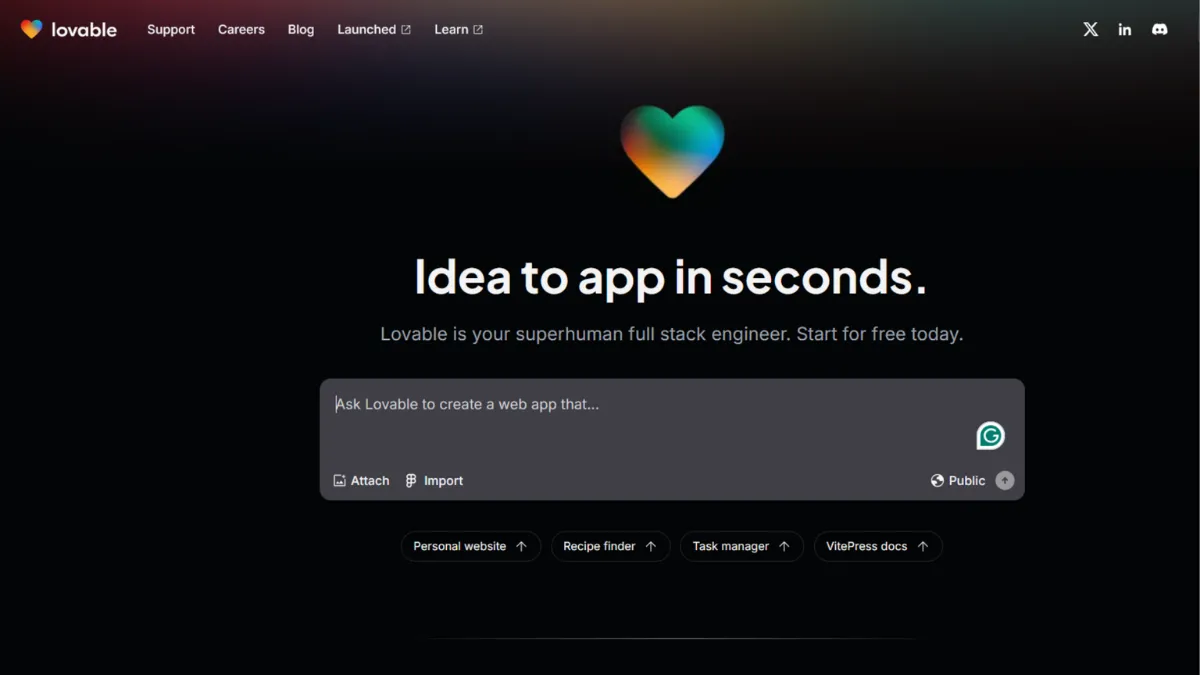
Building a web app used to mean hiring a developer, waiting weeks for a prototype, and burning budget before a single user had seen the product. Lovable collapses that timeline to hours. It is an AI-powered app builder that converts plain-language prompts into deployable React applications, complete with database and authentication via Supabase. For non-technical founders who need a working product to validate an idea, test pricing, or attract early users, it is one of the most direct paths from concept to live URL available today.
The mechanism is a credit-based AI agent. You describe what you want, and Lovable generates the front-end code, configures Supabase for your database and user authentication, and deploys the result to a hosted URL. Each prompt you send consumes credits. The quality of what gets built depends heavily on how precisely you write those prompts: vague instructions produce vague apps and waste credits on iteration. Lovable builds with React and Tailwind CSS, so the output is modern, responsive, and code you actually own. You can export to GitHub at any time and continue editing the code yourself, which separates it from no-code tools that lock you into a proprietary environment. The most common mistake new users make is treating it like a search engine: one-line prompts trigger one-line thinking from the AI. Describing your app's purpose, target user, and specific behaviour in each prompt produces dramatically better results.
Expect to build a functional MVP in a single session if your app has a clear, bounded scope: a landing page with a waitlist, a simple dashboard, an internal tool. Complex logic, multi-role authentication, or payment flows require more iterations and more credits, and some builders report hitting walls where the AI loops on the same error without resolution. Production-readiness is a realistic goal for straightforward apps. For anything requiring fine-grained security, advanced scalability, or custom backend logic beyond what Supabase provides natively, Lovable covers the majority of the work but not all of it.
Lovable suits non-technical founders at the validation stage, solo operators who need internal tooling without a development budget, and designers who want to move a prototype beyond static mockups in Figma into something clickable and deployable. It also works well for developers who want to scaffold a project quickly and then take over in code, rather than starting from a blank file.
The credit system is the sharpest limitation. Each plan comes with a fixed monthly credit allowance, and complex projects that require repeated debugging cycles or large iteration loops can exhaust credits faster than expected. The free tier offers five daily credits, which is enough to test the platform but not to build anything serious. Once a project exceeds the scope Lovable handles well, you need either a developer or a cloud code environment like Replit to continue.
The sections below cover how Lovable works mechanically, its key features, a practical strategy guide, and how it compares to the main alternatives.
What Is Lovable?
Lovable is an AI app builder that generates full-stack web applications from natural language prompts. It targets the gap between a founder's idea and their first working product, removing the requirement for coding knowledge or developer resources to get something live. Unlike generic AI assistants that write code for you to paste elsewhere, Lovable handles the entire workflow: code generation, backend configuration via Supabase, deployment, and hosting. The platform connects to GitHub for version control, so you retain ownership of every line it produces. What sets it apart from drag-and-drop website builders like WIX or Squarespace is that the output is real application code, not a templated design system. Lovable reached significant ARR within months of launch, reflecting genuine demand from the non-technical founder segment. The relevant question is not whether it can generate an app, but whether the app it generates meets the specific requirements of your use case, and how the tool behaves when it does not.
How Lovable Works
Every interaction with Lovable runs through a credit-based AI agent. You open a project, describe what you want in the chat interface, and the agent generates or modifies React code in response. The output renders live in a preview panel to the right, so you see the app change as prompts are processed. Each successful generation or edit consumes credits from your monthly allocation. The size of your plan determines how many credits you get per month, and unused credits roll over for paid subscribers.
Supabase handles everything on the backend. When you instruct Lovable to add user authentication, a database table, or file storage, it connects to your Supabase project, configures the schema, and writes the code that interacts with it. You do not write SQL or manage infrastructure; the AI handles that layer. GitHub integration gives you a complete version history and the ability to clone the repository and continue development locally in a code editor.
The visual editor sits alongside the chat interface and allows targeted adjustments without consuming credits for full AI-generated edits. Deployment is automatic: every project gets a hosted URL, and paid plans allow custom domains. The counterintuitive thing most new users discover is that Lovable is not a one-and-done generator. It behaves more like a development session: you describe, review, refine, and iterate. The prompt that produces a polished result is rarely the first one. Planning your data model and user flows before you open the chat avoids expensive mid-build pivots, and keeping each prompt focused on a single feature produces more predictable output than trying to describe an entire app at once.
Lovable Key Features
AI App Generation from Natural Language. The core feature converts a plain-English description into a working React application. You describe the app's purpose, the screens you need, and the behaviour you want, and Lovable scaffolds the structure, builds the UI components, and connects the data layer. Output quality scales with prompt specificity, so builders who invest time describing their requirements in detail get significantly better results than those who use brief, ambiguous instructions.
Supabase Integration. Lovable connects natively to Supabase for database management, user authentication, and file storage. This means you can build apps that create and store data, support login systems with role-based access, and handle file uploads, all without configuring a backend yourself. The integration handles database migrations automatically as your schema evolves, though complex configurations sometimes require manual intervention in the Supabase dashboard. It is worth noting that Supabase is the only supported backend option: if your existing data lives elsewhere, you need to migrate it or restructure your backend to proceed.
Code Ownership and GitHub Export. Every application Lovable generates belongs to you. The platform syncs directly to a GitHub repository, giving you a complete version history and the ability to clone the project and edit the code locally at any time. This removes the lock-in risk that makes other no-code tools problematic for serious projects. Developers who use Lovable to scaffold can hand the repository to a technical team without any migration cost.
Visual Editor. Alongside the AI chat interface, a visual editor lets you make targeted adjustments to layout, typography, and components. Changes made visually do not consume credits, which helps preserve your monthly allocation for feature additions rather than cosmetic tweaks. The visual editor is limited compared to a dedicated design tool and cannot replace the AI chat for structural changes.
Real-Time Collaboration. Paid plans allow multiple users to work within a shared workspace, with changes visible in real time. Teams building together can review the live preview simultaneously, which reduces the feedback loop between non-technical stakeholders and whoever is managing the build. The collaboration layer does not extend to simultaneous editing of the same prompt, so teams should coordinate on who sends instructions at a given time. The credit system is shared across a workspace, which means team projects burn through allocations faster than solo ones.
Lovable Pros and Cons
Where Lovable delivers clear value:
- Speed from prompt to deployed app. A scoped MVP, internal tool, or landing page with data collection can be live within a single work session. The time advantage over traditional development is significant for founders working without a technical co-founder.
- Full code ownership. The GitHub integration means the output is portable. You are never locked into Lovable's platform; the code runs independently of it. This is a material advantage over no-code tools that store your app in a proprietary format.
- Supabase backend without configuration. Getting user authentication and a persistent database working in a new project typically takes hours of setup. Lovable handles it through a prompt, removing a significant barrier for non-technical builders.
- Visual editor preserves credits. Being able to make cosmetic and layout changes without spending credits means your allocation goes further on actual feature development.
- Accessible entry point. The free plan's daily credits are enough to test the platform meaningfully before committing to a paid tier. No credit card is required to start.
Where Lovable falls short:
- Credit consumption on complex projects. Iterating on difficult bugs, architecture changes, or multi-step features burns credits quickly. A complex project can exhaust a monthly allocation before it reaches a usable state, making cost unpredictable for anything beyond a simple app.
- Backend locked to Supabase. Lovable's backend integrations do not extend beyond Supabase, GitHub, and Stripe. If your project requires a different database, third-party API workflows, or custom server logic, you need to handle that outside the platform entirely.
- AI loops on persistent errors. When the AI encounters a bug it cannot resolve, it can cycle through attempted fixes without making progress. Users need to recognise this pattern early and either restructure the prompt or move to a code editor.
- Not production-ready for complex apps. Lovable generates working code, but it does not include rate limiting, observability tooling, or robust testing. Apps built entirely within the platform require developer review before handling serious production traffic.
- Prompt dependency. The quality of output depends on the quality of input. Founders who are not comfortable writing detailed, structured descriptions of software behaviour will get inconsistent results until they develop that skill.
How to Get the Most Out of Lovable
Before you open a new project, map out your app's core user flows on paper or in a basic wireframe. Lovable performs best when you feed it clear, scoped instructions. Knowing in advance what screens exist, what data each screen displays, and how users move between them lets you prompt with precision rather than discovering your requirements through expensive iteration.
In your first session, build one vertical slice of the app rather than the entire product. Get one screen working end-to-end: the data model, the UI, the authentication, and the deployment. Validate that the approach works before expanding. This protects your credits and gives you a working reference point that makes subsequent additions more predictable.
To build a full-stack app in Lovable without a developer, connect Supabase in your first prompt session and describe your data schema at the same time as your UI requirements. Doing both together lets the AI generate coherent code that connects the front end to the database from the start, rather than retrofitting a backend onto a UI that was built without one. When you hit an error the AI cannot fix in two or three attempts, stop. Switch to viewing the GitHub repository, identify the specific file and function causing the problem, and return to Lovable with a targeted prompt that names the exact issue rather than asking it to fix a generic error message.
Use the visual editor for all cosmetic changes: spacing, colours, typography, component sizing. Save prompts for feature changes. Paid subscribers should check their credit balance before starting a long session and aim to end each session at a stable, deployable state so rollover credits are not wasted on half-finished iterations. Teams using Notion or ClickUp to document requirements can copy specifications directly into Lovable prompts, which reduces the gap between what was planned and what gets built.
Measure success by deployable sessions, not perfect sessions. A build where you reach a live URL with core functionality working is a success, even if cosmetic details need further work. Tracking which prompt structures produce usable output in one pass builds a personal library of effective patterns over time.
Who Should Use Lovable?
Three profiles get clear value from the platform.
Non-technical founders at the pre-revenue stage who need a functional product to test with users, run paid ads against, or show to investors. They are not ready to hire a developer, and they need something interactive rather than a static mockup. Lovable gets them to a live URL with real data handling in a single day.
Solo operators building internal tools: dashboards, CRM overlays, data entry interfaces, approval workflows. These tools typically need authentication, a database, and a few screens. A developer would bill several days for this work; Lovable completes it in hours. The output is good enough for internal use without the level of security review a customer-facing product requires.
Designers and product managers who want to move prototypes from static screens into something interactive and testable. Describing desired behaviour to Lovable alongside a reference design gives them a functional prototype without writing code. The result is not pixel-perfect, but it is functional enough to run user testing sessions on.
Lovable is not for you if you are building a production application with complex backend logic, fine-grained security requirements, or integration with existing data infrastructure that does not run on Supabase. Developers who already work efficiently in a code editor will find prompt-driven development slower than their existing workflow. If you need a native mobile app rather than a web app, Lovable does not cover that use case.
Lovable Pricing
Lovable offers a free plan with five daily credits, which resets each day. The daily cap makes the free tier impractical for sustained development work on anything more complex than a proof of concept, but it is a low-friction way to evaluate the platform before paying. Public project hosting and workspace collaboration are included on the free plan.
Paid plans start at approximately $21 per month billed annually for the Pro tier, which includes 100 monthly credits, private projects, custom domains, credit rollover, and the removal of Lovable branding. The Business plan adds SSO, data training opt-out, and reusable design templates, starting at approximately $42 per month billed annually. Both paid plans allow credit allocation increases at a higher subscription rate. Enterprise pricing is negotiated directly and includes dedicated support and custom onboarding. Always verify current rates at lovable.dev/pricing, as credit structures and plan features have changed since the platform launched. At the entry paid tier, Lovable represents solid value for scoped, straightforward builds. For complex projects where iteration is unpredictable, the cost-efficiency score of 4.1 reflects that credit budgeting requires planning. Compared to Bolt.new, which uses a similar credit model, pricing is broadly comparable at equivalent tiers.
Lovable vs Alternatives
Bolt.new is the closest direct competitor. It supports a broader range of frameworks beyond React, handles full-stack development across more deployment targets, and suits developers who want more control over the technical choices their AI builder makes. Lovable has a deeper Supabase integration and a gentler learning curve for non-technical users. Choose Bolt if you want framework flexibility; choose Lovable if Supabase-backed React apps match your requirements and ease of setup is the priority.
Replit targets a developer audience and provides a full cloud development environment rather than a prompt-driven builder. It suits builders who want to write and run code directly, with AI assistance alongside rather than in front. Non-technical founders will find Lovable's abstraction level more accessible; developers who want control will prefer Replit.
Webflow covers design-led website and web app projects with far stronger visual editing capabilities and a mature CMS. It is not an AI app builder in the same sense: you design in Webflow rather than describe to it. Founders who need a polished marketing site or content-driven product will find Webflow more capable on the design side. Lovable wins on backend functionality and speed for data-driven app prototypes where the UI is secondary to the data model.
Zapier and Make solve a different problem: workflow automation between existing tools rather than building a new interface from scratch. If your use case is connecting platforms you already use rather than creating a new app, automation tools are the better fit.
Lovable Review: Final Verdict
Lovable scores 4.09 out of 5 overall. That score reflects a platform that does one thing well: turning a non-technical founder's description into a live, functional web application in hours. The ease of use score of 4.6 is the standout, and it reflects a genuine reduction in the barrier to building software. The integrations score of 3.5 reflects an equally genuine constraint: Supabase or nothing on the backend, with no native route to other databases or external workflow automation tools.
The bottom line: if you need a functional web app without a developer and your requirements fit within the React plus Supabase stack, Lovable is the fastest legitimate path to a live product. If your project pushes beyond that scope, factor in the additional tooling or developer time you will need alongside it.
How We Rated It:
More Tool Reviews







Subscribe to Stay in the loop
Get the latest AI and technology news, honest tool reviews, and practical guides delivered straight to your inbox.
Success! Check your Inbox!

Tezons Newsletter
The latest technology news, in-depth tool reviews, and practical guides - curated and delivered to your inbox.
Latest News




Have a question?
Have any questions?
Didn’t find what you were looking for? We’re just a message away.