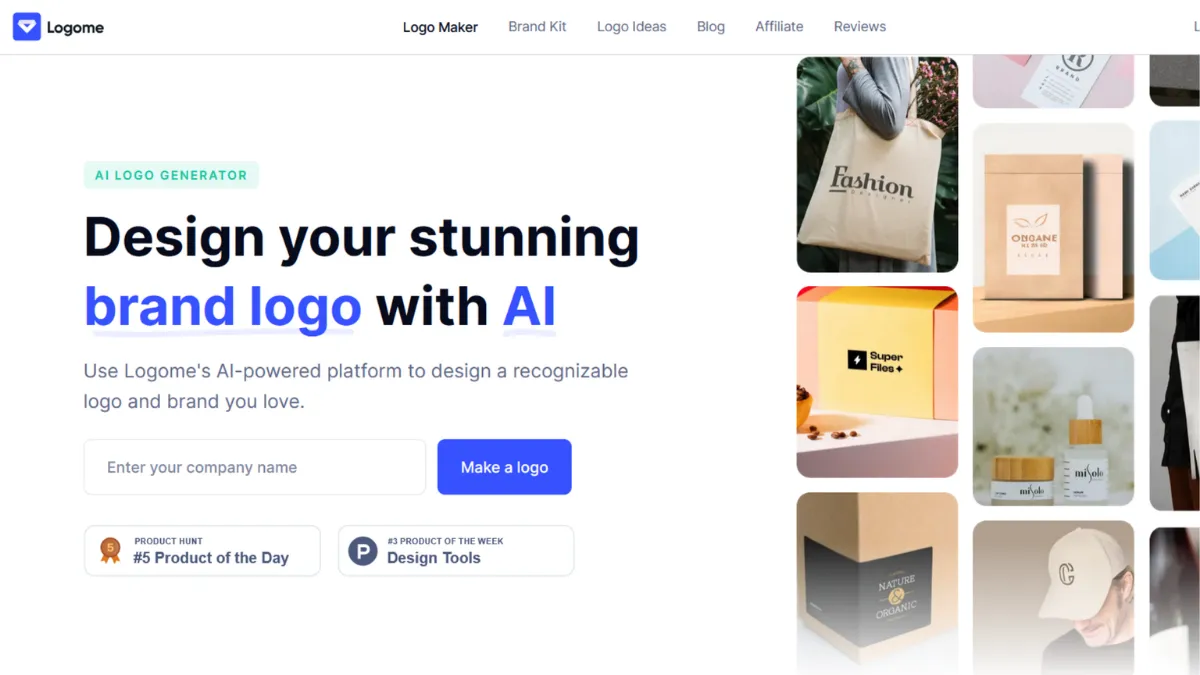
Speed solves a real problem in early-stage branding: most founders spend weeks going back and forth with designers on a logo when they should be building product. Logome is an AI logo generator and brand kit platform that compresses that process into minutes, and for many solo founders and small teams, that trade-off is worth making. The tool is not trying to compete with senior brand designers. It is competing with the two weeks you would otherwise lose, the $500 minimum you would spend on Fiverr, and the procrastination that keeps you from shipping. On those terms, it delivers.
The mechanism is straightforward: you enter your business name, select an industry, pick style preferences and a colour direction, and the AI generates a set of logo concepts. What makes Logome more useful than a template-filler is that each concept uses a distinct layout rather than slotting your name into a pre-built shape. The built-in editor then lets you swap fonts from a library of over 100 options, adjust colour schemes between solid and gradient variants, change icons from a large symbol set, and fine-tune spacing and orientation. Once you settle on a direction, the platform auto-generates a brand kit: business cards, email signatures, social media assets, invoice templates, and a starter website design, all matched to your logo's palette and typography. That full-kit output is where Logome earns its subscription price. Generating each asset individually in Canva would take hours. Logome produces a usable set in one session.
Realistic expectations matter here. Logome generates logos that are professional enough for a startup, a freelancer's portfolio, or a small retail brand. They will not win design awards. Concepts can feel repetitive when your brand inputs are vague, so the quality of what you get out is directly tied to how specifically you describe your business, target audience, and preferred aesthetic. Teams that need a distinctive, strategically considered visual identity for a Series A pitch deck or a product with strong design expectations should work with a professional. For everyone else, the output range is good enough for a real launch.
Logome suits founders who need to look credible immediately, creators launching a side business, and agencies managing light-touch branding for multiple small clients. If you can articulate what your brand stands for in a few words, the tool will translate that into something workable.
The subscription model is the genuine limitation. A logo is typically a one-time need, yet Logome prices access as a recurring monthly or annual charge. Users who sign up for a brand kit, download their assets, and then forget to cancel will continue to be billed. Multiple verified complaints document difficulty cancelling and charges continuing after cancellation attempts, which is a real concern. Read the cancellation policy before committing, and set a calendar reminder if you only need the tool once.
The sections below cover how the platform works mechanically, which features matter, pricing structure, and how Logome compares to the main alternatives in the AI logo category.
What Is Logome?
Logome is an AI-powered logo generator and brand identity platform built for non-designers who need professional-looking branding without hiring an agency. The problem it solves is time and cost: a custom logo from a designer costs anywhere from a few hundred to several thousand pounds and takes days of revision cycles. Logome delivers a workable logo in under ten minutes by using AI to interpret brand inputs and generate distinct layout concepts rather than filling in a static template. Where most logo tools stop at the image file, Logome extends the output into a full brand kit, covering the collateral a new business needs to look consistent across every touchpoint. Over 500,000 businesses have used the platform, with more than 800,000 logos generated, which places it firmly in the mainstream of the AI design category. The question the platform raises immediately is how the AI actually translates a few text inputs into a set of varied logo options rather than generic results.
How Logome Works
Setup takes roughly two minutes. You enter your business name and optionally a tagline, select your industry from a category list, choose two or three style keywords such as modern, playful, or minimal, and pick a colour direction. The AI uses those inputs to generate multiple logo concepts, each with a different combination of icon, typeface, layout orientation, and colour application. The layouts are not fixed templates with your name substituted in: the spatial relationship between the icon and text varies across concepts, which produces meaningfully different options rather than slight colour variations of the same design.
The editor loads whichever concept you select and gives you control over every element. Font swaps apply across the entire logo instantly, so you can audition ten typefaces in under a minute. The colour picker supports both solid fills and gradient schemes. Icons come from a large symbol library organised by category, and you can preview your chosen design rendered on realistic mockups: a business card, a storefront sign, a t-shirt, a phone screen. That mockup preview is more useful than it sounds because it forces you to evaluate the logo at real-world scale before committing to a download.
Brand kit generation happens automatically once you finalise your logo. The platform takes your colour palette, font pairing, and icon and applies them across a set of templated assets: business cards, email signatures, social media headers, invoice layouts, flyer templates, and a basic website design. The assets are matched, not manually assembled, so visual consistency comes without additional effort.
The counterintuitive thing most users get wrong is treating the first generation as the output. The initial concepts are a starting point for editing, not a finished product. Users who spend five minutes in the editor refining typography and colour get noticeably better results than those who download the first option that looks reasonable. The platform rewards a second pass. That raises a practical question for the features section: which editing and output capabilities are actually worth using.
Logome Key Features
AI Logo Generator. The core engine takes brand inputs and produces multiple distinct logo concepts per session. Concepts vary in layout, icon selection, and typographic pairing rather than duplicating a single template with minor colour changes. Paid plans allow multiple generation sessions, so you can run a new batch with different style inputs and compare across sessions. The generator performs best when your inputs are specific: naming your industry, describing your audience, and selecting style keywords produces more varied and relevant output than leaving fields broad.
Built-In Logo Editor. The editor gives you direct control over fonts, colours, icons, spacing, and orientation without requiring any design software. You can switch between horizontal, vertical, and icon-only layouts and preview each variant before downloading. Changes apply live, so there is no rendering delay between editing and seeing the result. This editor is the main reason Logome outperforms simpler AI generators: you are not locked to the initial output.
Brand Kit Generation. After you finalise a logo, Logome automatically creates a matched set of brand assets. Higher-tier plans include business cards, email signatures, social media post templates, invoice layouts, flyers, and a starter website design. All assets use your logo's colour palette and fonts. For a solo founder who would otherwise spend time recreating the same design across Google Drive templates and presentation decks, this automated consistency saves real time.
High-Resolution File Exports. Paid plans provide downloads in PNG, SVG, PDF, and EPS formats. SVG and EPS are scalable vector files suitable for print, merchandise, and signage at any size. PNG with transparent background is available from the Premium tier upward. All paid plans include full commercial usage rights, so downloaded logos can be used freely across your business. The Basic plan outputs a single file without transparency, which limits practical application.
Mockup Previews. Before downloading, you can preview your logo rendered on business card mockups, storefronts, merchandise, and digital screens. This feature is underused by most first-time visitors but it significantly improves decision quality by showing how a logo reads at different scales and on different surfaces. Logos that look clean at full size sometimes lose legibility on a small business card, and the mockup view surfaces that problem before you commit.
The integration picture is limited. Logome has no native connections to project management tools, design platforms, or publishing tools. It operates as a standalone creation environment, and once you download your assets, moving them elsewhere is a manual process. That is noted in the ratings below.
Logome Pros and Cons
The advantages of Logome centre on speed, output breadth, and the quality of its editing layer relative to other AI logo tools.
- Fast from input to usable brand assets. A complete logo and matched brand kit in a single session is a genuine time advantage. Founders who need to launch a landing page, order business cards, or set up social profiles before a launch date benefit most from this speed.
- Editor quality above category average. Most AI logo generators lock you to the initial output or offer only basic colour changes. Logome's editor lets you replace fonts, swap icons, and adjust layouts, which means the AI output functions as a draft rather than a final product.
- Vector file access on mid-tier plans. SVG and EPS exports are included from the Premium plan upward. Many competitors reserve vector files for their highest tier, making Logome competitive on file format access relative to price.
- No design experience required. The onboarding flow is short and plain-language throughout. Users with no prior exposure to logo design or brand identity can produce a credible output without understanding typography or colour theory.
- Full commercial rights on all paid downloads. There are no licensing restrictions on how you use your downloaded logo, which avoids a common gotcha in low-cost design tools.
The limitations are real and worth knowing before you commit.
- Subscription pricing for a one-time need. A logo is something most businesses create once. Paying monthly for ongoing access to something you downloaded in session one is a structural mismatch. Annual plans reduce the cost, but the model still assumes recurring use that most solo founders do not have.
- Billing and cancellation friction. Multiple verified customer complaints report difficulty cancelling subscriptions and charges continuing after cancellation. The refund policy is strict: annual plans are non-refundable once charged, and monthly plans carry no refund after the initial trial window. This is the single biggest practical risk with the platform.
- Output quality depends on input specificity. Vague brand descriptions produce generic concepts. Users who enter a business name and industry without further context often get results that feel interchangeable with other brands in their sector.
- No post-download editing. Once you download and close a project, re-editing requires starting a new generation session or using a remaining edit slot. This is a workflow constraint for teams that expect to revisit and refine their identity over time.
- No API or integration layer. Logome does not connect to other tools in your stack. Assets must be exported manually and moved to wherever you use them.
How to Get the Most Out of Logome
Before you generate anything, write out two or three sentences describing your business: what it does, who it serves, and the feeling you want the brand to project. Copy those sentences into the style input fields rather than picking generic keywords. The AI responds better to specific context than to broad descriptors like 'professional' or 'modern', which every other user is also selecting.
Run at least two generation sessions with different style inputs before editing anything. Save concepts you like from each session and compare across the full set before opening the editor. Most users open the first concept that catches their eye and start editing immediately, which means they never see the better option sitting two concepts to the right.
In the editor, prioritise the font pairing before touching colours. Typography carries more brand personality than colour in a logo at small sizes, and the font library is large enough that spending five minutes here produces a meaningfully different result. Once the font feels right, adjust the colour to match your brand direction, and then refine icon selection if the default does not fit.
If you are wondering how to create a complete brand kit for a new business without a design team, Logome's automated kit generation is the most efficient answer at this price point. After finalising your logo, download the full kit before cancelling or downgrading your plan, since access to kit assets is tied to your subscription tier. Export every format you anticipate needing, including SVG for print and transparent PNG for digital use.
Set a calendar reminder for your renewal date before you close your browser. If you only need Logome once, cancel before the renewal processes. The refund policy does not cover charges already processed, so the burden of managing the subscription is entirely on you.
Who Should Use Logome?
Logome works best when speed and budget are the primary constraints, and when the brand identity requirement is real but not strategically complex.
A solo founder launching a SaaS product who needs a logo for a landing page, a social profile, and business cards before a beta launch date will get genuine value. The brand does not need to be distinctive yet: it needs to be credible and consistent. Logome delivers that. A freelance consultant moving from referral work to inbound who needs a professional visual identity across email, a website, and a PDF proposal is another strong fit. The brand kit output covers every touchpoint in one session. A small e-commerce operator who needs branded packaging templates, social media assets, and a cohesive digital presence without the budget for a designer is a third clear match.
Logome is not the right tool if your brand identity is a strategic asset that needs to stand out in a competitive consumer market, or if you are preparing materials for investor fundraising where visual distinctiveness signals seriousness. It is also not suitable for teams who need iterative design collaboration, version control, or integration with tools like Figma or a project management platform. Users who want to refine their identity over multiple sessions should be aware that the subscription model charges for ongoing access, making it expensive relative to a one-time design commission if used beyond the initial download.
Logome Pricing
Logome offers a free starting point: you can generate and preview logo concepts without creating an account, which is a useful way to test whether the AI output matches your brand direction before committing. Downloading any file requires a paid plan.
The entry tier provides a single logo file at lower resolution without a transparent background, suitable for basic digital use but limited for print or professional applications. The mid-tier plan expands to multiple logos, high-resolution outputs in PNG, SVG, PDF, and EPS, transparent backgrounds, and ongoing editing access. The top tier adds the full brand kit, covering business cards, email signatures, social media assets, website design templates, invoice layouts, and flyers, alongside priority support. Monthly and annual billing options exist across all tiers, with annual plans offering a significant discount. Check the current pricing page on Logome's site directly, as rates have varied across billing periods.
The honest verdict on pricing: the annual mid-tier plan offers strong value if you need the full format set and brand kit in a single session. The monthly billing option is expensive relative to what most users actually need. Anyone who only needs a logo and plans to use the tool once should factor the cancellation requirement into their decision. Compared to the alternatives below, Logome's annual rates are competitive at the entry and mid level.
Logome vs Alternatives
Looka is the closest direct competitor. It offers a similar AI generation flow and brand kit output with strong mockup previews. Looka's one-time purchase option suits users who want to pay once and avoid a subscription entirely, which resolves the recurring billing concern that follows Logome. Logome's editor feels slightly more flexible on icon swapping, but the output quality is comparable. Choose Looka if the subscription model is a deal-breaker.
Canva is not a logo generator in the same sense, but its logo creation tools and extensive template library make it a genuine alternative for users who want more manual control and a broader design environment. Canva's free tier is more generous than Logome's, and the platform integrates with a wider range of workflows. Choose Canva if you want to design across multiple asset types in one tool rather than export a kit and move assets manually.
Adobe Express targets a similar non-designer audience with logo and brand asset tools backed by Adobe's font and icon libraries. The quality of typographic options is higher than Logome's, and the platform connects to the broader Adobe ecosystem. Choose Adobe Express if font quality and design library depth matter more than AI generation speed.
Design.com covers AI logo generation with brand identity features and a website builder in a single platform, which is useful for founders who want domain, site, and branding in one place. Logome wins on logo output variety and editor flexibility. Choose Design.com if your primary need is an integrated website and branding package rather than logo generation specifically.
Logome Review: Final Verdict
Logome earns a 4.06 out of 5 overall. Its ease of use at 4.7 reflects how quickly a non-designer can go from brand inputs to a complete, usable asset set. That speed and the quality of the brand kit output are the strongest reasons to choose it. The lower scores for integrations and privacy reflect real gaps: no API layer and documented billing complaints that require careful attention before subscribing. Logome is the right tool if you need credible branding today and have the discipline to manage the subscription on your own terms.
How We Rated It:
More Tool Reviews







Subscribe to Stay in the loop
Get the latest AI and technology news, honest tool reviews, and practical guides delivered straight to your inbox.
Success! Check your Inbox!

Tezons Newsletter
The latest technology news, in-depth tool reviews, and practical guides - curated and delivered to your inbox.
Latest News




Have a question?
Have any questions?
Didn’t find what you were looking for? We’re just a message away.