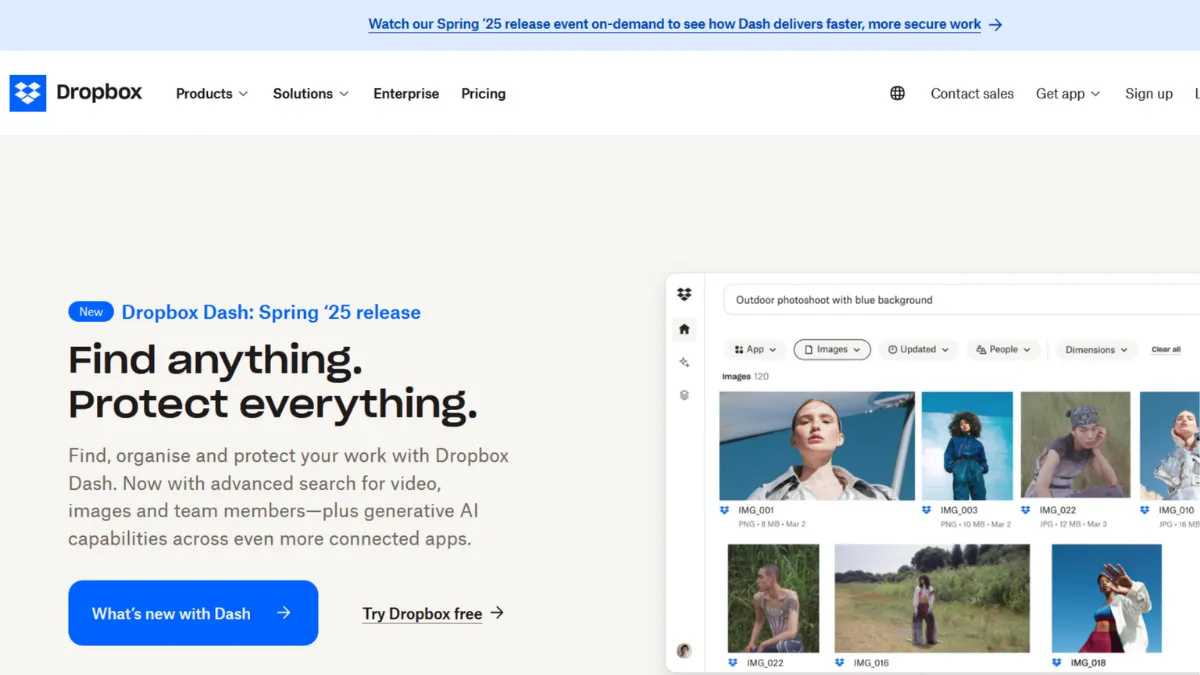
Cloud storage is one of those categories where the original solution still sets the standard. Dropbox invented the seamless sync folder in 2008 and, while competitors have caught up on raw storage economics, the product remains the benchmark for reliability, cross-platform consistency, and workflow integration. The honest assessment: Dropbox costs more per gigabyte than almost every alternative, and it earns that premium through polish, uptime, and an integration ecosystem that most rivals cannot match. Whether the cost is justified depends entirely on how you work.
The mechanism that separates Dropbox from cheaper alternatives is its sync engine. Rather than syncing entire files on every change, it transmits only the modified blocks of data. This delta-sync approach makes updates faster, reduces bandwidth consumption, and keeps the experience smooth even on slow connections. Smart Sync extends this further: files appear in your local folder as placeholders, taking up no disk space until you open them. For teams carrying large asset libraries on laptops, this behaviour alone removes a persistent friction point. The mistake most users make is treating Dropbox as a dumb hard drive in the cloud. The value compounds when you engage selective sync, version history, and the sharing controls that let external collaborators access specific folders without touching anything else.
Realistic expectations matter here. Dropbox will not transform a disorganised team into a disciplined one. Files named 'final_v3_ACTUAL.pdf' will still proliferate. What it does reliably is ensure that the file one person saves on a Mac in Manchester appears, correctly, on a Windows machine in Manchester or Mumbai within seconds. Version history gives you a recovery window when someone overwrites a document, though the length of that window depends on your plan. For teams handling large creative files or sensitive client documents, the paid tiers deliver a meaningfully safer environment than the free tier's 2 GB ceiling.
Dropbox suits three types of users particularly well: freelancers and small agencies who collaborate with external clients and need clean, controlled sharing links; distributed teams whose members span different operating systems and devices; and businesses whose workflows already depend on tools like Salesforce, Slack, or Microsoft 365, where Dropbox's integration depth pays dividends. If your entire operation runs inside Google Workspace, the value case weakens considerably.
The most honest limitation is pricing. The free plan offers 2 GB of storage, which is functionally decorative. Meaningful use requires a paid plan, and Dropbox's paid tiers cost more than equivalent storage from Google One or Microsoft OneDrive. You are paying for the sync engine, the integration depth, and the enterprise-grade reliability record, not the raw gigabytes. Teams that need only bulk, cheap storage will find better value elsewhere.
The sections below cover how the product works mechanically, which features matter most, and how it compares to the alternatives worth considering.
What Is Dropbox?
Dropbox is a cloud storage and file synchronisation platform that keeps files consistent across every device you own and every collaborator you add. The core problem it solves is the one every distributed team faces: a single source of truth for files that is accessible, current, and recoverable. What separates it from a generic file host is the combination of a mature sync engine, granular sharing controls, and an integration layer that connects it to hundreds of third-party tools. Dropbox connects with Microsoft 365, Google Workspace, Notion, Slack, and more, making it a hub rather than a silo. The platform has evolved well beyond storage, adding Dropbox Paper for lightweight document collaboration, Dropbox Dash for AI-powered universal search across connected tools, and AI-assisted file summarisation. The natural question, given all these additions, is how these pieces actually work together in practice.
How Dropbox Works
Setup follows a straightforward path: create an account, install the desktop application, and a Dropbox folder appears in your file system like any local directory. Everything you place inside it syncs automatically to Dropbox's servers and propagates to every other device running the same account. The sync is continuous, not scheduled, and the delta-sync engine means only changed portions of a file travel across the network rather than the full document each time.
Smart Sync is where the experience diverges from simpler cloud storage tools. Files set to online-only exist as lightweight placeholders on your local drive. Opening one fetches it on demand. This matters for teams holding gigabytes of video assets or design files: the entire library stays accessible without filling every team member's hard drive. Selective sync lets you go further, choosing which top-level folders appear on a given device at all.
Sharing works through two mechanisms: shared folders, where multiple users access and edit the same contents with defined permissions, and shared links, which generate a URL giving a specific person or the public access to a file or folder. Permissions on shared links can include password protection, expiry dates, and download restrictions on higher-tier plans. File recovery depends on your plan's version history window: changes and deletions are reversible within that window, with longer recovery available on Advanced and Enterprise plans.
The counterintuitive truth about Dropbox is that most users underutilise it. The product's strength is not the folder itself but the connected behaviours: using Zapier or Make to trigger workflows when files land in specific folders, embedding shared links directly into Notion pages, or using Dash to surface a contract buried across three connected apps with a single search query. Users who treat it as a simple backup drive extract a fraction of the value they pay for.
Dropbox Key Features
Smart Sync and Selective Sync. These two settings together handle one of the most common frustrations in distributed teams: device storage pressure. Smart Sync keeps files accessible without storing them locally, pulling content on demand. Selective Sync goes a step further, letting you exclude entire folder trees from specific machines. The practical effect is that a team member with a 256 GB laptop can maintain full access to a terabyte archive without ever filling their drive. The mistake most users make is leaving both settings at their defaults and then wondering why their hard drive is full.
Sharing Controls and Link Permissions. Dropbox's sharing layer is more granular than most competitors. Shared folders support view-only and edit permissions. Shared links on paid plans support password protection, expiry dates, and the ability to disable downloads. For anyone sharing sensitive client work or commercial assets, these controls replace the need for a separate file delivery tool. Canva users who export design assets, for example, can deliver files via Dropbox links with download restrictions rather than emailing attachments or using a separate delivery service.
Version History and File Recovery. Every change to a file within Dropbox generates a version, and deleted files land in a recoverable trash state. The length of the recovery window varies by plan. Entry-level paid plans cover a shorter window; Advanced and Enterprise plans extend this significantly. For teams working on documents that pass through multiple reviewers, this history functions as a lightweight audit trail and an insurance policy against overwrites. Verify the specific window for your plan on Dropbox's pricing page, as these details are subject to change.
Dropbox Dash. Dash is Dropbox's AI-powered universal search tool, designed to surface content across connected apps including Google Workspace, Microsoft Outlook, Slack, and more in a single search bar. It does more than keyword matching: it interprets context, summarises documents, and groups related content into collections called Stacks. For teams whose knowledge is spread across multiple platforms, Dash reduces the time spent switching between applications to find a single file or answer. Availability and plan requirements for Dash features are expanding; check the current Dropbox site for the latest access details.
Dropbox Paper and Document Collaboration. Paper is Dropbox's lightweight collaborative document editor, positioned as a simpler alternative to tools like Notion for teams that want basic structured notes and meeting docs without a learning curve. It supports rich media embeds, task assignment, and real-time co-editing. Paper documents live inside Dropbox like any other file, making them searchable and shareable through the same sharing controls. It is not a replacement for a full project management tool, which sets up the key trade-off the next section addresses.
Dropbox Pros and Cons
Dropbox earns strong marks in most dimensions but carries a few persistent weaknesses worth naming plainly.
- Best-in-class sync reliability. Dropbox's sync engine has a longer reliability track record than most competitors. Files arrive correctly and quickly across platforms, making it the default choice for mixed-OS teams.
- Deep integration ecosystem. Hundreds of native integrations plus API access mean Dropbox fits into existing workflows rather than requiring them to change. Connections to Microsoft 365, Google Workspace, Slack, and tools like Airtable are well-maintained.
- Granular sharing and permissions. Password-protected links with expiry dates and download controls are available on paid plans. Most cheaper cloud storage tools do not offer this level of link-level permission without a separate tool.
- Smart Sync removes device storage pressure. For teams managing large asset libraries, this feature alone solves a problem that no amount of extra storage can fix on a laptop with limited local space.
- Dropbox Dash adds genuine cross-tool utility. Universal AI search across connected apps addresses a real pain point. For teams whose content is fragmented across platforms, Dash reduces retrieval time materially.
Several limitations stand out, particularly at lower plan tiers.
- Free plan is effectively unusable for work. 2 GB fills up within hours of any real use. This is a deliberate funnel into paid plans, but it means Dropbox cannot be evaluated meaningfully without spending money.
- No zero-knowledge encryption. Dropbox encrypts data at rest and in transit but holds the encryption keys. For users handling highly sensitive data who require zero-knowledge storage, this is a genuine gap. Alternatives like pCloud or Sync.com offer this; Dropbox does not at the personal plan level.
- More expensive per gigabyte than most competitors. Google One and Microsoft OneDrive both offer more storage per pound spent. The Dropbox premium is real and justified by features, not storage volume.
- Paper is underpowered for serious project management. Teams that need task tracking, project timelines, or database-style views will outgrow Paper quickly and need a dedicated tool alongside Dropbox.
- Dash availability is still rolling out. AI-powered search features are not uniformly available across all plans and regions. Early access and waitlist requirements apply in some cases, which affects teams evaluating the platform based on Dash's capabilities.
How to Get the Most Out of Dropbox
Before your first session, define your folder structure. This sounds obvious but most teams skip it, and a chaotic Dropbox is worse than no Dropbox because it gives false confidence that files are safe while making them unfindable. Create a top-level folder per project or client, with consistent sub-folders for assets, deliverables, and references. Agree on a file naming convention before anyone starts uploading.
In your first week, configure Smart Sync on every team member's machine. This prevents the storage complaints that derail adoption before it begins. Set each member's Dropbox folder to online-only by default, with only actively worked folders set to local. Then audit your sharing links: any existing links without expiry dates or password protection should be reviewed and updated if they point to sensitive content.
Building results over time means connecting Dropbox to the other tools your team already uses. If you are running automated workflows in Zapier, file arrivals in specific Dropbox folders make reliable triggers. A file landing in a client delivery folder can automatically notify a Slack channel, update a row in a spreadsheet, or fire an email via your CRM. This removes the manual handoff that causes delivery delays.
The mistake most users make is treating version history as a passive safety net rather than an active workflow tool. When a document goes through review cycles, use version history to retrieve earlier drafts rather than saving 'v2', 'v3', and 'final' copies. This keeps folders clean and makes the actual history of a document traceable.
How to organise team files in Dropbox effectively comes down to one principle: shared folders for collaboration, shared links for delivery. Shared folders give collaborators edit access inside your account. Shared links give clients or external reviewers access to a specific file or folder without touching your account structure. Mixing these up creates permissions problems and security exposure. Keep internal collaboration in shared folders, external delivery via controlled links, and the two workflows stay clean.
Measure success by whether team members can find the file they need in under thirty seconds without asking anyone. If that threshold is not being met, the folder structure or naming convention needs revision, not more storage.
Who Should Use Dropbox?
Dropbox fits three distinct profiles well. The first is the freelancer or small agency that regularly delivers work to external clients: designers, photographers, video editors, and consultants who need to send large files securely, track whether a client has opened a deliverable, and recover from accidental overwrites. The controlled sharing links and version history address these needs directly. The second is the distributed team spanning multiple operating systems, where sync reliability across Windows, macOS, iOS, and Android matters more than cost-per-gigabyte. Dropbox's cross-platform consistency is genuinely superior to most alternatives in this scenario. The third is the business already embedded in a tool ecosystem that Dropbox integrates with natively, including Slack, Microsoft 365, Salesforce, and project management platforms where Dropbox folders serve as the file layer beneath the workflow.
Dropbox is not the right choice if your entire team already works inside Google Workspace and uses Google Drive without friction. Adding Dropbox in that context duplicates cost without adding capability. It is also a poor fit for budget-sensitive solo users who need cloud backup only: cheaper and more storage-generous personal options exist. Teams with strict data sovereignty or zero-knowledge encryption requirements should evaluate alternatives first, as Dropbox's encryption model does not meet that bar at personal plan level.
Dropbox Pricing
Dropbox offers a free Basic plan, but with 2 GB of storage it functions as a trial rather than a working tier. Any meaningful use requires a paid plan. Individual paid plans include a Plus option with 2 TB of storage and a Professional option with 3 TB plus advanced sharing features, with pricing in the range of $10 to $20 per month billed annually for individuals. Business plans require a minimum of three users, with a Standard tier offering pooled team storage and an Advanced tier adding longer version history, higher file transfer limits, viewer history, and more granular admin controls. Advanced business pricing sits in the range of $24 to $30 per user per month billed annually, though this varies by source and promotional period. Enterprise pricing is custom and requires direct contact with Dropbox sales. Always verify current rates on Dropbox's own pricing page before committing.
For most solo founders or freelancers, the Plus or Professional individual plans represent a reasonable entry point if the use case justifies the cost. Teams of three or more should model the per-user cost carefully: at scale, the total can grow quickly. Compared to alternatives like Google One or Microsoft OneDrive, Dropbox costs more per gigabyte at every tier, which makes the integration and reliability premium the deciding factor. If those dimensions matter to your workflow, the cost is justifiable. If they do not, cheaper options close the gap.
Dropbox vs Alternatives
Google Drive is the most common comparison. Drive offers 15 GB free versus Dropbox's 2 GB, tighter integration with Google Docs and Sheets, and lower per-gigabyte pricing on paid tiers. For teams already working in Google Workspace, Drive wins on cost and native document collaboration. Dropbox wins when teams need superior cross-platform sync reliability, more granular link permissions, or integrations outside the Google ecosystem.
Microsoft OneDrive is the natural choice for Windows-first teams already paying for Microsoft 365. OneDrive storage is often bundled into existing Microsoft subscriptions, making the marginal cost low. The sync engine is reliable within Windows environments but has historically been less consistent on macOS and mobile. Dropbox outperforms it in mixed-OS teams and external sharing workflows.
Google Drive and OneDrive both offer more free storage, but neither matches Dropbox's sharing controls or integration breadth at the business tier. pCloud and Sync.com are worth considering for privacy-first users: both offer zero-knowledge encryption that Dropbox does not provide at personal plan level. pCloud's lifetime plan pricing is particularly competitive for solo users who want a one-time payment. For teams whose primary need is storage with strong privacy guarantees, those two alternatives deserve a direct evaluation. Dropbox's verdict against each: choose Dropbox when ecosystem integration and sync reliability are the priority, and choose an alternative when cost per gigabyte or zero-knowledge encryption is the deciding factor.
Dropbox Review: Final Verdict
Dropbox earns an overall score of 4.31 out of 5, reflecting a product that excels in reliability, integration depth, and sharing controls while carrying a meaningful cost premium and a privacy model that falls short of zero-knowledge alternatives. Its integration capabilities score highest at 4.7, reflecting a genuinely broad and well-maintained connector ecosystem. Its privacy score of 3.8 reflects the absence of zero-knowledge encryption at personal plan level, a real limitation for security-sensitive users.
The bottom line: Dropbox is the right choice when your team needs reliable cross-platform sync, controlled external sharing, and a file layer that connects cleanly to the rest of your tool stack. If you are optimising purely for storage cost or data privacy, look elsewhere first.
How We Rated It:
More Tool Reviews







Subscribe to Stay in the loop
Get the latest AI and technology news, honest tool reviews, and practical guides delivered straight to your inbox.
Success! Check your Inbox!

Tezons Newsletter
The latest technology news, in-depth tool reviews, and practical guides - curated and delivered to your inbox.
Latest News




Have a question?
Have any questions?
Didn’t find what you were looking for? We’re just a message away.