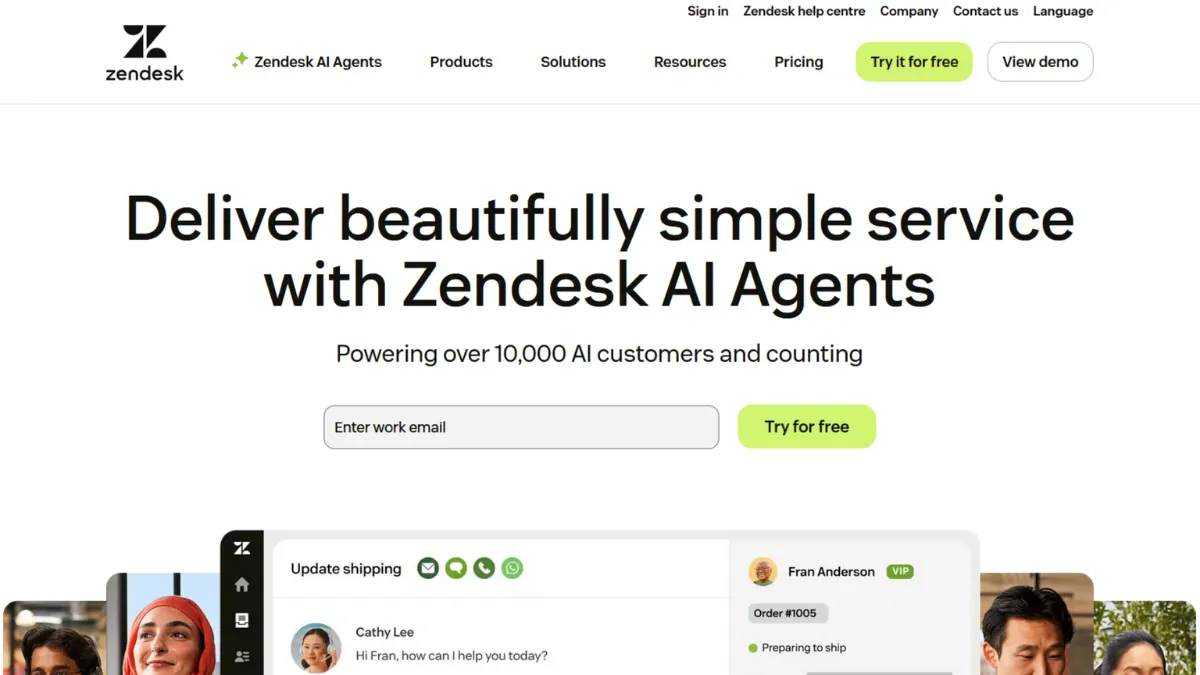
Customer support software earns its keep by keeping tickets moving, agents focused, and customers from repeating themselves across channels. Zendesk does this better than almost any platform at scale, combining a mature ticketing engine, omnichannel routing, a knowledge base, and now a layer of generative AI into one system that genuinely holds together. It is not the cheapest option, nor the simplest to configure, but for teams processing serious volumes of support requests across email, chat, voice, and social, the payoff is real. The question is whether your operation is large enough to justify the cost and configuration overhead before the value becomes obvious.
The mechanism that makes Zendesk work is its unified agent workspace. Every inbound contact, regardless of channel, becomes a structured ticket with a full conversation history, customer profile, and assignable metadata. Triggers and automations fire based on conditions you define, routing tickets to the right agent or queue without manual intervention. On top of this, AI agents handle deflection at the front of the queue, answering common questions from your knowledge base before a human ever sees the ticket. Most teams underestimate how much setup that deflection layer requires: the AI draws on your help centre content, so if your articles are incomplete, outdated, or poorly structured, the bot gives poor answers and passes more tickets to agents than expected.
Expect a meaningful ramp period before Zendesk runs efficiently. Teams typically spend several weeks building out their triggers, macros, and routing rules before agent productivity improves noticeably. Once configured, however, the system scales well. A support team managing hundreds of tickets a day will find the reporting suite, SLA tracking, and CSAT measurement tools genuinely useful, providing the kind of operational visibility that is hard to replicate in lighter tools. Teams handling fewer than a few dozen daily tickets may find the configuration investment out of proportion to the return.
Zendesk is specifically suited to customer-facing teams at growth-stage and established companies where support volume is high, channel diversity is a real operational challenge, and there is at least one person with the technical bandwidth to own the configuration. It fits SaaS businesses, e-commerce brands with large catalogues, and any operation where a consistent customer experience across multiple touchpoints is a business priority rather than a nice-to-have. If you pair it with a CRM like HubSpot or Salesforce, the customer data available to your agents becomes significantly richer.
The pricing structure is the platform's most significant constraint. Per-agent, per-month billing means costs scale with headcount, and the entry Suite plan already sits at a level that represents a material line item for small teams. Advanced AI features, workforce management, and quality assurance tools all come as paid add-ons. Teams that budget for the entry plan and then discover they need the add-ons face a substantially higher bill than they anticipated. This is worth modelling before you commit.
The sections below cover how Zendesk works mechanically, its key features, pricing, and how it compares to the most relevant alternatives, so you can make a clear call on whether it is the right platform for your operation.
What Is Zendesk?
Zendesk is a customer service platform built to manage, route, and resolve support interactions at scale. The core problem it solves is channel fragmentation: customers contact businesses through email, live chat, phone, social media, and messaging apps, and without a centralised system, agents end up toggling between inboxes, missing threads, and duplicating effort. Zendesk pulls every channel into a single workspace, converting each contact into a structured ticket with a traceable history. What separates it from a basic shared inbox is its depth: configurable automation, a self-service knowledge base, built-in reporting, and an expanding AI layer that can resolve common queries without human involvement. The platform carries one of the largest third-party app marketplaces in its category, giving it compatibility with most business stacks. That breadth raises a natural question about how the system actually works at the operational level.
How Zendesk Works
Every inbound contact, whether it arrives via email, chat widget, social message, or voice call, enters Zendesk as a ticket. The ticket inherits the customer's profile, contact history, and any custom fields your team has configured. From there, a rules engine made up of triggers and automations evaluates the ticket's attributes and routes it to the appropriate group, applies tags, sets priority, or fires an action in a connected system. This happens in milliseconds and without agent input.
The knowledge base, called Guide, sits alongside the ticketing system and serves two purposes. It powers the help centre your customers browse before contacting you, and it feeds the AI agents that respond to incoming queries before they reach the human queue. The quality of your Guide content directly determines the AI's deflection rate. Zendesk processes help centre articles in chunks, so articles that are long, poorly structured, or out of date produce inconsistent AI responses and increase escalation rates.
Agents work from a unified workspace that surfaces the ticket thread, customer profile, suggested macros, and AI-generated reply drafts in one view. Macros are templated responses that agents apply in one click, reducing handle time on routine queries. Automations can close tickets, send follow-ups, or escalate based on elapsed time without any agent action. You can connect Zendesk to external systems via its REST API or through pre-built integrations, which means ticket data can trigger actions in billing platforms, CRMs, or automation tools like Zapier.
The counterintuitive insight most new users miss is that Zendesk's value compounds with configuration investment, not with feature discovery. Out of the box, it is capable but not exceptional. The teams that extract the most from it are those that spend the first month deliberately building their trigger logic, macro libraries, and knowledge base structure rather than jumping straight to live tickets. Treating setup as the product is the mindset shift that determines whether the platform pays off. That foundation then raises a practical question: which features matter most when you are deciding which plan to buy?
Zendesk Key Features
Omnichannel ticketing. Every support channel, email, live chat, phone, social media, and WhatsApp, feeds into a single ticket queue. Agents do not switch between tools or inboxes. The ticket record holds the full conversation history regardless of which channel the customer used, which means a customer who emailed last week and chats today gets continuity without having to re-explain their issue. This is the feature that delivers the most immediate reduction in agent friction for teams coming from disconnected systems.
AI agents and automation. Zendesk includes a baseline AI agent capability on Suite plans that handles deflection by answering common questions from your knowledge base content. An advanced AI agent tier is available as a paid add-on and unlocks multi-source knowledge retrieval, conversation flows, API integrations within the bot, and more granular analytics. The automation layer, separate from AI, handles time-based rules: escalating tickets that breach SLA thresholds, sending follow-up messages after a period of inactivity, and closing resolved tickets after a defined window. Teams that invest in configuring both layers reduce manual triage significantly.
Reporting and analytics. The Explore reporting suite provides pre-built dashboards for ticket volume, agent performance, SLA compliance, and customer satisfaction. Custom report building is available, though the depth of customisation scales with plan tier. SLA tracking is a particular strength: you can define multiple SLA policies by ticket type or customer segment and receive alerts when thresholds approach. For operations managers, this reporting layer is often the feature that justifies Zendesk over lighter alternatives.
Help centre and self-service. Guide, the knowledge base component, lets you publish articles, FAQs, and community forums that customers can search before submitting a ticket. A well-maintained Guide visibly reduces inbound volume over time. The content also feeds AI deflection, making it a dual-purpose asset. Multilingual support is available, which matters for any team serving customers across regions.
App marketplace and API. Zendesk connects to roughly 1,500 pre-built integrations covering CRMs, e-commerce platforms, billing tools, and more. The REST API is well-documented and gives developers the ability to push and pull ticket data, trigger actions from external systems, or build custom integrations. Teams using Airtable for operations tracking or Notion for internal documentation can sync relevant data through the API or marketplace apps. This integration depth is a meaningful differentiator from mid-market alternatives. That said, the breadth of features also introduces trade-offs worth examining directly.
Zendesk Pros and Cons
Zendesk's strengths are substantial, particularly for teams at scale. The limitations are real and worth understanding before you commit budget.
- Omnichannel breadth. Email, chat, voice, social, and messaging channels all route into one workspace. Agents gain a complete picture of each customer without toggling between tools, which reduces handle time and context-switching.
- Mature automation engine. The trigger and automation logic is flexible enough to handle complex routing scenarios without custom code. Teams with well-defined support workflows can automate a large proportion of their tier-one triage.
- Integration ecosystem. The marketplace covers most business tools a growing team is likely to use, and the REST API gives developers genuine flexibility for custom builds. This makes Zendesk a connective layer rather than a silo.
- Reporting depth. SLA tracking, CSAT measurement, and agent performance dashboards are built in. For support managers who need to justify headcount or demonstrate service quality, this reporting capability is difficult to find in cheaper alternatives.
- Scales without a platform change. Teams that start on a lower Suite plan can expand to enterprise tiers without migrating data or retraining agents on a different system, which is a meaningful operational advantage as headcount grows.
The platform has genuine weaknesses that affect certain teams disproportionately.
- Cost rises quickly. Per-agent billing combined with add-on pricing for AI, workforce management, and quality assurance features means total cost can reach levels that are hard to justify for smaller teams. Budget for the full stack, not just the base plan.
- Configuration overhead is high. Getting meaningful value requires a sustained setup investment. Teams without a dedicated person to own the configuration often end up using a fraction of what they are paying for.
- AI deflection quality depends on your content. The AI agents are only as good as the knowledge base articles feeding them. Teams with thin or inconsistent help centre content will see low deflection rates and should factor in the time to build that content before expecting results.
- Support quality at lower tiers is limited. Access to faster, more direct support channels typically requires a premium support add-on. Standard plan support relies heavily on documentation and community forums, which can slow resolution of platform issues during critical periods.
- Advanced features are paywalled. Several capabilities that feel standard, such as advanced AI flows, workforce management, and custom reporting, sit behind add-on pricing. The entry Suite plan is capable, but the full platform is materially more expensive.
How to Get the Most Out of Zendesk
Before you go live, map your support workflows on paper first. Identify every ticket type your team handles, what information agents need to resolve each type, and which queries are genuinely repeatable. That exercise drives your macro library, your trigger logic, and your knowledge base article list simultaneously. Teams that skip this step build their Zendesk configuration reactively and spend months patching gaps instead of optimising an intentional system.
In the first week, build your core triggers before you route any live tickets through the platform. Start with the highest-volume routing rules: assigning tickets by channel, applying priority based on customer tier if relevant, and setting SLA clocks. Resist the urge to build everything at once. A small number of well-tested triggers is more reliable than a sprawling set of rules that interact in unexpected ways.
Your knowledge base is a product, not a document dump. Write articles for your five highest-volume ticket types first, structure each one as a single question with a direct answer, and test how the AI agent retrieves them before you publish. If the bot is pulling the wrong section of a long article, break the article into shorter, focused pieces. This is how to automate customer support in Zendesk effectively: the AI deflection rate is a lagging indicator of content quality, not a reflection of the AI's inherent capability.
Measure ticket deflection rate and first-reply time from day one, even before your configuration is mature. These two metrics tell you whether your automation is working and where the gaps are. Set a monthly review cadence to audit which macros agents use most, which triggers fire unexpectedly, and which knowledge base articles have the highest search-and-exit rate. That review cycle is where ongoing efficiency gains come from. The mistake most teams make is treating configuration as a one-time project rather than an ongoing discipline.
Who Should Use Zendesk?
Zendesk suits teams where support volume is high enough that manual triage creates a real operational problem, and where the breadth of channels handled justifies centralised management. Three profiles get the clearest return.
A customer success manager at a B2B SaaS company with fifty-plus customers and a growing support queue needs SLA tracking, ticket routing by account tier, and the ability to give account managers visibility into open tickets without granting them full agent access. Zendesk's light agent model and reporting suite handle this directly.
An e-commerce operations lead managing post-purchase queries across email, chat, and social needs conversations from all channels resolved from one place, with order data pulled in from their platform via integration. The marketplace connections to major commerce platforms make this achievable without custom development.
A support team lead at a scale-up who has outgrown a shared inbox and needs to track agent performance, enforce response time standards, and demonstrate support quality to leadership will find the analytics and SLA tooling here more capable than anything in the mid-market tier.
Zendesk is not the right tool if you are a solo founder or a team of two handling a low volume of support queries. The configuration investment and per-agent billing model make it expensive relative to the return at that scale. Tools built for simplicity and small teams will serve you better until your support operation grows into the platform's strengths.
Zendesk Pricing
Zendesk does not offer a permanent free tier. A free trial is available, giving you access to Suite features before committing. The Suite plans start at an entry level per agent per month and scale through Growth, Professional, and Enterprise tiers, with each step adding capabilities such as self-service portals, SLA management, advanced analytics, and custom reporting. The AI agent add-on, workforce management, and quality assurance features sit outside the base plan pricing at all tiers and require separate budget. Always check the current rates directly on Zendesk's pricing page, as they adjust periodically.
For teams evaluating whether the cost is justified, the honest framing is this: the entry Suite plan is a capable ticketing and omnichannel tool, but teams that want serious AI deflection, workforce forecasting, or granular quality analytics will pay considerably more than the advertised entry price once add-ons are included. Model the full stack cost before signing an annual contract. The value proposition strengthens as team size and ticket volume increase, since the per-agent cost amortises across more resolved tickets. Compared to alternatives, Zendesk sits at the premium end of its category, which makes the comparison set worth examining closely.
Zendesk vs Alternatives
Freshdesk is the most common starting point for teams that find Zendesk's pricing hard to justify. It offers a free tier with basic ticketing and a lower entry price on paid plans, making it accessible for smaller operations. The automation and reporting depth is narrower than Zendesk at comparable price points, but for teams with straightforward support workflows and limited channel complexity, Freshdesk covers the essentials without the configuration overhead. Choose Freshdesk when budget is the primary constraint and your support operation is still relatively simple.
Help Scout takes a different approach entirely, building around an email-style interface that feels closer to a shared inbox than a ticketing system. It is faster to set up and easier to use without dedicated configuration time, which makes it attractive for teams where simplicity and a human, conversational tone matter more than workflow automation depth. Zendesk wins when your channel diversity or volume grows beyond what an inbox-style tool handles comfortably.
Intercom competes directly on AI-powered deflection and modern messaging, with its Fin AI agent considered among the more capable in the category. Where Intercom leads on conversational AI and proactive messaging, Zendesk's advantage is its breadth of traditional ticketing and reporting infrastructure, which Intercom's ticket management is thinner on. Teams prioritising chat-first, AI-heavy deflection may find Intercom a better fit. Teams needing robust SLA enforcement, voice support, and deep operational reporting will lean toward Zendesk.
Zoho Desk offers a competitive feature set at a significantly lower per-agent price and integrates tightly with the broader Zoho product suite. If your business already uses Zoho CRM or Zoho Books, the native data sharing across the ecosystem is a genuine operational advantage. Zendesk wins on integration breadth with third-party tools and overall platform maturity, but Zoho Desk earns serious consideration on cost-efficiency grounds.
Zendesk Review: Final Verdict
Zendesk earns a 4.18 overall score, reflecting a platform that delivers genuine operational value at scale while carrying real costs in price and configuration complexity. Its integration capabilities score highest in this review at 4.6, making it one of the most connective platforms in the customer service category. Support quality at lower tiers scores 3.9, which is the dimension most likely to frustrate teams that need fast platform help without upgrading their support plan.
The bottom line: Zendesk is a serious investment that pays off for teams with the volume, channel complexity, and operational maturity to use it fully. If your support operation is not yet at that stage, start with something simpler and return when you are.
How We Rated It:
More Tool Reviews







Subscribe to Stay in the loop
Get the latest AI and technology news, honest tool reviews, and practical guides delivered straight to your inbox.
Success! Check your Inbox!

Tezons Newsletter
The latest technology news, in-depth tool reviews, and practical guides - curated and delivered to your inbox.
Latest News




Have a question?
Have any questions?
Didn’t find what you were looking for? We’re just a message away.