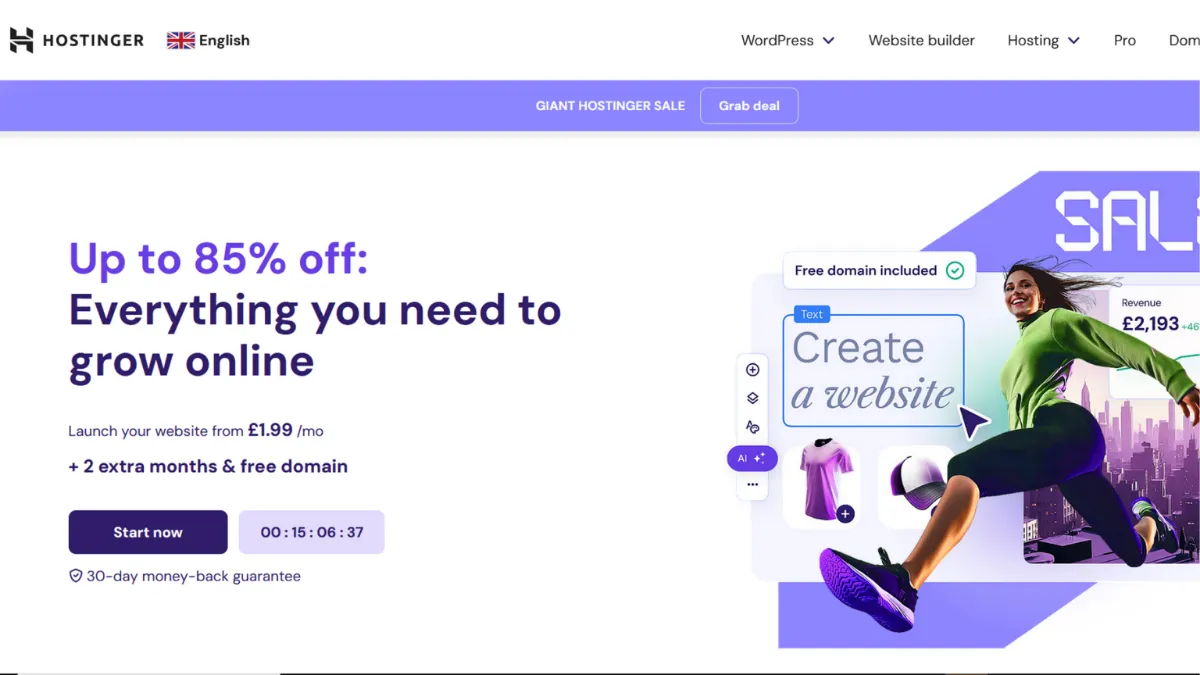
Budget web hosting rewards the prepared founder. Hostinger's introductory pricing is genuinely disruptive, but the founders who extract maximum value from it are those who understand exactly which tier they need before signing up, not after. Choose the wrong plan and you are paying for storage you do not use while missing the daily backups that matter. Choose the right one, lock in the longest billing cycle, and you have reliable shared hosting at a cost that few competitors can touch. The tool earns its reputation not on one standout feature but on the combination of price, performance, and a control panel that does not punish beginners.
Hostinger runs on LiteSpeed web server technology across its shared and WordPress hosting tiers, which is a meaningful infrastructure choice. LiteSpeed outperforms Apache on cached content and handles PHP more efficiently under concurrent load, which translates to faster page delivery without you having to do anything. The hPanel control panel replaces the traditional cPanel interface with a purpose-built dashboard that organises domains, email, files, databases, and WordPress management into a single visual layer. Setting up a site takes minutes rather than hours, and the guided onboarding workflow makes sensible default choices for SSL, data centre location, and CMS installation. Most users underestimate how much of their early hosting experience is shaped by the control panel, and hPanel is one of the cleaner interfaces available at this price point.
Realistic performance expectations depend heavily on which plan you choose and where your audience is based. Testing across independent monitoring services shows uptime consistently at 99.9% or above on current infrastructure, with server response times in the 200-400ms range on standard shared plans. Load speeds for European and North American audiences sit comfortably within acceptable limits; audiences in Asia-Pacific may see higher latency unless you select a Singapore data centre. The Business plan adds a CDN and significantly faster load handling compared to the entry Premium tier, and for most small business sites that difference is worth the small additional monthly outlay.
Hostinger works best for first-time website owners, bloggers, small business operators, and developers building client sites on a contained budget. The multi-site support available even on the entry Premium plan makes it viable for agencies managing a portfolio of small projects without needing a reseller account. Freelancers pairing it with Canva for visual assets and Rank Math for on-page SEO have a capable production stack at a very low monthly outlay.
The single sharpest limitation is the gap between introductory and renewal pricing. The promotional rates that make Hostinger look exceptional in comparison tables require a multi-year commitment, and when those terms expire the monthly cost can more than triple on some plans. That is not a hidden fee, but many users discover it at renewal rather than at signup. Factor the renewal rate, not the promotional rate, into any long-term budget calculation.
The sections below cover how the platform works mechanically, which features matter most in practice, honest pricing breakdowns, and how Hostinger compares against its closest rivals.
What Is Hostinger?
Hostinger is a web hosting provider offering shared, cloud, VPS, and WordPress hosting alongside domain registration, a proprietary website builder, and an expanding suite of AI-assisted site creation tools. Founded in Lithuania and now serving tens of millions of websites across nearly 180 countries, it sits in the budget-to-mid-range hosting segment and has built its reputation on combining low entry prices with a modern, beginner-friendly interface. Where a generic shared host gives you a server, a file manager, and a stack of documentation to wade through, Hostinger wraps the technical layer in hPanel and adds guided setup flows, one-click WordPress installation, and an AI website builder that can scaffold a site from a text description. The practical question for anyone evaluating it is whether the infrastructure behind that friendly surface matches the expectation the pricing creates, and how the platform behaves when you outgrow the entry tier.
How Hostinger Works
Signing up places you inside hPanel, Hostinger's custom control panel, which is the operational layer for everything: adding websites, managing DNS, creating email accounts, installing WordPress, and accessing server logs. The panel is designed around task flows rather than technical menus, so the action you want (install WordPress, create a subdomain, set up a redirect) is usually one or two clicks from the dashboard homepage rather than buried inside a filing system of options.
WordPress installation is automated: select the plan, choose WordPress as your CMS during setup, and Hostinger configures the database, sets file permissions, and delivers a ready-to-log-in installation within a couple of minutes. For the AI website builder, you describe your site in plain language, and the system generates a layout using Gutenberg blocks with a colour scheme and content structure matched to your described use case. The result is a starting point, not a finished site, but it removes the blank-canvas paralysis that slows most first-time builders.
Performance is shaped by the server stack: LiteSpeed on shared and WordPress plans, NVMe storage on Business tiers and above, and an included CDN on Business and Cloud plans. LiteSpeed's server-level caching means static content is delivered fast without requiring a separate caching plugin, though most experienced WordPress users still install a caching layer for finer control. The CDN routes content through edge nodes closer to your visitor, which is particularly valuable if your audience is geographically spread.
One thing most users assume wrong: Hostinger's hPanel tools manage your hosting environment, not your website's design. When you install WordPress, the design work happens inside the WordPress dashboard, not inside hPanel. If you use Hostinger's proprietary website builder instead, everything is self-contained. These are separate products within the same account, and conflating them leads to confusion about where to go when something needs changing. Knowing which product you are building with before you start will save significant time. This distinction also raises a practical question that the features section below addresses: which of Hostinger's included tools actually reduce the need for third-party software?
Hostinger Key Features
hPanel Control Panel. Hostinger's proprietary dashboard replaces cPanel with a purpose-built interface that groups hosting management tasks visually rather than alphabetically. Domains, email, files, databases, and WordPress management each have dedicated sections accessible from a top navigation bar. For beginners, the reduction in visual noise is significant. The panel also exposes one-click staging environments on higher tiers, letting you test changes before they reach a live site. Advanced users occasionally find the abstraction frustrating when they need low-level server access that hPanel does not surface, so if you rely on specific cPanel extensions or raw configuration files, verify compatibility before committing.
AI Website Builder and Site Creation Tools. The AI builder takes a text description and generates a structured website using Gutenberg blocks, applying a colour palette and placeholder content relevant to your described niche. A separate AI content writer assists with copy, and an AI logo maker generates brand assets without a third-party tool. These features reduce the time between signup and a functional first draft, though they work best as a launchpad rather than a finished product. Users building content-heavy sites or those with specific design requirements will spend meaningful time customising the AI output before it meets a professional standard.
LiteSpeed Web Server and CDN. The LiteSpeed server technology on shared and WordPress plans delivers faster static content than Apache-based alternatives at comparable price points. The built-in CDN, available on Business plans and above, routes assets through edge nodes and measurably improves load speeds for international audiences. For a site targeting multiple regions, this combination reduces the need to purchase a third-party CDN separately, which represents a real cost saving at this tier.
WordPress and WooCommerce Optimisation. Hostinger's WordPress hosting includes automated installation, managed core updates, and a WordPress AI assistant (Kodee) that answers configuration questions from inside the WordPress dashboard. WooCommerce stores benefit from optimised PHP worker counts on Business and Cloud plans, which affects how many simultaneous transactions the server can process before queuing requests. Pairing Hostinger's managed WordPress with an analytics tool like Google Analytics gives you a cost-efficient production stack for small to mid-volume stores.
Security and Backup Tools. All plans include a malware scanner, unlimited SSL certificates, and standard DDoS protection. Backup frequency varies by plan: the entry Premium tier provides weekly backups, while Business and Cloud plans upgrade to daily backups with on-demand restore. The difference between weekly and daily backups is material for any site that publishes regularly or processes transactions. If you are running a store or news site on the Premium plan, the absence of daily backups is a meaningful gap that either pushes you toward the Business tier or requires a third-party backup plugin. The integrations section of this review covers the broader connector ecosystem, which has notable limitations compared to cPanel-based hosts.
Hostinger Pros and Cons
Where Hostinger consistently delivers:
- Exceptional entry pricing. The introductory monthly rates on long-term plans undercut most shared hosting competitors. Even factoring in renewal costs, the total three-year spend on a Business plan is competitive with what many mid-tier hosts charge in the first year alone.
- hPanel usability. The control panel removes most of the onboarding friction that kills momentum for first-time site owners. Guided setup flows, visual dashboards, and sensible defaults mean a non-technical founder can have a WordPress site live in under fifteen minutes.
- LiteSpeed performance advantage. At this price point, LiteSpeed server infrastructure is not a given. It delivers a measurable speed benefit on cached content without requiring additional plugins or configuration.
- Multi-site support on entry plans. Even the Premium tier supports up to 25 websites under one account. For freelancers or agencies managing multiple client projects, this removes the need for multiple hosting accounts at the low end of the market.
- Breadth of hosting types. Shared, WordPress, cloud, VPS, and game server hosting under one account means you can scale vertically within Hostinger without migrating infrastructure or learning a new control panel.
Where the gaps show:
- Renewal pricing shock. Introductory rates require multi-year commitments and increase dramatically when terms expire. Always calculate the renewal rate for your expected plan before signing up.
- Support gating behind an AI chatbot. Reaching a human support agent requires getting past Hostinger's AI assistant first, which handles simple queries adequately but frustrates users with technical or account-level problems. No phone support is available.
- Daily backups locked behind paid tiers. The entry Premium plan only provides weekly backups. For any site updated frequently, this is a gap that forces either a plan upgrade or a self-managed backup solution.
- hPanel abstraction limits advanced control. Users who need granular server configuration, specific Apache modules, or access to raw cPanel features will find hPanel's cleaner interface works against them. Customisation scoring reflects this real constraint.
- Data privacy track record requires transparency. A significant security incident in Hostinger's history affected millions of accounts. The company has improved its security posture since, but users handling sensitive customer data should review Hostinger's current compliance documentation before committing.
How to Get the Most Out of Hostinger
Before you sign up, identify the renewal rate for the plan you intend to use long-term, not the introductory rate. The Business plan is the tier where the included CDN, daily backups, and increased PHP workers make a material difference for a real business site. If the Business renewal rate fits your budget, start there rather than upgrading later, which resets your term commitment.
During setup, select your data centre location based on where the majority of your audience is, not where you are located. Hostinger offers server locations across Europe, North America, and Asia-Pacific. Getting this right at setup is faster than migrating later. Enable the LiteSpeed cache configuration from hPanel before publishing anything, and if you are on WordPress, install a lightweight caching plugin alongside it for granular page-level control.
If you want to understand how to optimise a WordPress site on shared hosting, the key lever is reducing PHP execution time. Keep plugin counts low, use a child theme rather than editing parent theme files, and schedule resource-heavy tasks (backups, image optimisation) during off-peak hours. Hostinger's staging environment, available on Business and Cloud plans, lets you test plugin updates and theme changes without risk to your live site, which is one of the most underused features at this price point.
Measure success with concrete benchmarks: target a Largest Contentful Paint under 2.5 seconds from your primary audience region, monitor uptime with a free tool like UptimeRobot, and track organic traffic growth monthly using Google Analytics. The mistake most users make is treating hosting as a set-and-forget decision. Plan limits, PHP worker allocation, and storage caps all become constraints as traffic grows. Review your resource usage quarterly and move to a Cloud or VPS plan before performance degrades rather than after.
For email, Hostinger includes business email on hosting plans but it is worth evaluating whether a dedicated email provider suits your volume and deliverability requirements at scale. For content operations at any level of volume, connecting your WordPress installation to a content planning tool like Notion keeps editorial workflows separate from the publishing layer and reduces the risk of using your CMS as a project management system.
Who Should Use Hostinger?
This is for you if you fit one of these profiles. First: a first-time site owner or blogger launching a personal or small business site who wants a fast setup, low initial cost, and a control panel that does not require a hosting background to operate. Second: a freelancer or small agency managing multiple client sites under one account, where the multi-site support on entry plans removes the need for separate hosting contracts. Third: a solo founder building a WooCommerce store or WordPress site who needs managed WordPress, daily backups, and a CDN without paying cloud hosting prices, and who is comfortable upgrading to the Business plan to get all three.
Not for you if you are running a high-traffic application that needs root server access, custom server configurations, or SLAs beyond a 99.9% uptime guarantee. Developers who need specific Apache or Nginx modules, or teams with compliance requirements around data handling that demand audited security documentation, will find the shared hosting infrastructure too constrained. At that level, a managed cloud provider or a dedicated VPS solution fits better than Hostinger's shared stack.
Hostinger Pricing
Hostinger does not offer a free hosting tier on its current plans, though it provides a 30-day money-back guarantee across its main hosting products. The entry Premium shared hosting plan starts at a low promotional rate on long-term commitments and supports up to a limited number of websites with weekly backups and standard storage. The Business plan is where the feature set meaningfully expands: daily backups, NVMe storage, an included CDN, and higher PHP worker counts arrive at this tier. Cloud plans step up again with dedicated resources, priority support, and a dedicated IP address. VPS plans give developers full root access and configurable RAM and storage.
The critical number to track is the renewal rate, not the promotional rate. On most shared plans, the renewal cost is significantly higher than the introductory price, and this gap is the most common source of dissatisfaction in user reviews. Locking in the longest available billing term at signup gives you the lowest effective monthly rate and delays renewal for as long as possible. Always verify current rates on Hostinger's pricing page before committing, as promotional structures change.
At the Business tier, the combination of included CDN and daily backups delivers features that typically cost extra with competing hosts, which partially justifies the renewal rate. Compared to alternatives at the same renewal price point, Hostinger's Business plan holds its own on features, though rivals like Bluehost and Namecheap offer different trade-offs worth evaluating before you commit.
Hostinger vs Alternatives
Bluehost is the most direct comparison for WordPress hosting. It carries an official WordPress.org recommendation and bundles Yoast SEO on some plans. Hostinger typically undercuts Bluehost on introductory price and offers a cleaner control panel, while Bluehost has a longer track record with enterprise WordPress deployments and phone support. Choose Bluehost when a WordPress recommendation badge matters to your client or when you need telephone support as a fallback. Hostinger wins on price and panel usability for straightforward projects.
Namecheap is the closest competitor on raw pricing, particularly at renewal. Independent uptime monitoring consistently shows Namecheap at 100% across testing periods, which gives it a reliability edge on paper. Hostinger counters with a stronger feature set per plan and a significantly better website builder. Choose Namecheap when renewal cost and uptime history are your primary criteria. Choose Hostinger when you want a broader set of included tools and a more polished management interface.
Bluehost aside, IONOS competes on price with transparent renewal rates that reduce the pricing shock Hostinger is criticised for. IONOS's interface is less polished and its ecosystem of tools thinner. Hostinger beats it on builder quality, AI tools, and multi-site flexibility. Squarespace targets a different buyer: an all-in-one website builder with hosting baked in, no WordPress access, and a higher monthly rate aimed at users who want design quality over control. If your priority is a visually polished site with minimal technical involvement and budget is secondary, Squarespace is worth considering. Hostinger suits those who want control over their stack at a lower cost.
Hostinger Review: Final Verdict
Hostinger earns an overall score of 4.31 out of 5, which reflects a platform that is genuinely strong on ease of use (4.7) and cost efficiency (4.6) while carrying real limitations on customisation (4.1) and support accessibility (4.0). The hPanel interface is one of the best in budget hosting, and the LiteSpeed infrastructure delivers performance above what the price point suggests. The renewal pricing gap, the AI-gated support funnel, and the absence of daily backups on the entry plan are not minor caveats. They are structural trade-offs that matter to the wrong buyer.
The bottom line: Hostinger is the right call for budget-conscious founders and first-time site owners who prioritise setup speed and per-month cost. Lock in the Business plan on the longest available term, read the renewal rate before you sign, and it is one of the most cost-efficient hosting decisions in the market.
How We Rated It:
More Tool Reviews







Subscribe to Stay in the loop
Get the latest AI and technology news, honest tool reviews, and practical guides delivered straight to your inbox.
Success! Check your Inbox!

Tezons Newsletter
The latest technology news, in-depth tool reviews, and practical guides - curated and delivered to your inbox.
Latest News




Have a question?
Have any questions?
Didn’t find what you were looking for? We’re just a message away.