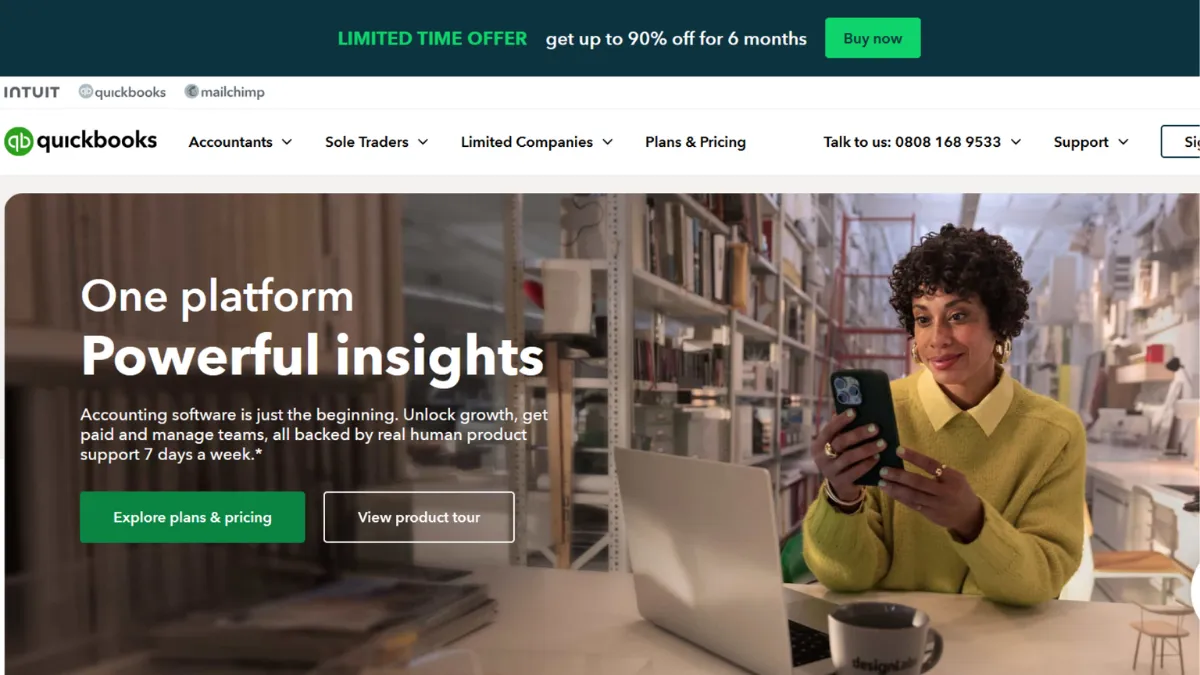
Accounting software earns its keep quietly, and QuickBooks Online has done exactly that for a generation of small business owners. The platform sits at the centre of more small business finance stacks than any competitor, not because it is flawless, but because it covers every core accounting need in one place, connects to hundreds of third-party apps, and produces the reports that accountants and banks actually ask for. If you run a business that generates invoices, tracks expenses, manages payroll, or files tax returns, QuickBooks Online will handle all of it without you needing to stitch together separate tools. The question worth asking before you commit is not whether it works, but whether the price is justified given your stage and complexity.
The mechanism behind QuickBooks Online is double-entry bookkeeping made accessible to non-accountants. Every transaction flows into a chart of accounts, bank feeds pull in data automatically, and the platform reconciles your records against your statements. Most users get this part right. What they get wrong is leaving the bank feed on autopilot without reviewing categorisations regularly. QuickBooks learns from your corrections over time, but the initial weeks produce miscategorised transactions that compound into reporting errors if left unchecked. The platform also uses a tiered plan structure, where features like inventory tracking, project profitability, and multi-user access are gated behind higher plans. Understanding which plan covers your actual workflow is the setup decision that determines whether you overpay or underserve your business.
Realistically, a small business with straightforward income and expenses will be up and running within a day. Connecting your bank accounts, setting up your chart of accounts, and sending a first invoice takes a few hours. Getting clean, accurate reports takes three to four weeks of active reconciliation. The payroll add-on, where available, adds another configuration layer. For businesses with inventory, multiple locations, or complex project costing, expect a longer setup period and a steeper learning curve than the onboarding experience suggests. The mobile app is strong by accounting software standards, covering invoicing, expense capture, and core reporting from your phone without meaningful feature loss.
QuickBooks Online is built for small to medium businesses that are past the spreadsheet stage and need audit-ready books. Service businesses billing clients on retainer, product businesses managing stock, and any company that employs staff and needs payroll integration are the primary fit. It is also the dominant choice among accountants and bookkeepers, meaning that if you work with an external finance professional, they almost certainly know the platform and can access your books directly.
The pricing model is a genuine limitation. Entry-level plans restrict user seats and features that many growing businesses need, and the cost rises sharply as you move up tiers. Add payroll, and the monthly bill can become significant for a business that is not yet generating predictable revenue. Price increases have also been a consistent complaint among long-term users.
The sections below cover how the platform works mechanically, which features matter most by use case, and how it compares to the main alternatives competing for the same budget.
What Is QuickBooks?
QuickBooks Online is a cloud-based accounting platform built by Intuit and designed for small to medium-sized businesses that need more structure than a spreadsheet but do not require enterprise-level financial software. It solves the core problem of keeping accurate, organised financial records without requiring a full-time accountant in-house. Unlike a generic invoicing tool, it operates on double-entry bookkeeping principles, which means every transaction affects at least two accounts and the resulting reports, such as your profit and loss statement, balance sheet, and cash flow statement, meet the standard your accountant or lender will expect. QuickBooks Online is one of the most widely adopted accounting platforms globally, with a large ecosystem of third-party app integrations and a substantial network of certified accountants and bookkeepers who work within it. The sheer breadth of native features raises an immediate question: how does the platform actually process your financial data, and what determines the quality of what you get out?
How QuickBooks Online Works
Setup begins with connecting your business bank accounts and credit cards via a live bank feed. Transactions import automatically, and QuickBooks assigns a category to each one based on rules you set or corrections you have previously made. You review and confirm these categorisations during a regular reconciliation session, where you match your imported transactions against your actual bank statement. This process is what separates accurate books from a rough estimate of your finances, and it is also what most new users skip or defer too long.
From the chart of accounts, every confirmed transaction flows into your financial reports automatically. Invoices you send record as income; bills you receive record as expenses; payments received update your accounts receivable. The reporting layer then pulls from this data in real time, so your profit and loss statement reflects your current position without any manual input once the underlying transactions are correctly categorised. Higher-tier plans add project tracking, which lets you assign income and expenses to specific jobs and see profitability at a granular level rather than just across the whole business.
Payroll, where you add it as a paid module, processes within the same interface. Employee records, pay schedules, and tax filings connect directly to your chart of accounts so payroll runs post to your books without a separate journal entry. Zapier and other automation tools extend this further, allowing you to push data between QuickBooks and the other platforms in your stack.
The counterintuitive thing most users discover: QuickBooks Online does not make your books accurate on its own. The bank feed removes data entry, but it does not remove the need for human judgement on categorisation. Businesses that treat reconciliation as a monthly chore rather than a weekly habit consistently find discrepancies that take hours to untangle. The quality of your reports is exactly proportional to the consistency of your reconciliation discipline, not to the sophistication of the software.
QuickBooks Key Features
Bank Feed and Reconciliation. QuickBooks Online connects directly to your bank and card accounts, importing transactions daily. You confirm or reclassify each one, and the platform learns your preferences over time. The reconciliation workflow then matches your confirmed transactions against your actual bank statement line by line, flagging discrepancies before they compound. This is the operational core of the platform, and getting it right every month is the difference between books your accountant can work from and a record that needs correcting before any report can be trusted.
Invoicing and Accounts Receivable. The invoicing module covers everything from one-off invoices to recurring billing schedules, with customisable templates, automated payment reminders, and online payment links that let clients pay directly from the invoice. Accepted payments post to your accounts receivable automatically. For businesses where cash flow depends on invoice turnaround, the combination of automated reminders and online payment acceptance meaningfully shortens the gap between invoice sent and money received. Integrating your Stripe account or similar payment processor adds further flexibility for how clients can settle what they owe.
Expense Tracking and Receipt Capture. Expenses enter QuickBooks either through the bank feed or by photographing a receipt with the mobile app, which extracts the relevant data using OCR. Both routes attach the expense to the correct account and, where applicable, to a specific project or client. The mobile receipt capture is genuinely useful for businesses where team members incur expenses on the road and paper receipts are a reconciliation headache. Mileage tracking is also built into the mobile app, logging trips automatically and applying the correct rate for tax purposes.
Financial Reporting. QuickBooks Online generates a profit and loss statement, balance sheet, and cash flow statement from your live transaction data at any time. Higher plans add budget vs actuals reporting, class and location tracking for businesses operating across multiple segments, and project profitability. The reports are formatted to the standard that lenders, investors, and tax authorities expect, and they export cleanly to PDF or spreadsheet for sharing. Connecting your data to Google Drive for storage and sharing adds a simple archiving step to your monthly close process.
Payroll Integration. QuickBooks Payroll is a paid add-on that sits inside the same interface. It processes employee pay, calculates and files payroll taxes, and posts payroll runs directly to your chart of accounts. The integration removes the manual journal entries that separate payroll platforms require, which is where most businesses lose accuracy. The cost of adding payroll is material, so verify the current pricing on QuickBooks' own site before committing.
The feature breadth is a genuine strength, but it also surfaces the central trade-off: many of these features are only available on higher-tier plans, which means a business that starts on an entry plan and grows into needing project tracking or multi-user access will face a plan upgrade mid-year that materially changes the monthly cost.
QuickBooks Pros and Cons
QuickBooks Online delivers a strong accounting foundation, though it carries some real costs alongside its strengths.
- Accountant compatibility. QuickBooks Online is the platform most professional bookkeepers and accountants already work in. Giving your accountant direct access to your books eliminates the data export and re-import cycle that other platforms require, and means their corrections and journal entries appear in your records without any additional steps on your part.
- Integration ecosystem. Over 750 third-party app integrations cover payroll, inventory, time tracking, e-commerce, and CRM. Platforms like Shopify, Stripe, and Square connect natively, meaning sales and payment data flows into your books without manual entry. For a growing business already using multiple tools, this reduces the data reconciliation burden significantly.
- Mobile app quality. The QuickBooks Online mobile app covers invoicing, expense capture, receipt scanning, and core reporting from your phone without the feature gaps that weaken most accounting mobile apps. For founders who manage their own books and are not always at a desk, this is a meaningful operational advantage.
- Reporting depth. The financial reports QuickBooks generates meet the standard required by banks, investors, and tax authorities without additional formatting work. For any business that needs to present financials externally, this removes a preparation step that other platforms require.
- Established reliability. The platform has a long operational track record. Uptime is consistent, data integrity is high, and the core accounting engine is mature. You are not testing a new product; you are using infrastructure that millions of businesses depend on.
The platform also carries limitations that affect a material number of users.
- Pricing and plan structure. The tiered pricing model means features that a growing business needs, such as project tracking, inventory, or additional user seats, require plan upgrades that substantially increase the monthly cost. Frequent price increases have frustrated long-term users who built budgets around earlier rates.
- Categorisation requires ongoing attention. The bank feed automates data import but does not guarantee accurate categorisation. Miscategorised transactions require manual correction, and the cost of deferring this work is compounding reporting errors rather than a clean audit trail.
- Customer support inconsistency. Response times and support quality vary noticeably by plan and channel. Users on lower-tier plans report long wait times and inconsistent resolution quality, which is a meaningful gap for a platform handling critical financial data.
- Complexity ceiling for advanced needs. Multi-entity businesses, businesses with complex inventory requirements, or those needing highly customised reporting will find QuickBooks Online hits a ceiling before they do. At that point, the conversation shifts to QuickBooks Enterprise or an entirely different platform category.
How to Get the Most Out of QuickBooks Online
Before you connect your bank feed, spend an hour setting up your chart of accounts correctly. QuickBooks provides a default chart of accounts, and most businesses accept it without modification. This is a mistake. The default structure is generic; your chart of accounts should reflect how you actually think about your revenue streams and cost categories. Getting this right at the start means every report you generate later tells you something meaningful rather than requiring mental translation.
In the first two weeks, prioritise reconciling every imported transaction rather than letting the bank feed queue build up. QuickBooks learns from your corrections during this period. The more consistently you categorise transactions, the fewer manual interventions you will need after the first month. Set a weekly thirty-minute block for reconciliation rather than treating it as a monthly task, and your books will remain accurate enough to make real-time decisions from rather than serving only as a historical record.
If you are working with an external accountant or bookkeeper, invite them to the platform via the accountant access feature before you need them rather than when a tax deadline is approaching. Give them view-only access to start if you prefer, but having them inside the same environment from early on means they can flag categorisation habits that will cause problems later rather than discovering them at year-end.
Understanding how to run QuickBooks reports effectively is where most founder-managed accounts fall short. The profit and loss report is useful, but the cash flow statement tells you what your business actually has available to spend, and the accounts receivable ageing report tells you who owes you money and for how long. Run both weekly. For businesses with project-based revenue, setting up projects in QuickBooks and assigning income and expenses to each one lets you see profitability at the job level, which often reveals that some clients or projects are significantly less profitable than aggregate numbers suggest.
The mistake most users make is treating QuickBooks Online as a tax preparation tool they open once a quarter rather than a live financial management platform they use weekly. The businesses that extract real value from the software are those that use it to make decisions, not to comply with reporting obligations.
Who Should Use QuickBooks?
This is for you if you run a service business that invoices clients regularly, need to track expenses across multiple categories, and want financial reports that your accountant can work from without reformatting. It is also the right choice if you already work with a bookkeeper or accountant who uses QuickBooks, since sharing direct access to your books removes an entire layer of data exchange friction. Product businesses with straightforward inventory needs that fall within the platform's built-in tracking capabilities are a good fit, as are businesses that have outgrown spreadsheets but do not yet need an enterprise financial system.
Three specific personas get the clearest return. A founder running a consulting or agency business with five to twenty clients, invoicing on retainer or project completion, and needing clean monthly financials for tax purposes will use the core features heavily and get clear value from the accountant access alone. An e-commerce operator selling through Shopify or a similar platform, connecting sales data via the native integration and needing accurate cost of goods tracking, will find the inventory and reporting features adequate for early to mid-stage volume. A small team with employees, adding payroll as a module to keep everything inside one system and avoid journal entry errors, will benefit from the tighter integration between payroll and accounts.
QuickBooks Online is not for you if you are a very early-stage solo operator with minimal transactions and no immediate need to present financials to a bank or investor. At that stage, the monthly cost is hard to justify against the problem being solved. It is also not the right choice if your business operates across multiple legal entities and needs consolidated reporting, or if your inventory requirements are complex enough to need dedicated warehouse management features. Those use cases require either QuickBooks Enterprise or a different platform category entirely.
QuickBooks Pricing
QuickBooks Online does not offer a permanent free tier. There is typically a trial period and an introductory discount for new subscribers, but ongoing use requires a paid plan. The platform currently offers several tiers, from an entry-level plan covering basic income and expense tracking with a single user, through to an Advanced plan that includes custom reporting, more user seats, and additional automation features. The entry plan starts at a price point in the range of thirty to forty pounds per month in the UK, rising significantly for higher tiers, and payroll is charged as a separate add-on on top of the base plan cost. Always verify current pricing directly on QuickBooks' pricing page, as rates change and introductory offers vary by region and timing.
For most small businesses, the entry or mid-tier plan covers the core accounting needs adequately. The jump to higher tiers is justified when you need project profitability tracking, more than three user seats, or the more advanced reporting tools. Adding payroll changes the cost equation materially, so model the total cost including all add-ons before committing. Compared to the alternatives covered below, QuickBooks Online sits at a higher price point than Xero at equivalent feature levels, which is the primary reason growing businesses do a side-by-side comparison before deciding.
QuickBooks vs Alternatives
Xero is the most direct competitor, and the comparison comes down to price versus ecosystem. Xero offers unlimited user seats on all plans, a slightly lower monthly cost at equivalent feature levels, and a marginally cleaner interface that some users find easier to navigate. Where QuickBooks wins is accountant familiarity in the UK and US markets, a stronger mobile app, and a deeper integration catalogue. Choose Xero if unlimited user access matters and you are comfortable with a less dominant market position in your accountant's tool stack. Choose QuickBooks if your accountant already works in it and the mobile app is part of your daily workflow.
FreshBooks serves a narrower use case well. It is built primarily for freelancers and service businesses that invoice by the hour, and its time tracking and client management features are stronger at entry-level than QuickBooks equivalents. However, it uses single-entry accounting on its cheapest plan, which limits reporting accuracy, and it is less suitable for product businesses or those with payroll requirements. Choose FreshBooks if invoicing and time tracking are your primary accounting activities and you do not yet need full double-entry reporting.
Wave is the relevant alternative if cost is the primary constraint. Wave offers a free accounting tier that covers bank connections, invoicing, and basic reporting, making it a credible option for very early-stage businesses with minimal transactions. The trade-off is a significantly smaller integration ecosystem, limited support, and a ceiling on the complexity it can handle. Choose Wave to keep costs near zero while you validate your business model. Return to QuickBooks or Xero when you bring on an accountant, add employees, or need reports your bank will accept. Zoho Books is also worth evaluating at this stage, offering a free tier with accountant access and a clear upgrade path at competitive pricing.
For businesses that have grown beyond what QuickBooks Online handles, the conversation shifts toward NetSuite or similar ERP platforms, which is a different cost and implementation commitment entirely.
QuickBooks Review: Final Verdict
QuickBooks Online scores 4.29 out of 5 overall, a result that reflects genuine strength in functionality and integrations alongside real friction points in cost and support consistency. The functionality score of 4.7 is justified: the breadth of what the platform covers in a single subscription is matched by very few competitors at this price point. The support score of 3.8 pulls the overall figure down for a reason, and it is worth factoring in if your team does not have an accountant on call who can answer platform questions directly.
The bottom line: QuickBooks Online is the default choice for a small business that needs accounting software its accountant already knows, that integrates with the tools it is already using, and that produces reports banks and investors recognise. If the monthly cost is a stretch at your current revenue level, start with a lower-cost alternative and migrate when the accounting complexity justifies it.
How We Rated It:
More Tool Reviews







Subscribe to Stay in the loop
Get the latest AI and technology news, honest tool reviews, and practical guides delivered straight to your inbox.
Success! Check your Inbox!

Tezons Newsletter
The latest technology news, in-depth tool reviews, and practical guides - curated and delivered to your inbox.
Latest News




Have a question?
Have any questions?
Didn’t find what you were looking for? We’re just a message away.