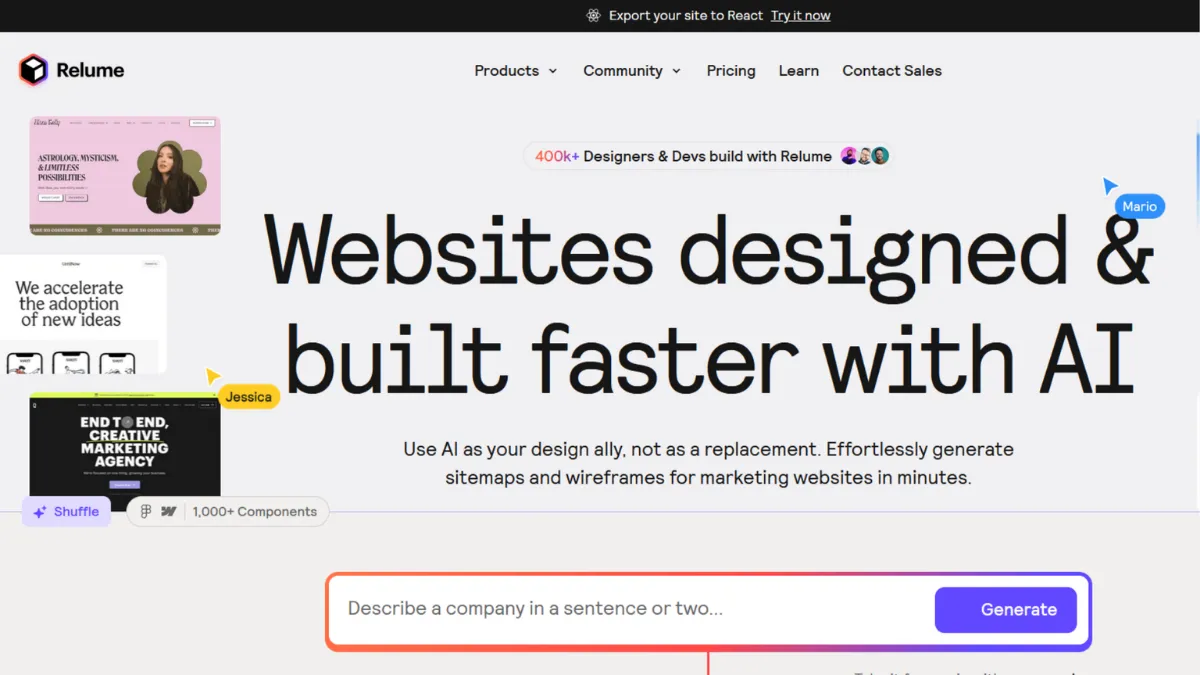
Wireframing a marketing website has traditionally eaten a week of a designer's calendar before a single pixel of visual design appears. Relume inverts that ratio. The platform uses AI to generate a complete sitemap and page-level wireframes from a text prompt, pulling from a library of over 1,000 human-designed components, and then exports the result directly into Figma or Webflow for production build. The verdict: if you work professionally in either of those tools and spend meaningful time on planning and wireframing, Relume will materially compress your project timelines. If neither Figma nor Webflow sits in your stack, Relume offers almost nothing.
The mechanism is worth understanding precisely, because most people misread what Relume actually does. It is not a website builder in the sense that WIX or Squarespace are website builders. It does not produce a live hosted site. Instead, it operates as a design acceleration layer between your client brief and your production environment. You describe a business type and goal, the AI proposes a sitemap with pages and sections organised logically, and you then convert any page into a wireframe populated with real (unstyled) components and AI-generated copy. That wireframe exports to Figma or Webflow via a plugin, carrying component structure, copy, and class names with it. The quality of what you get out correlates directly with the specificity of your input: a vague prompt produces a generic site architecture, while a prompt that specifies audience, conversion goal, and page hierarchy produces something genuinely usable.
Realistic expectations matter here. Relume compresses the planning and wireframing stages, which typically represent a significant portion of a web project's early hours. Freelancers and agencies report cutting that phase substantially, though the exact saving depends on project complexity and how much iteration a client demands. What the tool does not do is replace visual design, development, or client-specific component work. The wireframes arrive unstyled, which is deliberate: you are buying structure and speed, not finished design. Teams that expect a finished product from the AI output will be disappointed. Those who treat the export as a high-quality first draft will get genuine leverage.
Relume is most valuable to freelance web designers and small agencies whose revenue model depends on Webflow or Figma throughput. A designer delivering three to five Webflow sites a month, or an agency whose discovery and wireframing phase is a billable bottleneck, will see the clearest return. It also suits in-house teams iterating on marketing site architecture, particularly where multiple stakeholders need to approve structure before visual design begins.
The hard limitation is dependency. Relume exports to Webflow and Figma. If your output is a WordPress site, a custom React build without their export flow, or any other platform, you are buying a planning tool with no production connection. The free plan restricts you to one project and thirty components, which is sufficient to evaluate but not to work. Meaningful use requires a paid plan, and pricing sits above what many single-tool subscriptions cost in the design space.
The sections below cover how the tool works mechanically, which features deliver the most value, and how it compares to alternatives including Webflow-native approaches and adjacent AI design tools.
What Is Relume?
Relume is an AI-powered design acceleration platform founded in Sydney, Australia. It began as a Webflow component library and has since expanded into a full site-builder product that generates sitemaps, wireframes, AI copy, and style guides from text prompts. The problem it solves is the time cost of web project planning: structuring a site architecture, breaking pages into sections, and producing wireframes presentable to clients has historically been manual and slow. Relume automates that stage using a library of over 1,000 human-designed components, meaning the AI is selecting and arranging real, production-ready building blocks rather than generating novel layouts from scratch. That distinction separates it from fully generative AI design tools: the output is predictable and component-consistent because the underlying library is human-curated. The platform serves a substantial community of professional web designers, with traffic data suggesting several hundred thousand monthly visitors. Whether Relume can accelerate your specific workflow depends entirely on whether that workflow ends in Figma or Webflow, which raises the question of how the mechanics of setup and export actually function.
How Relume Works
Setup is minimal. You create an account, open the Site Builder, and enter a prompt describing your project. Prompts should specify the business type, the primary audience, and the goal of each key page. Relume generates a sitemap: a hierarchical list of pages, each broken into named sections (hero, features, testimonials, pricing, and so on). You can edit section order, add or remove pages, and adjust the architecture before proceeding to wireframe generation.
Converting a sitemap page to a wireframe is a single click. The AI populates each section with a matching component from the library, drops in AI-generated placeholder copy, and presents the result in a layered wireframe view. You can swap individual components, edit copy, and rearrange sections. A Style Guide Builder lets you apply a colour scheme and typography system, giving stakeholders a visual sense of direction before any Figma or Webflow work begins.
Export happens via a plugin. The Figma plugin pulls your wireframe into an existing Figma Kit file, syncing component classes and copy. The Webflow app does the same for Webflow projects, including class sync to prevent duplication. Mobile component variants are available on higher-tier plans. One thing most users assume wrong: the export is not a finished, styled build. It is a structured wireframe with real components in an unstyled state. The production styling work still happens inside Figma or Webflow after export. Treating the Relume output as a finished handoff is the most common misuse. The right frame is that Relume delivers a first draft that would otherwise take hours to produce manually, and that draft carries enough structural fidelity to be genuinely useful for client sign-off before visual design begins. That structural fidelity is what makes the transition from wireframe to production significantly smoother than starting from a blank Webflow canvas.
Relume Key Features
AI Sitemap Generator. You enter a text prompt and Relume produces a full site architecture: named pages, section breakdowns, and a hierarchical structure showing how pages relate to each other. The output quality scales with prompt specificity. Vague inputs produce generic marketing site structures; detailed inputs that specify audience, conversion goals, and content priorities produce architectures that require far less editing. This feature alone saves the planning work that typically precedes any wireframe session.
Wireframe Builder. Each page in your sitemap converts to a wireframe populated with real library components and AI-generated copy in a single click. You can swap components, edit copy, and reorder sections inside the builder before exporting. The wireframes are layered, meaning they render in a way that is legible to clients without requiring visual design, which accelerates stakeholder approval at the architecture stage.
Component Library. Over 1,000 human-designed components cover the full range of standard marketing website sections: heroes, features, pricing tables, testimonials, FAQs, CTAs, navbars, and footers. New components are added on the first Monday of each month. The library is available in both Figma and Webflow formats, and components are built using the Client-First class naming convention, which matters for Webflow developers who want clean, maintainable project structures.
Style Guide Builder. Before exporting, you can apply a colour scheme and typography system to your wireframe to produce a visual concept. This is particularly useful for agencies that need client approval on visual direction before committing to Figma or Webflow production work. The style guide exports to both platforms, carrying variables and class structures that reduce setup time in the production environment.
Figma and Webflow Export. The Figma plugin and the Webflow app are the core value delivery mechanism. Exports carry component structure, AI copy, class names, and (on Pro plans) mobile variants. The export is not a finished build, but it provides a structured, component-consistent starting point that replaces blank-canvas setup. Teams that have not yet established a Webflow class naming convention will find the Client-First structure opinionated, and adapting an existing project to Relume's conventions requires setup work that the tool's own documentation covers but does not automate. That friction is the trade-off S5 picks up directly.
Relume Pros and Cons
Where Relume earns its price:
- Dramatic time saving on planning. Generating a sitemap and wireframe set that would take hours manually now takes minutes. For freelancers billing hourly or agencies with fixed-price projects, this compression is a direct margin improvement.
- Human-designed component quality. Because the library is hand-crafted rather than AI-generated, the components are visually consistent and production-ready. The output does not have the uncanny or inconsistent quality that purely generative design tools produce.
- Client-ready wireframes. The layered wireframe view is legible to non-designers, which means you can use Relume output directly in a client presentation to get architecture sign-off before any design work begins.
- Tight Webflow and Figma integration. The plugins handle class sync and component import in a way that genuinely reduces production setup time, particularly for Webflow projects where class naming can become chaotic without a system.
- Monthly component releases. The cadence of new additions on Pro plans means the library grows with evolving design patterns, which is an underappreciated benefit for designers who return to Relume across many projects.
Where Relume has real gaps:
- Hard dependency on Webflow or Figma. This is not a minor limitation. If your production environment is anything else, Relume does not integrate with your workflow. There is no WordPress export, no general HTML output, no Sketch support.
- Paid plans are needed for real work. The free plan's one-project, thirty-component limit is a preview, not a working tier. Meaningful use requires a Starter plan or above, and the per-user pricing adds up for teams.
- Client-First convention lock-in. Relume's Webflow components use Client-First class naming. Designers with existing Webflow projects built on different conventions face a class-conflict problem that requires manual reconciliation.
- No direct publishing. Relume does not host or publish anything. Every project requires a separate Webflow or Figma account to reach production. For founders who want a finished site quickly, this dependency adds steps and cost.
- Support is Slack-only. All support is routed through a Slack community. There is no ticket system or dedicated support inbox for individual account issues, which can be frustrating when a billing or access problem needs resolution and the community channel is the only path.
How to Get the Most Out of Relume
Before opening the Site Builder, write a brief that includes the business type, the primary conversion action on each key page, the target audience, and any content sections you know must appear. Relume's AI produces significantly more useful sitemaps when it has these inputs rather than a bare company name. Spending five minutes on this brief saves considerably more time in the editing phase.
In your first session, generate two or three sitemap variants for the same project using different prompt angles. Relume's generation is fast enough that exploring alternatives costs little time and often reveals a page structure you would not have reached starting from a blank document. Pick the strongest variant and edit from there rather than committing to the first output.
When converting to wireframes, resist the urge to swap every component immediately. The AI selection is usually appropriate for the section type. Make targeted swaps where a component does not match the content intent, then move to copy editing. Getting copy close to final before export reduces revision cycles inside Figma or Webflow.
To get the most out of Relume for Webflow projects specifically, clone the Relume Style Guide in Webflow before importing. This is the step most users skip, and skipping it causes class conflicts that take longer to untangle than the initial setup would have. The documentation covers this, but the platform does not enforce it, so it falls through.
Measure success by tracking the time from brief to client-approved wireframe. That is the metric Relume moves. If that phase is taking a day or more per project, Relume should cut it substantially. If the bottleneck in your workflow is visual design, development, or client feedback cycles, Relume addresses none of those and the tool's value is narrower.
Who Should Use Relume?
This is for you if you are a freelance web designer whose revenue depends on Webflow output and whose project timelines are constrained by how long planning and wireframing take. You are delivering multiple sites a month, clients need to approve architecture before design begins, and you want to arrive at that approval conversation faster. Relume gives you a client-presentable wireframe in minutes rather than hours.
It is also for you if you run a small web agency and wireframing is a billable phase that repeatedly runs over budget. Using Relume to generate a first-draft sitemap and wireframe set, then refining with the client, shifts that phase from a cost centre to a quick, collaborative session.
It suits in-house marketing teams who own a Webflow site and need to prototype new page structures before handing off to a developer. The sitemap and wireframe output is specific enough to brief a developer without a lengthy planning document.
Not for you if your production environment is not Webflow or Figma. Founders building on WordPress, Shopify, or a custom stack will find the tool ends at the wireframe stage with no path to production. Similarly, non-designers who want a finished, live website should look at no-code builders with hosting; Relume is a professional design tool that assumes downstream production capability.
Relume Pricing
Relume offers a free plan that includes one project and access to thirty Webflow components, with some AI usage included. This is enough to evaluate the platform but not to conduct real client work. The free plan's project and component limits make it a trial experience rather than a working tier.
Paid plans introduce the full component library, unlimited AI wireframe generation, and Figma and Webflow export. Higher tiers add mobile component variants, monthly component updates, and team collaboration features including shared workspaces. Pricing is per user and billed monthly or annually, with an annual discount available. As a point of reference, entry paid plans have been reported in the mid-to-high tens of dollars per month range, with Pro plans reaching into the forties per month at monthly billing rates. These figures shift, so check the pricing page at relume.io for current rates before committing. Support is provided exclusively through a Slack community rather than a dedicated support channel, which is worth factoring in when evaluating the cost relative to alternatives. Compared to standalone AI design tools that operate outside the Webflow and Figma ecosystem, Relume's pricing reflects its tighter production integration, but that premium only makes sense if that ecosystem is where your work lives.
Relume vs Alternatives
The most relevant comparisons are tools that address the same planning and wireframing bottleneck, not generic website builders.
Figma with manual component work is the baseline Relume replaces. Experienced Figma users can produce wireframes without Relume, but the speed difference is significant: Relume's AI generates a section-level page structure in seconds, where manual Figma wireframing is measured in hours. Figma wins if your team already has a mature component system and the planning phase is not a bottleneck. Relume wins on new projects where speed matters and a structured starting point reduces iteration.
Webflow's own AI features offer some sitemap and layout assistance natively, without requiring a separate tool or subscription. For designers who want to reduce their toolchain, Webflow-native capabilities may be sufficient. Relume wins when you need a client-facing wireframe that is distinct from the production environment, particularly for approval workflows where showing a work-in-progress Webflow site is premature.
Framer operates as a visual website builder with AI layout features and its own hosting and publishing. It is a more complete end-to-end tool than Relume, but it operates in its own ecosystem rather than exporting to Webflow or Figma. Choose Framer if you want a single tool from design to live site. Choose Relume if your production workflow is already Webflow-based and you want to accelerate the front end of that workflow without changing platforms.
Looka and similar brand-first tools address visual identity rather than site architecture. They are complementary, not competitive. A founder using Looka for brand assets would still need a separate wireframing and build solution; Relume fills that gap specifically for Webflow-based builds.
Relume Review: Final Verdict
Relume earns an overall score of 4.19 out of 5, which reflects a tool that is genuinely excellent within a defined context and significantly less useful outside it. Its functionality and component quality score among the strongest in the AI design acceleration category, but the hard dependency on Webflow and Figma, combined with Slack-only support, holds the overall score back from the top tier.
The bottom line: Relume is the most efficient way to get from a client brief to a stakeholder-ready wireframe if your production stack is Webflow or Figma. If it is not, look elsewhere.
How We Rated It:
More Tool Reviews







Subscribe to Stay in the loop
Get the latest AI and technology news, honest tool reviews, and practical guides delivered straight to your inbox.
Success! Check your Inbox!

Tezons Newsletter
The latest technology news, in-depth tool reviews, and practical guides - curated and delivered to your inbox.
Latest News




Have a question?
Have any questions?
Didn’t find what you were looking for? We’re just a message away.