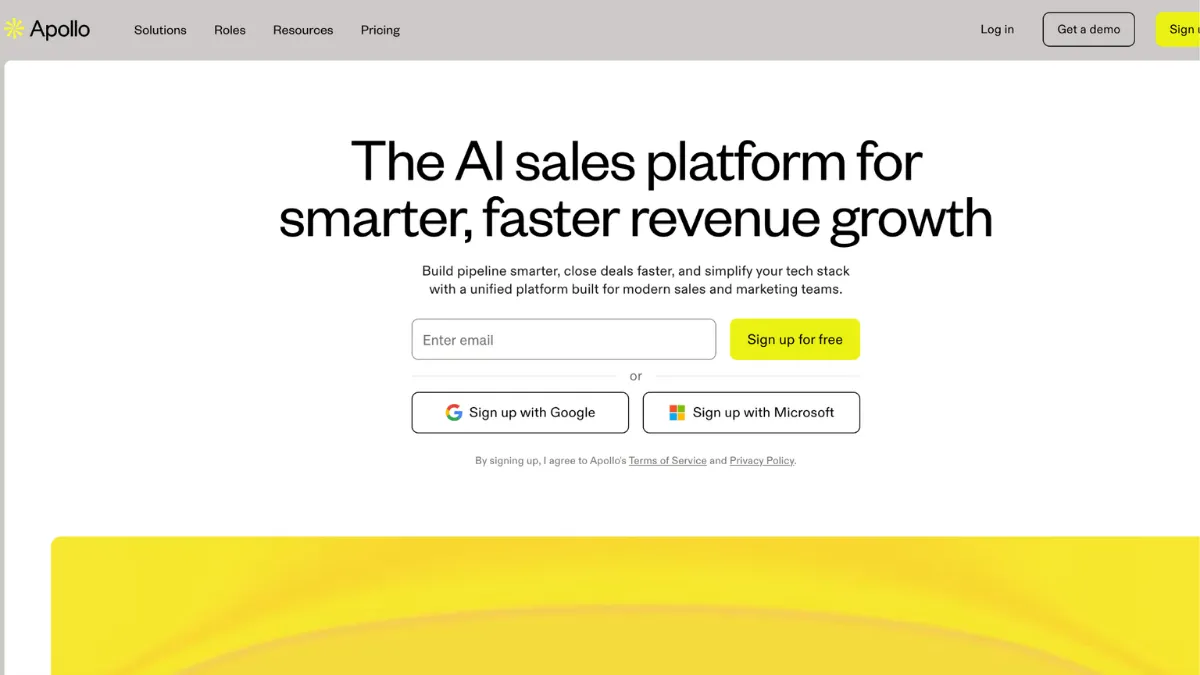
Outbound sales moves fast, and the biggest bottleneck is rarely effort. It is access to accurate contact data and the time it takes to move a prospect from list to conversation. Apollo addresses both problems in one platform, combining a contact database of over 275 million records with built-in email sequencing, a VoIP dialer, and CRM integrations that let a small team run the same outbound motion that once required four separate tools. The all-in-one model is what makes Apollo genuinely compelling for early-stage B2B teams, but it comes with credit limits, data accuracy trade-offs, and a support track record that deserves scrutiny before you commit.
The mechanism behind Apollo is a contact and company database enriched with firmographic filters, buying intent signals, and technographic data. You build a list using Apollo's filter stack, push those contacts into a sequence, and let the platform handle scheduling, follow-up cadences, and activity logging. The database coverage is broad, but coverage and accuracy are different things. User reviews consistently report email bounce rates in the 15 to 25 percent range on Apollo-sourced contacts, which is well above the industry standard. The waterfall enrichment model the platform uses prioritises volume over verified accuracy, so contacts that have changed roles recently are a known weak spot. Teams that understand this and layer in a verification step before high-volume sends get substantially better deliverability outcomes.
Expect to spend roughly a week getting sequences, field mapping, and CRM sync configured before Apollo runs efficiently. The first campaigns will teach you which segments have the most data drift. Non-US contacts, particularly at smaller companies, carry more accuracy risk than domestic enterprise records. Once you have calibrated your filters and understand the credit system, the platform is capable of supporting a meaningful outbound programme at a fraction of what a traditional enterprise stack would cost. A solo founder or a team of two to three can run structured cold outreach from Apollo without additional tooling, though you may want to plug in a dedicated email verification tool if deliverability becomes an issue.
Apollo is well matched to early-stage B2B founders and small sales teams doing structured outbound who cannot justify the contract sizes that enterprise intelligence platforms demand. It also suits operators who want to consolidate prospecting, sequencing, and basic pipeline management rather than stitching together a multi-vendor stack. If you are selling into US markets and targeting mid-market companies upward, the data quality is workable. If your market is primarily EMEA or SMB, plan for higher bounce rates and more manual cleanup.
The credit system is the sharpest limitation and the one most buyers underestimate before signing up. Mobile number lookups consume credits at a significantly higher rate than email credits, and credits expire at the end of each billing cycle with no rollover. A team that runs volume phone prospecting will blow through the allocated mobile credits faster than the pricing page suggests, and overage credits add cost quickly. The gap between the advertised per-user price and the real monthly spend can be substantial for teams with high contact volume requirements.
The sections below cover Apollo's specific feature set, where it earns its score and where it falls short, plus a direct comparison with the tools most commonly considered alongside it.
What Is Apollo?
Apollo is a B2B sales intelligence and engagement platform built to replace the patchwork of tools most outbound sales teams rely on. Where a traditional stack might combine a data provider, an email sequencing tool, a dialer, and a CRM, Apollo packages all four into a single subscription. The platform's core asset is its contact database, which covers companies across a wide range of industries and geographies with filters for job title, seniority, company size, technology stack, and buying intent signals. What distinguishes Apollo from a generic contact database is the ability to act on that data immediately inside the same tool: you find a prospect, add them to a sequence, dial them, and log the activity without switching platforms. Teams that previously used HubSpot for CRM alongside separate prospecting and sequencing tools find that Apollo can consolidate most of that workflow at a lower combined cost. The question of whether the data quality and automation depth match what specialist tools deliver in each category is where the real evaluation sits.
How Apollo Works
Setup begins with connecting your email account, configuring your CRM sync if applicable, and mapping your target persona using Apollo's filter interface. The filter stack covers over 65 dimensions including job title, department, seniority, company revenue, headcount range, technology used, and intent topics derived from content consumption signals. You build a saved search, pull contacts into a list, and assign that list to a sequence.
Sequences in Apollo are multi-step cadences that combine automated emails, manual task reminders for LinkedIn touches, and dialler calls. Each step has configurable send timing, and the platform handles personalisation variables through merge fields. The email sending infrastructure includes warmup and deliverability features that are designed to protect sender reputation, though the quality of the contact data itself remains the larger deliverability variable.
The CRM sync is bidirectional with Salesforce, HubSpot, and Pipedrive. Contacts, activities, and stage changes flow both ways, which keeps pipeline data consistent without manual exports. Field mapping requires careful configuration at setup, and several users report that duplicate management during the initial sync can be time-consuming. Apollo also connects to Zapier and Make for custom workflow automation beyond what native integrations cover.
The counterintuitive insight most new users miss is that Apollo's database size does not translate directly to usable lead volume in a given territory or segment. A search returning 80,000 contacts might yield 55,000 with reliable email data and 20,000 with verified mobile numbers. Running that segment without filtering by data confidence level first is the fastest way to generate high bounce rates and damage sender reputation. The more useful question to ask before building a sequence is not how many contacts match the filter, but how many have been recently verified.
Apollo Key Features
Contact Database and Search. The database spans over 275 million contacts with a filter stack that covers firmographic, technographic, and intent-based criteria. This depth lets you build highly targeted lists without needing a separate data provider. The filters work in combination, so you can isolate, for example, VP-level contacts at Series B SaaS companies using a specific marketing automation tool who have shown recent content engagement on your category topics. The quality of results depends on how recently the underlying records were updated, which varies by segment.
Email Sequencing and Automation. Apollo's sequence builder covers multi-step cadences with conditional branching, A/B testing on subject lines and body copy, and automatic exclusion of contacts who reply or unsubscribe. The email editor is functional rather than sophisticated, and integrates with Gmail and Outlook for sending through your own domain. Deliverability features including sending throttles and warmup tools are built in, reducing the need for a separate tool like a standalone email warmup service. Teams running Mailchimp for newsletters alongside Apollo for cold outreach can keep both channels separated cleanly since Apollo sends via your own connected inbox rather than a shared IP pool.
Dialer and Call Recording. Apollo includes a built-in VoIP dialler accessible from within contact records and sequence tasks. Calls are logged automatically against the contact timeline, and recordings are stored for review. Call quality is functional for most use cases, though some users report latency on international calls. The international dialler is restricted to the Organisation tier, which is the top paid plan, so teams with global calling requirements should factor that into plan selection.
Data Enrichment. Apollo can enrich existing contact lists by matching records against its database and filling gaps in email, phone, company, and social data. This is useful for teams with ageing CRM data that needs updating before an outbound push. Enrichment consumes export credits, so volume enrichment projects need to be budgeted against the plan's monthly allocation. Job change notifications alert you when tracked contacts move to new roles, which is a useful trigger for re-engagement campaigns.
Analytics and Reporting. Sequence performance data covers open rates, reply rates, click rates, and meeting bookings at both the campaign and individual step level. The reporting dashboard is clear for tracking outbound activity, and higher-tier plans unlock more granular custom report building. The analytics are solid for sequence optimisation but do not replace a full revenue intelligence platform if you need pipeline attribution across multiple channels. The credit system means that reporting on contact volume accurately requires tracking both sequence sends and credit consumption separately, which adds a layer of operational overhead that simpler tools avoid.
Apollo Pros and Cons
Apollo's strengths are concentrated in its breadth and its price point relative to an equivalent multi-tool stack.
- All-in-one outbound stack. Prospecting, sequencing, dialling, and basic pipeline management in one platform eliminates the integration overhead and subscription cost of maintaining separate tools. For teams under ten people, the consolidation benefit alone often justifies the cost.
- Generous free tier for testing. The free plan includes meaningful email credit volume that lets you properly evaluate the database quality in your target segment before committing to a paid plan. Most competing enterprise platforms do not offer this.
- Filter depth for precise targeting. Over 65 filter dimensions including technographics and intent signals give you targeting granularity that mid-market databases typically lack. Building a list of specific personas at companies using a named competitor's product is achievable without a third-party enrichment layer.
- Bidirectional CRM sync. Native integrations with Salesforce, HubSpot, and Pipedrive keep contact and activity data consistent without manual exports, which reduces data hygiene overhead on growing teams.
- Strong user community and documentation. Apollo has a large active user base and extensive help documentation, which shortens the learning curve for common configuration questions without needing to contact support.
The limitations are significant enough that several user profiles genuinely should look elsewhere.
- Data accuracy below industry best. Email bounce rates reported by users are consistently above industry standard, particularly for SMB contacts and non-US records. Teams running high-volume cold outreach need a verification step to protect sender reputation, which adds cost and workflow complexity that partly offsets the all-in-one convenience.
- Credit system obscures real cost. Mobile number credits expire monthly without rollover and cost significantly more than email credits. Teams with heavy phone prospecting requirements often find their real monthly spend is two to three times the headline per-user price.
- Support response times are a recurring complaint. User reviews across multiple platforms consistently cite slow support response and unresolved escalations as a frustration. This is a material concern for teams that rely on fast issue resolution during active campaigns.
- International dialler locked to top tier. The Organisation plan minimum spend and three-user minimum requirement makes the international calling feature expensive to access for small teams, which limits Apollo's value for globally focused outbound.
- LinkedIn automation is task-based, not true automation. Apollo's LinkedIn steps create manual reminders rather than executing actions programmatically, so LinkedIn touches in sequences still require a human in the loop.
How to Get the Most Out of Apollo
Before building your first list, connect your email account, configure sending limits to sit below what your email provider flags as suspicious, and enable the built-in warmup features if your domain is new or has not been used for cold outreach previously. This setup step is skipped by most new users and is the primary reason early campaigns underperform.
In the first week, run a small test sequence of 100 to 200 contacts in your highest-priority segment before scaling. Monitor bounce rates after the first batch sends. If bounce rates are above ten percent, add a verification step using a dedicated email validation tool before pushing the remainder of the list into sequence. This diagnostic approach surfaces data quality issues in your specific target segment before they damage sender reputation at scale.
To understand how to get meetings booked through Apollo cold email, the sequence structure matters more than volume. Three to five steps over twelve to sixteen days, with the second and third steps referencing the first, consistently outperforms long cadences. Use A/B testing on subject lines from day one so you have statistically meaningful data within two weeks rather than optimising based on small samples.
Track credit consumption weekly, not monthly. Mobile credits are the constraint most teams hit unexpectedly. If phone prospecting is a core part of your motion, audit usage after the first ten days and project forward to assess whether your plan's allocation covers the month. Overage credits add up faster than most buyers anticipate from the pricing page.
Over time, use the job change notification feature as a re-engagement trigger. Contacts who have moved to new roles are often in active vendor evaluation mode and respond at higher rates than cold contacts. Building a saved sequence specifically for job change triggers, and feeding it from Apollo's notification alerts, is one of the highest-return workflows the platform enables.
Who Should Use Apollo?
Apollo suits three types of operators clearly.
The first is a B2B founder running early-stage outbound without a dedicated sales hire. You need to build pipeline yourself, you cannot justify enterprise data platform contracts, and you want to avoid managing four separate subscriptions. Apollo's free tier lets you validate the data quality in your segment before spending anything, and the paid plans consolidate your outbound stack into one manageable tool.
The second is a small outbound sales team of two to six people targeting US mid-market companies. The filter depth, sequencing capability, and CRM sync at this price point are difficult to match with any competing all-in-one platform. The data accuracy is adequate for US enterprise and mid-market contacts, and the consolidated workflow reduces the coordination overhead that comes with a multi-tool stack.
The third is a revenue operations person who needs to enrich an ageing CRM before a campaign push. Apollo's enrichment capability, connected to your existing Salesforce or HubSpot instance, can systematically fill gaps in contact data at a lower cost than dedicated enrichment-only tools.
Apollo is not the right fit if your primary market is EMEA or if SMB contacts make up the majority of your lists. Data accuracy in those segments is materially lower, and the phone number reliability for non-US contacts is a consistent user complaint. Teams that need guaranteed deliverability and cannot absorb the cleanup work should evaluate a GDPR-focused alternative with higher verification standards before committing.
Apollo Pricing
Apollo offers a free plan with a meaningful allocation of email credits that is genuinely useful for testing the database quality in your target segment. The free tier has limits on sequences, export credits, and mobile credits that make it unsuitable for sustained outbound activity, but it gives you a real evaluation window rather than a sandboxed demo environment.
Paid plans start at the Basic tier and scale through Professional to the Organisation plan, which requires a minimum of three users. Pricing is per user per month, with annual billing offering a meaningful discount over monthly rates. The Basic plan covers the core prospecting and sequencing features adequate for most early-stage teams. The Professional plan unlocks advanced reporting, higher credit allocations, and additional automation features suited to more structured outbound programmes. The Organisation plan adds the international dialler, SSO, and advanced security features primarily relevant to larger teams.
The headline per-user price understates real spend for teams with high contact volume or significant phone prospecting activity. Mobile credits cost substantially more than email credits and expire monthly. Always check Apollo's current pricing page before budgeting, as credit allocations and plan features are updated periodically. Compared to the alternatives reviewed below, Apollo's entry price is significantly lower than enterprise alternatives, which shapes how the value calculation lands depending on your team size and data volume requirements.
Apollo vs Alternatives
ZoomInfo is the most direct enterprise comparison. It carries a significantly higher annual contract price, typically starting in the tens of thousands of dollars per year, but delivers stronger data accuracy for enterprise accounts and more sophisticated intent signal depth. If your team is above twenty people and your average deal size justifies the data quality premium, ZoomInfo's accuracy advantage compounds over time. For teams under ten, Apollo's cost advantage is difficult to argue against.
Cognism is the stronger choice for EMEA-focused outbound. Its GDPR-compliant database and phone-verified contact data give it a meaningful accuracy edge in European markets where Apollo's non-US data reliability drops. Cognism uses custom pricing without a free tier, so the evaluation process requires a sales conversation rather than self-serve testing. Teams selling primarily into European markets will find fewer data quality issues and fewer compliance headaches with Cognism.
LinkedIn Sales Navigator approaches the problem differently. Rather than a contact database you pull from, it works within LinkedIn's network to identify and reach decision-makers directly. The data is more current because it reflects profile activity, but the outreach volume is lower and the sequencing automation is limited compared to what Apollo offers. Sales Navigator is the better tool when relationship-based outbound and warm network signals matter more than volume cold outreach.
Lusha occupies a narrower position, focusing on contact data retrieval with less emphasis on built-in sequencing and CRM depth. Its database is smaller than Apollo's, which limits list-building scale, but users consistently report a cleaner interface and less configuration overhead. For teams that want simple contact enrichment without the broader platform complexity, Lusha is worth evaluating alongside Apollo.
Apollo Review: Final Verdict
Apollo earns a 4.10 out of 5 overall, reflecting a platform that delivers genuine value for the right user profile while carrying real limitations that the score would obscure if ignored. The cost-efficiency dimension at 4.4 reflects how competitively Apollo is priced against the functionality it replaces, but that score is conditional on understanding the credit system before you sign up. Data accuracy at 3.8 is the score that most determines whether Apollo works for a given team, and it directly informs the support burden when campaigns underperform.
The bottom line: Apollo is the most capable all-in-one outbound platform at its price point for US-focused B2B teams, but it requires more operational discipline than its clean interface suggests. Know your segment's data quality before scaling, audit credit consumption early, and build in a verification step if deliverability is non-negotiable.
How We Rated It:
More Tool Reviews







Subscribe to Stay in the loop
Get the latest AI and technology news, honest tool reviews, and practical guides delivered straight to your inbox.
Success! Check your Inbox!

Tezons Newsletter
The latest technology news, in-depth tool reviews, and practical guides - curated and delivered to your inbox.
Latest News




Have a question?
Have any questions?
Didn’t find what you were looking for? We’re just a message away.