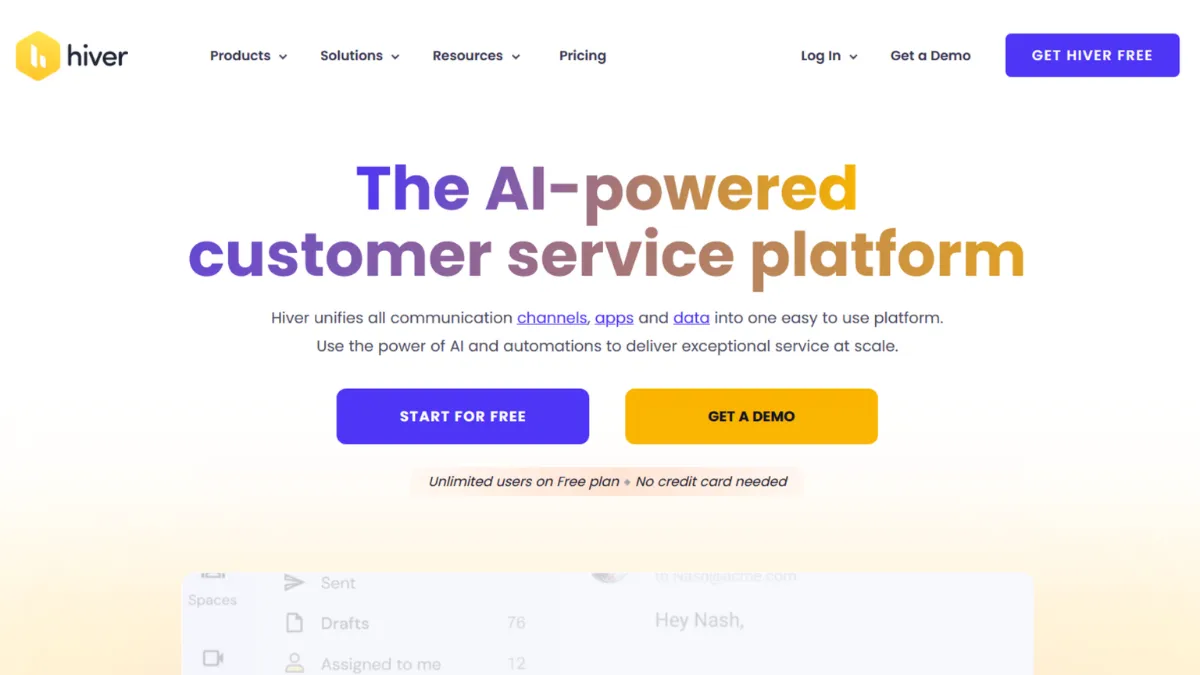
Running a support team out of a shared Gmail or Outlook inbox without a proper system is how missed replies and doubled-up responses become a daily fixture. Hiver fixes this without asking you to abandon your inbox entirely. Rather than pulling your team into a separate helpdesk interface, it layers shared inbox management, conversation assignment, internal notes, and automation directly on top of Gmail and Outlook. The result is a tool that your team actually uses from day one, because it looks almost identical to what they already work in. That low-friction adoption is Hiver's core value proposition, and for the right team it is genuinely significant.
The mechanism behind Hiver is a browser extension and tight Google Workspace integration that transforms shared inboxes like support@ or billing@ into collaborative workspaces visible to your whole team. Each incoming email can be assigned to a specific agent, tagged with a status, annotated with a private note, and tracked through to resolution, all without leaving Gmail. Conversation history stays in one thread, so agents see full context before responding. Automations handle repetitive routing tasks: round-robin assignment, SLA triggers, and auto-tagging based on keywords. Where most teams go wrong is assuming the setup handles itself. Automations need to be configured deliberately around your actual workflows, not left at defaults, and shared labels need a clear taxonomy from the start or they become as messy as an unmanaged inbox.
Realistic expectations matter here. Hiver accelerates response times and eliminates the most common failure modes of unmanaged shared inboxes: unacknowledged emails, duplicated replies, and zero visibility over agent workload. What it does not do is transform your email into a sophisticated customer relationship management system. You will not get deal pipelines, deep contact records, or advanced chatbot logic without pairing it with a CRM. Teams that measure success through SLA compliance, CSAT scores, and first-response time will find meaningful reporting on all three, particularly on Pro and Elite tiers. Teams that expect full omnichannel routing across social, voice, and SMS from a single interface will find the feature set adequate but not best-in-class at that level.
Hiver suits small to mid-sized customer support, finance, and operations teams that run primarily on email and are already embedded in Google Workspace. It is particularly strong for teams of five to fifty agents where onboarding speed matters and where a full helpdesk migration would create more disruption than it solves. Founders managing early-stage support operations, or operations leads who own billing and vendor correspondence, will find it fits their workflow without demanding a new one.
The genuine limitation is platform dependency. Hiver is built to live inside Gmail and Outlook. If your team uses neither, the tool loses most of its core advantage. Beyond platform fit, AI and advanced automation features sit behind higher-tier paywalls, meaning a small team on the free or entry paid plan will hit capability ceilings faster than the product positioning suggests. The AI add-on, which covers sentiment detection and smarter routing, requires a separate purchase and cannot be activated self-serve from the account dashboard.
The sections below cover how Hiver works mechanically, which features drive the most value, where it wins against alternatives like Zendesk and Help Scout, and which teams should look elsewhere.
What Is Hiver?
Hiver is a shared inbox and helpdesk platform built to operate natively inside Gmail and Microsoft Outlook, rather than replacing them with a separate interface. The problem it solves is the coordination breakdown that happens when multiple people share access to a single email address: emails get missed, two agents reply to the same customer, and nobody can see who owns what. Hiver adds a collaboration layer that provides visibility, accountability, and basic automation without requiring your team to learn a new tool or migrate away from their existing inbox. Unlike conventional helpdesk platforms that turn emails into ticket numbers inside a proprietary UI, Hiver keeps the email-native experience intact while adding assignment, tagging, SLAs, and internal notes on top. The practical effect is dramatically faster team onboarding. What makes Hiver genuinely different from a simple shared inbox is its ability to handle multi-channel inputs, including live chat and voice on higher tiers, while keeping everything routed through a single interface your team already trusts. The question of how all those channels are stitched together, and what the configuration actually requires, is where the mechanics get more specific.
How Hiver Works
Setup begins with connecting your Google Workspace or Outlook account and granting Hiver access to the shared inboxes you want to manage. A Chrome extension handles the Gmail integration, overlaying Hiver's assignment panel, internal notes thread, and status controls alongside each email conversation. Outlook integration follows a similar model. From that point, every email arriving at a monitored address appears in a shared queue visible to all assigned team members.
Core mechanics are built around three actions: assign, tag, and note. You assign an email to a specific agent, apply a label to categorise it by type or priority, and leave internal notes that are visible to colleagues but never sent to the customer. Collision detection prevents two agents from composing replies simultaneously. Automations extend this by executing assignment rules without manual input: an email containing a billing-related keyword gets routed to the billing team, a conversation open for more than four hours triggers an SLA alert, a resolved ticket sends a CSAT survey automatically. The quality of your automation setup determines how much manual triage you actually eliminate.
Analytics sit within the Hiver dashboard rather than Gmail itself. Response time, resolution time, CSAT scores, and agent workload distribution are tracked per inbox and per agent. Higher tiers unlock custom report building and scheduled data exports, useful for support managers who report upwards on team performance.
The counterintuitive truth about Hiver is that it works best when you treat the inbox taxonomy as the product. Most teams configure shared labels as an afterthought and end up with a cluttered queue that recreates the problem they bought Hiver to solve. The teams that extract the most value spend the first week designing their label structure, SLA thresholds, and routing rules before onboarding agents. Connecting Hiver to tools like Zapier for extended automation, or HubSpot for contact-level context, is where it starts to close the gap with heavier helpdesk platforms on feature depth.
Hiver Key Features
Shared Inbox Management. Hiver converts shared email addresses into structured team queues with per-email assignment, status tracking (open, pending, closed), and collision detection that prevents duplicate replies. The practical value is full visibility over which agent owns each conversation and whether it has been resolved. To use it well, establish a clear naming convention for shared labels from day one and review unassigned queues on a daily cadence rather than relying entirely on automation to route everything.
Internal Notes and Collaboration. Agents can leave private notes on any email thread, visible to the team but invisible to the customer. Combined with @mention functionality, this replaces the need to forward emails or drop context into a separate Slack thread. The feature is deceptively high-value: it keeps conversation context inside the thread where it belongs and eliminates the coordination overhead of parallel communication channels.
Automation and SLA Management. Rule-based automation handles assignment, tagging, and status changes based on conditions you define: sender domain, subject keywords, time elapsed, or tag applied. SLA policies set response and resolution time targets per inbox, with breach alerts triggering before the deadline rather than after. Automation limits vary by plan, so teams that rely heavily on conditional routing logic should check the automation cap on their chosen tier before committing.
Multi-Channel Support. Paid plans extend beyond email to include live chat, WhatsApp, and voice, all managed from within the same Hiver interface. This makes it possible to route a live chat conversation to the same queue as an email from the same customer, maintaining a single thread of context. The breadth of channel support is more limited than dedicated omnichannel platforms, but for teams whose primary volume is email with occasional chat, it removes the need for a separate live chat tool.
Analytics and Reporting. Hiver tracks response time, resolution time, CSAT scores, tag distribution, and agent workload across each shared inbox. Pro and Elite tiers add custom dashboards, scheduled exports, and SLA-specific reporting. The data is sufficient for weekly support reviews and capacity planning, though teams that need advanced cohort analysis or revenue-attributed support metrics will find the reporting functional rather than exceptional. That gap is worth noting when evaluating the tool at scale.
Hiver Pros and Cons
Where Hiver earns its place in a support stack:
- Frictionless onboarding. Because Hiver operates inside Gmail rather than replacing it, agent onboarding takes hours rather than days. Teams report near-immediate adoption without formal training programmes, which matters when you need to scale a support function quickly.
- Collision detection on shared inboxes. The prevention of duplicate replies is a genuinely overlooked feature. Any team that has managed a shared inbox without it knows how often two agents reply to the same customer within minutes of each other. Hiver eliminates this reliably.
- 24/7 human support across all plans. Hiver provides live support access on every tier including the free plan, which is unusual at this price point. Most comparable tools gate live support behind enterprise plans.
- SLA management built in. Response and resolution time targets with pre-breach alerts are available from mid-tier plans, removing the need for a separate SLA tracking layer. Teams that need to report on compliance without building a custom solution will find this sufficient.
- Transparent workload visibility. Managers can see agent-level email volume, response times, and resolution rates in one view, making it straightforward to identify bottlenecks and redistribute work during volume spikes.
Where Hiver creates friction:
- Gmail and Outlook dependency. Hiver's core advantage disappears entirely if your team does not use either platform. There is no standalone web app that replicates the full feature set, making it a poor fit for teams on other email infrastructure.
- AI features require a separate add-on purchase. Sentiment detection, AI-assisted tagging, and intelligent routing sit behind an additional per-user monthly fee that cannot be activated self-serve. This adds cost unpredictability for teams budgeting at scale.
- Automation caps on lower tiers. The number of active automation rules is capped below Pro, which constrains teams that want to build complex routing logic without upgrading. Growing teams often hit this ceiling sooner than expected.
- Reporting depth is functional, not analytical. The dashboards answer operational questions well but lack the segmentation and custom metric-building that data-driven support teams expect. Teams that report to executives on support ROI will likely need to export data to a separate analytics tool.
- Pricing climbs quickly at scale. Per-seat pricing across multiple tiers means costs compound as you add agents and features. A mid-sized team on Pro with the AI add-on can reach a total cost comparable to more feature-rich platforms.
How to Get the Most Out of Hiver
Before your first agent logs in, map every shared inbox your organisation runs and decide which ones Hiver will manage. Do not connect all of them on day one. Start with your highest-volume inbox, configure assignment rules and SLA policies, and validate that the automation behaves as expected before expanding. The single biggest mistake teams make is enabling Hiver across multiple inboxes simultaneously before any automation is in place, which recreates the visibility problem they bought the tool to solve.
In the first week, focus on three things: label taxonomy, automation rules, and SLA thresholds. Labels should reflect the categories your team actually uses in conversation, not idealised categories invented at setup. SLA thresholds should reflect your current performance baseline, not an aspirational target, because breaching every SLA from day one demoralises agents rather than motivating them. Set realistic thresholds and tighten them over the following month as performance stabilises.
If you want to know how to manage shared inbox support at scale with Hiver, the answer is progressive automation. Start with simple round-robin assignment to distribute load, then layer keyword-based routing on top, then add SLA escalation rules that re-assign conversations that breach thresholds before a manager has to intervene. Each layer reduces manual decision-making without requiring a complete system overhaul.
Measure success through three metrics: first response time, resolution time, and CSAT score per inbox. These three numbers tell you whether Hiver is delivering faster, more accountable support. If response times improve but CSAT does not, the issue is response quality rather than speed, which is a coaching problem rather than a tooling problem. Use Hiver's agent-level analytics to identify where quality is inconsistent. Connecting Hiver to Airtable via its API or Zapier integration is a practical way to build custom reporting views that go beyond the built-in dashboards without paying for an enterprise analytics platform.
Who Should Use Hiver?
This is for you if you match one of three profiles. First, the customer support lead at a company of ten to one hundred people whose team lives in Gmail and is drowning in a support@ inbox with no visibility over who owns what. Hiver solves this problem directly and quickly. Second, the finance or operations manager running vendor correspondence and internal approvals through a shared Outlook inbox: the assignment and audit trail features give you the accountability layer that a plain shared inbox cannot. Third, the SaaS founder whose post-sales team handles onboarding and renewal conversations by email and needs SLA tracking and CSAT data without the overhead of implementing a full enterprise helpdesk.
Hiver is not for you if your team does not use Gmail or Outlook as its primary email platform. The tool's value is inseparable from the inbox environment it runs in, and a team on a different email infrastructure will find the feature set either inaccessible or significantly diminished. It is also a poor fit if your primary support volume comes from channels other than email and chat: teams handling high-frequency phone support or complex social media queues will find Hiver's multi-channel capabilities too limited relative to dedicated omnichannel platforms.
Hiver Pricing
Hiver offers a free plan with unlimited users that covers core shared inbox features, making it genuinely usable for small teams that need basic assignment and collaboration without a budget commitment. The free tier's limitations become apparent quickly: automation rules are restricted, reporting is minimal, and integrations with tools like Salesforce and Zapier require a paid plan.
Paid tiers are structured around per-user monthly fees, billed at a lower rate annually. Growth unlocks analytics, custom reports, and basic integrations. Pro adds CSAT surveys, chatbots, SLA reporting, and expanded automation. Elite covers unlimited shared inboxes, skill-based assignment, HIPAA compliance, and a dedicated success manager. The AI add-on, covering sentiment detection and intelligent suggestions, sits outside the standard tier structure and must be purchased separately through the sales team rather than self-serve from the account dashboard. Always check Hiver's pricing page directly for current rates, as per-seat costs vary and are subject to change. Relative to alternatives, Hiver's entry paid tier is competitive for small teams, but costs scale quickly once you factor in the AI add-on and a larger agent count, putting it closer to mid-market pricing at that point.
Hiver vs Alternatives
Zendesk is the most common alternative for teams that have outgrown Hiver or need a more sophisticated ticketing architecture. Zendesk handles higher volume, offers more advanced workflow automation, and supports a broader range of channels natively. The trade-off is a significantly steeper onboarding curve, higher cost, and an interface that requires dedicated admin time to configure and maintain. Choose Zendesk when your team exceeds fifty agents or when your support complexity demands conditional logic and branching workflows that Hiver's automation engine cannot handle. Hiver wins on adoption speed and inbox-native experience for teams below that threshold.
Help Scout competes directly in the shared inbox category and is worth considering if your team is not embedded in Google Workspace. Help Scout offers a clean standalone interface, strong collaboration features, and a Docs knowledge base built in. It lacks Hiver's Gmail-native advantage but compensates with a more polished standalone product that does not require an extension to function. Choose Help Scout when platform independence matters more than inbox familiarity.
Freshdesk offers broader multichannel support and a more developed self-service portal at a comparable price point, making it a stronger choice when community forums, a customer portal, or complex escalation trees are part of your support architecture. Hiver wins when your primary channel is email and your team needs to be productive from day one without a structured implementation project. Front is another shared inbox contender with strong collaboration features, but its pricing at scale and minimum seat requirements make Hiver the more cost-efficient option for smaller teams.
Hiver Review: Final Verdict
Hiver earns an overall score of 4.20 out of 5, reflecting a tool that excels where it promises to: making shared inbox management collaborative, accountable, and measurably faster for Gmail and Outlook users. Its ease of use score is the standout dimension, reflecting the near-zero onboarding friction that sets it apart from every traditional helpdesk. The lower scores on customisation and reporting reflect real ceilings that growing teams will encounter as their support operations become more complex.
The bottom line: if your team runs on Gmail or Outlook and your biggest support problem is inbox chaos rather than channel volume, Hiver is the most practical fix available at its price point. Buy it for the shared inbox. Grow into the automation and analytics.
How We Rated It:
More Tool Reviews







Subscribe to Stay in the loop
Get the latest AI and technology news, honest tool reviews, and practical guides delivered straight to your inbox.
Success! Check your Inbox!

Tezons Newsletter
The latest technology news, in-depth tool reviews, and practical guides - curated and delivered to your inbox.
Latest News




Have a question?
Have any questions?
Didn’t find what you were looking for? We’re just a message away.