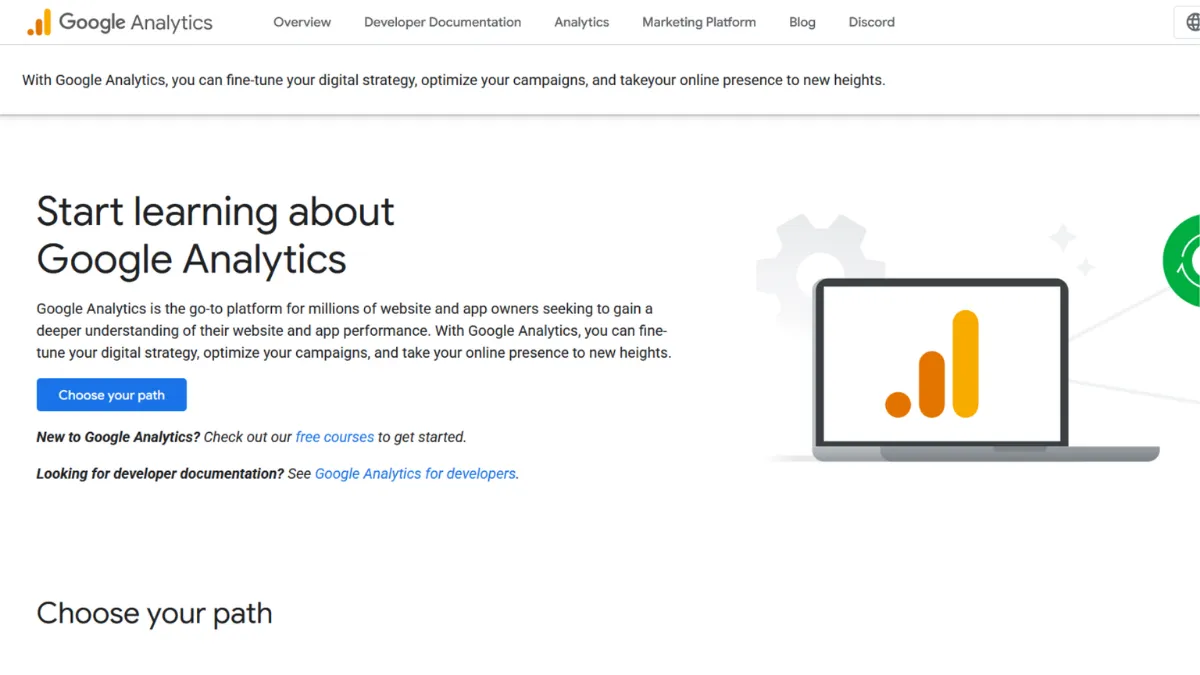
The most-used web analytics platform on the planet is free, and that fact alone shapes how most founders think about it. Google Analytics 4 is the default starting point for anyone building an online presence, and for good reason: the breadth of data it surfaces, the depth of its event tracking, and its native connections to Google Ads and Search Console create an intelligence layer that would cost serious money to replicate elsewhere. The question worth asking is not whether to use it, but whether you are using it in a way that actually drives decisions, or whether your GA4 property is a dashboard you glance at and close.
GA4 is built around an event-driven data model. Every interaction a user takes on your site or app, whether a page view, scroll, click, or purchase, is recorded as an event with associated parameters. This replaces the session-based model of its predecessor and makes cross-device, cross-platform measurement far more coherent. The catch is that this model requires deliberate configuration. Out of the box, GA4 tracks a handful of standard events automatically, but the metrics that matter most to a growing business, such as lead form completions, checkout steps, or button clicks tied to revenue, require you to set up custom events, either through the GA4 interface or via Google Tag Manager. Many founders launch, connect GA4, assume it is capturing everything, and later discover their conversion data is incomplete or missing entirely.
Realistic expectations matter here. GA4 will give you a solid picture of traffic volume, acquisition channels, user behaviour patterns, and the performance of paid campaigns when linked to Google Ads. For ecommerce businesses running on Shopify or similar platforms, enhanced ecommerce tracking surfaces revenue data, product performance, and funnel drop-off rates at a level of granularity that directly informs merchandising decisions. What it will not give you, without additional tooling, is qualitative insight into why users behave the way they do. Knowing that 70 percent of users drop off at step two of your checkout tells you where the problem is. GA4 will not tell you what they saw or felt at that moment.
GA4 is built for teams that own a website or app, generate meaningful traffic, and need to connect marketing spend to outcomes. It suits founders running content, ecommerce, or SaaS businesses who want to understand acquisition sources, track goal completions, and report on growth over time. It is especially valuable when you are running Google Ads, because the native integration makes campaign attribution far cleaner than any third-party solution.
The steepest genuine limitation is the interface. GA4 replaced Universal Analytics with a UI that even experienced analysts find counterintuitive. Standard reports are rigid and limited; the real analytical power lives in the Explorations section, which operates more like a data studio than a reporting tool and has a learning curve that discourages most non-technical users. Data retention in the free tier is capped at 14 months for exploration reports, which means year-on-year comparisons beyond that window require a BigQuery export or a separate data warehouse setup.
The sections below cover how GA4 works mechanically, the features that deliver the most value, who gets the most from the platform, how its pricing compares to alternatives, and where it sits against competitors including Semrush and others.
What Is Google Analytics?
Google Analytics is a web and app analytics platform that tracks how users find, interact with, and convert on digital properties. It solves the core problem every online business faces: understanding what is driving traffic, what users do when they arrive, and which actions lead to revenue or growth. What separates it from a basic traffic counter is the combination of granular event data, audience segmentation, attribution modelling, and deep integration with the broader Google ecosystem. GA4 is the current generation of the platform, having replaced Universal Analytics. It is free for the standard version, with an enterprise tier called GA4 360 available for large organisations. The platform is used across millions of websites, making it the dominant standard in web analytics globally. The natural follow-up question is how the underlying mechanics actually work, because the event model that powers GA4 behaves very differently from what most people expect.
How Google Analytics Works
GA4 works by placing a JavaScript tracking tag on your website or SDK in your app. This tag fires events every time a user takes an action. A subset of events, including page views, scroll depth, outbound clicks, and session starts, are collected automatically. All other events must be configured manually. The tag sends data to Google's servers, where it is processed and made available in your GA4 property, typically with a latency of 24 to 48 hours for standard reports, though real-time reports show data within minutes.
The identity model underpinning GA4 uses a blended approach: it combines Google signals (for signed-in Google users), device ID, and, where implemented, a user ID you supply from your own authentication system. This blended model is what enables cross-device tracking, but it also means that cookieless browsers, consent refusals, and privacy-focused users create gaps in your data. GA4 fills some of these gaps using modelled data, particularly for conversion events, which means the numbers you see are not always a pure count of observed events but a statistical estimate.
Output quality depends heavily on how you define events and the conversions you mark as key events. Marking the wrong actions as conversions, or failing to mark the right ones, corrupts the attribution data that feeds every report downstream. Most users assume GA4 is capturing accurate conversion data from day one. The counterintuitive reality is that an unconfigured GA4 property may be recording millions of events but telling you almost nothing useful about what is driving actual business outcomes. Before trusting any report, verify your event schema against your funnel steps. That groundwork directly determines whether the features covered below deliver real value or produce misleading signals.
Google Analytics Key Features
Event-Based Tracking and Custom Events. Every measurement in GA4 flows from events. Automatic events cover the basics, but the platform's analytical depth only becomes available once you define custom events that match your specific funnel. A SaaS founder might track trial signups, feature activations, and upgrade clicks as distinct events, then compare conversion rates across acquisition channels. Setting these up through the GA4 interface or via Google Tag Manager takes time upfront but makes every subsequent report genuinely actionable rather than decorative.
Explorations and Custom Reports. The Explorations workspace is where GA4 earns its reputation among analysts. Free-form exploration, funnel analysis, path analysis, and segment overlap reports allow you to interrogate your data in ways that standard dashboards cannot. Funnel exploration in particular is worth configuring early: you define the steps of a conversion flow and GA4 shows you where users exit, broken down by any dimension you choose. This level of analysis is what distinguishes GA4 from simpler tools, and it is entirely available on the free tier.
Audience Builder and Predictive Metrics. GA4 lets you create audiences based on any combination of events, dimensions, and user properties, then push those audiences directly to Google Ads for remarketing. For accounts with sufficient conversion volume, predictive audiences surface users likely to purchase or churn within a defined window. These audiences update dynamically and can be a meaningful lever for reducing wasted ad spend. The predictive features require meeting minimum data thresholds, so new properties will not have access immediately.
BigQuery Export. The free tier of GA4 includes a native BigQuery export, which was previously a GA 360 exclusive feature. This allows you to send raw event-level data to Google's cloud data warehouse, where it can be stored indefinitely and queried with SQL. For any team hitting the 14-month data retention ceiling in Explorations, or wanting to build custom dashboards in Looker Studio or other BI tools, the BigQuery link is the most practical workaround. Setting it up takes an hour and eliminates the most commonly cited frustration with the free tier's data limits.
Google Ecosystem Integration. GA4 connects natively to Google Ads, Search Console, Merchant Centre, and Display and Video 360. The Search Console integration brings organic keyword and page performance data into GA4, giving you acquisition and on-site behaviour in a single property. The Google Ads link enables bidding strategies that optimise for GA4 conversion events directly. No third-party analytics platform replicates this depth of integration with Google's ad infrastructure, which is a structural advantage for any business spending on Google channels. That said, this tight coupling to Google's ecosystem raises the trade-off covered next: what you gain in integration, you give up in data sovereignty and privacy flexibility.
Google Analytics Pros and Cons
There is a strong case for GA4 and an equally honest case against it, depending on how your business is structured.
- Free at a feature level most paid tools cannot match. The combination of event tracking, audience building, funnel analysis, and predictive metrics at no cost is a genuine structural advantage. Most founders would pay several hundred pounds per month for equivalent capabilities from a dedicated analytics platform.
- Native Google Ads integration is irreplaceable. If you run Google Ads, the conversion import and audience sync between GA4 and Ads creates a feedback loop that meaningfully improves campaign performance. No alternative replicates this without workarounds.
- BigQuery export unlocks long-term data ownership. The free BigQuery link, added to the standard tier, removes the most serious objection to the platform for data-forward teams. Raw event data stored in BigQuery can be retained and queried without limit.
- Predictive audiences add genuine leverage for ecommerce. For stores with enough conversion volume, the purchase probability and churn probability audiences can reduce remarketing waste in a measurable way. This feature is underused by most small teams who qualify for it.
- Google Search Console integration provides a channel view most tools lack. Seeing organic keyword performance alongside on-site behaviour in one property reduces the workflow of toggling between separate tools.
The platform has real limitations that affect specific users significantly.
- The interface punishes non-technical users. GA4's UI is genuinely difficult. Standard reports are inflexible, and the Explorations workspace, where the real analysis happens, requires a working knowledge of dimensions, metrics, and segment logic that most non-analysts do not have.
- Data modelling obscures true counts. GA4 uses statistical modelling to fill gaps created by consent refusals and cookieless browsers. The numbers in your reports are estimates, not exact counts, and the gap can be material in privacy-conscious markets like Germany or France.
- Privacy compliance requires careful configuration. GA4 sends data to US-based servers by default. Meeting GDPR requirements involves configuring consent mode, IP anonymisation, and potentially a server-side tagging setup, none of which are automatic.
- Data retention in Explorations is capped at 14 months on the free tier. Year-on-year analysis beyond 14 months requires a BigQuery export. This is solvable, but it is an extra configuration step that many teams skip until they need the data and discover it is gone.
- Setup complexity is front-loaded. A GA4 property that has not been configured properly will produce misleading data. The gap between a default install and a correctly configured property is wide, and most founders do not know what they are missing.
How to Get the Most Out of Google Analytics
Before touching a single report, audit your event schema. Open the GA4 DebugView and walk through every step of your key conversion flows while watching which events fire. If your most important actions, signups, purchases, contact form submissions, are not appearing as distinct named events, the rest of your configuration will not matter. This single step, taking less than an hour, transforms GA4 from a traffic counter into a business measurement tool.
In your first week, mark your primary conversion actions as key events. GA4 calls these conversions, and the label matters: only key events flow into attribution reports and Google Ads import. Set up your Search Console link and your Google Ads link if you are running paid campaigns. Then configure the BigQuery export. These four steps, done in order, cover the infrastructure that makes every subsequent report reliable.
Once the foundation is in place, build your first funnel exploration. Define the steps from landing page to conversion, set the window to 30 days, and break down exits by source or device. This is where founders most often see the data that changes behaviour. A high exit rate at the payment step that is disproportionately concentrated on mobile, for instance, is a clear directive.
Learning how to set up goal tracking in Google Analytics 4 is the single highest-leverage skill for any founder using the platform. Most guides focus on reading reports, but the quality of what GA4 shows you is entirely downstream of what you tell it to track. Configure your events before you interpret your results, not after.
Measure success by tracking conversion rate per channel over rolling 90-day windows, not by total traffic. Traffic volume is a vanity metric; channel-level conversion rate tells you where your acquisition spend is generating return and where it is not. Review this figure weekly during periods of active campaign spend.
Who Should Use Google Analytics?
GA4 suits three distinct user types in particular. The first is a founder running a content or SaaS business who needs to track acquisition channels, measure trial or lead conversion rates, and understand which content drives the most qualified traffic. GA4 gives this person a complete acquisition and behaviour picture that would otherwise require stitching together several paid tools. The second is an ecommerce operator on Shopify or a comparable platform who runs Google Ads and needs clean attribution between campaigns and revenue. The native Ads integration alone justifies the setup time. The third is a marketing manager at a growth-stage company who needs to build audiences for remarketing, report on goal completion rates to a leadership team, and connect organic and paid performance in a single view.
GA4 is not the right choice if you operate in a market where GDPR compliance is a day-one concern and you have no technical resource to configure consent mode and server-side tagging correctly. It is also a poor fit for solo creators or early-stage founders who need a simple traffic overview and find the interface a barrier rather than a tool. For those users, a lightweight alternative delivers more practical insight with less friction.
Google Analytics Pricing
The standard version of Google Analytics 4 is free, with no usage caps tied to traffic volume for the core features. There is no paid mid-tier. The enterprise version, Google Analytics 360, is priced at a starting point of around $50,000 per year on a usage-based model, making it relevant only to large organisations with high data volumes and requirements for extended data retention, unsampled reports, and dedicated support. Check the Google Marketing Platform site for current GA4 360 pricing, as the model uses event volume thresholds that affect total cost.
For the vast majority of founders and growing businesses, the free tier covers every meaningful use case. The BigQuery export, predictive audiences, and Explorations workspace are all available without paying anything. The practical cost of GA4 is the time required to configure it correctly and the ongoing attention needed to interpret its outputs. Compared to paid analytics platforms, the free offering is remarkable, though that calculation changes if your market requires a privacy-first setup that needs significant technical investment to achieve. That context makes the comparison with alternatives below directly relevant to your decision.
Google Analytics vs Alternatives
Semrush includes a Traffic Analytics tool that estimates competitor traffic and audiences, which GA4 cannot do. Semrush is the stronger choice when competitive benchmarking matters alongside your own site data. GA4 wins when you need granular on-site event tracking and Google Ads integration that Semrush's analytics tools do not replicate.
Ahrefs focuses on SEO intelligence, covering backlinks, keyword rankings, and content gap analysis. It overlaps with GA4 only at the point of organic traffic measurement. If SEO is your primary acquisition channel, running both tools together gives you a more complete picture than either provides alone. GA4 tells you what users do after they arrive from organic search; Ahrefs tells you which keywords and pages are driving that traffic and how to expand it.
Matomo is the most direct functional alternative to GA4. It is open-source, can be self-hosted for full data ownership, and offers comparable event tracking and funnel analysis. Choose Matomo if GDPR compliance is non-negotiable and you cannot invest in server-side GA4 configuration, or if you need data stored on your own infrastructure. GA4 wins on predictive features, Google Ads integration, and the ecosystem connections Matomo cannot replicate.
Plausible is a lightweight, cookieless analytics tool that shows traffic, sources, and basic goal completions on a single dashboard. It requires no consent banner in most jurisdictions and adds negligible page weight. Choose Plausible if you want a five-minute setup, a clean overview, and no GDPR headaches. GA4 wins on depth of event data, audience building, and anything tied to Google advertising.
Google Analytics Review: Final Verdict
Google Analytics earns an overall score of 4.28 out of 5, reflecting a platform that leads its category on functionality and integrations while carrying real weaknesses in ease of use and privacy configuration that founders should go in with eyes open about. The functionality score of 4.8 reflects genuine breadth that no free competitor approaches. The ease-of-use score of 3.6 is the honest counterweight: GA4 is harder to use correctly than it should be, and an incorrectly configured property produces misleading data rather than no data, which is the more dangerous outcome.
The bottom line is this: if you run any kind of digital business and you are not paying for analytics, GA4 is the correct default choice. Configure it properly from the start, connect BigQuery before you need it, and treat it as an infrastructure investment rather than a report to glance at.
How We Rated It:
More Tool Reviews







Subscribe to Stay in the loop
Get the latest AI and technology news, honest tool reviews, and practical guides delivered straight to your inbox.
Success! Check your Inbox!

Tezons Newsletter
The latest technology news, in-depth tool reviews, and practical guides - curated and delivered to your inbox.
Latest News




Have a question?
Have any questions?
Didn’t find what you were looking for? We’re just a message away.