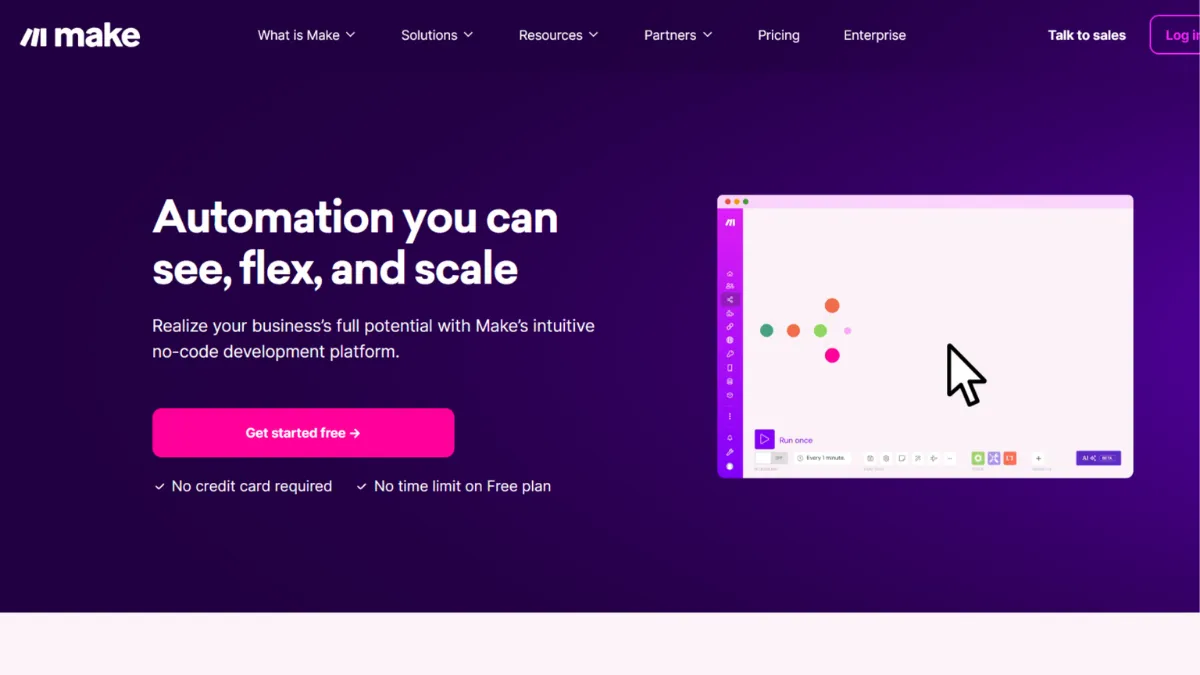
Automation tools rarely divide opinion as sharply as Make. Power users cite it as the most capable visual workflow builder at its price point, while first-timers abandon it within a week. Both groups are right, and understanding which camp you fall into is the most useful thing this review can tell you before you spend a single hour inside the platform. Make rewards patience with genuine flexibility: conditional branching, data transformation, error-handling logic, and a canvas that lets you see the full architecture of a multi-step workflow at a glance. For founders who treat automation as a competitive lever, not an admin task, it is one of the most cost-efficient tools in the market.
The mechanism that sets Make apart from simpler tools like Zapier is its credit-based execution model combined with a canvas-style scenario builder. Where most automation platforms charge per task, Make charges per module action inside a scenario run. A ten-step scenario that fires once counts as ten credits, but each run of the entire scenario costs the same regardless of how many times it fires that day. This structure means high-frequency, multi-step workflows become significantly cheaper at scale than task-based alternatives. The canvas itself is the real differentiator: routers split data into parallel branches, iterators loop through arrays, and error handlers define exactly what happens when a module fails, whether that means retrying, skipping, or routing to a fallback branch. Most users coming from simpler tools spend their first few days building linear sequences and wondering why they switched. The power emerges when you start using routers and filters together to build genuinely conditional logic.
Realistic expectations matter here. Budget two to three hours for your first meaningful scenario if you have no prior automation experience. The free tier, which includes 1,000 credits per month and two active scenarios, is enough for testing but not for running a real business process. The Core paid plan unlocks unlimited active scenarios and a substantially higher credit ceiling, which covers the majority of small-team use cases. Where costs surprise people is in testing: every module execution during development counts against your credits, so a misconfigured iterator can consume a month's allowance in minutes. Running a disciplined test process, using small data samples and turning off scenarios when not actively building, protects your budget more than any plan upgrade.
Make is the right tool for operations teams, technical marketers, and founders who manage meaningful data flows between multiple platforms. If your workflows involve enriching leads, syncing records between a CRM and a spreadsheet, orchestrating post-purchase sequences, or pushing data from webhooks into tools like Airtable or Notion, Make handles all of it without requiring custom code. The visual builder makes the logic auditable, which matters for teams that hand workflows between people.
The genuine limitation is support quality on lower-tier plans. Live support is reserved for Enterprise subscribers, and community forums, while active, are not a substitute for responsive technical help when a production scenario breaks. Multiple user reviews across independent platforms flag slow response times and inconsistent resolution quality from the support team. If your automations are mission-critical and you cannot afford downtime, budget for a higher tier or factor in the time cost of self-troubleshooting.
The sections below cover Make's core features, where it wins and loses against alternatives, the scenarios where it fits best, and a plain-language breakdown of the pricing tiers.
What Is Make?
Make, formerly known as Integromat, is a no-code and low-code workflow automation platform that lets you connect applications and automate multi-step processes through a visual canvas interface. Where a basic tool handles two-step hand-offs between apps, Make is built for complex, conditional logic: data that needs to be filtered, transformed, split into parallel paths, or processed in loops before it reaches its destination. The core use case is eliminating manual data movement between platforms, whether that means syncing a form submission to a CRM, triggering a sequence of actions when a payment lands in Stripe, or processing a spreadsheet row by row and updating records in another system. Make sits between simple consumer automation tools and full developer APIs, which is precisely what makes it attractive to technical non-developers who want power without writing code. With thousands of supported app integrations and a growing set of AI-native modules, it has become the automation backbone for a significant portion of small and mid-sized operations teams. The question for any new user is not whether it can do the job, but how long it will take to build reliably.
How Make Works
Every automation in Make is called a scenario. A scenario starts with a trigger, an event that kicks off the workflow, and then passes data through a chain of modules, each representing an action in a connected app. The trigger can be a webhook receiving external data instantly, or a scheduled poll that checks for new records at a defined interval. Webhooks are almost always the better choice: they fire only when something actually happens, which avoids burning credits on polling checks that return empty results.
Setting up a scenario takes three steps: connect an app with its credentials, choose the trigger event, then add action modules and map the data fields between them. The field-mapping interface is where Make separates itself from simpler tools. Rather than fixed field pairs, you map data using a visual panel that shows the output of every upstream module, allowing you to reference, transform, and combine values using built-in functions for strings, dates, arrays, and maths. This is where most new users stall: the mapping panel is powerful but unfamiliar, and getting it wrong produces errors that are not always self-explanatory.
Routers are the feature most users underuse in their first month. A router splits a scenario into two or more parallel branches, each with its own filter conditions. You might route a new contact into a high-value sequence if their company size exceeds a threshold, and into a nurture sequence if it does not, all within a single scenario. Iterators work similarly for batch data: they unpack an array, such as a list of line items in an order, and process each item individually through the downstream modules.
The counterintuitive thing about Make's credit model is that more complex scenarios are often more credit-efficient than simple ones. Running five separate two-step scenarios to process the same data costs more credits per outcome than one well-designed eight-step scenario that handles all five cases through routers. Consolidating logic into fewer, better-structured scenarios is the single most effective way to reduce your monthly spend. Most users discover this after their first billing cycle, not before.
Make Key Features
Visual Scenario Builder. The canvas-based editor is Make's most distinctive quality. Every scenario renders as a connected graph of modules on a draggable canvas, so you can see the full architecture of a workflow without scrolling through a linear list of steps. Clicking any module mid-run reveals the exact data it received and sent, making debugging a matter of inspection rather than guesswork. For complex scenarios with multiple branches, this visibility is not a cosmetic benefit: it is the primary way teams audit logic and hand workflows between people.
Routers, Filters, and Iterators. These three primitives are what separate Make from tools that only handle linear flows. Routers split execution into parallel branches based on conditions you define. Filters block execution of a module unless specific criteria are met. Iterators decompose arrays into individual items so downstream modules can process each one. Together, they make it possible to build genuinely conditional business logic without touching code, covering most of the cases where a developer would otherwise write a custom script.
Error Handling. Make lets you attach error-handling branches directly to any module in a scenario. When a module fails, execution routes to your defined handler rather than stopping entirely. You can configure the platform to retry a failed module automatically, skip it and continue, roll back completed actions, or send an alert through a messaging app. This level of control matters for production workflows where silent failures cause data loss or broken processes downstream.
AI Agent and Integration Modules. Make has expanded its AI-native capabilities to include native modules for major AI providers and a growing set of agent-oriented features. You can connect language model APIs, trigger AI-powered actions mid-scenario, and pass structured data in and out of model calls. The platform also supports over three thousand app integrations, covering CRMs, email marketing platforms, databases, project management tools, and custom HTTP endpoints for any service with a REST API.
Execution Logs and Monitoring. Every scenario run produces a full execution log showing the data state at each module, the duration, and any errors encountered. The Pro plan adds full-text search across execution history, which becomes essential when debugging intermittent failures in high-volume scenarios. Teams on lower tiers have access to recent logs but cannot search historical runs, which creates real friction when something breaks at 3am and you need to trace the cause.
The absence of granular execution search on the Core plan is worth flagging: it is a meaningful gap for anyone running more than a handful of production scenarios, and it pushes serious users toward a paid tier earlier than the feature list alone might suggest.
Make Pros and Cons
Make delivers genuine capability at a price point most competitors cannot match. Here is where it earns its place in a tech stack, and where it asks you to accept trade-offs.
- Credit efficiency at scale. Multi-step scenarios cost the same credits per run regardless of step count within the monthly allocation. Compared to per-task pricing models, this makes Make substantially cheaper for complex, high-frequency workflows once you are past the testing phase.
- Visual logic that is actually auditable. The canvas builder lets you inspect any module's input and output during a run. Handing a scenario to a colleague or returning to it after three months takes minutes rather than a full rebuild from memory.
- Advanced branching without code. Routers, filters, and iterators handle conditional logic that other no-code tools cannot express without workarounds. If your workflow has more than two outcomes, Make handles it cleanly.
- Error handling is a first-class feature. Defining fallback behaviour per module, rather than accepting a binary pass-or-fail, is a production-grade capability that most automation tools at this price point do not offer.
- Free tier is functional for learning. The free plan provides enough credits and active scenarios to build and test real workflows before committing to a paid plan, which is a genuine advantage over tools that require payment before you can evaluate meaningfully.
Against those strengths, Make asks for several real concessions.
- Steep initial learning curve. The mapping panel, credit model, and module configuration all require time investment before they feel natural. Most users report a two-to-three-hour ramp before their first working scenario is stable, and advanced features like iterators and aggregators add further complexity.
- Credit consumption during development. Every test run burns credits. A misconfigured loop can deplete a month's allocation before a scenario is even live. This is a structural issue with the model, not a settings problem, and new users regularly hit it.
- Support quality varies significantly by plan. Live support is reserved for Enterprise. On lower tiers, resolution depends on community forums and email tickets with variable response times. For production-critical workflows, this is a real risk.
- Polling triggers waste credits. Scheduled polling checks consume credits even when there is no new data to process. Structuring workflows around webhooks avoids this, but it requires deliberate attention during scenario design.
- Credit pricing changes have caused confusion. Make adjusted its credit model in late 2025, and the documentation has not always kept pace. Estimating monthly costs before building requires working through the credit consumption rules carefully, which is harder than with task-based pricing.
How to Get the Most Out of Make
Before building anything, map the workflow on paper. Write down the trigger event, every decision point, and every output. Make's canvas rewards builders who arrive with a clear mental model: starting with a blank canvas and adding modules reactively produces tangled scenarios that are hard to debug and expensive to run.
In your first session, start with a webhook trigger rather than a scheduled poll. Webhooks fire instantly when data arrives and consume no credits on idle checks. Connect a test service, send a sample payload, and inspect the data structure Make receives before building any downstream logic. Understanding the data shape at the source prevents most of the mapping errors that trip up new users.
During the first week, resist the urge to build one large scenario for everything. Separate concerns: one scenario handles the trigger and initial data enrichment, another handles the downstream action. This makes individual pieces easier to test, debug, and reuse. Once each piece works reliably, you can consolidate if credit efficiency becomes a concern.
To automate workflows in Make effectively, the most important habit to build is treating error handlers as required, not optional. Attach an error handler to every module that calls an external API. APIs return unexpected responses. Third-party services go down. A scenario with no error handling fails silently, and you find out days later when a colleague asks why their records stopped updating. A scenario with a well-configured error handler notifies you immediately and, in most cases, retries automatically.
Measuring success on Make is straightforward: track credit consumption per scenario relative to the business value the scenario delivers. If a scenario is consuming a disproportionate share of your monthly credits, check for polling triggers and unoptimised iterators first. Make's execution logs show per-module credit costs, which makes identifying expensive steps a matter of reading the data rather than guessing. Teams that treat credit optimisation as a regular maintenance task rarely hit billing surprises.
Who Should Use Make?
Make earns its place in workflows where data needs to be transformed, routed, or processed conditionally before it reaches its destination. Three types of users get the most from it.
Operations managers at early-stage companies who are spending meaningful time on manual data entry between a CRM, a spreadsheet, and a project management tool. They are not developers, but they are comfortable with logic and willing to invest a few hours learning a tool properly. Make gives them the ability to build automations that would otherwise require a developer, at a cost that fits a lean budget.
Technical marketers who run lead-enrichment or segmentation workflows. If you need to pull a lead from a form, check a condition, route it into one of several sequences based on attributes, and update a CRM record, Make handles all of that in a single scenario. Tools like HubSpot handle some of this natively, but Make fills the gaps where native integrations are too rigid or too expensive to unlock.
Small agencies or freelancers building automations for multiple clients. The Teams plan supports shared scenario templates and user roles, which makes it practical to build a reusable library and deploy variants for different clients without rebuilding from scratch each time.
Make is not the right fit if you need a working automation in the next thirty minutes. Zapier's templates and simpler editor will serve you better for quick two-step hand-offs. It is also a poor choice if your primary goal is deploying conversational AI agents or workflows that require persistent memory between runs: Make lacks a native agent memory system, and building context-aware multi-turn flows requires significant workarounds.
Make Pricing
Make offers a free tier with 1,000 credits per month and two active scenarios. This is enough for testing but not for running live business processes: most real workflows with several modules will exhaust 1,000 credits within a handful of runs.
The Core paid plan unlocks a substantially higher credit ceiling and unlimited active scenarios, making it the practical starting point for solo users and small teams. The Pro plan adds priority execution and full-text search across execution history, which matters most to users running more than a handful of production scenarios and needing to debug failures quickly. The Teams plan introduces user roles and shared scenario templates, relevant for agencies or teams where multiple people manage automations. Enterprise pricing is custom and includes overage protection, SSO, audit logs, and dedicated support.
Pricing is credit-based rather than task-based, which is more cost-efficient for complex multi-step workflows but harder to estimate upfront. Make updated its credit model in late 2025, adjusting allocations and per-credit costs across tiers. Check the pricing page directly for current rates before committing to a plan, as these numbers have shifted more than once. The value proposition is strongest when your workflows are predictable in volume and structure. Variable or AI-heavy scenarios can consume credits faster than the tier headline suggests. Relative to N8N, which offers self-hosted unlimited executions, Make's cloud convenience comes at an ongoing cost that compounds as workflow volume grows.
Make vs Alternatives
The three most relevant comparisons for Make are Zapier, N8N, and Zapier for simple flows versus Make for complex ones is the clearest split in the market. Zapier's strength is speed to value: templates, a linear builder, and a larger library of pre-built integrations mean most users have a working automation in under ten minutes. Make wins on complexity and cost at scale. If your workflow has conditional branches, data transformations, or loop logic, Zapier either cannot express it or charges significantly more to run it. Choose Zapier when time-to-build matters more than architectural flexibility.
N8N is Make's most direct technical competitor. It is open-source, self-hostable, and charges no per-execution fees, which makes it dramatically cheaper for high-volume workflows once you factor in server costs. The trade-off is setup complexity: N8N requires infrastructure management, which adds operational overhead that Make eliminates entirely. For teams comfortable with self-hosting, N8N is worth evaluating seriously at higher volumes. For everyone else, Make's managed cloud removes a meaningful maintenance burden.
Zapier's AI-native competitor Zapier Agents and similar agentic tools occupy a different category: they are designed for conversational, context-aware workflows rather than data-movement automation. If your use case is triggering a language model to take multi-step actions in response to an inbound message, tools purpose-built for agent orchestration will outperform Make without significant custom configuration. Make integrates with AI APIs via HTTP modules and native connectors, but it does not natively manage agent state or conversation memory.
Make Review: Final Verdict
Make earns a 4.36 overall score, which reflects a platform that genuinely delivers on its core promise of visual, flexible automation at a competitive price, while carrying real gaps in support accessibility and onboarding clarity that affect a meaningful portion of its users. Its functionality score of 4.7 is the standout dimension: few tools at this price point give you conditional branching, error handling, and data transformation in a single visual interface without requiring code. The support score of 3.8 reflects a consistent pattern in user feedback across independent review platforms: resolution quality and response times are not reliable enough for mission-critical production use on lower-tier plans.
The bottom line: Make is the right automation platform if you are willing to invest time learning it and your workflows involve more than linear data hand-offs. If you are not, a simpler tool will serve you better.
How We Rated It:
More Tool Reviews







Subscribe to Stay in the loop
Get the latest AI and technology news, honest tool reviews, and practical guides delivered straight to your inbox.
Success! Check your Inbox!

Tezons Newsletter
The latest technology news, in-depth tool reviews, and practical guides - curated and delivered to your inbox.
Latest News




Have a question?
Have any questions?
Didn’t find what you were looking for? We’re just a message away.