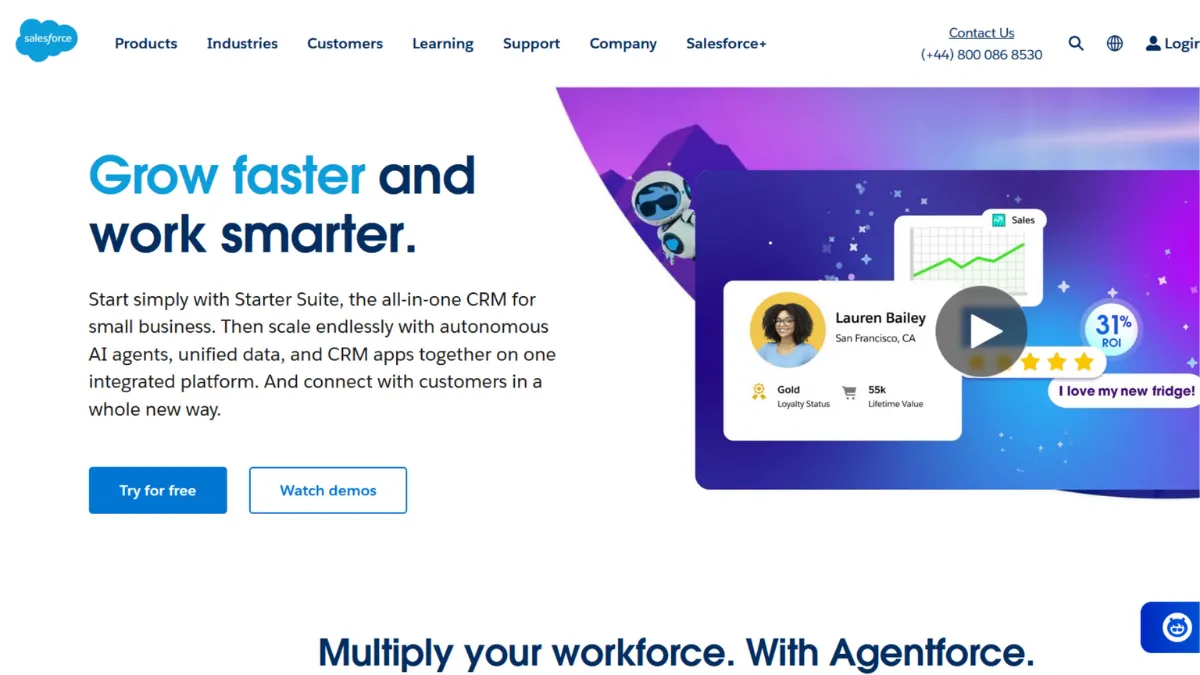
Scale is the one thing Salesforce was built for from the beginning. Where most CRM tools ask you to adapt your sales process to their structure, Salesforce inverts that relationship: the platform bends to you, your pipeline stages, your custom objects, your reporting hierarchy. For a fast-scaling B2B team that has outgrown spreadsheets and lighter tools, that flexibility is not a luxury. It is the core reason the platform dominates its category. But the same depth that makes it powerful at scale creates a real friction for teams without a dedicated administrator or implementation budget, and understanding that trade-off before you commit is the most important decision you will make about this tool.
The mechanism behind Salesforce is a cloud-based data model that connects contacts, accounts, opportunities, and cases into a single relational record system. Every action your team takes, calls logged, emails sent, deals advanced, can be captured, automated, and reported against. Flow Builder, the platform's native automation engine, lets you construct multi-step workflows without code: route a new lead to the right rep, trigger a follow-up task when a deal sits idle, or escalate a support ticket when its priority changes. Einstein, Salesforce's AI layer, adds predictive lead scoring and opportunity health signals on top of that data. The catch most teams discover too late is that Einstein's most useful capabilities sit behind add-on pricing tiers rather than the base licence, and extracting reliable predictions requires clean, well-structured historical data that many organisations do not have when they first arrive.
Realistic expectations matter here. A team migrating from a lightweight CRM should budget six to twelve weeks for a proper implementation: data migration, custom field mapping, user training, and workflow configuration. Out of the box, Salesforce is powerful but not intuitive. Adoption rates on poorly configured deployments are notoriously low, and a half-used Salesforce org is an expensive spreadsheet. Teams that invest in setup, whether through a certified partner or an internal admin, tend to see meaningful improvements in pipeline visibility and forecast accuracy within a quarter. Teams that skip that investment often find themselves paying for features they cannot operate.
Salesforce is built for sales-led organisations with at least ten users, a defined sales process, and either an internal admin or budget for occasional implementation support. It rewards teams that have enough deal volume to make reporting meaningful and enough complexity to justify custom workflow automation. Mid-market and enterprise sales teams with multiple product lines, territories, or approval processes will find it genuinely hard to replace.
The honest limitation is cost and complexity at the lower end. Annual billing is required across most tiers, and the entry Starter Suite, while accessible, does not give you the API access or advanced automation that makes Salesforce worth its price relative to alternatives. Moving up to Enterprise or Unlimited tiers, where the real power sits, pushes per-user costs significantly higher, and Einstein add-ons layer on top of that. For a team of three or four founders running early-stage sales, the total cost of ownership, licence, setup, and ongoing admin, rarely makes sense.
The sections below cover how the platform works mechanically, which features deliver the most value, and how it stacks up against the alternatives most founders are comparing it to.
What Is Salesforce?
Salesforce is the world's most widely adopted cloud-based CRM platform, designed to manage the entire customer lifecycle from initial lead capture through closed deal and post-sale service. The problem it solves is organisational: as a business grows, customer data fragments across inboxes, spreadsheets, and disconnected tools, and sales performance becomes impossible to manage with any precision. Salesforce centralises that data into a single platform shared across sales, marketing, and service teams. What separates it from a generic CRM is the depth of its customisation engine, its AppExchange ecosystem of third-party add-ons, and the maturity of its reporting and forecasting tools. The platform powers revenue operations at the majority of Fortune 500 companies and has become the de facto standard for enterprise sales teams globally. Understanding how it handles data and automation is the clearest way to evaluate whether it suits your stage and team size, and that is what the next section addresses.
How Salesforce Works
Salesforce organises all customer data around a set of standard objects: Leads, Contacts, Accounts, Opportunities, and Cases. Each object holds records, and those records relate to each other in a structured way. A Lead converts into a Contact and Account when qualified. An Opportunity tracks the deal against that Account through your custom pipeline stages. A Case logs a support interaction tied to the same Account. This relational structure means every team member looking at a customer record sees the same complete history, regardless of whether they are in sales, service, or marketing.
The platform runs entirely in the browser and on Salesforce's mobile app, with no on-premise installation required. Administrators configure the system through a point-and-click interface called Setup, where they build custom fields, design page layouts, define user permissions, and construct automation rules. Flow Builder, the primary automation tool, lets admins trigger actions based on record changes without writing code. For more complex integrations, the Salesforce API is available from Professional tier upwards, which is how teams connect tools like HubSpot marketing data, billing platforms, or custom-built applications into the CRM record.
The counterintuitive thing most new users get wrong is treating Salesforce as something you can configure once and leave. The platform rewards continuous iteration. A pipeline stage that seemed logical at setup often needs rethinking after three months of real usage. Reports that were built for last quarter's sales motion stop reflecting the current one. Teams that treat their org as a living configuration, adjusting fields, workflows, and dashboards as the business evolves, extract dramatically more value than those that complete an initial setup and consider it done. The practical question that naturally follows is which specific features drive that value in day-to-day use.
Salesforce Key Features
Pipeline and Opportunity Management. The Opportunities object is the commercial heart of the platform. You can define custom stages, probability weightings, and close date fields, and the system automatically rolls these into a pipeline forecast visible to every level of your sales hierarchy. Managers can inspect deals in aggregate, drill into individual records, and track how opportunities move or stall across stages. The value is not in any single field but in having every deal in one place with a shared, auditable history. Teams that pipe Zapier workflows into Salesforce from lead capture sources keep that history current without manual data entry.
Flow Builder Automation. Flow Builder is Salesforce's declarative automation engine and the feature that most separates it from lighter CRM tools. You build automation visually: define a trigger (a record is created, a field changes, a scheduled time arrives), add conditions, then specify actions (send an email, create a task, update a field, notify a user). Multi-step sequences are possible without any code, which means a non-technical admin can automate lead routing, deal escalations, renewal reminders, and approval processes. The practical ceiling is high, but reaching it requires time to learn the interface and test thoroughly before deploying to live data.
Einstein AI and Analytics. Einstein adds a predictive layer on top of your CRM data. Lead Scoring ranks inbound leads by their likelihood to convert based on historical patterns. Opportunity Scoring flags deals at risk. Forecasting tools use AI to surface a predicted close number alongside your rep-submitted commits. These features work best when your org has accumulated enough clean historical data to identify meaningful patterns, typically after a year or more of structured usage. Many of the more useful Einstein capabilities require add-on licences beyond the base tier, which affects the cost calculation significantly.
AppExchange Ecosystem. AppExchange is Salesforce's marketplace for third-party applications, with thousands of pre-built integrations covering everything from document signing to CPQ to customer success tooling. Many AppExchange apps install directly into your Salesforce org and surface data within the standard record views, which keeps your team in one interface. The quality of these apps varies, and some require at least a Professional tier licence to install. For teams with niche workflow requirements, AppExchange is often where the gap between Salesforce's standard functionality and their specific process gets closed.
Reporting and Dashboards. Salesforce's reporting engine lets you build tabular, summary, matrix, and joined reports against any object in the system, then surface those as dashboard components visible across the organisation. Sales leadership can build a live forecast dashboard; support managers can track case resolution times; marketing can monitor lead source performance. The reports update in near real-time against the live data in your org. The limitation worth noting is that building complex cross-object reports requires familiarity with the report builder and an understanding of how Salesforce's object relationships work, which creates a learning curve for non-admin users.
The depth of these features is Salesforce's greatest strength. It is also the source of its steepest trade-off: the configuration burden required to make them work well for your specific process is non-trivial, and that is the tension the pros and cons section addresses directly.
Salesforce Pros and Cons
Where Salesforce consistently delivers:
- Unmatched customisation depth. You can tailor virtually every aspect of the platform, from object structure to page layouts to automation logic. Teams with complex, non-standard sales processes rarely run into a ceiling. This flexibility scales with the business without requiring a platform migration.
- Enterprise-grade reporting. The reporting engine handles cross-object, multi-variable analysis that lightweight CRMs cannot match. Revenue leaders who need accurate forecasting and performance attribution across territories or product lines will find this genuinely useful.
- AppExchange integration breadth. With thousands of available apps, the likelihood of finding a pre-built integration for your existing stack is high. Tools like Airtable for project tracking, document signing platforms, and telephony systems all have established AppExchange connectors.
- Trailhead learning platform. Salesforce's free gamified training platform is a genuine asset. It reduces the learning curve for admins and end users significantly and lowers the cost of building internal expertise compared to most enterprise software platforms.
- Ecosystem maturity. The breadth of certified partners, freelance admins, and implementation consultants means support is available at every budget level. That external ecosystem is an underrated advantage when you need to extend the platform quickly.
Where Salesforce creates friction:
- Implementation complexity. Getting Salesforce to reflect your actual sales process takes weeks of configuration and testing. Teams that underestimate this often end up with a poorly adopted, expensive system rather than the productivity tool they expected.
- Cost at scale. Pricing climbs steeply as you move from Starter to Enterprise tiers, and Einstein add-ons layer additional per-user costs on top. Annual billing is required for most plans, which means a wrong purchase decision is expensive to reverse.
- Admin dependency. Without a designated administrator, configurations decay, automation breaks, and data quality erodes. Small teams without internal Salesforce expertise often pay more in external admin costs than they anticipated.
- Einstein add-on pricing. The AI features that make Salesforce genuinely competitive with modern tools often sit behind separate licence tiers. This makes the real cost of the platform higher than the headline per-user price suggests.
- Steep learning curve for end users. Sales reps accustomed to simpler CRMs frequently resist Salesforce's interface. User adoption, not technical capability, is the most common reason Salesforce deployments underperform.
How to Get the Most Out of Salesforce
Before you touch the setup, document your sales process on paper. Write out every stage, the criteria to advance a deal, who needs to be notified at each transition, and what data you actually need to forecast accurately. Every hour spent on this before configuration saves multiple hours of rework later. Salesforce is patient: it will implement whatever process you give it, including a broken one.
In the first two weeks, resist the temptation to build everything. Configure the core pipeline, import your existing contacts and accounts, and get your team logging activity consistently. Messy, incomplete data at this stage will corrupt your reporting for months. Focus on getting clean inputs before adding automation layers. Set a rule: if it is not in Salesforce, it did not happen.
Once the team is logging reliably, use Flow Builder to eliminate the most repetitive manual tasks. Lead assignment, follow-up task creation, and deal escalation after a set number of days of inactivity are good starting points. Each automation should solve a specific, named problem your reps complain about, not a theoretical workflow you imagine they might benefit from.
For teams asking how to manage a complex B2B sales process in Salesforce, the answer is almost always to invest in the reports and dashboards before Einstein. A weekly pipeline review dashboard that shows deal age, next step, and forecast category gives your managers more actionable signal than AI scoring applied to a poorly structured dataset. Build the reporting habit first, then layer AI on top once your data is clean enough to trust.
Measure success by adoption rate and data completeness, not features activated. A Salesforce org where every rep logs every meaningful interaction with accurate fields is worth more than one with sophisticated automation that nobody uses. Run a data quality audit every quarter: check for duplicate accounts, missing close dates, and opportunities with no activity in thirty days. The health of your data is the health of your CRM.
Who Should Use Salesforce?
This is for you if you are scaling a B2B sales team past ten people and your current CRM has stopped giving you visibility into pipeline health or forecast accuracy. A sales director at a 50-person SaaS company with multiple product lines and a regional team structure will find Salesforce the clearest path to consolidated reporting without building a custom data infrastructure. A revenue operations hire whose first task is to standardise a chaotic sales process across a team that has grown too fast will similarly find Salesforce's object model and automation engine the right tool for the problem.
It is also a strong fit if you are operating in an industry with specific compliance or data handling requirements. Salesforce's security model, permission sets, and audit trail give legal and finance teams the visibility they need into who accessed or modified which records.
Not for you if you are a founder-led team of two or three running early-stage outbound or inbound sales. The configuration overhead, annual billing commitment, and admin cost make the total investment disproportionate at that scale. A tool like HubSpot's free tier or a lightweight pipeline manager will serve you better until your process is defined and your team is large enough to justify the complexity. Freelancers and solo operators should not be evaluating Salesforce at all.
Salesforce Pricing
Salesforce does not offer a permanent free tier. A 30-day free trial is available across most products, which gives you enough time to evaluate the interface but not enough to complete a meaningful implementation.
Paid tiers for Sales Cloud start at the Starter Suite level, then step up through Pro Suite, Enterprise, and Unlimited editions. The entry point is accessible for small teams, but it does not include API access or the advanced automation features that make Salesforce worth its cost relative to cheaper alternatives. The Enterprise tier is where the platform becomes genuinely powerful for complex sales operations, and that tier sits at a substantially higher per-user monthly cost, billed annually. The Unlimited tier adds AI features and premium support. Einstein AI capabilities are priced separately across most tiers, adding meaningful per-user costs if you want predictive scoring and forecasting tools. Pricing has increased across Enterprise and Unlimited editions recently, so the most accurate figures should be confirmed directly on Salesforce's pricing page before you commit.
For most mid-market teams, the realistic total cost per user, factoring in the tier needed to unlock the features that justify the investment, puts Salesforce at the higher end of the CRM market. That cost is defensible if the platform replaces a patchwork of disconnected tools and genuinely improves pipeline visibility. It is hard to justify if you are paying Enterprise prices and using ten percent of the functionality. Compared to alternatives in the same category, Salesforce commands a premium, which the next section addresses directly.
Salesforce vs Alternatives
HubSpot is the most common comparison. It offers a generous free CRM tier with contact management, deal tracking, and email integration, and scales through paid Marketing, Sales, and Service Hubs. HubSpot's interface is considerably more intuitive, and teams can get productive within days rather than weeks. The trade-off is customisation depth: HubSpot's data model is less flexible than Salesforce's, and large or complex organisations frequently hit its ceiling on reporting and automation. Choose HubSpot if you are earlier stage, marketing-led, or want a tool the team can self-serve without an admin. Choose Salesforce if your sales process is complex enough to need custom objects and multi-level approval workflows.
Zoho CRM sits at the other end of the price spectrum and offers a surprisingly capable feature set at a fraction of Salesforce's cost. It covers pipeline management, automation, and AI-assisted lead scoring through its Zia assistant. The interface is less polished and the ecosystem is smaller, but for price-sensitive teams that need a capable CRM without the enterprise overhead, Zoho is a serious alternative. Salesforce wins on ecosystem depth, customisation ceiling, and partner availability. Zoho wins on cost and setup speed.
Monday.com, accessed via Monday.com, offers a more visual, project-management-adjacent approach to pipeline tracking. It suits teams whose sales process overlaps with project delivery and who want a single workspace for both. It is not a CRM in Salesforce's sense, lacking the relational data model and reporting depth, but it is significantly easier to adopt. Choose it when team collaboration on deals matters as much as pipeline analytics. Salesforce wins on any dimension that requires structured data at scale.
Salesforce Review: Final Verdict
Salesforce earns a 4.19 overall score, which reflects a platform that leads its category on functionality and integration breadth but carries genuine costs in ease of use and cost-efficiency that matter depending on your stage. Its functionality score of 4.8 is the standout: no other CRM matches the depth of its customisation engine, automation capabilities, and AppExchange ecosystem at this level of market maturity. The ease-of-use score of 3.5 is the honest counterweight, acknowledged throughout this review: you do not get the power without the complexity.
The bottom line is this. If you have a sales team large enough to justify an admin, a process complex enough to need custom automation, and a revenue operation that requires precise forecasting, Salesforce is the right tool. If you do not have all three of those conditions, the same budget deployed elsewhere will produce better returns.
How We Rated It:
More Tool Reviews







Subscribe to Stay in the loop
Get the latest AI and technology news, honest tool reviews, and practical guides delivered straight to your inbox.
Success! Check your Inbox!

Tezons Newsletter
The latest technology news, in-depth tool reviews, and practical guides - curated and delivered to your inbox.
Latest News




Have a question?
Have any questions?
Didn’t find what you were looking for? We’re just a message away.