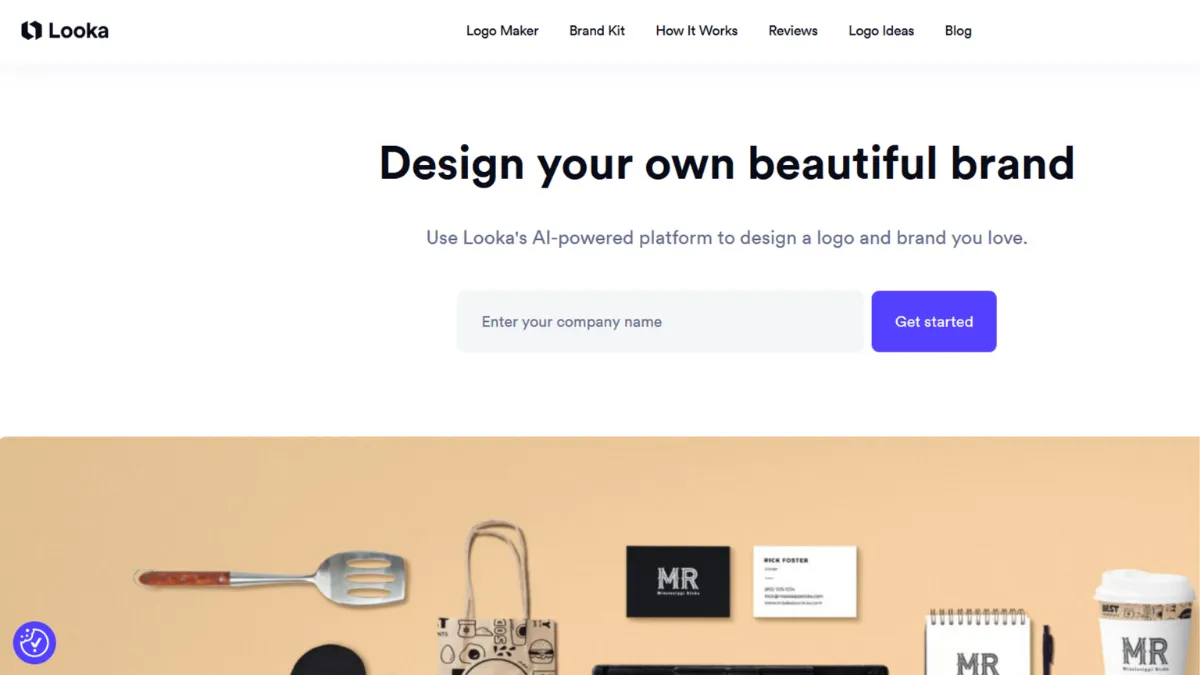
Branding a new business used to mean waiting for a designer's availability, paying for revisions, and hoping the final files arrived before your launch date. Looka removes all three friction points. The AI-powered logo maker generates dozens of logo concepts from a short preferences questionnaire, lets you customise typography, colour, iconography, and layout before committing a penny, and delivers production-ready vector files from $65. For founders who need a credible visual identity this week, it is one of the most cost-efficient routes available.
The mechanism behind Looka is a style-matching model that takes your inputs — industry, brand name, colour preferences, and adjectives like 'minimal' or 'bold' — and returns an initial batch of approximately 40 concepts. These are not generic clip-art combinations. The output reflects your style descriptors with reasonable consistency. From there, the editor lets you swap icons from a curated library, change font pairings, adjust colour values, and preview your logo on real-world mockups: business cards, shopfronts, coffee cups, t-shirts. The mockups are worth spending time with. Seeing a wordmark at 8pt on a business card catches legibility problems that a white-background preview never would. The mistake most users make is settling for the first generation pass. Looka's strength is iteration: running the preferences questionnaire a second time with adjusted inputs produces a meaningfully different result set.
Expect a usable logo within 30 to 90 minutes of starting, including customisation time. For consumer-facing businesses in lifestyle, food, retail, and creative sectors, the quality is high enough that you can take the files to print without further work. For B2B, professional services, or technical industries, the icon library skews toward generic shapes, and you may need to spend longer filtering output before finding concepts that feel industry-appropriate. A one-time purchase at $65 covers the Premium package, which includes PNG, EPS, SVG, and PDF files with colour variations and a transparent background, which is everything a printer or web developer needs.
Looka is the right choice for solo founders, early-stage startups, and small business owners who need a complete logo and brand kit without a designer's budget or timeline. It suits consumer-facing brands where the visual style categories in the platform align with your sector. E-commerce operators launching on Shopify who need quick brand assets, or creators building a personal brand, get strong value from the Brand Kit subscription at $96 per year.
The output is derivative by design. Looka draws from a shared icon library, meaning two businesses in the same industry using similar preferences can end up with logos that share DNA. As your brand scales and originality becomes a competitive signal, the platform's ceiling becomes visible. Post-purchase customisation is limited to what the editor supports: you cannot import custom icons, adjust spacing with precision, or access the underlying vector structure for redesign.
The sections that follow cover how the tool works mechanically, where its features add value, how to extract the most from it, and how it stacks up against the alternatives.
What Is Looka?
Looka is an AI-powered logo maker and brand identity platform that lets businesses create professional logos and complete brand kits without design expertise. It solves the classic early-stage problem: needing a credible visual identity before you have either the budget for a designer or the time to manage a creative brief. Unlike a general-purpose design tool like Canva, which requires you to start from a blank canvas or modify a template manually, Looka generates custom logo concepts based on your specific inputs and produces a complete brand system automatically from the approved logo. The platform has served over 20 million businesses since its founding, making it one of the most widely used AI logo tools available. The key question is not whether it produces a logo fast, it does, but whether the underlying generation model produces work with enough originality and precision for your specific brand context. That question comes down to how the tool actually works.
How Looka Works
You begin by entering your business name, selecting your industry from a category list, and choosing colour palettes and style descriptors. The system also asks you to indicate logos you like and dislike from a sample set, which helps the model calibrate before generating. The initial output arrives in seconds. The editor then gives you control over every visual element: icon selection from a categorised library, font pairing (primary and secondary), layout orientation, colour values, and container shapes. Changes update in real time, and the mockup previews refresh automatically.
The Brand Kit layer is worth understanding before purchase. Once you approve a logo, Looka generates over 300 branded asset templates using your logo, colour palette, fonts, and pre-filled company information. This includes social media profile images and post templates, business card designs in over 80 styles, email signatures, letterheads, and invoices. The asset generation is automatic, not a template you fill in manually. The result is a coherent brand system produced within minutes of logo approval, which is the genuine value proposition for early-stage businesses that need to look established quickly.
The counterintuitive insight most users miss: Looka's quality varies significantly by industry. The platform performs well for sectors it has seen most, including food, retail, wellness, and creative services. For technical B2B, legal, or financial services businesses, the icon vocabulary is thinner and the style presets skew more consumer. If your first generation batch feels generic, changing the style descriptors rather than iterating on the same output often produces stronger results. The practical question that follows: which specific features drive the most value once you move past the logo itself?
Looka Key Features
AI Logo Generator. The core of Looka is its logo generation model, which produces approximately 40 concept variations from a single preferences input. The model reflects style and colour choices with reasonable accuracy, meaning a 'minimal, dark, geometric' brief produces output that looks meaningfully different from a 'bold, bright, playful' brief. You can re-run generation with adjusted inputs as many times as you like before purchasing. To get the most from this feature, invest time in the dislike selection during setup: indicating which styles you want to avoid narrows the output more effectively than any single positive preference.
Logo Editor. After generation, the editor lets you modify every element: icon, font pair, colour palette, layout, and container. The interface is drag-and-drop with real-time preview and works without design knowledge. The limitation is scope. You can only select icons from Looka's library and cannot import external assets or fine-tune typographic spacing beyond preset options. For most users at the logo creation stage, this is sufficient. For those with a specific vision that falls outside the library, it becomes a constraint.
Mockup Preview System. Before purchasing, you can preview your logo across dozens of real-world applications: business cards, shopfronts, apparel, packaging, social media profiles. This is one of Looka's most practically useful features and one that tools like Adobe Express do not replicate in the same structured way for brand identity creation. The previews render at correct scale and lighting, which makes legibility and proportion problems visible before you commit to a download.
Brand Kit. Available on the $96 per year subscription, the Brand Kit auto-generates over 300 branded templates using your approved logo, colours, fonts, and company details. The output covers social media (profile images, post templates), print (business cards, letterheads, invoices), and digital (email signatures, brand guidelines). All templates remain editable within the Looka platform. The Brand Kit subscription also includes unlimited post-purchase logo edits, so you retain flexibility to refine the logo after seeing it in real use.
Brand Kit Web. The $129 per year tier adds a website builder using your brand assets, with managed hosting, SSL, mobile-responsive templates, and a custom domain option. The website output is a simple branded landing page or brochure site. Businesses that need e-commerce, a blog, or any backend functionality need a dedicated platform alongside it, making this tier less useful than it appears for companies with active web strategies. The low price point does make it a reasonable bridge solution while a more capable site is in development.
The features are coherent and well-integrated, but the platform's scope is narrower than it first appears. The one-logo-per-subscription model means that businesses managing multiple brands or requiring variant logo systems for different product lines will hit a constraint quickly. That tension between breadth and depth runs through the pros and cons.
Looka Pros and Cons
The case for Looka:
- Free to design, pay to download. You can generate and customise logos without spending anything. Looka only charges when you want to download the files. This removes the risk of paying before you know whether the output suits your brand, and it gives you time to iterate without a clock running.
- Production-ready file formats at $65. The Premium package delivers PNG, EPS, SVG, and PDF files with colour variations and a transparent background. These are the formats a printer, developer, or brand guideline document requires. Comparable assets from a freelance designer typically cost multiples of this figure.
- Auto-generated brand system. The Brand Kit's automatic generation of 300-plus branded templates from a single logo approval saves significant hours of manual template work. For a founder managing multiple channels at launch, having consistent social, print, and email assets ready within minutes is a material time saving.
- Mockup previews before purchase. Seeing a logo on real-world surfaces before committing to a download is a feature that the price point rarely delivers elsewhere. It reduces post-purchase regret by surfacing proportion and legibility issues at the right stage.
- Commercial rights on all paid tiers. Every purchased logo comes with full commercial rights, including trademark registration eligibility. Rights are retained even after a Brand Kit subscription expires, which matters for businesses that cancel after the initial branding phase.
The limitations to weigh:
- Shared icon library produces similar output across users. Because Looka draws from a single icon library and a finite style set, businesses in the same industry with similar preferences will produce logos with overlapping visual elements. In brand-sensitive sectors, this is a real risk, not a theoretical one.
- Limited post-purchase editor control. You cannot import custom icons, adjust kerning or tracking, or access the underlying vector structure for redesign. The editor works within fixed parameters, which becomes a meaningful constraint as brand requirements grow more precise.
- One logo per subscription. Each Brand Kit subscription covers a single logo and its associated brand assets. Businesses managing multiple product lines or brand variants need separate subscriptions, which adds cost and friction at scale.
- Basic website tier lacks depth. The Brand Kit Web builder produces simple brochure sites. Any site requiring e-commerce, a blog, or backend functionality needs a dedicated platform, making this tier a limited long-term web solution.
- Refund eligibility cancels on file download. Downloading or receiving logo files via email permanently removes refund eligibility within the seven-day window. This is worth knowing before clicking the post-purchase download link if you have any uncertainty about the design.
How to Get the Most Out of Looka
Before opening the generator, gather three inputs: your brand name in its final spelling, two or three hex codes if you have colour preferences, and five adjectives that describe how you want the brand to feel. Entering these with precision produces a tighter first generation batch than working through the platform's generic style descriptors alone.
During generation setup, use the dislike selection aggressively. Indicating which styles you want to avoid is the single most effective way to focus the output. Most users skip this step, which produces broader, less targeted results. The 'like' selections influence the model; the 'dislike' selections act as filters, removing entire style families from the output set.
Spend time with the mockup previews rather than just the logo editor. A logo that looks strong at large scale on a white background can become unreadable at the 32x32 pixels of a browser favicon or at the small size of a business card strapline. The mockup system surfaces these issues before purchase. If you plan physical print materials, check the logo on the business card and packaging mockups specifically.
To build a brand kit on Looka efficiently, the workflow is: approve your logo, move to the Brand Kit, and review every template category before downloading individual assets. Changes to the base logo update all 300-plus templates automatically, so make final adjustments to colours and fonts before exporting anything. Downloading assets from a modified Brand Kit after the fact is possible, but reviewing everything in sequence before your first export saves time and avoids version mismatches across channels.
Measure success at 30 days after launch. The useful question is not whether the logo looks good on screen but whether it reads correctly across every surface you are using: email signature, social profile, printed business card, packaging if applicable. Looka's unlimited post-purchase edit feature exists for exactly this situation. Brand Kit subscribers can refine the logo after seeing it in real use without repurchasing files.
Who Should Use Looka?
Looka suits three distinct users well. A founder launching a consumer-facing product, whether in food, retail, wellness, or creative services, who needs a complete visual identity before a launch date and has neither the time nor budget for a designer. The platform's style vocabulary is widest in these categories, and the Brand Kit gives you all the assets a product launch needs. An e-commerce seller setting up a branded store who needs a logo, social presence, and print materials to look consistent from day one. Pairing Looka's Brand Kit with Printful for branded merchandise, or using it alongside Notion for internal brand documentation, is a practical early-stage stack. A freelancer or solopreneur building personal branding quickly who wants professional assets without a recurring creative services budget. At $65 for the full logo package or $96 per year for the Brand Kit, the cost is accessible at any revenue level.
Looka is not the right choice for a business where brand differentiation is a core competitive signal. Agencies, design studios, and professional services firms whose credibility rests on visual distinctiveness will find the shared icon library a reputational risk. If you need a logo system with multiple lockups, sub-brand variants, or precise typographic control, Looka's editor does not reach that level of specification.
Looka Pricing
Looka uses a freemium model: designing is free, downloading costs money. You can generate and customise logos without a payment, which lets you evaluate fit before committing.
The Basic Logo Package ($20, one-time) delivers a single low-resolution PNG. This tier suits placeholder use or mockup presentations, but the absence of vector files and colour variations means it does not cover professional print or digital production needs. The Premium Logo Package ($65, one-time) covers full production requirements: PNG, EPS, SVG, and PDF in high resolution, with colour variations, a transparent background version, and full commercial rights. This is the practical minimum for a production-ready business logo.
The Brand Kit Subscription ($96 per year, billed annually) adds the auto-generated brand asset library, unlimited logo edits, and brand guideline documents to the Premium package. For founders who need the full suite of launch assets, this is the tier where Looka's value proposition is strongest. The Brand Kit Web Subscription ($129 per year) adds a hosted website builder, which suits founders who want a branded landing page without a separate hosting account. Always verify current pricing on Looka's pricing page before purchasing, as tiers and features update periodically.
Against the alternatives, Looka's one-time Premium option at $65 is strong value for a logo-only purchase. Recurring subscription tools charge annually regardless of whether you need ongoing design work, making Looka more cost-efficient for a founder who needs a logo once and wants to move on. The one-logo-per-subscription model is the main pricing limitation for businesses with multiple brand requirements.
Looka vs Alternatives
Canva is the most common comparison, but the use cases diverge. Canva is a general-purpose design tool with a logo maker as one of many features. If you already use it for social media and presentations, its logo builder is a convenient addition, but the AI generation is less focused than Looka's. Choose Canva when ongoing design work across multiple content types is the priority. Looka wins when brand identity creation is the specific job.
Design.com positions itself as an AI branding tool with a similar logo-plus-brand-kit model to Looka. Both platforms include a website builder and social media tools in their subscription tiers. Looka has a larger user base and a more established review record. Design.com competes on price at certain tiers. Compare both directly if you are choosing between them.
Logome is a direct competitor in the AI logo space with similar generation mechanics and a brand kit product. Looka's icon library is broader and the mockup preview system is more developed. For most users evaluating AI logo tools, Looka is the stronger default. Logome may suit users looking for a lower entry price or a different style set.
Hiring a freelance designer via Fiverr is the relevant alternative for businesses where logo originality matters. A mid-range brief on Fiverr costs $150 to $500 and produces a file you own outright, created by a human with design judgement. The trade-off is time: a Fiverr project takes days or weeks rather than hours. Use Looka when speed and budget are the constraints. Use Fiverr when distinctiveness is the constraint.
Looka Review: Final Verdict
Looka earns a 4.12 overall score, which reflects a platform that performs well at its stated job with a few real limitations. Ease of use at 4.7 is its strongest dimension: the onboarding flow and editor are among the most accessible in the logo tool category, with no design knowledge required at any stage. Cost efficiency at 3.8 reflects the one-logo-per-subscription model, which reduces value for businesses with multiple branding needs, and the step-up pricing structure that can push total cost higher than it first appears.
The bottom line: if you need a logo, a brand kit, and professional-grade files within an afternoon at a $65 to $96 budget, Looka does that better than most alternatives at this price point. The platform's ceiling is real, but for early-stage businesses at the identity creation stage, that ceiling is not yet a problem.
How We Rated It:
More Tool Reviews







Subscribe to Stay in the loop
Get the latest AI and technology news, honest tool reviews, and practical guides delivered straight to your inbox.
Success! Check your Inbox!

Tezons Newsletter
The latest technology news, in-depth tool reviews, and practical guides - curated and delivered to your inbox.
Latest News




Have a question?
Have any questions?
Didn’t find what you were looking for? We’re just a message away.