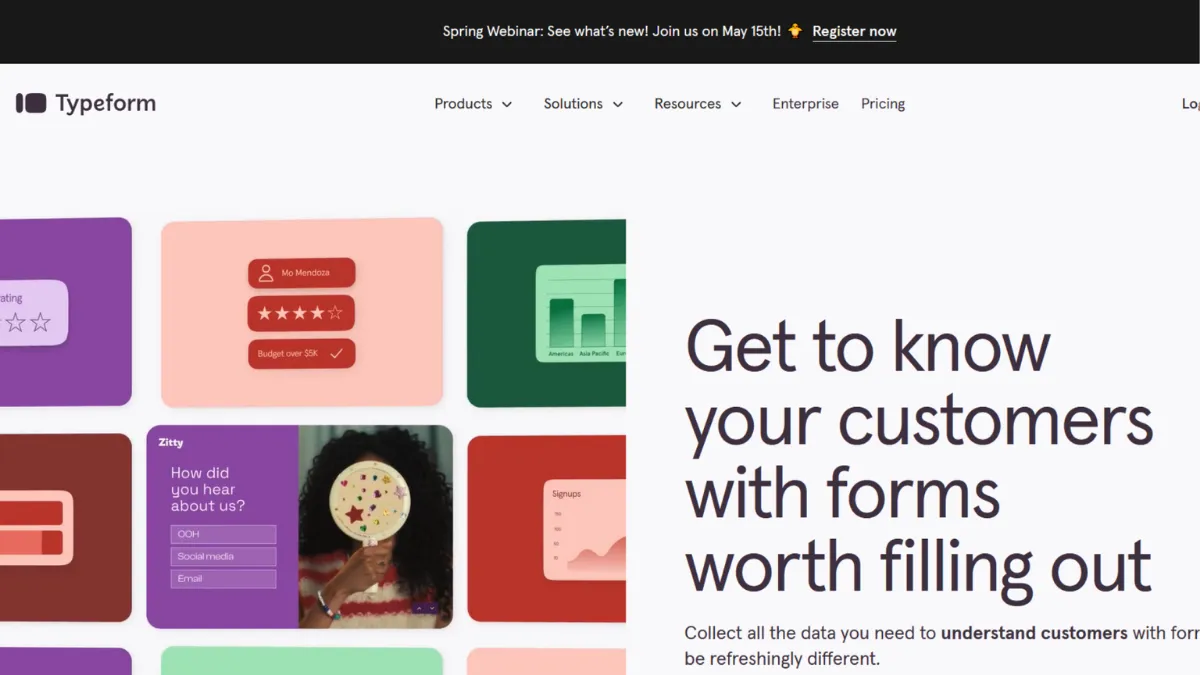
Completion rate is the metric most form builders ignore and the one Typeform was built to maximise. Where a standard form presents every question at once, Typeform surfaces one question at a time, creating a rhythm that feels closer to a conversation than a data extraction exercise. Teams switching from a traditional form builder to Typeform typically report measurable improvements in the percentage of respondents who reach the final submit button, and that outcome alone makes it worth serious consideration for anyone whose business depends on what people tell them.
The mechanism behind this is Typeform's conversational UI: a full-screen, single-question layout with smooth transitions that keeps respondents focused on one decision at a time. Combined with Logic Jumps, which route respondents down different question paths based on their previous answers, the form can adapt to each person without the builder needing to write code. A lead qualification form can quietly skip irrelevant questions; a product quiz can surface personalised recommendations at the end. The output quality of that branching depends almost entirely on how deliberately you map the logic before you build, and most users skip the planning stage entirely, which is why they end up with branching that either does too little or contradicts itself mid-flow.
Realistic expectations matter here. Typeform raises completion rates relative to static forms, but it does not fix a weak offer or a poorly worded question. A survey that asks for ten minutes of someone's time will still struggle regardless of the interface wrapping it. The gains are most pronounced in shorter flows, typically under twelve questions, where the conversational pacing compounds into a noticeably better experience. Longer forms can still benefit, but the effort required to map Logic Jumps at scale grows quickly and the completion-rate advantage narrows.
Typeform fits best in the hands of marketing teams running lead generation campaigns, product teams collecting user feedback, and solo founders who need something that looks professional without a designer. If you are putting a form in front of customers or prospects, the polish matters, and Typeform delivers it faster than building the same result from scratch in Webflow or commissioning a custom component.
The pricing structure is the clearest limitation. Response limits are enforced at the plan level, and growing beyond the entry tier happens faster than most users anticipate. CAPTCHA protection, which is essential for any public-facing form that collects leads, is gated behind higher-tier plans. A form that goes even modestly viral can exhaust a monthly response quota in days and force an unplanned upgrade.
The sections below cover how Typeform works mechanically, its key features, a strategy guide for getting the most from it, and how it stacks up against the alternatives worth knowing about.
What Is Typeform?
Typeform is a web-based form and survey builder founded in Barcelona that distinguishes itself through its conversational, one-question-at-a-time interface. Its core problem is a familiar one: standard online forms feel like paperwork, and people abandon them. Typeform's answer is to strip out the wall of fields and present each question in full screen with clean typography, smooth transitions, and optional imagery or video, producing a respondent experience that feels materially different from what you get with a generic tool. Unlike building the same effect in a CMS or using a basic free tool, Typeform handles the mobile responsiveness, the Logic Jump routing, and the visual consistency without requiring the builder to touch a line of code. The platform serves millions of users across industries spanning e-commerce, SaaS, education, and professional services. What the headline numbers do not capture is the question of how the engine underneath actually determines output quality, which is where most users leave money on the table.
How Typeform Works
Setup starts with either a blank canvas or one of Typeform's pre-built templates, which cover lead generation, feedback surveys, product quizzes, event registrations, and several dozen other common use cases. From there, you add question blocks: multiple choice, short text, long text, rating scales, opinion scales, file uploads, payment fields via Stripe, and several others depending on your plan tier. The drag-and-drop editor is genuinely fast, and a non-technical user can publish a basic form in under ten minutes.
The part that takes longer, and that most users underestimate, is the Logic Jump configuration. Each question can branch to a different destination based on the respondent's answer, and you connect those routes visually in the logic panel. The system also supports calculated fields, which assign scores to answers and can be used to route respondents into different outcome buckets, making product recommendation quizzes or lead scoring forms possible without a developer. Hidden fields allow you to pass in external data, such as UTM parameters or a CRM contact ID, so you can tie a form submission back to a specific campaign or person inside a tool like HubSpot.
Output quality is most affected by question order and answer option design, not by the platform's mechanics. Typeform's interface cannot compensate for ambiguous questions or answer sets that force respondents to guess which option applies to them. The counterintuitive insight most users miss is this: the conversational format makes bad questions more damaging, not less. Because respondents cannot scan ahead to understand where the form is going, a confusing question mid-flow causes more drop-off than the same question buried in a traditional multi-field page. The format rewards clarity and punishes vagueness more harshly than a standard form does. That dynamic sets up the practical question the features section addresses directly: which specific Typeform capabilities give you the most leverage over response quality?
Typeform Key Features
Logic Jumps. The branching engine is the feature that separates Typeform from basic form builders. You define rules that send respondents to different questions based on their answers, and you can layer multiple conditions on a single branch. The visual logic panel makes these rules readable without a flowchart tool, though complex multi-branch flows still benefit from mapping on paper first. Used well, Logic Jumps allow a single form to serve several distinct audience segments without building separate forms for each.
Conversational one-question-at-a-time interface. Every form published through Typeform presents questions in full screen, one at a time, with keyboard navigation support and smooth animated transitions. This is not a cosmetic preference: the layout reduces cognitive load per screen and has a measurable effect on how far respondents progress before abandoning. The design is mobile-responsive by default, requiring no additional configuration from the builder.
AI form generation. Typeform has added an AI layer that builds an initial form from a plain-language prompt. You describe your goal, and the system proposes a question set with appropriate field types. This is genuinely useful for getting past a blank canvas quickly, though the output reliably needs editing before it is ready to publish. Treat it as a first draft accelerator, not a finished product. Pair it with data collected in Google Analytics to understand which form entry points are actually driving conversions.
Template library. Several dozen pre-built templates cover the most common form use cases. Each template is fully editable, and the question phrasing in the better ones reflects actual conversion-tested copy rather than placeholder text. Starting from a template is faster than building from scratch for most standard use cases.
Native integrations and webhooks. Typeform connects natively to a range of tools including spreadsheet and CRM platforms, email marketing services, and automation layers. Webhooks allow you to push submission data to any endpoint that accepts a POST request, which extends compatibility significantly. The integration breadth is solid for a form builder, though power users running complex multi-step automation often route through Zapier or a similar middleware layer to handle more conditional logic between tools.
The native integration set is genuinely wide, but the depth of each connection varies. Some integrations pass only top-level field data and do not handle nested Logic Jump paths cleanly, which becomes relevant at S5's discussion of limitations.
Typeform Pros and Cons
Where Typeform leads the category and where it falls short:
- Completion rates above category average. The conversational format consistently outperforms multi-field page layouts on response completion. For lead gen forms and customer surveys, this translates directly into more usable data per campaign.
- No-code Logic Jumps. Building conditional branching is genuinely accessible to non-technical users. The visual logic panel means you do not need a developer to create personalised paths through a form.
- Design quality out of the box. Every form looks polished without custom CSS. For small teams without a dedicated designer, this removes a meaningful bottleneck between idea and published form.
- Broad integration ecosystem. Native connections to major CRM, email, and automation platforms mean submissions rarely stay siloed. The webhook support extends this to custom endpoints.
- Underrated hidden fields feature. Passing external data into a form silently, such as campaign source or contact ID, allows for far richer attribution and personalisation than most users set up. This is one of the most powerful features on the platform and one of the least used.
The limitations that matter in practice:
- Response limits enforced at plan level. The free tier and entry paid tiers cap monthly responses, and forms exposed to any meaningful traffic hit those ceilings faster than expected. Upgrading is the only remedy, and the tier jumps are steep.
- CAPTCHA gated to higher plans. Spam protection for public-facing forms requires a Growth-tier plan. Teams running lead gen campaigns without it report significant bot contamination in their submissions, which degrades the data that Typeform's conversational experience was supposed to improve.
- Performance under load. Form load times can slow noticeably during peak periods, and the editing interface occasionally lags when saving changes on complex forms. For a premium-priced tool, the performance consistency leaves room for improvement.
- Limited offline capability. Typeform requires a live internet connection for both building and responding. There is no offline mode, which matters in field research or event contexts where connectivity is unreliable.
- Support access is tier-dependent. Live chat and faster response times are reserved for higher-plan customers. Entry-tier users rely primarily on documentation and community resources, which are adequate but not always sufficient for nuanced configuration questions.
How to Get the Most Out of Typeform
Before you open the builder, write out every question and its possible answer paths on paper or in a simple document. This sounds unnecessary until you have spent an hour untangling a Logic Jump sequence that contradicts itself at question seven. Knowing the full decision tree before you build eliminates the most common cause of wasted setup time.
In your first session, prioritise three things: pick a template close to your use case rather than starting blank, activate hidden fields to capture UTM parameters from the outset, and configure at least one notification rule so submissions reach the right inbox or CRM immediately. These three steps take under fifteen minutes and they prevent the most common data loss scenarios.
Building results over time means treating your form as a product that gets iterated. Check the drop-off analytics Typeform surfaces per question and look for the point where completion rate falls most sharply. A single question with a high abandonment rate is almost always either ambiguous in its wording or asking for something the respondent considers sensitive at that point in the flow. Rewrite the question or move it later in the sequence.
Understanding how to improve survey completion rates with Typeform comes down to one discipline most teams skip: testing the form as a respondent before publishing. Open it on a mobile device, answer every path through the logic, and time yourself. If it takes longer than you expected or any question gives you pause, it will do the same to your audience. Edit before you publish, not after you see the drop-off data.
The mistake most users make is treating the platform as a passive collector rather than an active qualifying tool. A well-configured Typeform with score-based Logic Jumps can route high-fit leads to a calendar booking and lower-fit responses to a nurture sequence automatically, all without touching a CRM manually. That outcome requires deliberate setup, but once built, it compounds across every campaign that uses the same form.
Measure success by tracking three numbers: completion rate, time to complete, and the conversion rate from form submission to the next step in your funnel. Typeform surfaces the first two natively. The third requires connecting submission data to your CRM or analytics tool, which is worth the configuration time.
Who Should Use Typeform?
Typeform suits three types of users particularly well. The first is a marketing manager at a growth-stage company who needs lead qualification forms and customer surveys to feel on-brand without commissioning a designer for each one. The tool's default design quality and template library solve that problem faster than any alternative at a similar price point. The second is a product manager running regular user feedback cycles who needs branching surveys that adapt to different user segments. Logic Jumps make that possible without engineering support. The third is a founder selling a digital product or service who wants a quiz funnel that routes prospects into different offer tracks based on their answers, and who needs to connect those submissions to an email tool like Mailchimp or a CRM without writing custom code.
Typeform is not the right choice if you are running high-volume public-facing lead generation on a tight budget. The response limits and the additional cost of CAPTCHA protection at higher tiers make it an expensive option for teams processing thousands of submissions a month. It is also a poor fit for organisations that need HIPAA-compliant data collection, where a specialist tool with verified compliance controls is the appropriate choice.
Typeform Pricing
Typeform offers a free tier with limited monthly responses and Typeform branding on every form. It provides enough functionality to evaluate the builder and publish a low-volume internal form, but it is not viable for customer-facing use where branding matters or where response volume is unpredictable.
Paid plans begin at an entry level covering standard features and basic integrations, with higher tiers unlocking custom branding, increased response limits, advanced Logic Jumps, payment collection, and team collaboration features. The Growth-tier plans, which sit at the top of the self-serve range, are where CAPTCHA protection and higher response ceilings become available. Pricing at those tiers is substantially higher than the entry level, and the jump between them is steep enough to surprise teams that hit their limits unexpectedly.
For a solo founder or small team running occasional campaigns, the entry paid tier is likely sufficient. For any team with consistent lead generation activity or a form exposed to public traffic, the cost of an appropriate tier needs to be evaluated against alternatives before committing. Always verify current pricing on Typeform's own pricing page, as plan structures and response limits change. Relative to the field, Typeform sits at a premium compared to tools like Google Forms or Tally, and that premium is easier to justify when completion rate and brand consistency are measurable priorities rather than nice-to-haves.
Typeform vs Alternatives
The four alternatives most worth comparing are JotForm, SurveyMonkey, Google Forms, and Tally.
JotForm offers a much larger template library and more granular customisation options than Typeform, including HIPAA-compliant plans. It takes a kitchen-sink approach to features, which means more power but a steeper learning curve and a less polished respondent-facing design. Choose JotForm when you need maximum flexibility or compliance-grade data handling. Typeform wins when the respondent experience and brand aesthetic matter more than feature breadth.
SurveyMonkey is built for research-grade survey work and delivers stronger analytics and reporting than Typeform out of the box. Its audience panel also lets you buy responses from targeted demographics, which Typeform does not offer. Choose SurveyMonkey for structured market research projects. Typeform wins for lead generation and customer-facing forms where design and completion rate are the primary metrics.
Google Forms costs nothing and integrates directly with Google Workspace, making it the obvious choice for internal data collection where aesthetics are irrelevant. It has no Logic Jump equivalents at Typeform's depth and no design customisation to speak of. Choose Google Forms for quick internal surveys. Typeform wins every time the form is customer-facing.
Tally provides genuinely unlimited responses and conditional logic on its free plan, making it the strongest budget alternative. The respondent experience is less polished than Typeform's, and the template library is smaller, but for teams where cost efficiency outweighs brand presentation, Tally is a credible option. Typeform wins on design quality and conversational UX; Tally wins on cost.
Typeform Review: Final Verdict
Typeform earns a 4.22 out of 5 overall, a score that reflects a tool that is the strongest in its category on respondent experience and ease of use while carrying real weaknesses in cost efficiency and support access at lower tiers. The 3.7 cost-efficiency score is not incidental: the pricing structure actively penalises teams whose form traffic grows, and the CAPTCHA gate at higher plans is a genuine barrier for lead generation use cases. If your primary need is a customer-facing form that converts and looks good without a designer, Typeform delivers that outcome better than any direct alternative. Go in clear-eyed about the response limits, plan for the tier you will actually need rather than the cheapest entry point, and the tool pays for itself quickly.
How We Rated It:
More Tool Reviews







Subscribe to Stay in the loop
Get the latest AI and technology news, honest tool reviews, and practical guides delivered straight to your inbox.
Success! Check your Inbox!

Tezons Newsletter
The latest technology news, in-depth tool reviews, and practical guides - curated and delivered to your inbox.
Latest News




Have a question?
Have any questions?
Didn’t find what you were looking for? We’re just a message away.